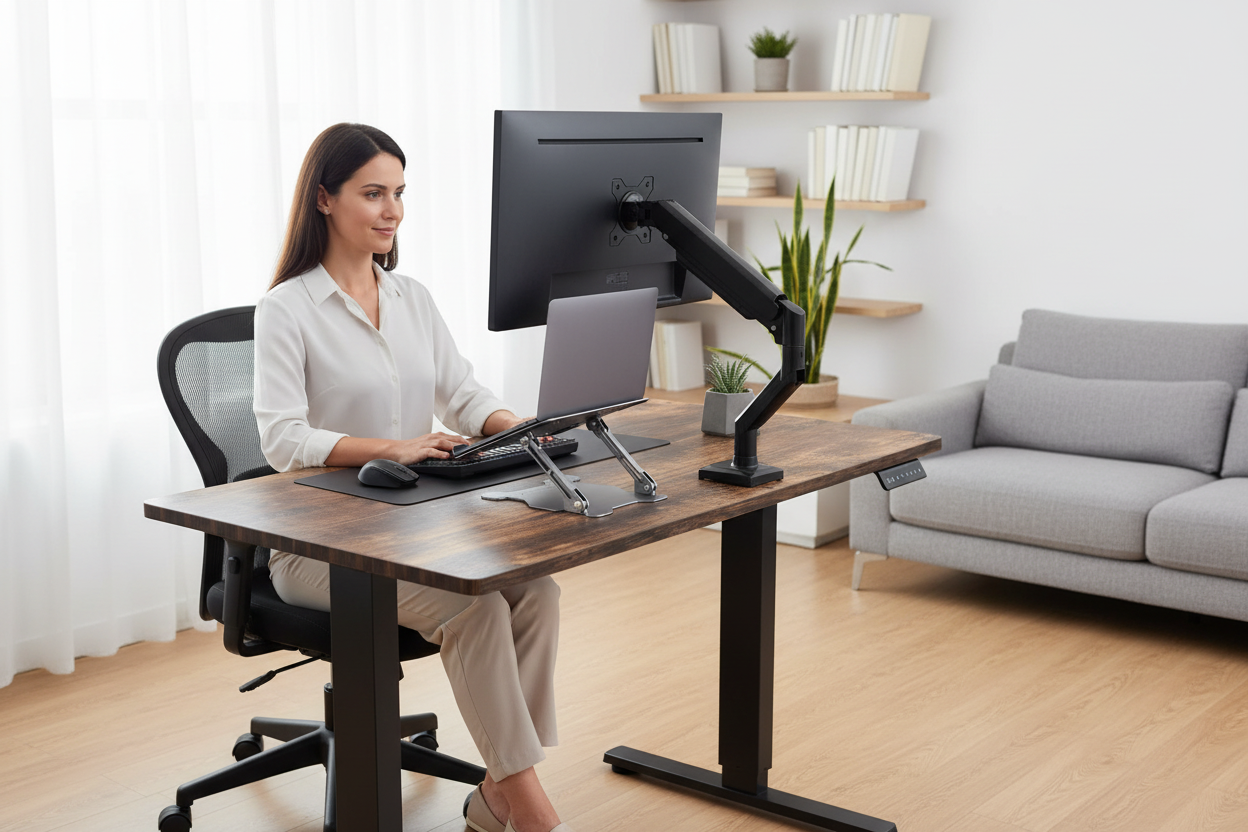
There's a moment every remote worker knows. You're an hour into the day, you catch yourself on camera during a call, and there it is: your chin drifting toward your collarbone, your shoulders curled forward like a question mark. You straighten up, feel better for about ninety seconds, and then the whole thing repeats itself.
Most people respond by trying to fix their posture. Fewer people respond by fixing the actual problem, which is that the screen is in the wrong place. Posture is a symptom. Screen height is the cause, and it's the rare ergonomic factor you can change in about thirty seconds with the right hardware.
Here's what this guide covers: what the eye-level rule actually says, why it exists, who it doesn't fit, and how to set your own screen height in five minutes. The short version is that ergonomists generally recommend the top third of the screen at eye level. The longer version is why, and it's more interesting than you'd think.
The Eye-Level Rule, Explained: Top Third of the Screen, Not the Middle
You've probably heard the rule a hundred times, usually phrased as "your monitor should be at eye level." That's a useful shorthand and a misleading one, because if you put the middle of the screen at your eye level, the screen ends up too high.
The guidance you'll actually hear from ergonomists is more specific: the top third of the screen should sit at eye level. When you're sitting comfortably, your eyes naturally rest a little below the horizontal. If the top third of the screen meets that line, your gaze falls gently downward across the display, and your neck stays in a neutral position, head balanced over your shoulders.
Why the top third and not the middle? Because the rule is about where your eyes rest, not where they can reach. You can obviously read a screen at almost any height for a while. The question is what happens over hours. A screen set too high forces you to hold your head up and back, which your neck tires of quickly. A screen set too low lets your head sink forward and down, which is the classic posture everyone warns you about.
The rule also assumes you're looking at the content, not the bezel. If you spend your day staring at the top of a spreadsheet, nudge the screen up a touch. If you read documents near the bottom, nudge it down. The top-third rule is a starting point, and fine-tuning from there is the whole game. Screen height ergonomics is less about one magic number and more about getting into the right neighborhood, then letting your body do the rest.
Why the Rule Exists: Neck Flexion and the Weight of Your Head
The reason the rule exists is simple physics applied to an inconvenient part of your body: your head is heavy, and your neck holds it up with a surprisingly small amount of muscle.
When your head sits balanced over your spine, your neck muscles do relatively little work, like a column holding up a roof. The moment your head moves forward or down, that column turns into a lever, and your neck muscles have to work harder to keep it from tipping over. The further the head drifts, the more work they do, and the sooner they complain. Nobody needs a lab study to feel this. You can feel it by the second hour of a laptop-on-the-lap afternoon.

Studies have looked at neck flexion angles in office workers, and the pattern that comes up again and again is qualitative but consistent: people who spend more time with their necks flexed forward report more discomfort in the neck and shoulders. Research in this area tends to describe the same story, that more time in a flexed, forward head position is associated with more aches, while a neutral neck position is associated with fewer. The exact numbers vary from study to study, but the direction of the finding doesn't.
The sneaky part is that the posture becomes a habit. Sit with your head forward for eight hours a day, and your body starts treating that as normal. Your screen height is what decides whether your default is a neutral neck or a forward one, which is why getting it right matters more than any amount of "sit up straight" self-talk. You can't out-discipline a monitor that's six inches too low.
Who the Rule Doesn't Fit: Tall People, Short People, and Bifocals
Here's where the eye-level rule stops being a law and becomes a starting point, because "eye level" is personal. It's your eye level, measured from your eyes, in your chair, with your posture. A rule that works for a hypothetical average person has to be adjusted by almost everyone, and that's fine.
Very tall people run into a different problem first: the desk. If the desk is too low, you end up hunched over it no matter where the screen sits, and raising the screen only helps so much. The fix usually starts with desk height, and a height-adjustable desk is the cleanest solution, because you can dial in a height that lets your forearms rest parallel to the floor before you ever touch the screen position.
Very short people have the mirror-image problem. A standard desk is often too high, which makes you shrug your shoulders up to the keyboard and crane your neck toward the screen. The fix is a chair that goes low enough for your feet to rest flat, and sometimes a footrest, before you even think about the screen. Get the base right, and the screen height rule suddenly becomes easy to satisfy.
And then there are bifocal and progressive lens wearers, who break the rule on purpose. If you read the screen through the lower portion of your lenses, a screen at strict eye level can leave you tilting your head back to find the right spot in the lens. Many people who wear progressives actually prefer the screen a bit lower, and that's the right call for them. The rule exists to serve your neck, not the other way around.
The takeaway: the top-third rule works for a typical person in a typical setup. If you're not typical, and almost nobody is, treat the rule as a starting point and adjust until your neck feels neutral. Comfort wins over orthodoxy every time, and your optometrist wins over a blog post.
Monitors, Laptops, and Tablets: Different Hardware, Same Rule
The rule doesn't change based on the device. The hardware does, and that's where the difficulty comes from.
Monitors are the easiest case. A monitor sits on a stand or an arm, independent of your keyboard, so you can put the top third at eye level and leave the keyboard at lap height, where your arms want it. That separation is the whole trick, and it's why a monitor setup is the ergonomic gold standard. You set it once, and it stays set.
Laptops are the hardest case, because the screen and the keyboard are physically joined. Set the keyboard where your arms want it, and the screen is too low. Set the screen where your eyes want it, and you're typing with your elbows at ear height. The standard solution is a laptop stand to raise the screen, plus an external keyboard and mouse, which recreates the monitor setup for a fraction of the price. If that sounds familiar, it's the exact argument we make in our guide to laptop stands, fixed vs. adjustable vs. cooling, and it's the reason a good stand is the highest-value desk accessory you can buy.

Tablets are the wild card, because they travel with you and get used in a hundred positions. On a desk, a tablet laid flat is a neck trap, and one held up in your hands drifts lower minute by minute until you're basically hugging it. The rule is the same: prop the tablet so the top third sits near your eye line, and take breaks when you're reading in bed or on the couch, because no position is good forever.
And if you run two monitors, the rule applies to the one you actually look at, the primary screen. The secondary monitor sits to the side and slightly lower, which is exactly what our dual monitor setup guide covers in detail. Same rule, just applied to the screen that matters, and that's the part people get wrong when they try to make both screens perfect at once.
How to Measure Your Own Setup in Five Minutes
You don't need a laser level or a colleague with a protractor. You need five minutes and a willingness to be honest with yourself.
Step one: sit in your chair, the way you actually sit, and close your eyes. Let your head relax, really relax, so your neck is doing as little work as possible. Open your eyes and notice where your gaze lands. That point, whatever it is, is your natural resting gaze, and it's your personal reference line for everything that follows.
Step two: look at your screen. The top third of the display should meet that reference line, or come close to it. If the screen is well below it, raise the screen. If it's well above it, lower it. Most people, on the first try, find their screen is too low, sometimes by several inches. That single discovery explains a lot of afternoons.
Step three: check your neck. In your normal working position, your ears should sit roughly over your shoulders, not in front of them. If you have to lift your chin to see the screen, it's too high. If your chin pokes forward to see it, it's too low. This is the quickest, most reliable check in the whole process, and you can do it during any video call without anyone noticing.
Step four: check distance. You should be able to reach the screen with your arm extended, roughly, and your eyes should not be straining to read text. If you're leaning in, the screen is too far or the text is too small, and both are fixable. This matters more than people think, because screen height and screen distance work together, and fixing one while ignoring the other only gets you halfway.
Step five: live with it for half an hour, then recheck. Small adjustments, an inch here, an inch there, settle into a position that feels neutral. Once you find it, you'll stop thinking about it entirely, and that's the goal. A good setup is one you forget about, and screen height ergonomics done right feels like nothing at all.
The Hardware That Enforces the Rule: Stands, Arms, and a Desk
Knowing the right height is only half the problem. The other half is being able to hit it, hold it, and adjust it when things change. That's where hardware comes in, and it's worth spending real money on, because it's the difference between a rule you follow once and a setup that stays right for years.
For laptops, the Rackora Elite laptop stand, at $79.99 with a compare-at of $129.99, raises the screen to your gaze line and holds it there, with ventilation so the machine stays cool during long sessions. Add an external keyboard and mouse, and your laptop becomes a proper workstation. It's the cheapest way to enforce the eye-level rule, and it works the same afternoon it arrives, which is not something you can say about most ergonomic purchases.
For external monitors, the full-motion adjustable single monitor arm at $139.99 is the serious upgrade. It moves the screen up, down, forward, and back, which means you can put the top third exactly on your reference line, then fine-tune it while you work. It also clears the desk surface underneath, which gives you back real estate you didn't know you were missing. And because it's full-motion, adjusting for a different chair, a different day, or a different mood takes seconds, not a trip to the hardware store.

For the whole system, the 40×24 electric height-adjustable standing desk, at $599.99 with a compare-at of $879.99, matters more than it seems. Your eye level changes when you stand up, by definition, and a desk that moves with you means the rule keeps working whether you're sitting or standing. Set the seated height, set the standing height, and the screen is right in both positions, no compromise required.
You can absolutely prop your laptop on a stack of books and call it a day. Thousands of people do. But books don't adjust, don't ventilate, and don't survive being knocked by a knee, and they silently teach you to accept "close enough." Hardware that puts the screen exactly where it belongs, and keeps it there, is the difference between knowing the rule and living it.
What Research Still Debates: Sitting vs. Standing, and Movement
Here's the honest part, and it's important, because this is where most articles oversell the science.
The eye-level rule itself is about as close to consensus as ergonomics gets. Ask a hundred ergonomists where your screen should be, and the answers will cluster around the top third of the screen at eye level. That's not in serious dispute, and it hasn't been for a long time.
What researchers still debate is the bigger picture around it: how much sitting versus standing is ideal, and whether any single posture is even the goal. The emerging view, stated qualitatively, is that variety matters more than perfection. Research has compared seated and standing work, and the consistent theme isn't that standing is better, it's that alternating is better, and that prolonged static posture, seated or standing, is the thing to avoid.
That reframes the whole project. You're not looking for one perfect angle you hold forever. You're looking for a setup that makes good posture easy and makes changing position effortless. That's why a height-adjustable desk shows up in so many recommendations, not because standing is magical, but because it breaks up the static posture problem without requiring willpower. You press a button instead of remembering to move.
The honest summary: the science supports getting your screen height right, and it supports moving regularly. It doesn't support obsessing over one perfect number, and anyone who quotes you a precise angle with false confidence is overselling. Aim for the top third at eye level, move when your body asks, and you're doing better than most people, including most people writing about ergonomics. If you want the deeper dive on the neck side of things, our piece on text neck covers the posture problem in more detail.
Standing Desks and the Rule at Standing Height
Everything so far has assumed you're sitting. The moment you stand up, the whole equation changes, and a surprising number of people stand up wrong.

Here's the standing version of the eye-level rule: the top third of the screen at eye level still applies, but now your eye level is higher, so the screen has to move up with you. Stand at a desk set for sitting and you're doing the worst version of the rule there is, looking down at a screen that's suddenly a foot and a half too low. The posture you were trying to escape at your seated setup comes right back, wearing standing clothes.
The sequence for setting a standing position is the mirror of the sitting one. First, the desk goes to elbow height, so your forearms rest parallel to the floor and your wrists stay straight. Then the screen comes up until the top third meets your new eye line. Then step back a little, because standing naturally puts you a bit further from the desk, and check that the distance still works. Three moves, one minute, and you have a second correct setup.
This is exactly why height-adjustable desks became the default answer instead of a niche product. A static desk forces you to choose one height and one posture, forever. An electric desk like the 40×24, at $599.99, lets you keep two complete, correct setups and switch between them with a button press, which is the practical meaning of all that research about variety.
One thing people get wrong about standing work: it's not a better posture, it's a different one. Standing all day trades the lower back complaints of sitting for foot and leg fatigue, which is why the honest advice is to alternate, not to convert. A rhythm of sitting and standing, with the exact ratio decided by your body rather than a spreadsheet, beats either extreme by a wide margin.
And the switch itself is where most standing desks earn their price. The habit that fails with a manual crank or a lever is the one that succeeds with a button. You don't need willpower to press a button, you just need to remember you're allowed to, and the desk does the rest. That's the quiet genius of the whole category: it removes the effort from the thing you should be doing anyway.
Set the seated height once, set the standing height once, and the eye-level rule works in both worlds with zero daily effort. That's the whole system, and it's why the desk shows up near the end of this guide as the piece that ties everything else together.
Eye Strain and Screen Height: The Part Nobody Measures
Neck pain gets all the headlines, but screen height has a second victim that's easier to overlook: your eyes.
Here's the mechanism, described qualitatively, because that's how the research on this topic tends to talk. Your eyes are happiest doing what they'd do naturally, scanning a scene at a gentle downward angle, blinking normally, working in comfortable light. A screen that's too low or too close changes all of that at once. You look down more sharply, which changes how your eyelids sit, which changes how quickly the surface of the eye dries out.
That's the dry-eye connection nobody expects from a computer setup. Staring at a screen already slows your blinking compared to normal conversation, and a screen positioned so you're looking up, or squinting against glare, makes it worse. It's not only that your eyes feel tired. They're literally running low on lubrication, and the fix is partly about height, partly about distance, and partly about blinking on purpose, which sounds silly and genuinely helps.
Glare is the second piece, and screen height plays a role you can feel but rarely measure. A screen angled up catches ceiling lights and bright windows head-on, like a mirror aimed at your face. A screen tilted slightly downward, the way the eye-level rule naturally encourages, deflects overhead light away from your eyes. Same room, same light, two different screens, and one of them is far easier to look at all day, purely because of its angle.

There's also the squint cascade. When the screen is too low, you lean in to see it. When you lean in, you get closer to the display, which forces your eyes to converge harder and your lens to work overtime. People describe the result as a headache behind the eyes, and they blame the monitor, when the real chain ran from height to distance to strain, with posture as the middleman.
The practical version of all this is short. Set the height first, set the distance second, and then look away from the screen on purpose, regularly, at something far away, a window, a wall, the street, anything beyond the room. That last habit is free, it takes seconds, and it does more for eye comfort than most of the 'eye care' products you'll be shown. Height, distance, and a deliberate look at something distant. That's the whole protocol, and it costs nothing.
Screen Height at Home, at Work, and on the Road
The eye-level rule follows you everywhere, and it gets harder to honor the further you get from your desk. Let's take the tour.
At home, at a proper desk, you have the full toolkit: a monitor arm, a laptop stand, a chair that adjusts, a desk that moves. This is the easy case, and it's where most of this guide's advice applies. Get it right here and home becomes your reference point, the place your body knows is safe, the baseline every other environment is measured against.
At the office, you're at someone else's mercy, but you're not helpless. Most office chairs adjust, and most monitor arms move. Spend the first five minutes of day one setting the seat height and nudging the screen up, and your neck will know the difference by lunch. It's remarkable how many people sit in the same mis-adjusted chair for years and never once pull the lever under the seat.
In a coffee shop, you're on a laptop at a table designed for a cappuccino, not a workstation. The table is usually too low for the screen and too low for your arms, both at once. The practical move is to raise the laptop with whatever is at hand, a folded jacket works shockingly well, and to keep the session short. A coffee shop is a writing sprint, not a marathon, and your neck should treat it that way.
On a plane or a train, the rules collapse entirely, and the honest advice is to stop fighting. You're going to be flexed forward for the duration, and that's the price of the ticket. What matters is what you do before and after: a few minutes of neck movement when you land undoes what the hours of contortion created. Movement repairs what posture breaks.
In bed, where a surprising number of people answer email, the rule technically applies and practically doesn't. Propping yourself up with pillows changes your eye line constantly, and a laptop in your lap is the worst of both worlds, low screen and bent neck. The realistic approach is a tablet or phone raised toward your face, and a strict time limit. Bed is for sleeping, and your neck knows it even when your inbox doesn't.
The through-line across all five environments is short: the rule is the same, the hardware changes, and the best you can do is honor the rule where you can and keep the sessions short where you can't. Perfect is the enemy of better, and better is available almost everywhere you sit down to work.
FAQ
Why is the top third of the screen at eye level?
Because your eyes naturally rest slightly below the horizontal. When the top third of the screen meets that line, your gaze falls gently across the display and your neck stays in a neutral position. It's a compromise between the heights your neck and your eyes both tolerate well.
Is the eye-level rule proven?
It's about as close to consensus as ergonomics gets. Research on neck flexion and discomfort points in the same direction: less forward head posture is better, and screen height is a major driver of that posture. The science supports the rule, even if researchers still debate the details around it.
What if I'm very tall or short?
The rule still applies, but other problems come first. Very tall people usually need a higher desk before they worry about the screen. Very short people usually need a lower chair and possibly a footrest. Fix the desk and chair fit first, then set the screen.
Does screen height matter for laptops too?
Yes, even more. A laptop's screen is attached to its keyboard, so it usually ends up too low. A laptop stand raises the screen to your gaze line, and an external keyboard and mouse complete the fix. It's the same rule, applied to more difficult hardware.
What about tablets?
Same rule. A tablet lying flat on a desk is a neck trap, and one held in your hands drifts lower as your arms tire. Prop it so the top third sits near your eye line, and take breaks when you're using it away from a desk.
Do I need a monitor arm or can I use books?
Books work in a pinch, but an arm is better. A full-motion arm at $139.99 puts the screen at exactly the right height, lets you adjust it in seconds, and reclaims the desk surface. Books are static, wobbly, and quietly teach you to accept close enough.
Can screen height fix my neck pain?
It can fix the cause if screen height is the cause, which it often is. A screen that's too low keeps your neck flexed all day, and raising it removes that strain. If your pain persists after fixing your setup, that's worth discussing with a healthcare professional.
How do I measure the right height?
Sit naturally, close your eyes, relax your neck, and open your eyes. Where your gaze lands is your reference line. The top third of the screen should meet it. Then check that your ears sit over your shoulders and fine-tune by an inch at a time.
The Bottom Line
The eye-level rule is simple to state and simple to apply, and it fixes one of the most common sources of daily discomfort in modern work. Your screen is probably too low, your neck is probably paying for it, and the fix is a five-minute measurement plus the right piece of hardware.
For laptops, that's the Elite laptop stand at $79.99. For monitors, it's the full-motion single monitor arm at $139.99. And if you want the whole system to work sitting and standing, the 40×24 electric standing desk at $599.99 ties it all together. Every order ships free in the US, and you've got 30 days to live with it, backed by a money-back guarantee if it's not right.
Set the screen where your eyes want it, and let your neck go back to doing what it's good at: nothing. That's the whole science, and it's yours for less than the price of a week of takeout.
