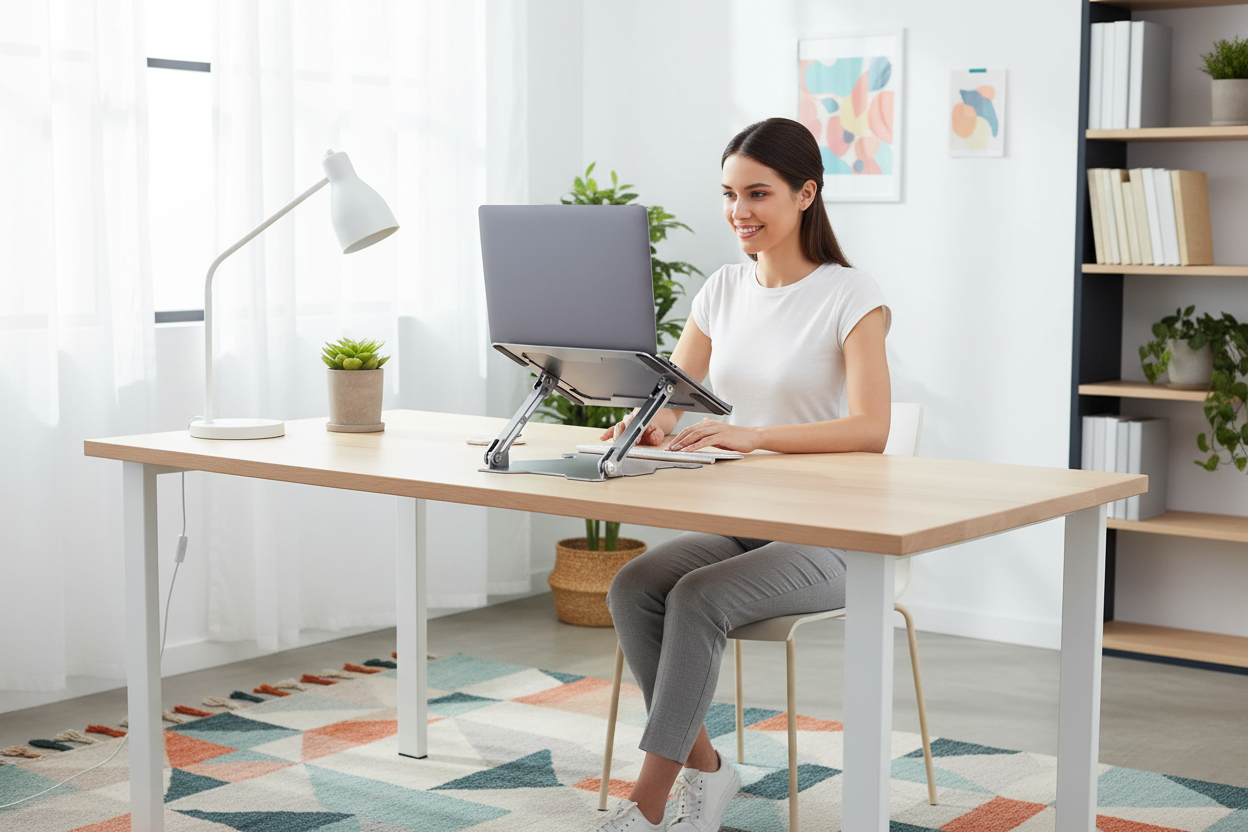
Sara is twenty-eight, sharp, and has a job most people would kill for. She also has a pain between her shoulder blades that shows up around two in the afternoon, most afternoons, like clockwork. Her doctor calls it "tech neck." Her physical therapist calls it "forward head posture." Her friends call it the price of a desk job. Sara just calls it Tuesday.
Here's the part nobody tells you: she didn't do anything dramatic to earn that pain. No car accident, no sports injury, no heavy lifting. She just... sat down. Every day. Leaned forward a little. Looked down at her laptop a lot. And let a decade of small, quiet habits stack up into a neck that now hurts when she laughs too hard.
If you're reading this on a phone, your head is probably already tilted down. That's not a moral failing. It's physics. Your head weighs around ten to twelve pounds when it's stacked over your spine. Tilt it forward fifteen degrees and the load on your neck roughly doubles. At thirty degrees, it's closer to forty pounds of force. At sixty degrees — the angle most of us hit when we're scrolling — your neck is holding what feels like a small child, all day, every day.
The math is brutal. The fix doesn't have to be.
This guide walks through the seven desk habits that quietly wreck your posture — the ones nobody flags because they feel normal — and what to do about each one. No shame, no yoga-cult energy, no "just sit up straight" nonsense. Just honest mechanics, honest prices, and changes that survive contact with a real workday.
What "Text Neck" Actually Is (and Why Nobody Warned You)
Text neck isn't a disease. It's a position. More precisely, it's a repeated position — the forward-head, rounded-shoulder, chin-poking-out posture we all adopt the moment a screen enters the room.
The muscles at the back of your neck get overstretched. The muscles at the front get tight. Your shoulder blades drift forward, and your upper back starts carrying tension it was never designed to carry. The result shows up as:
- A dull ache between the shoulder blades
- Tension headaches that start at the base of the skull
- Jaw tightness you didn't connect to your desk
- Shoulder pain that lingers after work
- A feeling of "heavy head" by late afternoon
None of this happens because you're weak or lazy. It happens because your body adapts to whatever position you hand it, and you've been handing it "leaning over a laptop" for years. Bodies are loyal. They'll get really, really good at being in a bad position.
The good news: the reverse is also true. Give your body a better position to adapt to, and it adapts to that too. That's the whole game. Not discipline. Position.
Habit #1 — Your Laptop Screen Is Sitting Where Your Coffee Cup Should Be

Let's do a quick experiment. Put your hands on your desk. That spot, right in front of you — that's where your laptop sits. Now notice your head. It's tilted down to see it, isn't it? You've been in this meeting with your own spine for thirty seconds.
Here's the thing nobody tells laptop users: a laptop is not a workstation. It's a portable computer that pretends to be a workstation. The screen and the keyboard are welded together, which means the moment you position the screen at eye level, the keyboard is in your armpit. And the moment you position the keyboard comfortably, the screen is down around your collarbone.
That compromise is the root of most desk-related neck pain. You're not slouching because you're lazy. You're slouching because the hardware demands it.
The fix is embarrassingly simple: raise the screen. Put the laptop on a stand so the top third of the screen sits at eye level, and use a separate keyboard and mouse. That single change removes the biggest posture culprit in the modern office — the downward gaze.
We sell a stand that does exactly this, the Ergo Laptop Stand Elite Edition, for $79.99 (regularly $129.99). It's machined aluminum, folds flat, and it's the single most common "first fix" our customers buy after their neck starts talking back. We'll get to why it's worth it over a $20 riser later — because you deserve to understand what you're paying for.
Habit #2 — You Sit Like a Question Mark
Watch anyone at a desk for five minutes and you'll see the same sequence. They start upright. Within twenty minutes, the chair backrest is more decorative than functional. By hour two, they're a human question mark — head forward, shoulders rounded, lower back touching nothing.
Here's what's actually happening: your body is trying to get closer to the screen, because the screen is too low (see Habit #1) and your chair doesn't support you where it counts.
When you lean forward out of a chair, your lower back loses contact with the lumbar support. Your spine does what spines do — it flexes. Your abs stop working because they're not needed. Your hamstrings and hip flexors tighten from the ninety-degree sit. And your neck, poor thing, becomes the crane that holds your head over the screen.
The stack is: screen too low → you lean forward → lumbar support useless → slouch → neck craned. Fix the first link and the whole chain relaxes.
If your chair is the weak link — and for a lot of people it is — that's a separate conversation. We wrote the full breakdown in Ergonomic vs Gaming Chairs: What Serious Gamers Need, which covers what lumbar support should actually do and why the "racing bucket" chairs from the gaming aisle mostly don't. Short version: your lower back needs a mechanism that follows you, not a pillow that decorates the chair.
Habit #3 — One Screen, All Day, Zero Movement
Here's a fact nobody monetizes: your neck doesn't hate work. It hates sameness. The human spine is built to move — hundreds of small shifts an hour, the way it moves when you're walking, cooking, or sitting on the floor playing with a dog.

A desk job is the opposite. Your eyes fix on one point. Your neck locks into one angle. Your shoulders hold one position, hour after hour. The muscles stop getting variety and start getting load.
The word for this is "static loading," and it's why the most common neck complaint isn't from gamers or lifters — it's from people who sit in a perfectly fine chair doing perfectly fine work for eight hours straight.
The fixes that actually work:
- Reaching for things. Keep your water bottle across the desk, not next to your keyboard. Your neck gets a break every time you twist.
- Standing. Even one minute an hour changes the load pattern on your spine completely. Our Back-to-School Desk Setup guide covers how to add standing to a small room without a full renovation.
- Switching screens. If you have a second monitor, glance over at it now and then instead of running everything off one display. Different angle, different muscles, tiny break for your neck.
- Changing your gaze distance. Look out a window. Look at a wall. Your eyes and neck both appreciate the variety.
Movement doesn't have to be exercise. It just has to be not frozen.
Habit #4 — The Desk Is Too Low, and Your Chair Doesn't Care
Dining tables are too low. Kitchen counters are too high. "Standing desks" that are actually just taller desks are too fixed. And most desks in apartments — the ones bought for eating, homework, and the occasional laptop session — were never designed for eight-hour work.
Here's the test: sit at your desk, elbows at ninety degrees, fingers on the keyboard. Your forearms should be roughly parallel to the floor. If your shoulders are shrugged up toward your ears to reach the keyboard, the desk is too high. If you're reaching down and your elbows drop well below the desk surface, it's too low — which pulls your whole upper body into the forward-lean that turns into neck pain.
For most people on a standard desk, the problem is height at the screen, not at the keyboard. And that circles back to the stand fix from Habit #1.
But if your desk itself is the problem — if you're six-foot-something and everything in the house is built for someone five-foot-five — a height-adjustable desk is the honest solution. Ours, the 40×24 electric standing desk, runs $599.99 (regularly $879.99) and goes from 28 to 46 inches, which covers everyone from "petite and tired of footstools" to "former basketball player." We get into the full buying logic in the Standing Desk Buyer's Guide, but the short answer is: if your neck hurts after two hours, first check the screen, then check the desk.
Habit #5 — The "Just a Second" Check of Your Phone
Be honest. How many times today did you pick up your phone "just to check" something, and end up with your chin on your chest for ten minutes?
Phone scrolling is text neck on turbo. The average phone session happens at sixty degrees of neck flexion — that's the "small child sitting on your neck" number from the intro. And phones have a nasty habit of eating time: ten minutes feels like two.
We're not here to lecture you about screen time. Screens are great. But the position is negotiable:
- Bring the phone to you instead of bringing your head to the phone. Two inches of arm raise saves twenty pounds of neck load.
- Prop it up. Any angle that keeps the screen closer to eye level beats holding it in your lap.
- Do the chin-tuck check: gently pull your head back so your ears line up over your shoulders. If it feels like a stretch, you've been living in forward head posture.
The same logic that applies to laptops applies here. Eye level. No exceptions.
Habit #6 — The "Just One More Thing" Trap
It's 4:57 PM. You have a deadline. You tell yourself: just one more thing, then I'll stretch, then I'll close the laptop. At 6:40 PM you straighten up and your neck sounds like bubble wrap.
The trap isn't the work. It's the unbroken work. Muscles that never get released keep accumulating tension, and the neck is the first place that bill comes due.
A few low-commitment interrupts that actually stick:
- Drink water out of a glass you have to stand up to refill. Dehydration makes muscle tension worse, and the refill forces a stretch.
- Use the bathroom on a different floor if you have one. Yes, really. The stairs are the break.
- Set a timer that says "shoulders" instead of "stretch." When it goes off, roll your shoulders back five times. Five. That's it.
- If you work with a standing desk, use the "sit-stand rhythm" — twenty-five minutes sitting, five standing, or whatever your body tolerates. Consistency beats heroics.
None of this needs an app, a subscription, or a wearable. It needs a glass of water and a timer.
Habit #7 — You Ignore the Warning Signs Until They're Loud
Here's the uncomfortable truth: text neck doesn't start as pain. It starts as noticing — a tight spot, a crackle when you turn your head, a headache that shows up at the same time every afternoon. Most people ignore phase one. By phase two, the pain is a feature of the day.
The signs to take seriously:
- Headaches that start at the back of the skull or the base of the neck
- Shoulder or upper-back pain that doesn't go away with a good night's sleep
- Numbness or tingling in your fingers (this one especially — see a doctor)
- Jaw pain or clicking, which often travels from neck tension
- Dizziness that appears when you change posture
If you have numbness, weakness, or pain that's getting worse, stop reading posture guides and see a professional. Seriously. This guide is about habits, not diagnosis.
If you're in the "tight and cranky" phase — the phase most desk workers live in — you can fix it with position changes, and you can start today.
What Good Desk Posture Actually Looks Like (and It's Not "Sitting Up Straight")
Let's replace "sit up straight" with something useful. Here's the checklist we actually give people:
- Eyes: Top third of the screen at eye level. You should be looking slightly down, not straight ahead and not down at your lap.
- Elbows: Around ninety degrees, forearms roughly parallel to the floor, shoulders relaxed — not shrugged, not rounded.
- Wrists: Flat. The keyboard at or just below elbow height.
- Hips: As far back in the chair as they'll go, with your lower back in contact with the lumbar support.
- Feet: Flat on the floor or on a footrest. If your feet dangle, the chair is too high.
- Head: Ears over shoulders. Not pulled back like a drill sergeant — just stacked.
The phrase we like around the shop: "stacked, not braced." If it feels like you're flexing to hold the position, you're doing it wrong. It should feel like nothing — because a well-set-up desk doesn't require posture. It creates it.
Who Actually Gets Text Neck (Spoiler: It's the Productive Ones)
Text neck doesn't discriminate, but it does have favorites. The people who end up in our inbox about neck pain share a few patterns:
- The deep-work people. The ones who block out four hours, lean in, and don't look up until the block is done. Their focus is the problem — everything else freezes, including their neck.
- The laptop-only crowd. Students, freelancers, coffee-shop workers. No external monitor, no dock, no stand. Just a screen welded to a keyboard, at collarbone height, for years.
- The tall people. Longer torsos mean the distance from their eyes to a low screen is bigger — and so is the forward-lean required to close the gap.
- The "I'll fix it in the new year" people. They've noticed the tightness. They've even looked at stands. They just haven't bought one, because it doesn't feel urgent — until the Tuesday it does.
Here's the pattern nobody wants to hear: text neck is a tax on focus. The more you disappear into your work, the more your posture disappears with it. The fix isn't "be less focused." It's "make the setup so the focused position is also the healthy position."
That's why the screen-height fix outperforms every "remind yourself to sit up straight" trick ever invented. Willpower runs out at hour three. A stand doesn't have hours.
We also see a second, quieter pattern: people who fix the screen and still hurt, because their chair is silently sabotaging them. If your chair's lumbar support doesn't touch your lower back while you're working — not while you're demonstrating good posture, but while you're working — the chair is fighting you. That's the conversation we have in Ergonomic vs Gaming Chairs, and it's worth reading before you spend another month in a chair that doesn't support you.
The Cheap Fix vs. The Right Fix (and What You're Actually Paying For)
You can prop your laptop on a phone book, a ream of printer paper, or the box your snacks came in. It'll raise the screen. It'll also wobble, slide, hold the laptop at an angle that makes typing weird, and fall over exactly once — at the worst possible moment.
Here's the honest difference between a $20 riser and a real stand:
- Stability. The Elite stand is machined aluminum with rubber grips; your laptop doesn't move when you type, and the whole thing doesn't shimmy when you adjust it. A stack of books does.
- Height range. The Elite adjusts to put the screen where it needs to be for your eye level — not where the bookshelf happens to end.
- Cooling. The open-air design lets your laptop breathe. A laptop on a flat surface cooks its own underside; that heat shortens battery life and makes fans scream.
- Portability. It folds flat. The books don't.
- And the angle. The Elite keeps the base of the laptop supported so the keyboard stays usable even before you add an external keyboard.
That's why we sell the Ergo Laptop Stand Elite Edition at $79.99 (regularly $129.99 — and it's the product with 101 verified reviews and a 4.8-star average, which tells you something about whether people feel it was worth it). If you'd rather go the external-keyboard route — which is the full fix, since it lets the screen sit at true eye level — grab the Elite and add any keyboard you like. The stand does the lifting; the keyboard does the reaching.
The 7-Day Reset (a Plan That Survives Monday)
Day 1: Raise the screen. Laptop on a stand, top third at eye level. That's the whole task.
Day 2: Add the external keyboard and mouse so you can actually type with the screen up.
Day 3: Move your water bottle to the far side of the desk. Drink more. Stand up to refill.
Day 4: Set a "shoulders" timer for every hour. Five shoulder rolls when it rings.
Day 5: Do a five-minute chin-tuck and neck-stretch session — morning, not night, so the habit sticks to the workday.
Day 6: Audit your chair. Does your lower back touch the lumbar support when you're working? If not, fix the recline or the lumbar position.
Day 7: Sit in your new setup for a full day. Notice how much less you notice your neck.
That's it. No app, no gym membership, no $300 posture device. Seven days, one habit per day, and the hardest part was Day 1 — because the fix costs $79.99 and takes thirty seconds to install, and we've all spent more than that on a lunch that made us feel worse.
One-Minute Setup Audit (Do This Before You Buy Anything)
Before you spend a dollar, run this sixty-second check at your desk — it tells you which habit is doing the damage:
- Sit as you normally sit. Not "correctly." Normally.
- Without moving your head, note where your eyes land on the screen. If they're below the top third, the screen is too low. That's Habit #1, and it's the most common offender.
- Now lean back against the chair. Does your lower back touch the lumbar support? If no, the chair or the recline is wrong. That's Habit #2's territory.
- Look at your wrists. If they're bent up like you're waving, the keyboard is too high. If you're reaching down, it's too low.
- Check your feet. Both flat on the floor? If not, the chair is too high or the floor is too far.
- Last one: what time is it? If it's already afternoon and you haven't moved in two hours, Habit #6 is your real problem — and the fix is a glass of water and a walk to the kitchen.
Doing this audit once tells you which of the seven habits is your habit. Most people discover they have two, not seven. Fix those two first. The other five were never the problem.
FAQ
What is text neck, exactly?
Text neck is the forward-head posture caused by spending long periods looking down at a phone or laptop screen. The head sits ahead of the shoulders instead of stacked over the spine, which multiplies the load on the neck muscles. It's a position, not a diagnosis — and positions can be changed.
Can a laptop stand actually fix text neck?
A laptop stand fixes the cause of most desk-related text neck: the screen being too low, which forces you to look down and lean forward. Raising the screen to eye level (with an external keyboard and mouse) removes the downward gaze. It won't undo years of tightness overnight, but it removes the thing that's creating it daily — and most people feel the difference in the first week.
How high should my screen be to avoid text neck?
The top third of the screen should sit at eye level. When you're looking at the middle of the screen, your gaze should be slightly downward — about 15 to 20 degrees — not straight ahead and definitely not down at your lap. That's the height the Ergo Laptop Stand Elite Edition is designed to hit for most desks and chairs.
Is text neck permanent? Can it be reversed?
In most cases it's reversible. Muscles and joints adapt to a new, better position roughly the way they adapted to the bad one — over time, with consistency. Fixing the setup (screen height, chair support, desk height), adding regular movement, and doing simple chin-tuck exercises are the standard path. If you're experiencing numbness, tingling, or worsening pain, see a doctor first — that's beyond the posture-fix territory.
Does text neck cause headaches?
Yes, commonly. The muscles at the base of the skull attach near the neck, and chronic tension there is a classic trigger for tension-type headaches — the kind that start at the back of the head and creep forward over the day. Improving head position and releasing that muscle tension is one of the first things that helps, which is why the screen-height fix so often clears up the 3 PM headache along with the neck ache.
How long does it take to notice a difference?
Most people report the setup itself feels better within days — less craning, less reaching. Muscle relief usually shows up within one to three weeks of consistent position changes. If you've had pain for years, give it a few months before judging. If things get worse, see a professional.
Do I need an expensive stand, or will a stack of books work?
A stack of books works until it doesn't. Books wobble, slide, and hold one fixed height. A proper stand like the Ergo Elite ($79.99, regularly $129.99) is stable, height-adjustable to your eye level, lets the laptop breathe, and folds flat for travel. If you're testing whether a higher screen helps, books are fine for a two-day trial. If it helps — and it will — buy the stand, because the books won't survive a deadline week.
When should I see a doctor for neck pain?
See a professional if you have numbness or tingling in your hands or fingers, weakness, pain that wakes you at night, pain after an injury, or neck pain that isn't improving after a few weeks of better posture and movement. Aching from desk posture is common and fixable; nerve symptoms are not something to self-manage.
Text neck isn't a consequence of being a desk worker. It's a consequence of a desk that was never set up for you. The screen is too low, so you lean. The chair doesn't support, so you slouch. Nothing moves, so everything tightens. And then the neck — the part of you that holds up a ten-pound head — pays the bill for all of it.
The fix is boring and it works: raise the screen, support the chair, move the water bottle, and let your body adapt to a better position the way it adapted to the bad one. You don't need discipline. You need setup.
The Ergo Laptop Stand Elite Edition is $79.99 (regularly $129.99), ships free across the US, and comes with a 30-day money-back guarantee — which is a polite way of saying you can try the fix for a month and send it back if your neck disagrees. 101 reviewers gave it 4.8 stars. Your neck has been asking for this since about hour two of the last workday. It's one click, and it's the cheapest good posture you'll ever buy.
Start sitting — and standing — better today.
