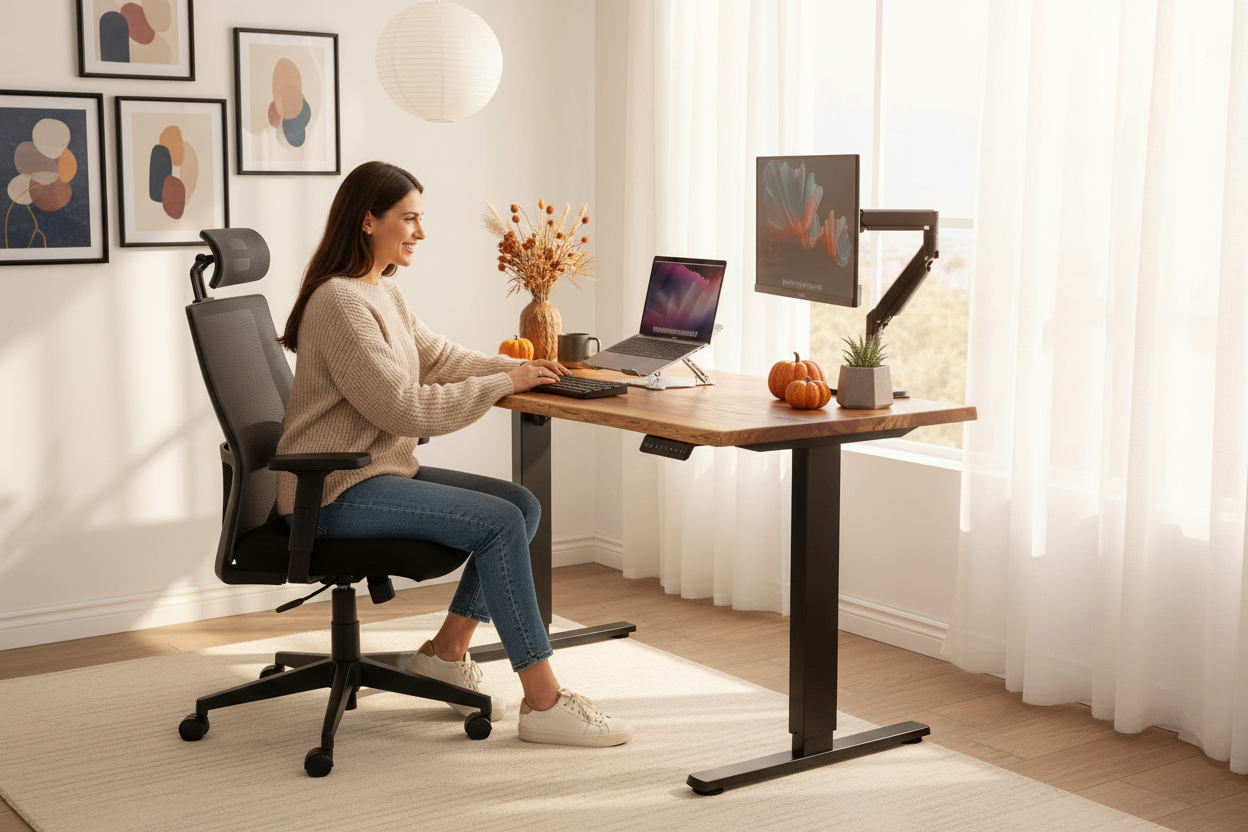
It starts somewhere around mid-October. The light shifts, the days get shorter, and suddenly you're spending nine hours a day in a room you never actually designed for working. Your neck starts complaining around 2 p.m. Your shoulders feel like they've been holding a phone to your ear since 2019. And your lower back has developed opinions, which it is not shy about sharing.
Here's the part nobody tells you when you first set up a home office: none of that is your fault. It's your setup. The dining chair you grabbed in a hurry. The laptop perched on a stack of cookbooks. The monitor sitting four inches too low, so you've been craning forward like a turtle for eighteen months straight.
The fix is more affordable than you think, and it doesn't have to happen all at once. This is the complete home office checklist for fall 2026, written in the order that actually matters. Chair, desk, stands, lighting, cables. We'll cover each one with honest prices and zero filler.
Follow the sequence and you'll spend less, buy once, and stop thinking about your posture by Thanksgiving. That's the goal. Not a perfect office. A comfortable one.
The 5-Minute Audit: Find Out What's Actually Hurting
Sit down at your desk the way you normally sit. Not the way you sit when you're pretending to be productive on a video call. The real way, shoulders slouched, one leg tucked, chin drifting toward the keyboard. Now run through five questions honestly.
First, where is the top of your screen relative to your eyes? If you have to look down to see it, that's problem number one. Second, are your forearms roughly parallel to the floor when you type, with your elbows at something close to a right angle? Third, are your wrists straight, or bent up like a cobra? Fourth, can you plant both feet flat on the floor without leaning? Fifth, does your lower back actually touch the back of your chair, or are you hovering like a gargoyle?
Here's the useful part: your aches are a diagnostic tool. Neck pain almost always means your screen is too low. Shoulder tension usually means your keyboard or desk is too high, forcing you to shrug up toward your ears. Lower back complaints point at the chair, either missing support or a cushion that has given up. Eye strain and headaches often come from bad lighting or a screen sitting too far away.
You don't need a full ergonomic consultation to figure out what's wrong. Five minutes and honest answers will tell you. Write down the two worst offenders. Everything in this guide fixes them, in order. And the first fix is the one people skip, because it's the most expensive item on the list. That's a mistake, and it's the most expensive mistake on this entire checklist.
The Chair Comes First: Why $329 to $429 Is the Right Range
Here's the logic that most home office advice gets backwards. They tell you to start with the desk, because it's the big, impressive piece of furniture in the room. But your body doesn't interact with the desk first. It interacts with the chair first. You sit down, and then everything else in the room has to line up with wherever your body ended up.
Get the chair right, and the desk height, the screen height, and the keyboard position all become solvable problems. Get the chair wrong, and you'll be fighting it forever, because no stand on earth can fix a seat that tilts you forward and a backrest that stops at your shoulder blades.
Now, the price. You can buy a chair for a hundred dollars, and you'll replace it within a year when the cushion flattens and the gas cylinder starts drooping like a tired houseplant. That's not a bargain. That's a rental with extra steps. You can also spend a thousand dollars or more on a chair, and for most people, the difference between that and a well-built chair around the four-hundred-dollar mark is comfort theater. Diminishing returns kicks in hard somewhere in that neighborhood.
That middle band is exactly where Rackora's three chairs live, and that's not an accident. The L1 runs $329.00, with a compare-at price of $399.00. The L2 runs $379.00, compare at $449.00. The L3 runs $429.00, compare at $499.00. Three tiers, one sane price band, and a 30-day money-back guarantee if you order one and it doesn't fit your body.
If you're not sure which tier fits you, the long version lives in our guide to choosing an ergonomic chair by body type. The short version: seat height range, lumbar support, armrest adjustability, and recline are the four things that matter. Any of the three chairs beats the dining chair you're sitting on right now, and you know it. You've known it since September.
The Three Tiers: L1, L2, and L3, Explained in Plain English
Let's make the choice easy instead of intimidating.

The L1, at $329.00, is the entry point, and it's not a stripped-down afterthought. It covers the basics that actually fix the five-minute audit: adjustable seat height, lumbar support, adjustable armrests, and a recline that doesn't feel like it's going to tip you over backwards. If you work from home a few days a week, or you're shopping for a student, this is the one.

The L2, at $379.00, steps up in adjustability and support. The seat and back get more generous, the adjustments get finer, and it starts to feel like a chair built around you instead of a chair you happen to be sitting in. If you're at the desk forty hours a week, this is the sweet spot, and it's the tier most full-time remote workers end up choosing.

The L3, at $429.00, is the top of the line: the biggest adjustment range, the most support, and the one we'd point taller or heavier people toward, or anyone who shares the chair with someone of a very different build. If you live in your chair, this is the one.
Quick way to decide: light use and a light budget, L1. Full-time work, L2. Big build, shared chair, or you simply want the best of the three, L3. All three ship free in the US and carry the 30-day money-back guarantee, so the risk of getting it wrong is low. The risk of getting it wrong with a cheap chair from a big-box store is much higher, and you'll feel it in your lower back by February.
The Desk: $599.99 and Why It's the Second Purchase
Once the chair is right, you know exactly where your body sits. Now the desk has to meet you there. This is where most people trip up, because they buy a beautiful fixed-height desk without realizing they've just locked themselves into one height forever.
If you're 5'4" and your partner is 6'1", someone is losing that negotiation. If you're average height and the desk is built for someone three inches taller, you'll spend every workday with your shoulders slightly raised, wondering why your traps are so tight by dinnertime.
The standing desk answers this. Rackora's 40×24 electric height-adjustable standing desk, at $599.99 with a compare-at of $879.99, moves between seated and standing heights at the press of a button. That single feature fixes the too-tall, too-short problem permanently, because the desk adjusts to you instead of the other way around.
The footprint matters too. Forty inches wide and twenty-four inches deep is enough for a monitor, a laptop, a notebook, and a coffee mug without feeling like a Tetris board. There's a built-in cable management channel under the surface, which we'll get to later, and it's genuinely one of those purchases you feel every single day, the way you feel a good mattress.
Do you need the desk on day one? No. If your budget is tight, a good chair and a good stand can rescue even a wobbly kitchen table. But the desk is the second purchase for a reason: it's the foundation everything else sits on, and it's the difference between a setup you tolerate and a setup you enjoy. If you want the full argument, our standing desk buyers guide for 2026 goes deep on sizing, motors, and what to look for.
Stands: The $79.99 Elite Laptop Stand and the $139.99 Monitor Arm
Now we get to the cheapest fix for neck pain in this entire guide, and it's the one people skip because it looks too simple.
Here's the fundamental problem with a laptop. The screen is bolted to the keyboard. If the keyboard is at the right height for your arms, the screen is too low for your eyes. If the screen is at the right height for your eyes, the keyboard is up around your collarbone. A laptop stand breaks that deadlock, and it's the single highest-impact purchase you can make for under a hundred dollars.

The Rackora Elite laptop stand, at $79.99 with a compare-at of $129.99, raises the screen to a usable height and keeps it stable, with ventilation so the machine doesn't cook itself during a long video call. Pair it with a cheap external keyboard and mouse, and you've turned a laptop into a proper workstation for less than the price of a nice dinner for two.
If you're on the tightest budget, the Pro Stand 100 at $59.99, compare at $99.99, is the fixed-height version. No moving parts, nothing to fiddle with, just a solid platform that puts your screen where your eyes want it. It's the perfect first purchase for a student setup, and we'll come back to it when we do the math at the end.

And if you run an external monitor, the full-motion adjustable single monitor arm at $139.99 does something a stand can't: it puts the screen anywhere in three-dimensional space. Up, down, forward, back, tilted, at the exact height where the top third of the screen lines up with your eyes. It also frees the desk surface underneath, which means more room for the notebook you actually use and less room for the clutter you don't.
Lighting: The Cheapest High-Impact Upgrade
Nobody thinks about lighting when they plan a home office, and everybody pays for it in eye strain and headaches by 4 p.m.
Fall 2026 makes this worse. The days get shorter, we start working in the dark, and suddenly the only light in the room is the cold glow of the monitor, which is exactly the wrong setup. The screen becomes both your light source and your work surface, and your eyes don't love that arrangement.
Three rules of thumb, and none of them cost much. First, don't sit with a bright window directly behind your screen, because your eyes will try to expose for the window while you stare at the screen, and that fight is exhausting. Second, put your light source off to the side rather than directly overhead or behind you. Third, match the room's brightness to the screen's brightness, so your pupils aren't constantly readjusting. A cheap bias light behind the monitor works wonders for this, and it's the kind of thing you can pick up at any hardware store.
A basic desk lamp is one of the cheapest comfort upgrades on this list, and it's not a product we sell, which is exactly why we're telling you about it. That's the whole point of this checklist. Some things you buy from us, and some things you buy from a hardware store, and we're not going to pretend otherwise.
If you're working in a room with no overhead light, a simple floor lamp bouncing light off the wall behind you will do more for your comfort than any fancy "ergonomic" desk lamp ever could. Light on the wall, not in your eyes, is the whole game.
Cable Management: Do This Last, Thank Yourself Later
There's a reason cable management comes near the end of this checklist, and it's not because it's unimportant. It's because you can't manage cables you haven't placed yet.
Wait until the chair, the desk, the stand, and the monitor arm are all in their final positions. Then, and only then, do you look at the rat's nest forming under the desk and deal with it. Do it in the wrong order and you'll be re-routing everything the week after, which nobody does, which is why so many home offices look like a plate of spaghetti.
The kit is cheap and boring: a pack of velcro strips, a cable tray or two, and a power strip with a long cord. All of it costs less than a takeout lunch. The Rackora desk has a built-in channel under the surface, and the monitor arm routes cables down the arm itself, which hides the two ugliest cables in the room before you even start.
Run the power strip first, then the data cables, and give everything a little slack so you can move the desk up and down without yanking a cord out. Velcro the excess into a loop instead of letting it dangle. Fifteen minutes of work, one Sunday afternoon, music on, done.
The payoff isn't just visual, though the visual payoff is real. A clean cable run means dusting is easier, the vacuum doesn't eat a cord, and your brain stops cataloging the mess every time you sit down. Clutter is a tax on attention, and this is the cheapest way to stop paying it.
The Order That Matters (Plus a 10-Step Sequence)
Here's the whole home office checklist in one breath, in the order that matters. Chair, desk, stands, lighting, cables. If you buy in this order, nothing you buy gets wasted, because each purchase fixes the thing that was hurting you most at that moment.
The sequence, if you want to write it down. One: buy the chair. Two: buy the desk. Three: buy the laptop stand or the monitor arm, depending on what you use. Four: add a cheap external keyboard and mouse if you're on a laptop. Five: fix the lighting with a lamp and a bias light. Six: do the cable management. Seven through ten are free: stand up every hour, keep the screen at arm's length, reset your posture when you catch yourself slouching, and walk somewhere with actual daylight during your lunch break.
Notice what's missing from that list. No $300 keyboard. No $200 mouse. No RGB everything. The expensive, impressive accessories are the ones that matter least, and the boring, structural pieces are the ones that matter most. That's the entire philosophy of this guide in one paragraph.
And if money is tight, here's the hack: each of the first three purchases stands on its own. A good chair helps you even at a bad desk. A good stand helps you even in a bad chair. Buy them one at a time, in this order, and every single one of them is a win you feel the same day it arrives.
What a Full Setup Actually Costs: Student, Remote Pro, Gamer
Let's do the math so there are no surprises. Three realistic scenarios, using the actual prices, all with free US shipping and the 30-day money-back guarantee baked in.
The student. Dorm room or apartment, laptop-based, budget that involves ramen math. Start with the Pro Stand 100 at $59.99, or the Elite laptop stand at $79.99 if you want the adjustable version. Add a cheap external keyboard and mouse. That's a working setup for less than a hundred dollars, and it fixes the worst posture problem a student has, which is the laptop screen. When the budget allows, add the L1 chair at $329.00, and you've got a setup that beats most of your classmates' setups for a total of $408.99 all in.
The remote pro. Eight hours a day, video calls, your setup is your career. L2 chair at $379.00, the 40×24 standing desk at $599.99, the single monitor arm at $139.99 for your external monitor, and the Elite stand at $79.99 for the laptop. Total: $1,198.97. Spread across two or three months, that's the price of not having a sore neck and a grumpy back every single workday.
The gamer. Sessions that run long, a big monitor you've been craning toward, and a chair that currently does double duty as a pile for clean laundry. L3 chair at $429.00, the standing desk at $599.99, the monitor arm at $139.99. Total: $1,168.98. Your aim won't change, but your posture during the 1 a.m. ranked grind will, and so will your ability to stand up afterward without sounding like a bag of snapping twigs.
Every one of those totals includes free US shipping, because Rackora doesn't charge for shipping on any of these, and every item is covered by the 30-day money-back guarantee. The math works out to roughly the cost of a month of takeout for a setup you'll use for the next decade. That's the trade you're actually making, and it's the best one on this list.
The Accessories That Actually Matter: Keyboard, Mouse, and Footrest
The internet will try to sell you a keyboard with a screen on it. It will try to sell you a mouse shaped like a spaceship, a desk mat the size of a dining table, and a wrist rest filled with some kind of aerospace gel. You don't need any of that.
Here's what you actually need, in order of importance. A keyboard that sits flat or slightly angled, so your wrists stay straight while you type. A mouse that fits your hand, nothing more exotic than that. And a desk mat big enough that both the keyboard and the mouse live on it, which sounds cosmetic and turns out to be quietly practical, because it stops the keyboard from sliding mid-sentence and gives your wrists a slightly softer surface than bare desktop.
The rule for accessories is boring, and that's the point: comfort is the spec that matters, not price. A keyboard that costs very little but lets your hands rest naturally beats an expensive one that forces your wrists into a bend to reach the arrow keys. Try typing on whatever you're considering, even for a minute, and your hands will tell you the truth faster than any review you'll ever read.
One accessory deserves a little more thought: the external keyboard and mouse you pair with a laptop stand. That pairing is what turns a laptop into a real workstation, and it's where people cheap out in the wrong direction. A tiny travel mouse pressed into service eight hours a day is a cramp factory. Get something that fills your palm, and your forearm will stop sending you invoices.
And the footrest, which nobody buys and almost everyone with a shorter inseam should own. If your chair goes low enough for your feet to rest flat, you're done, no footrest needed. If the chair bottoms out with your feet dangling or your toes barely touching, a simple footrest fixes your knees, your lower back, and your circulation with one inexpensive purchase. It's the least glamorous item in this guide, and it's one of the most effective.
The whole accessories philosophy in one line: buy the cheapest thing that's comfortable, not the cheapest thing that exists. There's a difference, your body can tell, and it will send you a bill every evening until you fix it.
Mistakes That Quietly Undo a Good Setup
Buying the right gear is half the battle. The other half is not sabotaging it, and people do that in remarkably predictable ways. Here are the ones we see most often.
Buying the chair and never adjusting it. The box arrives, you sit down, it feels fine, and that's the end of the story. A chair that was never dialed in is a chair that's wrong in three different places at once. Seat height, lumbar depth, armrest position, recline tension, all of it should be set for you, not left at factory defaults. Five minutes of adjustment turns a $329.00 chair into a different product entirely, and most people never spend those five minutes.
Setting the screen once and never rechecking. Your setup changes even when you don't notice. The chair settles half an inch over a season. You start wearing different glasses. The monitor develops a slow, invisible tilt. The eye-level rule is not a one-time event, it's a monthly habit, the same way you check the pressure in your tires even though nothing feels wrong.
Sitting too long in a perfect setup. This one is the hardest, because it's not a gear problem. A perfect chair and a perfect desk can still be defeated by six hours of motionless staring. The ergonomics research keeps coming back to the same point, again and again: the best posture is the next posture. Movement breaks the spell, and no purchase in this guide can do it for you.
Ignoring the things that don't hurt yet. The wrist that sits slightly bent because the keyboard is two inches too high doesn't complain today. It complains in eleven months, and by then the fix is physical therapy instead of a keyboard tray. Ergonomic problems are compound interest, and the earlier you pay them off, the cheaper they are.
Buying everything at once, in the wrong order. This is the most expensive mistake on the whole list, and we said it in the sequence section for a reason: chair first, desk second, stands third. People who buy the flashy monitor arm before the chair end up with a beautiful arm holding a screen at a height that hurts, because the chair underneath is still a sagging hand-me-down.
The good news about all five mistakes is that they're reversible, and none of them costs more money to fix. They cost ten minutes of attention, once a month. That's the real maintenance schedule for a home office, and it's cheaper than any subscription you'll ever be offered.
Setting Up a Shared Home Office: Two People, One Room
Home offices stopped being one-person rooms years ago. Two people working from home is now the normal situation, and it's the one that exposes every ergonomic compromise in the house.
The first problem is the desk. Two people of different heights sharing one fixed desk means one of them is wrong, every single day, and usually both of them are a little wrong. A height-adjustable desk with memory presets solves this with a button: your height on one preset, your partner's on the other, no negotiations, no pouting, no re-measuring. This is the strongest argument for the 40×24 electric desk at $599.99 that we've got, and it has nothing to do with standing.
The second problem is the chairs. Chairs are personal in a way that's almost comical. Your partner's 'perfectly fine' chair can make your lower back ache within an hour, and the reverse is just as true. If you're sharing a workspace, the honest answer is two chairs, even if they're different tiers. An L1 at $329.00 for the lighter user and an L3 at $429.00 for the heavier user costs less than one luxury chair, and it fits two bodies instead of one.
The third problem is the screen height conflict, and it's the sneakiest. Two people looking at the same external monitor at different eye levels can't both be right. The monitor arm at $139.99 becomes the peace treaty here: it moves in seconds, so whoever is at the desk gets the top third of the screen at their eye level, and the adjustment takes less time than arguing about it.
And the fourth problem isn't furniture at all, it's noise and light. Headphones fix the first, and a desk lamp with a shade fixes the second, but the deeper fix is agreeing on the room's rhythm: when calls happen, when the vacuum is allowed, when the shared desk belongs to whom. Furniture solves posture. Schedules solve sanity, and you need both.
If the budget only stretches to one piece of shared furniture, make it the standing desk with presets. Everything else in a shared office is negotiable. The desk is the referee, and it should never take sides.
FAQ
What should I buy first?
The chair. It's the base your whole body sits on, and every other height in your setup has to line up with it. Nothing else you buy will matter as much until the chair is right, which is why it's first on this checklist.
Do I need a standing desk?
No, but you'll probably want one once you've used it. A fixed desk works if your height matches it and you never want to change position. The Rackora 40×24 electric standing desk at $599.99 just makes it effortless to switch between sitting and standing during the day, which most people find they want within the first week.
Is a $329 chair good enough?
Yes. The L1 at $329.00 covers the essentials: seat height, lumbar support, armrests, and recline. For a few days a week of work, it's more than enough. Go up a tier if you're at the desk full-time or you're taller than average.
What's the cheapest meaningful upgrade?
The laptop stand. The Elite at $79.99 puts your screen at eye level and breaks the laptop screen-and-keyboard deadlock. It's the highest-impact purchase under a hundred dollars in this entire guide, and the Pro Stand 100 at $59.99 does it for even less.
Do I need a monitor arm?
If you use an external monitor, yes, it's worth it. The full-motion single monitor arm at $139.99 puts the screen at exactly the right height, reclaims your desk surface, and routes the cables. If you're laptop-only, a stand does the job.
What about lighting?
Fix the basics first: no bright window behind your screen, light from the side, and a bias light behind the monitor. A basic lamp is one of the cheapest comfort upgrades on this list, and it's not something you need to spend much on to get right.
How much should a full setup cost?
Realistically, from about $60 for a bare-minimum laptop setup up to roughly $1,200 for a full remote pro setup with chair, standing desk, stand, and monitor arm. The three scenario totals in this guide add up to $408.99 for a student, $1,198.97 for a remote pro, and $1,168.98 for a gamer.
Can I do this on a budget?
Yes, and the order is the trick. Buy the stand first for less than $80, then add the chair, then the desk. Each purchase is a win on its own, and nothing gets wasted, because every piece works even before the full setup comes together.
Your home office is not a luxury purchase. It's the room where you earn your living, and it's been quietly charging you interest in the form of neck pain, headaches, and low-grade grumpiness every single day. The good news is that the fix is a checklist, not a project, and you can start today with a single purchase.
Start with the L1 chair at $329.00 or the 40×24 standing desk at $599.99, add the Elite laptop stand at $79.99 or the monitor arm at $139.99, and you're done. Shop the full lineup, every order ships free in the US, and you've got 30 days to live with it and decide, with a money-back guarantee if it's not right. That's the whole deal, no fine print, no pressure.
Build the setup your neck has been asking for, in the order that matters. Thanksgiving is coming, and this year, your shoulders deserve to show up relaxed.
