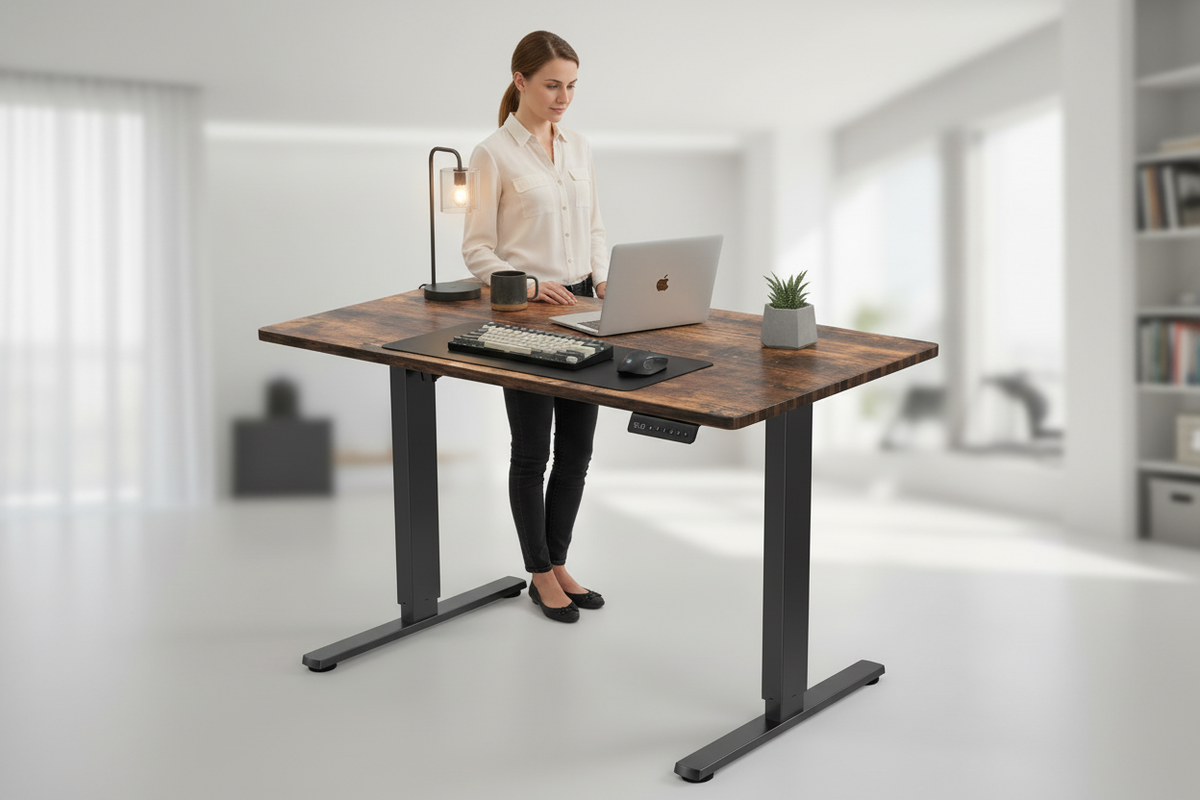
The desk cost $189, and the first time it wobbled, he laughed about it.
That was March. By June the wobble had a rhythm. By September the monitor swayed every time he typed, and the motor made a noise like a cat clearing its throat. By January the desk stopped at 29 inches. That is a sitting height. It is not why he bought a standing desk. So he bought a better one, and here is the real cost of his journey: $189 for the mistake, $599.99 for the desk he should have bought first, and a full year of a sore neck in between.
This guide exists so you can skip the first desk. The standing desk category is loud right now. Cheap desks are cheaper than ever, premium desks are more premium than ever, and the space in between is where most people buy wrong. The good news is that you do not need to become a spec sheet reader to buy well. You need five things explained clearly, and this guide explains all five. Frames. Motors. Weight capacity. Memory presets. Height range. Get those right, and the price question answers itself.
So make a coffee, and pretend you are shopping with someone who has already made every mistake in this category. Because you are.
Frames: Two-Leg vs. Four-Leg, the Honest Version
The frame is the skeleton. It is the pair of columns that telescope up and down, the crossbars that tie them together, and the feet that sit on your floor. The desktop, the motor, the electronics, everything else hangs off this skeleton, and when people say a desk wobbles, they are talking about the frame.
The first decision is leg count: two legs or four.
Two-leg desks are the category default, and for most home offices they are the right answer. Each leg is a column built from telescoping segments, and the motor system drives them. A good two-leg desk is stable at standing height with a normal setup: one monitor, a laptop, a keyboard, a lamp, and the mug of coffee you will absolutely knock over if the surface shudders mid-sip.
Four-leg desks add a second set of columns. That reads as "more stable," and it can be. The honest tradeoff is that four-leg desks are heavier, pricier, slower to assemble, and they only earn their keep when you are putting serious weight on top. Think two 27-inch monitors on arms, a heavy desktop tower, speakers, and a cable situation that belongs in a server room. With that much gear, the extra columns genuinely help, because there is more structure sharing the load.
Here is the part nobody tells you: leg count is not the only thing that determines stability. The floor matters. A heavy desk on carpet at full extension moves more than the same desk on hard flooring, because the carpet compresses under the feet. How you load the desk matters. A monitor clamped to one edge of a wide surface creates far more leverage than the same monitor sitting in the middle. And the quality of the columns themselves, the thickness of the steel, the tolerances in the telescoping segments, matters more than the number of legs. A well-built two-leg desk beats a flimsy four-leg desk every single day.
So be honest about your setup. If you run a single monitor and a laptop, a good two-leg desk is not a compromise. It is the sensible choice. If you are building a command center with three displays and a tower the size of a minifridge, look at four legs and budget accordingly. Either way, buy the desk to match the load you actually have, not the load you think sounds impressive.
Motors: Single vs. Dual, and the Noise Question
Electric desks move for one of two reasons: a motor in one column, or a motor in each column. That is the entire single-versus-dual question, and it is simpler than the marketing makes it sound.
A single-motor desk does what it says. One motor drives the lift in one leg, and the frame carries the other side along for the ride. These desks are cheaper, and they work, up to a point. If your setup is light, a laptop and a small monitor, a single motor lifts it fine while the desk is new. The problems show up with time, or with uneven loads. Set a heavy monitor on one side, or leave the desk at standing height for months, and the single motor works harder, strains more, and wears out sooner.
A dual-motor desk has a motor in each column, and the two work together to lift the surface. The practical differences are real. The load is shared, so nothing strains. The desk moves faster and more smoothly. And it handles asymmetric loads, like a monitor clamped to one side, without tilting or stuttering. For the money, dual motors are the single biggest quality signal in this category. If a desk is dual-motor, the rest of the parts, the columns, the electronics, the feet, were probably chosen to match. If a desk is single-motor, somebody saved money somewhere, and it is rarely just the motor.
Now the noise question, because everyone asks it. Yes, an electric desk makes noise when it moves. It whirs. The whir lasts a few seconds, from the moment you press the button to the moment the desk settles at your height, and then it is silent. A healthy desk makes a smooth, even hum. What you do not want to hear is grinding, clicking, or stuttering, and you definitely do not want a desk that strains like it is lifting a car, because that is a desk telling you it is overloaded or underpowered.
Put the noise in perspective. The desk moves maybe a dozen times a day, five or six seconds each time. That is about a minute of motor noise in an entire day, and you will be standing at the desk during most of it anyway. If you record a podcast, press the button during the intro. It is a non-issue in real life, and if a seller markets a desk as "silent," treat that the way you would treat a "silent" vacuum cleaner. It is quieter, maybe. It is not quiet.
The Rackora 40×24 electric standing desk uses a dual-motor setup, and that is a big part of why it sits in the $599.99 band instead of the $200 band. We will get to that price question shortly.
Weight Capacity: The Number Everyone Asks About
Every standing desk listing carries a number labeled weight capacity, and it is the number people fixate on. It is also the least useful number on the page, and understanding why will save you from a bad purchase.
Weight capacity is the maximum load the desk is rated to lift, spread across the surface. A typical home setup weighs less than you think. A monitor is roughly ten to fifteen pounds. A laptop is three or four. Keyboard, mouse, a lamp, a notebook, a mug of coffee. Even being generous, you are looking at maybe forty or fifty pounds all together. The ratings you will see across the category, in the low to mid hundreds of pounds, are multiples of what a normal person actually puts on a desk.
So if the number is that generous, why does it matter? Two reasons.
First, the rating is static, but desks live dynamic lives. A desk rated for 250 pounds that has all 250 pounds stacked on one corner, with a monitor arm clamped to the edge and a printer on the opposite side, is not experiencing the load the way the test did. The frame gets torqued, the columns strain unevenly, and the desk that was fine in the marketing video gets wobbly in your office. Keep the load balanced and reasonable, and the rating stays academic.
Second, and more important, the rated capacity tells you what the desk is built to do over years, not just on day one. A desk engineered to carry 250 pounds handles your 50 pounds without breaking a sweat, forever. A desk engineered to carry exactly the 50 pounds you are putting on it handles that load today and complains about it later. The capacity number is really a proxy for how much engineering sits underneath the surface, and that is why it tracks with price.
The practical rule: do not shop for the highest number. Shop for the number that gives you comfortable headroom. If a desk is rated in the low hundreds and your setup is a laptop and a monitor, that is plenty, provided the desk is well built everywhere else. If you run a heavy multi-monitor rig, look for a desk that clears your load by a wide margin, and watch how the desk behaves at standing height with your gear on it. That is the moment the rating gets tested in real life.
One more honest note: the capacity rating tells you nothing about wobble. You can have a desk rated for 300 pounds that shimmies at full extension, and a desk rated for 200 that is rock solid, because stability comes from the frame, the floor, and the load distribution, not the sticker. Check the number. Do not marry it.
Memory Presets: The Feature You'll Use Every Day
Here is the feature nobody thinks they need until they have it, and then they cannot live without it: memory presets.
A memory preset is a saved height. You set the desk to the position where you like to sit, press and hold a button, and the desk remembers it. You do the same for your standing height. From then on, one touch, and the desk glides to exactly that spot, every time, to the millimeter. No holding the button. No nudging it up three inches and back down one. No squinting to check whether it looks level.
Why does this matter so much? Because the entire point of a standing desk is that you actually alternate between sitting and standing, and the single biggest predictor of whether you will is friction. If changing position means holding a button for ten seconds while the desk creeps along, you will do it twice a day, and then you will start skipping it. "I'll just stand later," you will say, and you will not. If changing position is one touch on a preset, it becomes as easy as adjusting your chair, and you will do it every couple of hours without thinking about it.
A typical day with presets looks like this. Eight forty-five in the morning, you sit down and touch the sit preset. Ten-fifteen, your first meeting ends and your back is stiff from the morning, so you touch the stand preset and take the next call on your feet. Twelve-thirty, lunch, sit. Two o'clock, the afternoon slog, stand, because standing is the only thing keeping you alert. Five o'clock, wrap-up emails, sit. That rhythm, sit, stand, sit, stand, is the entire health argument for these desks, and presets are the thing that makes the rhythm stick. If you want the full case for why the sit-stand habit matters, we made it in Sitting Is the New Smoking on our tips blog.
Presets matter even more when the desk is not yours alone. Two people sharing one desk means two different sitting heights and two standing heights, and without presets you reset the desk from scratch every time you trade places. With presets, each person gets their own buttons, and the desk becomes genuinely shared instead of merely tolerated.
Presets are also quietly the best feature for desks that do double duty. The student desk that is a study station by day and a gaming rig by night. The office that becomes a guest room after dinner. Those rooms live on a desk that constantly changes position for a different task, a different chair, a different posture. We wrote about exactly that kind of setup in Study by Day, Game by Night, and the through-line of every good version of that story is presets.
One warning, because it is real: not all presets are created equal. On cheap desks, the memory can be a gimmick. You save a height, and the desk returns to something close but not exact. The memory resets when the desk loses power. The buttons are small and stiff, and you end up using the arrow keys anyway. A good preset system is exact, reliable, and effortless. When you test a desk, save a height, raise the desk, lower it, and call the preset back. If it lands on the same number every time, the memory is real. The Rackora 40×24's presets are the exact-and-reliable variety, which is why they get to be called memory.
Height Range: Who It Fits, and Why the Numbers Matter
The height range is the answer to the question "will this desk actually fit me?" and it is printed on every listing as two numbers in inches. Here is how to read them.
The numbers are the distance from the floor to the desktop surface at the lowest setting and at the highest. A desk that says 28 to 46 inches can put the surface 28 inches off the floor, or 46, or anything in between. Your job is to figure out which part of that range your body needs.
For sitting, the number to hit is around elbow height. Sit with your forearms parallel to the floor and your shoulders relaxed, and the desk surface should be roughly level with your elbows. For most people in most office chairs, that lands in the high 20s to low 30s. A desk whose lowest setting is around 28 inches works for nearly everyone in a normal chair.
For standing, the same elbow rule applies, just higher up. Stand up straight, let your arms hang, then bend your elbows to a right angle. The desk should meet your forearms there. For most adults, that is somewhere in the high 30s to mid 40s, and it tracks with height: shorter people need a lower standing height, taller people need headroom at the top.
That is why roughly 28 to 46 inches is the sweet spot for the category. The Rackora 40×24 spans about 28 to 46 inches, which covers essentially every adult. Someone under five-foot-two needs the desk to sit low enough to work comfortably, and 28 inches at the bottom is right in their wheelhouse. Someone pushing six-four needs a genuinely tall top end, and 46 inches gives them a standing surface that does not ask them to hunch. Everyone in between lives in the middle of that range, and it is covered easily.
Who falls outside it? If you are well over six-four, you may want a desk that goes a couple of inches higher. If you are quite short, check the bottom number carefully and consider a footrest. Those are edge cases, and it is honest to flag them, because the worst outcome is a desk that is beautiful and wrong.
One subtle thing worth knowing: the range is measured to the bare desktop. Add a thick monitor stand or a riser on top, and you eat into the range. Plan accordingly, and remember that the presets above make it painless to dial in your exact numbers and never think about them again. And if the desk is heading into a tight dorm room or a small apartment, the footprint matters as much as the range, which is exactly the problem we dug into in our back-to-school dorm setup guide.
The $599.99 Question: What the 40×24 Gives You
Let us talk money, because "how much should a standing desk cost?" is the question hiding under every other question in this guide.

The short answer: a good one costs about $599.99. You can absolutely spend more. You should not spend meaningfully less. The Rackora 40×24 electric standing desk sells for $599.99, regularly $879.99, and it is the cleanest example of why that number is the category's sweet spot.
Here is what $599.99 buys you on this desk. An electric dual-motor lift system, which we covered above and which is the single biggest quality signal in the category. Memory presets, the feature you will actually use every day. A height range of roughly 28 to 46 inches, which fits essentially every adult. A 40-by-24-inch surface, wide enough for a monitor, a laptop, and a notebook, and deep enough that your monitor is not pressed against the wall behind it. Free shipping, so the price on the page is the price you pay. And a 30-day money-back guarantee, which means you can put the desk through a full month of real life before you commit to keeping it.
Why is that a good deal rather than just a price? Because of what sits on either side of it.
Below $599.99, you are in the territory we are about to warn you about: single motors, thin frames, wobble at standing height, and electronics that fail in a year or two. Those desks are not cheaper. They are more expensive, because you will buy one and then buy the real one, and the $200 "saving" turns into a $200 donation to your own frustration.
Above $599.99, you are paying for increments most people do not need. Four legs instead of two. Bigger surfaces. Brand names. There are desks at $1,500 and desks at $3,000, and they are genuinely lovely, and they are also genuinely more desk than a person with one monitor and one laptop will ever use. The difference between a $600 desk and a $1,500 desk is real but small. The difference between a $200 desk and a $600 desk is the difference between a tool and a toy.
The "regularly $879.99" part is worth understanding too. The standing desk market runs on sales, and the regular price is the anchor that sales hang from. What matters is what you actually pay, and $599.99 for a dual-motor desk with presets, free shipping, and a 30-day guarantee is a fair price for real engineering. If you have read this far, you already know the alternative: buy the cheap one, watch it wobble, and pay for the good one anyway. The math was done for you in the first paragraph of this guide.
Cheap Desk Warnings: What $200 Gets You (Mostly Wobble)
You can buy a standing desk for $200. You can buy one for $150. The question is not whether they exist. It is what happens to them.
Start with the wobble, because it is the thing you will notice first and hate most. A cheap desk at sitting height feels fine. A cheap desk at standing height feels like a sailboat. The monitor shimmies when you type. The coffee ripples. You find yourself gripping the edge to steady your hands. Part of it is the frame: thin steel, loose tolerances, joints that flex. Part of it is the physics: at full extension a desk is a long lever, and every bit of flex in the chain gets amplified. You cannot fix wobble with a shim or a mat. It is physics, and physics does not care that you saved $400.
Then there is the motor. A $200 desk has a cheap motor, or a single motor, or both, and it will fail the way cheap things fail: gradually, then suddenly. First it strains a little at the top of the range. Then it groans. Then one day it stops at 29 inches and never moves again, and you discover that replacement parts for a $200 desk do not exist, because the desk was built to be replaced, not repaired.
The electronics deserve their own warning. The controller box, the buttons, the power supply: these are where the cost savings live, and these are what die. A desk that is perfectly stable but whose up button stopped working is a very expensive non-standing desk. And the safety features you will see on some listings, anti-collision sensors, overload protection, are often the first things deleted from the spec when the price has to hit $199.
Then there is the buying-twice math, which is the whole reason this guide exists. Desk one: $200. The year of wobble, the sore neck, the monitor that never quite stopped swaying: free, in the sense that misery is free. Desk two: $599.99. Total: $799.99 for one functional desk and a year of regret. Or $599.99 for the same functional desk, right now, with zero regret. The cheap desk is not a bargain. It is a down payment.
Are there exceptions? Sure, and honesty requires naming them. If you only ever sit, a $200 desk is a fine desk, because the wobble problem mostly appears at standing height. If your setup is a laptop on a surface you barely move, a cheap desk will carry it. But if you bought a standing desk to stand, and you plan to stand for hours with a monitor on top, the cheap desk works against you from day one. That is not a judgment. It is a description of the physics.
Installation Reality: From Box to Desk in an Afternoon
You have picked the desk. The box arrives. Now what?
The honest answer: assembly takes about thirty minutes to an hour, it is genuinely doable by one person, and a second person makes the two hardest steps, the flip and the align, almost easy. You get a box that is heavier than you expect, because the desktop and the frame ride in it together. Inside are the surface, the legs, the feet, the hardware, and a manual. The manual is the part people skip and then regret skipping, because the desks that get assembled wrong are almost always assembled by someone who was too confident to read it.
The process goes like this. Lay the desktop face down on a soft surface so you are not scratching it. Attach the legs to the frame, hand-tightening the bolts at first, because alignment is easier when nothing is torqued down. Attach the feet. Then comes the flip: you stand the whole thing up, and this is where the second person earns their keep, because a desk with legs attached is awkward to wrangle alone. Plug in the motors, attach the control panel, and tuck the cables into the channels the design provides. Then the moment of truth: plug it in, press the button, and watch the desk rise for the first time. It never gets old.
A few honest notes before you start. Clear a path from the door to the desk spot first, because the box is big and you will be moving it while half-assembled. Read the manual's diagram page before you start, not while you are holding a bolt. And keep the box for a few weeks, because the 30-day money-back guarantee is a lot easier to use if you can still ship the desk back in its original packaging. The guarantee is real and generous, and the only people who cannot use it are the ones who recycled the box in a fit of confidence.

The good news is that none of this requires skill. If you have assembled IKEA furniture, you are overqualified. If you have never assembled anything, the manual and the design will carry you. And the payoff is the first time you touch a preset button and the desk glides to your exact height. That is the moment every buyer remembers, the moment the desk stops being a project and starts being a tool.
FAQ
Is an electric desk worth the price?
Yes, for most people, because an electric desk is the only kind you will actually use. A manual crank desk gets moved once during setup and then lives at one height, which defeats the purpose. An electric desk with presets makes the sit-stand habit nearly effortless, and the habit is the entire point of buying the desk.
Single motor or dual motor?
Dual, if the budget allows. A dual-motor desk shares the load between two columns, moves faster and smoother, handles uneven loads without straining, and is built to a higher standard overall. Single-motor desks are fine for very light setups, but the motor is where budget desks cut corners, and it is the part that fails first.
How much weight can a standing desk hold?
The ratings across the category are far more generous than a typical home setup needs. A monitor, laptop, keyboard, and lamp come to maybe fifty pounds total, and most electric desks are rated for multiples of that. What matters more is how the desk behaves at standing height with your gear on it, and whether you keep the load balanced.
What's a good height range?
Look for roughly 28 inches at the bottom and the mid-40s at the top. A desk that spans about 28 to 46 inches fits essentially every adult, sitting or standing. The Rackora 40×24 lands right in that range, and the elbow rule, forearms parallel to the floor with relaxed shoulders, will give you your exact numbers.
Do memory presets matter?
More than any other feature. Presets remove the friction from switching positions, and friction is the reason most people stop alternating between sitting and standing. One touch and the desk is at your exact height, every time. Once you have had presets, you will not go back.
Is $599.99 overpriced?
No, and it is the honest middle of the market. Below that you are in single-motor, wobbly territory that you will likely replace. Above that you are paying for four legs and bigger surfaces most people do not need. At $599.99, regularly $879.99, the Rackora 40×24 gives you dual motors, memory presets, a 28-to-46-inch range, free shipping, and a 30-day money-back guarantee.
How long does assembly take?
Plan for thirty minutes to an hour. The process is straightforward: attach the legs, attach the feet, stand it up, plug in the motors. A second person helps with the flip, and reading the manual before you start saves the most time. No special skills required.
Will it fit my room?
The 40×24 is 40 inches wide and 24 inches deep, a footprint that fits a standard bedroom or office wall with room to spare. Measure your space before ordering, including the clearance you want behind your chair, and remember the desk needs a little breathing room at full extension.
You came here with one question: which standing desk do I buy so I never have to do this again? The answer, after all of that, is short. Buy dual motors. Buy real memory presets. Buy a range that covers your body. Buy a desk priced like a tool, not a toy.
The Rackora 40×24 electric standing desk is exactly that, at $599.99 (regularly $879.99): dual-motor electric lift, memory presets, a roughly 28-to-46-inch height range, free US shipping, and a 30-day money-back guarantee. If it is not the right desk for your room, your body, or your budget, send it back and we will part as friends. But read this guide one more time before you shop the cheap aisle, because the cheap aisle is how this whole story starts.
