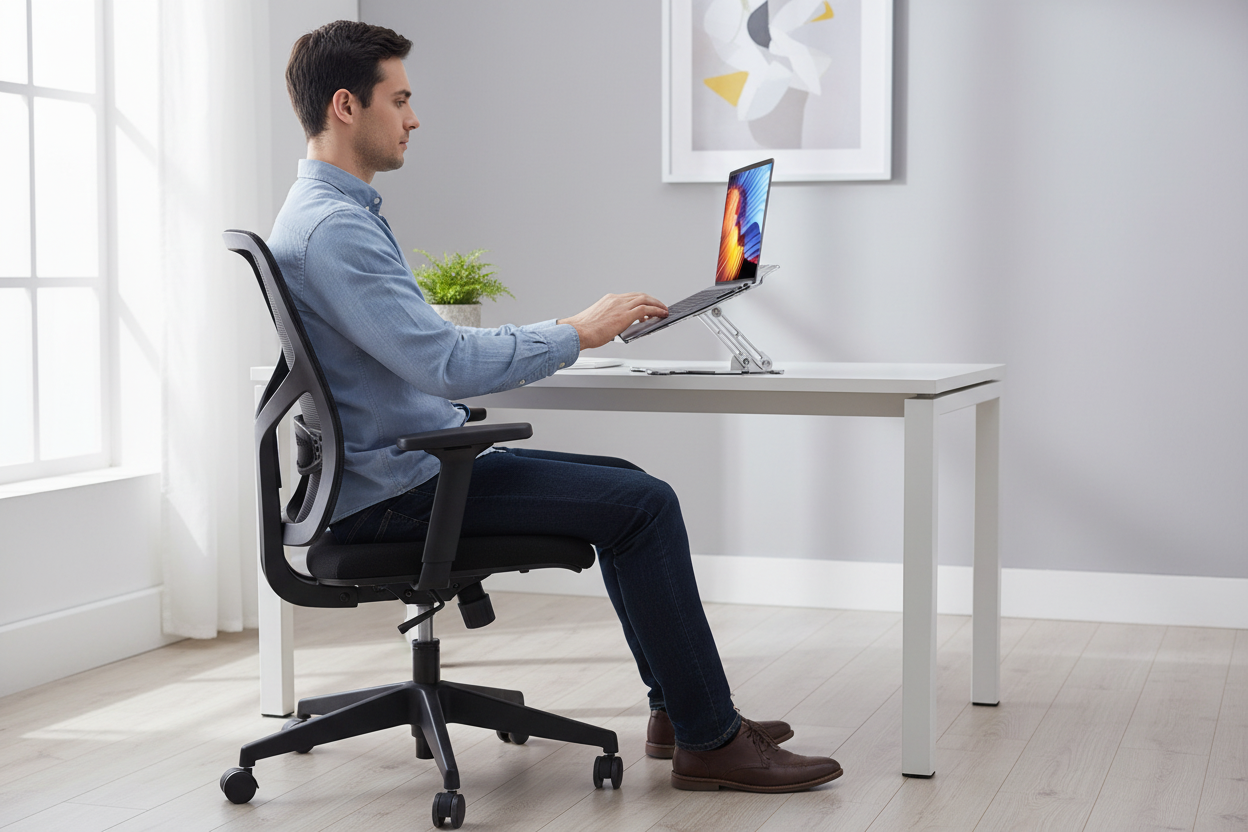
Finding the perfect gift for someone who works from home can be tricky. You want something thoughtful, something that shows you actually pay attention to their daily struggles. If your loved one spends hours hunched over a laptop, complaining about back pain, or constantly shifting in their seat trying to get comfortable, an ergonomic chair isn't just a gift—it's a game-changer.
Let's be real: most people working from home are making do with whatever chair they had lying around. Maybe it's a dining chair that wasn't designed for eight-hour stretches, or an old office chair that's seen better days. A quality ergonomic chair transforms their workspace from "just getting by" to actually supporting their health and productivity.

This guide walks you through the best ergonomic chairs for work-from-home setups, what features actually matter, and how to choose one that fits your loved one's specific needs. Whether they're dealing with lower back pain, need extra support for long video calls, or just want to feel more comfortable during their workday, we've got you covered.
Why Ergonomic Chairs Matter for Remote Workers
When your loved one transitioned to working from home, their body probably noticed the change before their mind did. That nagging lower back pain that shows up around 2 PM? The stiff neck after back-to-back Zoom calls? These aren't just minor annoyances—they're signs that their current seating situation isn't cutting it.
Traditional chairs force your body into positions it wasn't meant to hold for hours. Your spine has a natural S-curve that needs support. Your shoulders want to relax, not hunch forward. Your legs need proper circulation, not pressure points cutting off blood flow.
An ergonomic chair addresses all of this. It's designed around how the human body actually works, not just what looks good in a catalog. The right chair reduces strain on pressure points, supports natural posture, and adjusts to fit individual body types. For someone working from home full-time, that's the difference between ending the day energized or exhausted.
The health benefits go beyond just comfort. Proper ergonomic support can reduce the risk of developing chronic pain conditions, improve focus and productivity, and even boost mood. When you're not constantly distracted by discomfort, you can actually concentrate on your work.
Key Features to Look for in a Work-From-Home Ergonomic Chair

Not all ergonomic chairs are created equal. Some are loaded with features that sound impressive but don't actually help. Others nail the basics so well that you wonder how you ever worked without them. Here's what actually matters:
Lumbar Support That Actually Works
This is non-negotiable. Your loved one's lower back carries the weight of their entire upper body while sitting. Without proper support, those muscles fatigue quickly, leading to slouching and pain. Look for chairs with adjustable lumbar support that can be positioned exactly where their lower back curves. Some chairs offer inflatable lumbar cushions that let you dial in the perfect amount of support.
Adjustability for Different Body Types
Everyone's body is different. A chair that works perfectly for someone 5'4" might be completely wrong for someone 6'2". Height adjustment is just the start—you also want adjustable armrests, seat depth, and backrest angle. The more adjustments available, the better the chair can conform to your loved one's specific proportions.
Seat Comfort and Depth
The seat should be deep enough to support the thighs without putting pressure on the back of the knees. Too shallow and you lose thigh support; too deep and it cuts off circulation. High-density foam holds up better over time than cheap padding that flattens out after a few months. Breathable materials like mesh keep things cool during long work sessions.
Armrest Positioning
Armrests should support the forearms without forcing the shoulders up or making them slump down. Adjustable armrests that move up, down, forward, backward, and even pivot inward are ideal. This lets your loved one position their arms naturally whether they're typing, using a mouse, or taking notes.
Recline and Tilt Functions
Sitting in one position all day isn't healthy, even in a great chair. The ability to recline and shift positions throughout the day keeps the body moving and reduces fatigue. Look for chairs with adjustable tilt tension so your loved one can find the right amount of resistance for their body weight.
Weight Capacity and Durability
Check the weight rating to ensure the chair can properly support your loved one. Chairs built for higher weight capacities typically use stronger materials and construction, which means they'll last longer regardless of who's using them. A chair rated for 300-500 lbs will outlast one rated for 250 lbs, even if the user weighs less.
Top Ergonomic Chair Picks for Work-From-Home Professionals
After looking at what makes a great ergonomic chair, let's get into specific options that deliver real comfort and support for remote workers. These chairs have been chosen based on their ergonomic features, build quality, and value for money.
Best Premium Option: Beige Big and Tall Executive Leather Office Chair with Footrest

If you want to give your loved one the ultimate work-from-home upgrade, this is it. The Beige Big and Tall Executive Leather Office Chair at $599.99 combines executive-level comfort with serious ergonomic support.
What sets this chair apart is the integrated footrest. For those long afternoon stretches when your loved one needs to lean back and think through a problem, the footrest extends to support their legs fully. The high back provides complete spine support from tailbone to shoulders, and the leather upholstery adds a professional look that works great for video calls.
The reclining function lets them shift positions throughout the day—upright for focused work, slightly reclined for reading documents, or fully reclined for a quick mental break. The ergonomic design supports natural posture without feeling restrictive. This is the chair for someone who spends serious hours at their desk and deserves serious comfort.
Best for: Remote workers who want premium comfort and aren't afraid to invest in their health and productivity.
Shop the Executive Leather Chair →
Best Heavy-Duty Support: Heavy Duty Office Chair 500lbs

Built like a tank but comfortable like a cloud, the Heavy Duty Office Chair at $520.00 is engineered for people who need extra support and durability. The 500-pound weight capacity isn't just a number—it reflects the reinforced construction and premium materials used throughout.
The extra-wide seat provides room to sit comfortably without feeling squeezed. The adjustable lumbar support targets lower back pain specifically, letting your loved one dial in exactly the right amount of support. The flip-up arms are a thoughtful touch—they get out of the way when your loved one wants to sit cross-legged or pull up close to their desk.
The adjustable height works for various desk setups, and the high back supports the entire spine. This chair is built to last years of daily use without the wobbling, squeaking, or sagging that cheaper chairs develop.
Best for: Anyone who needs robust construction, extra room, and reliable long-term durability.
Best Innovative Comfort: Reclining Office Chair with Footrest and Inflatable Lumbar Support

Here's something different: the Reclining Office Chair with Inflatable Lumbar Support at $429.00 takes a unique approach to back support. Instead of fixed lumbar padding, it uses an inflatable system that lets your loved one adjust the support level throughout the day.
Why does this matter? Because your back's needs change. In the morning when you're fresh, you might want firmer support. By afternoon when fatigue sets in, a softer cushion might feel better. The inflatable lumbar support adapts to these changing needs with a simple pump mechanism.
The built-in footrest extends when needed and tucks away when not in use. The reclining function offers multiple positions, and the 300-pound capacity handles most users comfortably. The executive styling looks professional on camera while providing serious ergonomic benefits off-camera.
Best for: Remote workers who want customizable support that adapts throughout their workday.
Try the Inflatable Lumbar Chair →
Best Breathable Option: Ergonomic Office Chair with High Back Mesh

If your loved one runs hot or lives in a warm climate, mesh is the way to go. The Ergonomic Office Chair with High Back Mesh at $241.00 offers excellent value without sacrificing comfort or support.
The mesh back allows air to circulate, preventing that sweaty-back feeling that comes with long sitting sessions. Despite being breathable, the mesh still provides firm support for the spine. The built-in lumbar support targets the lower back, and the high back design supports the entire spine up to the shoulders.
The included footrest is a nice bonus at this price point. It helps improve circulation and gives your loved one options for shifting positions throughout the day. The adjustable height and armrests let them customize the fit to their body and desk setup.
Best for: Budget-conscious buyers who still want real ergonomic benefits and breathable comfort.
Shop the Mesh Ergonomic Chair →
Best Professional Look: High Back Mesh Office Chair

The High Back Mesh Office Chair at $340 strikes a perfect balance between professional appearance and ergonomic function. The sleek design looks right at home in a modern home office, while the mesh construction keeps things comfortable during marathon work sessions.
The high back provides full spine support, crucial for maintaining good posture during long video conferences. The mesh material breathes well, making this a solid choice for year-round comfort. The clean lines and professional styling mean your loved one won't feel like they're sitting in a gaming chair during important client calls.
At this price point, you're getting solid ergonomic features without breaking the bank. The chair adjusts to fit different body types and desk heights, making it a versatile choice for various home office setups.
Best for: Professionals who need to look polished on video calls while staying comfortable off-camera.
How to Choose the Right Ergonomic Chair for Your Loved One
Picking the perfect chair means thinking about your loved one's specific situation. Here's how to narrow down the options:
Consider Their Work Style
Does your loved one spend all day in video meetings, or do they focus on heads-down work? Someone on camera frequently might prioritize a chair with a professional appearance and good posture support. Someone doing creative work might value the ability to recline and shift positions more freely.
Think About Their Physical Needs
If they've mentioned back pain, prioritize lumbar support. If they complain about getting hot, mesh is your friend. If they're tall or need extra room, look at big and tall options with higher weight capacities and wider seats. Match the chair's features to their actual complaints and needs.
Factor in Their Space
A chair with a footrest needs more floor space than one without. A high-back executive chair might overwhelm a small home office. Measure their workspace and consider how the chair will fit into their existing setup. Also think about whether they need the chair to roll easily on carpet or hardwood.
Budget Realistically
Ergonomic chairs range from around $240 to $600 and up. The good news is that even the more affordable options offer real ergonomic benefits. The higher-priced chairs typically add features like footrests, premium materials, and more adjustment options. Decide what features are must-haves versus nice-to-haves, then find the best chair in your budget that delivers those essentials.
Don't Forget Assembly
Most ergonomic chairs require some assembly. If your loved one isn't handy with tools, consider whether you'll be there to help or if they'll need to tackle it themselves. Most chairs come with clear instructions and take 30-60 minutes to assemble.
Setting Up an Ergonomic Chair Properly
Even the best ergonomic chair won't help if it's not adjusted correctly. Here's how to help your loved one set up their new chair for maximum benefit:
Adjust the Height First
When sitting, their feet should rest flat on the floor with thighs parallel to the ground. Knees should be at about a 90-degree angle. If the chair is too high, their feet dangle and pressure builds on the thighs. Too low, and their knees rise above their hips, straining the lower back.
Position the Lumbar Support
The lumbar support should fit into the natural curve of the lower back, roughly at belt level. It should feel supportive without pushing them forward. If the chair has adjustable lumbar support, have them sit normally and adjust until it feels like the chair is gently supporting their natural posture.
Set the Armrests
Armrests should allow the shoulders to relax while supporting the forearms. If they're too high, shoulders hunch up. Too low, and they're useless. The arms should rest comfortably with elbows at about 90 degrees when typing. Some people prefer armrests slightly lower to allow more freedom of movement.
Adjust Seat Depth
There should be about 2-3 inches of space between the back of the knees and the front of the seat. This prevents pressure on the back of the legs while ensuring the back stays supported against the backrest. If the chair has adjustable seat depth, this is where it matters most.
Set the Recline Tension
The chair should recline with gentle pressure but not fly backward. Adjust the tension knob (usually under the seat) until the recline feels controlled. Your loved one should be able to lean back comfortably without feeling like they're going to tip over or having to push hard against the backrest.
Test and Tweak
The first setup is just a starting point. Encourage your loved one to make small adjustments over the first few days as they get used to the chair. What feels right initially might need fine-tuning once they've spent a full workday in it.
Beyond the Chair: Creating a Complete Ergonomic Workspace
An ergonomic chair is the foundation, but it works best as part of a complete ergonomic setup. Here are other elements that complement a great chair:
Monitor Height and Position
The top of the monitor should be at or slightly below eye level, about an arm's length away. This prevents neck strain from looking up or down at the screen. If your loved one uses a laptop, a laptop stand or external monitor makes a huge difference.
Keyboard and Mouse Placement
The keyboard should be positioned so the elbows stay close to the body at about 90 degrees. The mouse should be at the same level as the keyboard, close enough that they don't have to reach. This prevents shoulder and wrist strain.
Lighting Matters
Good lighting reduces eye strain and helps maintain focus. Natural light is ideal, but avoid glare on the screen. A desk lamp that provides adequate light without creating screen reflections helps during evening work sessions.
Take Movement Breaks
Even the best ergonomic chair can't overcome sitting all day. Encourage your loved one to stand up and move every hour. A quick walk around the house, some stretches, or just standing while taking a phone call keeps the body from getting too stiff.
The Real Impact of a Quality Ergonomic Chair
Here's what your loved one might notice after switching to a proper ergonomic chair:

Week One: The chair feels different—maybe even a bit strange if they're used to poor support. Their body is adjusting to proper posture. Some people experience temporary soreness as muscles that have been underused start engaging properly.
Week Two: The strangeness fades and comfort sets in. That 2 PM back pain might start showing up later in the day or not at all. They're probably fiddling less with their sitting position, a sign the chair is actually supporting them.
Month One: This is when the real benefits become obvious. Chronic pain that seemed permanent starts fading. They finish the workday with more energy. Focus improves because they're not constantly distracted by discomfort. They might even notice better mood and productivity.
Long Term: Good ergonomic support becomes the new normal. The investment pays off in reduced pain, better health, and improved work quality. Many people report that a quality ergonomic chair is one of the best purchases they've made for their home office.
Common Mistakes to Avoid When Buying an Ergonomic Chair
Don't fall into these traps when shopping for your loved one's chair:
Choosing Style Over Function
A chair that looks amazing but doesn't support the body properly is just expensive furniture. Prioritize ergonomic features first, then find the best-looking option that meets those needs. Your loved one will appreciate comfort over aesthetics after the first week.
Ignoring Weight Capacity
Weight ratings aren't just about whether the chair will hold someone—they indicate the quality of construction and how long the chair will last. A chair rated for higher weight capacity uses better materials and will outlast a lower-rated chair regardless of the user's weight.
Skipping Adjustability
A chair that can't adjust to fit your loved one's body won't provide proper support. More adjustability means better fit, which means better ergonomics. Don't compromise on adjustment features to save a few dollars.
Buying Too Cheap
The cheapest option is rarely the best value. A $100 chair that falls apart in a year costs more than a $400 chair that lasts five years. Quality ergonomic chairs are an investment in health and productivity that pays off over time.
Not Considering Return Policies
Even with careful selection, a chair might not work out. Check the return policy before buying. Some discomfort during the adjustment period is normal, but if the chair still doesn't feel right after two weeks, it might not be the right fit.
Frequently Asked Questions About Ergonomic Chairs
How much should I spend on an ergonomic office chair?
For a quality ergonomic chair that will last, expect to spend between $240 and $600. Chairs in this range offer real ergonomic benefits, durable construction, and features that make a difference. You can find cheaper options, but they often lack proper adjustability or don't hold up to daily use. The most expensive chairs add premium materials and extra features, but mid-range options deliver excellent value.
Will an ergonomic chair fix my loved one's back pain?
An ergonomic chair can significantly reduce back pain caused by poor posture and inadequate support, but it's not a magic cure. If your loved one has chronic or severe back pain, they should consult a healthcare provider. That said, many people find that switching to a proper ergonomic chair dramatically reduces or eliminates work-related back discomfort.
How long does it take to adjust to a new ergonomic chair?
Most people need about one to two weeks to fully adjust to a new ergonomic chair. During this time, the body adapts to proper posture and support. Some temporary soreness is normal as muscles that have been underused start working correctly. If discomfort persists beyond two weeks, the chair might need adjustment or might not be the right fit.
What's the difference between mesh and leather ergonomic chairs?
Mesh chairs offer better breathability and tend to stay cooler during long sitting sessions. They're great for warm climates or people who run hot. Leather chairs provide a more executive look and feel, often with more padding. They're easier to clean but can get warm. Both can offer excellent ergonomic support—the choice comes down to personal preference and climate.
Do I really need a chair with a footrest?
A footrest isn't essential for everyone, but it offers real benefits. It improves circulation, provides options for shifting positions, and can be especially helpful for shorter people whose feet don't reach the floor comfortably. If your loved one likes to lean back while thinking or reading, a footrest adds significant comfort. It's a nice-to-have feature that many people end up loving once they have it.
How do I know if an ergonomic chair will fit my loved one?
Check the chair's specifications for height range, weight capacity, and seat dimensions. Most ergonomic chairs work for people between 5'4" and 6'2". For people outside this range, look specifically for chairs designed for petite or tall users. Weight capacity should exceed the user's weight by at least 50 pounds for comfort and durability.
Can an ergonomic chair help with productivity?
Absolutely. When your loved one isn't distracted by discomfort, they can focus better on their work. Proper support reduces fatigue, which means they maintain concentration longer. Many remote workers report that upgrading to an ergonomic chair noticeably improved their work quality and output. Comfort and productivity are more connected than most people realize.
What's the most important ergonomic feature to look for?
If you can only prioritize one feature, make it adjustable lumbar support. The lower back carries the most strain during sitting, and proper lumbar support makes the biggest difference in comfort and health. After that, look for adjustable height, armrests, and seat depth. The more adjustments available, the better the chair can fit your loved one's specific body.

How often should an ergonomic chair be replaced?
A quality ergonomic chair should last 5-10 years with proper care. Signs it's time to replace include flattened cushioning that doesn't bounce back, mechanisms that no longer adjust smoothly, persistent squeaking or wobbling, or visible wear that affects function. If the chair no longer provides proper support even after adjustments, it's time for a new one.
Are expensive ergonomic chairs worth the investment?
For someone working from home full-time, yes. Consider that your loved one spends 40+ hours per week in this chair—that's more time than they spend in their bed. A $500 chair used for five years costs about 19 cents per day. When you factor in reduced pain, better productivity, and improved quality of life, the investment pays for itself many times over.
Making the Gift Extra Special
You're not just giving a chair—you're giving comfort, health, and a better workday. Here's how to make the gift even more meaningful:
Include a setup guide with the chair. Print out the adjustment tips from this article so your loved one knows how to get the most from their new chair. Offer to help with assembly and initial setup—it's a great way to spend time together while ensuring everything is adjusted correctly.
Consider pairing the chair with complementary ergonomic accessories. A lumbar cushion for extra support, a footrest if the chair doesn't include one, or a desk lamp for better lighting all enhance the ergonomic workspace. These additions show you've thought about their complete comfort.
Write a note explaining why you chose this gift. Mention that you've noticed them dealing with discomfort or that you want to support their work-from-home success. Personal touches transform a practical gift into something truly thoughtful.
Final Thoughts: Investing in Comfort and Health
Choosing an ergonomic chair for your work-from-home loved one is about more than just furniture—it's about showing you care about their daily comfort and long-term health. The right chair supports their body through long workdays, reduces pain and fatigue, and helps them be more productive and focused.
Whether you go with the premium comfort of the Executive Leather Chair, the robust support of the Heavy Duty Office Chair, the innovative design of the Inflatable Lumbar Chair, or the breathable comfort of the Mesh Ergonomic Chair, you're giving a gift that will be appreciated every single workday.
The best ergonomic chair is the one that fits your loved one's specific needs, workspace, and body. Take time to consider their work style, physical requirements, and space constraints. Match those needs with the right features and adjustability, and you'll give a gift that truly shows you care.
Ready to upgrade your loved one's work-from-home setup? Browse our complete collection of ergonomic chairs and find the perfect fit for their home office. Their back will thank you.
