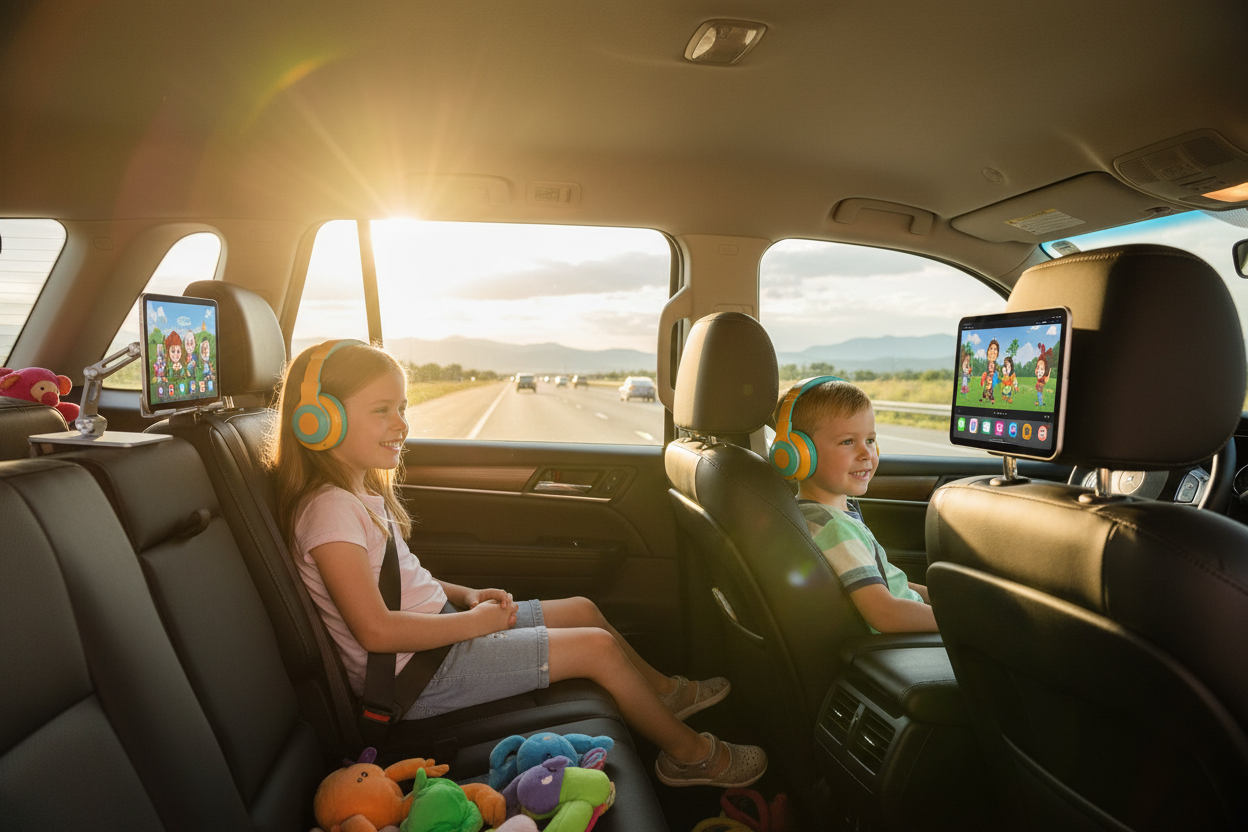
You Packed the Snacks. You Forgot the Plan.
It's 7 a.m. The car is loaded. The kids are buckled. You've got a 6-hour drive ahead of you, a cooler full of string cheese, and the quiet, creeping dread of what happens around hour two when the novelty of "we're going on vacation!" completely wears off.
If you've done a long family road trip before, you already know the drill. The first hour is fine — everyone's excited, the playlist is fresh, and the snacks are still a treat. Then comes the whining. Then the "are we there yet?" every eleven minutes. Then the sibling argument that somehow escalates into a full diplomatic crisis in the backseat.
Here's the thing: keeping kids entertained on a long drive isn't about being a perfect parent. It's about having the right setup. And one of the most underrated pieces of that setup — the one most parents don't think about until they're already on the highway — is how your kids are actually watching their tablet or iPad.
Propped against a water bottle? Balanced on a pillow? Held up by a tired little arm that gives out somewhere around mile 80? None of those work. And none of them are comfortable for a kid who's going to be staring at a screen for the next few hours.
This guide is for parents who want to actually enjoy the drive — not just survive it. We'll cover the full backseat entertainment setup, what to pack, how to handle the inevitable meltdowns, and why a solid headrest tablet mount might be the single best investment you make before your next family road trip.
The Real Problem with Long Drives and Kids
Let's be honest about what's actually happening in the backseat during a long drive. Kids — especially toddlers and younger children — don't have the same capacity for passive sitting that adults do. Their brains are wired for stimulation, movement, and interaction. Strapping them into a car seat for six hours and expecting them to just... chill... is a recipe for frustration on everyone's part.
The research backs this up. Children under 10 typically have attention spans that max out at around 20–30 minutes for passive activities. A 6-hour drive is roughly 12 of those cycles. Without a plan, you're going to hit a wall — multiple walls — before you reach your destination.
The good news? Kids are also incredibly adaptable when they have the right tools. A well-set-up backseat entertainment system — tablet at eye level, headphones on, favorite show queued up — can genuinely transform a long drive from a stress test into something close to peaceful.
The key phrase there is "at eye level." This is where most parents get it wrong.
Why Tablet Position Matters More Than You Think
When a child has to look down at a tablet sitting in their lap, or crane their neck sideways to see a screen propped against the seat pocket, they're putting real strain on their neck and upper back. Over the course of a few hours, that strain contributes to fatigue, irritability, and — in kids who are prone to it — motion sickness.
Motion sickness in children is largely triggered by a mismatch between what the eyes see and what the inner ear feels. When a child is looking down at a screen in their lap, their visual field is focused on a stationary object while their body is registering movement. That disconnect is a major motion sickness trigger.
Positioning the screen at eye level — directly in front of the child, at roughly the same height as their face — reduces that disconnect significantly. The child's gaze is forward, which more closely aligns with the direction of travel, and the neck stays in a neutral position instead of being bent downward for hours.
This is exactly what a good headrest tablet mount does. It's not just a convenience — it's genuinely better for your kid's comfort and wellbeing on a long drive.
Hands-Free Backseat Cinema: What It Actually Looks Like
Picture this: your 5-year-old is watching their favorite show on a 10-inch iPad, which is mounted securely to the back of the front passenger headrest, positioned perfectly at eye level. Their hands are free. They're not holding anything up, not adjusting anything, not asking you to fix the screen every 20 minutes. They're just... watching. Comfortably. Quietly.
That's the hands-free backseat cinema setup, and it's more achievable than most parents realize.
The core of the setup is a quality headrest tablet mount — one that actually holds the device securely, adjusts to the right height and angle, and doesn't wobble every time you hit a bump or brake suddenly on the highway.
Here's what to look for:
- Adjustable viewing angle: Kids come in different sizes, and car seats position them at different heights. You want a mount that tilts and rotates so you can dial in the exact angle that works for your child.
- Secure grip on the device: The mount needs to hold the tablet firmly without scratching it. Look for rubberized or silicone-lined claws rather than bare plastic.
- Stable attachment to the headrest: The mount attaches to the headrest posts of the front seat. The attachment mechanism matters — cheap plastic clips can loosen over time, especially on bumpy roads.
- Universal compatibility: You probably have more than one device in your household. A mount that works with everything from a small iPhone to a 12.9" iPad Pro means you're not locked into one device.
The Rackora Adjustable Tablet Stand Holder is built around exactly these principles. It's designed for universal compatibility — fitting devices from small smartphones up to large 12.9" tablets — with an adjustable arm that lets you position the screen at the exact height and angle your child needs.

Rackora Adjustable Tablet Stand Holder — $49.99
Universal compatibility · Adjustable angle · Secure grip
Universal Compatibility: Why It Matters for Real Families
Here's a scenario that plays out in a lot of families: you buy a tablet mount that works great for your iPad. Then your older kid wants to use their Kindle. Then your youngest wants to watch something on your phone. Suddenly the mount you bought for one device is useless for everything else in your bag.
Real families have real device variety. iPhones, Android phones, Kindles, iPad Minis, iPad Pros, Samsung tablets — the list goes on. A mount that only works with one device size is a mount that's going to frustrate you.
Rackora's tablet stands are built for universal compatibility from the ground up. The adjustable claws expand and contract to fit devices ranging from small 4" smartphones all the way up to 12.9" iPad Pros. The grip is lined to protect device edges and screens, and the locking mechanism keeps the device secure regardless of size.
This matters on a road trip because you're not always going to have the same device available. Maybe the iPad needs to charge. Maybe one kid wants the Kindle and the other wants the tablet. A truly universal mount handles all of it without you having to swap out hardware or buy multiple accessories.

If you have two kids in the backseat, the 2-pack is the obvious move. Two mounts, two screens, two kids in their own entertainment bubbles. The math on family road trip peace is pretty straightforward.
Wobble-Free Entertainment: Why Cheap Mounts Fail on the Highway
You've probably seen the cheap strap-on tablet holders — the ones made of thin plastic with elastic straps that loop around the headrest posts. They're everywhere online, they're inexpensive, and they look like they should work fine.
They don't.
Here's what actually happens with cheap plastic mounts on a real road trip: the elastic stretches. The plastic clips loosen. Every time you hit a bump, the mount shifts slightly. Every time you brake hard, the tablet lurches forward. By hour three, your kid is constantly asking you to fix the screen, and you're reaching back to adjust it while trying to keep your eyes on the road.
The problem is materials and engineering. Cheap mounts are designed to look like they work in a product photo. They're not designed to handle the actual physics of highway driving — the vibration, the sudden deceleration, the lateral forces from lane changes and turns.
Quality mounts use different materials and different attachment mechanisms. High-grade aluminum construction is significantly more rigid than plastic, which means less flex and less wobble under load. Anti-slip mounting claws with rubberized grips maintain their hold on the device even under sudden braking. Secure headrest post attachments don't loosen over time the way elastic straps do.
The difference in real-world performance is significant. A quality mount stays put. A cheap mount becomes a distraction — and a safety issue — within the first hour.
When you're doing 70 mph on the interstate with kids in the backseat, "good enough" isn't good enough. You want a mount that you set up once at the beginning of the trip and don't think about again until you arrive.

The Complete Road Trip Backseat Setup Checklist
A great backseat entertainment setup is more than just a tablet mount. Here's the full checklist we recommend for parents planning a long summer drive:
🎬 Entertainment
- Download movies and shows before you leave. Don't count on highway cell service or spotty rest stop WiFi. Download 4–6 hours of content the night before. Netflix, Disney+, and Amazon Prime all have offline download options.
- Load up a few new titles. Familiar favorites are comforting, but a new show or movie creates genuine excitement and buys you more engaged viewing time.
- Audiobooks and podcasts for older kids. Kids 7 and up often enjoy audio content — especially adventure stories or comedy podcasts designed for families.
- Offline games. Download a few games that don't require internet. Puzzle games, drawing apps, and simple strategy games work well for car trips.
🎧 Audio
- Kid-sized headphones. Adult headphones are too big and uncomfortable for small heads. Invest in a pair of volume-limited kids' headphones — they protect hearing and keep the audio contained to the backseat.
- Splitter cable if needed. If two kids are sharing one device, a headphone splitter lets both of them listen without fighting over the volume.
- Backup charging cable for wireless headphones. Nothing ends the peace faster than headphones dying mid-movie.
🍎 Snacks
- Non-messy options first. String cheese, apple slices, crackers, and trail mix are all relatively low-mess. Save the chocolate and anything with crumbs for rest stops where you can clean up.
- Individual portions. Pre-portion snacks into small bags or containers. It reduces arguments over who got more and makes it easier to hand things back without taking your eyes off the road.
- Hydration without overdoing it. Keep water accessible but don't over-hydrate — more water means more bathroom stops. Aim for regular sips rather than big drinks.
🛏️ Comfort
- Travel pillow for each child. A small neck pillow makes a huge difference for kids who fall asleep in the car.
- Sunshade for rear windows. Direct afternoon sun in the backseat is uncomfortable and makes screens hard to see. Retractable window shades are inexpensive and worth every penny.
- Blanket or light layer. Car AC can get cold, especially for kids who are sitting still. A light blanket keeps them comfortable without you having to adjust the temperature for the whole car.
📱 Tech Setup
- Tablet mount installed before departure. Set up your headrest tablet mount the night before or the morning of the trip. Don't try to install it in a parking lot with kids already in the car.
- Portable battery pack. A 20,000mAh power bank can charge a tablet multiple times. Keep it accessible in the backseat area.
- Car charger with multiple ports. Charge devices while driving so you arrive with full batteries.
🚗 Sanity Savers
- Activity kit for non-screen time. Coloring books, sticker books, and small activity pads give kids something to do during screen breaks.
- Scheduled stops every 2 hours. Kids need to move. Plan rest stops every 90–120 minutes, even if it's just 10 minutes to run around a rest area.
- A playlist of family favorites. Music everyone knows and can sing along to is a surprisingly effective mood reset when things get tense.
Risk-Free Road Trip Planning: The 30-Day Guarantee
Here's something that matters when you're buying gear for a family trip: you want to know that if something doesn't work the way you expected, you're not stuck with it.
Rackora backs every tablet stand and mount with a 30-day money-back guarantee. If you set it up, take it on a road trip, and decide it's not right for your family — you can return it. No complicated process, no restocking fees, no hassle.
That kind of guarantee matters because road trips are real-world tests. You don't know exactly how a product will perform until you're actually on the highway with kids in the backseat. The 30-day window gives you time to actually use it and make sure it works for your specific setup — your car, your kids, your devices.
It also means you can buy before your trip without the anxiety of "what if this doesn't work." Order it, set it up, test it on a short drive, and head out on your road trip with confidence.

Rackora Tablet Stand + Screen Protector Bundle — $53.98
Everything you need, bundled together · 30-day money-back guarantee
Handling the Inevitable: When Kids Still Melt Down
Even with the best setup in the world, kids are going to have moments. That's just reality. Here's how to handle the most common backseat situations without losing your mind:
"I'm bored" (even with a screen)
This usually means they need a change of input, not more screen time. Switch to an audiobook, pull out the activity kit, or start a simple car game like 20 Questions or the license plate game. A 15-minute break from screens often resets their attention and makes them more engaged when they go back to the tablet.
"My tummy hurts"
Motion sickness. First, make sure the tablet is at eye level — a screen in the lap is a major trigger. If they're already feeling sick, turn off the screen, open a window slightly, and have them focus on the horizon. Ginger chews or ginger ale can help. If your child is prone to motion sickness, talk to your pediatrician about appropriate remedies before the trip.
"They're touching my side!"
The classic sibling boundary dispute. If you have two kids and one screen, this is almost inevitable. The 2-pack mount setup — one screen per kid — eliminates most of this. If you're working with one screen, a physical divider (even just a rolled-up blanket between seats) can help establish territory.
"I need to go to the bathroom"
Plan for this. On a 6-hour drive, assume at least 2–3 bathroom stops regardless of how much you limit fluids. Build them into your schedule rather than treating them as interruptions. Kids who know a stop is coming are more patient than kids who feel like their needs are being ignored.
"Are we there yet?"
Give kids a visual sense of progress. A simple paper map where they can mark off states or cities, or a countdown on a tablet showing miles remaining, gives them something concrete to track. Kids handle waiting much better when they can see progress.
Setting Up Your Headrest Tablet Mount: Step by Step
Setting up a headrest tablet mount is straightforward, but doing it right the first time saves you from adjusting it on the road. Here's the process:
- Identify the headrest post spacing on your front seat. Most car headrests have two vertical posts. Measure the distance between them — most mounts are designed to fit standard post spacing, but it's worth confirming before you buy.
- Attach the mount to the headrest posts. Slide the mount's attachment arms over the posts and tighten the locking mechanism. It should feel firm with no wobble.
- Adjust the arm height and angle. With your child seated in their car seat, adjust the mount arm so the screen will be at roughly eye level. You want them looking slightly downward — the same angle you'd use for comfortable reading — not straight up or sharply down.
- Insert the device into the mount claws. Expand the claws to fit your device, insert it, and allow the claws to grip the edges. The device should feel secure with no play.
- Test the stability. Give the mount a firm shake. The device should stay put. If there's wobble, tighten the attachment mechanism and re-check the claw grip.
- Do a short test drive. Before your actual road trip, take a 15–20 minute drive to confirm everything stays in place. This is the step most people skip — don't skip it.
The Bigger Picture: Why the Backseat Setup Matters for the Whole Family
It's easy to think of the backseat entertainment setup as something you do for the kids. But the reality is that it's something you do for the whole family — including yourself.
When kids are comfortable, entertained, and not constantly asking for attention or adjustments, the adults in the front seat can actually have a conversation. You can listen to your own podcast or music. You can focus on driving without constant interruptions. The trip becomes something you can actually enjoy rather than just endure.
That's the real value of getting the setup right. It's not about screens or technology — it's about creating conditions where everyone in the car can have a good experience. Kids who are comfortable and engaged are happier kids. Happier kids make for happier parents. And happier parents make for a better road trip.
The investment in a quality tablet mount, a good pair of kids' headphones, and a solid content library is genuinely one of the best things you can do for your family's summer travel experience. It's not a luxury — it's infrastructure.
Frequently Asked Questions
What is the best iPad holder for a car backseat?
The best backseat iPad holder is one that mounts securely to the front headrest posts, holds the device at eye level, and stays stable on the highway without wobbling. Look for adjustable arms, rubberized grips on the device claws, and a secure headrest attachment mechanism. The Rackora Adjustable Tablet Stand Holder ($49.99) fits devices from small phones up to 12.9" iPad Pros and is designed for exactly this use case.
How do I keep kids entertained on a long car drive?
The most effective approach combines a few strategies: a tablet or iPad mounted at eye level with downloaded content (movies, shows, games), kid-sized headphones, a small activity kit for screen breaks, and scheduled rest stops every 90–120 minutes. The key is variety — rotating between screen time, audio content, and physical activity keeps kids more engaged than any single activity alone.
Can a headrest tablet mount cause motion sickness?
A properly positioned headrest mount actually reduces motion sickness risk compared to a tablet in the lap. When the screen is at eye level and roughly in the child's forward field of view, the visual-vestibular mismatch that triggers motion sickness is minimized. A screen in the lap, by contrast, forces the child to look downward at a stationary object while their body registers forward motion — a classic motion sickness trigger.
What size tablets fit in a universal car headrest mount?
A truly universal mount should accommodate devices from approximately 4" smartphones up to 12.9" tablets. Rackora's tablet stands are designed for this full range, with adjustable claws that expand and contract to fit different device sizes securely.
How do I install a headrest tablet mount?
Most headrest mounts attach to the two vertical posts of a front car seat headrest. You slide the mount's attachment arms over the posts and tighten the locking mechanism, then adjust the arm height and angle to position the screen at your child's eye level. The full process takes about 5 minutes. We recommend doing it the night before your trip rather than in a parking lot with kids already in the car.
Is it safe for kids to watch tablets in the car?
Screen time in the car is generally considered safe for children when the device is properly mounted at eye level. The main concerns — neck strain from looking down, and motion sickness from visual-vestibular mismatch — are both significantly reduced by a proper headrest mount. Volume-limited headphones protect hearing. As with all screen time, moderation and breaks are recommended.
How long can kids watch a screen in the car before needing a break?
Most child development experts recommend screen breaks every 45–60 minutes for younger children. On a long drive, plan for a mix of screen time, audio content (audiobooks, music), and physical activity at rest stops. The 90–120 minute rest stop schedule naturally creates screen break opportunities.
What's the difference between a cheap tablet mount and a quality one?
Cheap mounts — typically made of thin plastic with elastic straps — tend to loosen over time, wobble on bumpy roads, and shift under sudden braking. Quality mounts use more rigid materials (like aluminum), secure locking mechanisms, and rubberized grips that maintain their hold under real driving conditions. On a highway at speed, the difference in stability is significant.
Can I use a tablet mount for both an iPad and a phone?
Yes, if the mount is designed for universal compatibility. Rackora's tablet stands accommodate devices from small smartphones up to large 12.9" iPad Pros, so you can use the same mount for different devices on different trips — or swap between devices mid-trip if needed.
What is Rackora's return policy for tablet mounts?
Rackora offers a 30-day money-back guarantee on tablet stands and mounts. If you're not satisfied with the product after using it — including on an actual road trip — you can return it within 30 days for a full refund. This makes it genuinely risk-free to try before a major family trip.
Ready to Make This Summer's Road Trip Actually Enjoyable?
You've got the destination. You've got the snacks. Now get the setup that makes the drive worth it.
Whether you're heading to the beach, the mountains, or grandma's house six states away, the right backseat entertainment setup makes a real difference — for your kids and for you.
All Rackora tablet stands come with a 30-day money-back guarantee. Free shipping on qualifying orders. Questions? We're here to help.
