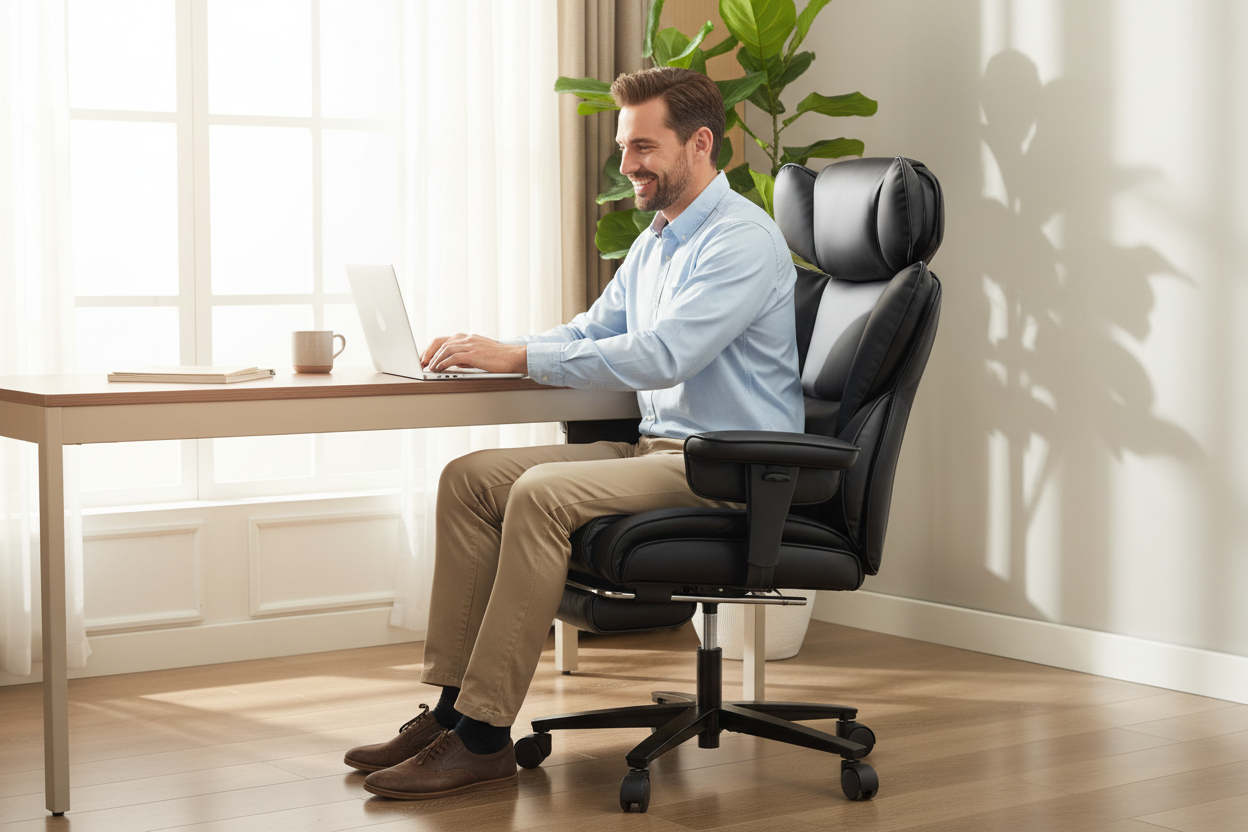
Let's be honest: most of us didn't plan to spend 8+ hours a day sitting at a home desk. But here we are — hybrid work is the new normal, and the line between "office" and "living room" has never been blurrier. You're grinding through morning meetings, then trying to decompress on a couch that wasn't designed for your spine. What if one chair could do both jobs — and do them better than anything you currently own?
That's exactly what a reclining office chair with a footrest is built for. Not a gimmick. Not a luxury. A genuine ergonomic tool that adapts to how modern people actually work and rest.
In this guide, we're going deep on the science, the design logic, and the real-world benefits of making this switch — with specific product recommendations from Rackora's lineup that are worth every dollar.
The Hybrid Worker's Dilemma: Your Body Is Paying the Price
Here's something most productivity content won't tell you: sitting upright for 8 hours straight is not ergonomically correct. The human spine wasn't designed for sustained 90° posture. Research from Woodhouse et al. published in the journal Spine found that a slightly reclined posture — around 110° to 135° — actually reduces intradiscal pressure in the lumbar region more effectively than sitting bolt upright.
Translation? Your back hurts not because you're sitting too much, but because you're sitting in the wrong position for too long without variation.
Hybrid workers face a unique version of this problem. You're not in a corporate office with an ergonomics team. You're at home, probably on a chair you bought because it looked decent on Amazon, alternating between intense focus work and trying to relax in the same space. Your body needs transitions — and your furniture needs to support them.
A reclining office chair with a footrest isn't just comfortable. It's a posture management system that lets you shift between work modes without leaving your desk setup.
The Science of the 135° Recline: What's Actually Happening to Your Spine
When you recline to 135°, something specific happens to your lower back that doesn't happen at 90°: the hydrostatic load on your lumbar discs drops significantly.
Here's the simplified version. Your intervertebral discs act like shock absorbers between your vertebrae. When you sit upright, gravity compresses them vertically. When you recline, that compressive force redistributes — your backrest takes on more of your body weight, and the discs get a break. Add a footrest that elevates your legs, and you're also reducing the pull of gravity on your lower spine from below.
The result: less muscle tension in the erector spinae (the muscles running along your spine), reduced pressure on the sciatic nerve, and a measurable drop in lower back fatigue over the course of a workday.
This is why physical therapists often recommend periodic reclined rest breaks — not just for comfort, but as an active recovery strategy for your spine.
The Rackora L2 Ergonomic Office Chair is engineered around exactly this principle. Its tilt range goes from 90° to 135° with a lockable mechanism, so you can dial in the exact angle that works for your body — whether that's a slight lean-back during a phone call or a full recline during a reading break.

L2 Ergonomic Office Chair with Footrest & 135° Recline — $429.00
BIFMA-certified. Breathable elastic mesh. 3D adjustable armrests. Built-in footrest that folds away when you don't need it. This is the chair for people who take their work — and their recovery — seriously.
Footrests Aren't Just for Comfort — They're Functional Ergonomics
A lot of people think of a footrest as a nice-to-have. It's not. When you recline without elevating your legs, your hamstrings pull on your pelvis, which tilts your lower back into a rounded position — exactly the posture that causes disc compression and lower back pain.
An extendable footrest solves this by keeping your legs supported at the right angle relative to your reclined torso. Your hips stay in a neutral position. Your lumbar curve is maintained. And the whole system — chair back, seat, and footrest — works together to create what ergonomists call a "zero-gravity adjacent" posture.
This is the posture NASA originally developed for astronauts to minimize spinal stress during launch. It's also why high-end recliners in physical therapy clinics look a lot like what Rackora builds into their office chairs.
The difference with an office chair footrest versus a standalone recliner? It's integrated, retractable, and designed to work within a desk setup. You don't need a separate piece of furniture. You don't need to get up and walk to the couch. You recline, extend the footrest, take your 15-minute recovery break, and come back to upright focus mode — all without leaving your workspace.
Meet the Star of This Guide: Reclining Office Chair with Inflatable Lumbar Support
If the L2 is Rackora's performance-focused mesh chair, the Reclining Office Chair with Footrest and Inflatable Lumbar Support is the premium executive option — and it solves a problem that most ergonomic chairs completely ignore: everyone's lumbar curve is different.

Reclining Office Chair with Footrest — Inflatable Lumbar Support, 300 lbs Capacity — $429.00
Standard lumbar support is a fixed foam pad or a rigid curve built into the backrest. It's designed for an "average" spine — which means it fits almost nobody perfectly. If you're taller, shorter, or have a more pronounced or flatter lumbar curve than average, a fixed lumbar pad is either useless or actively uncomfortable.
Inflatable lumbar airbags change the equation entirely.
Shop the Inflatable Lumbar Chair →
Understanding Inflatable Lumbar Support: How It Actually Works
Here's the mechanism. Inside the lower backrest of this chair, there are air bladders — essentially small, controlled airbags. You inflate them using a hand pump (usually built into the armrest or side panel) until the pressure feels right against your lower back. Deflate slightly if it's too firm. Add a bit more air if you need more support.
What you're doing is custom-fitting the chair to your specific spinal curvature in real time. This matters for a few reasons:
- Lumbar curves change throughout the day. Your spine is more flexible in the morning and stiffer after hours of sitting. Being able to adjust support dynamically means you're always getting the right amount of pressure — not too much, not too little.
- Different tasks require different support levels. During intense focus work, you might want firmer lumbar support to keep your posture upright. During a reclined reading break, you might deflate slightly to let your back relax into a more natural curve.
- It accommodates body changes. Weight fluctuations, pregnancy, post-injury recovery — inflatable lumbar adapts in ways that fixed foam simply cannot.
The science behind this is rooted in the concept of individualized pressure relief. Studies on custom orthotic support consistently show that personalized fit outperforms standardized support for reducing musculoskeletal discomfort. Inflatable lumbar brings that same principle to your office chair.
Combined with the 90°–135° recline range and retractable footrest, this chair gives you a genuinely therapeutic sitting experience — not just a comfortable one.
The Cognitive Case: How Reclining Boosts Creative Problem-Solving
This is the part that surprises most people. Reclining isn't just good for your body — it's good for your brain.
Research published in the Journal of Environmental Psychology and related cognitive science literature has explored the relationship between physical posture and cognitive state. The findings are consistent: upright posture is associated with convergent thinking (focused, analytical, detail-oriented work), while relaxed, reclined posture is associated with divergent thinking (creative, associative, big-picture thinking).
In practical terms, this means:
- When you're writing code, crunching numbers, or editing documents — sit upright. Your focused posture supports focused thinking.
- When you're brainstorming, strategizing, or trying to solve a problem you've been stuck on — recline. Your relaxed posture opens up associative thinking pathways.
This isn't woo-woo productivity advice. It's why some of the best ideas come in the shower, on a walk, or — yes — when you're leaning back in a comfortable chair staring at the ceiling. Your brain needs downtime to consolidate information and make novel connections. Forcing yourself to stay rigidly upright during every minute of your workday is actually working against your cognitive performance.
A reclining office chair with a footrest makes it easy to build these posture transitions into your workflow. Finish a task, recline for 10 minutes, let your brain wander, come back to upright for the next sprint. It's a physical implementation of the work-rest cycles that high performers have been using for decades.
One Chair, Two Rooms: The Space-Saving Case for a Hybrid Chair
Here's a practical argument that doesn't get made often enough: a quality reclining office chair eliminates the need for a separate living room recliner.
Think about the typical home office setup. You have a desk chair for work. You have a couch or recliner in the living room for relaxation. Two pieces of furniture, two separate spaces, and a constant physical transition between "work mode" and "rest mode" that can actually make it harder to decompress.
Now consider what happens when your office chair reclines to 135°, extends a footrest, and provides the same quality of lumbar support as a dedicated recliner. Suddenly, you don't need that second piece of furniture. Your home office becomes a complete work-and-rest environment. You save floor space. You save money. And you eliminate the psychological friction of physically moving between spaces.
This is especially relevant for apartment dwellers, home office setups in smaller rooms, or anyone who's tried to squeeze a recliner into a space that wasn't designed for one. A chair like the Rackora inflatable lumbar model is "Professional Grade, Living Room Ready" — it looks executive enough for a home office and comfortable enough to replace your evening recliner.
The bonded leather upholstery, adjustable headrest, and clean modern design mean it doesn't look out of place in a living room either. It's a piece of furniture that earns its square footage twice over.
Comparing Rackora's Reclining Chair Lineup
Not every reclining chair is built the same. Here's a quick breakdown of Rackora's options so you can find the right fit for your specific needs:
1. L2 Ergonomic Office Chair with Footrest & 135° Recline — $429.00
Best for: All-day desk workers who prioritize breathability and BIFMA-certified durability.
Key features: Elastic mesh backrest, adaptive lumbar, 3D armrests, built-in retractable footrest, Class 3 gas lift rated for 120,000 cycles.
Weight capacity: 300 lbs
Recline: 90°–135° with lockable tilt
2. Reclining Office Chair with Footrest & Inflatable Lumbar Support — $429.00
Best for: People with specific lumbar needs who want customizable, adjustable back support.
Key features: Inflatable lumbar airbags, bonded leather, retractable footrest, adjustable headrest, padded armrests.
Weight capacity: 300 lbs
Recline: 90°–135°
→ View the Inflatable Lumbar Chair
3. Ergonomic Massage Reclining Office Chair with Footrest — $529.15

Best for: Anyone who wants active recovery built into their chair — vibration massage during breaks.
Key features: 7-point vibration massage, PU leather + breathable mesh, retractable footrest, lumbar support, 360° swivel.
Weight capacity: 300 lbs
4. 155° Reclining Swivel Ergonomic Office Chair — $546.00

Best for: People who want maximum recline — nearly flat — for true midday nap breaks.
Key features: 155° recline, integrated footrest, S-spring seat cushion, technology leather upholstery.
Weight capacity: Standard
→ View the 155° Reclining Chair
5. Ergonomic High Back Mesh Chair with Lumbar Support & Footrest — $241.00

Best for: Budget-conscious buyers who still want the core reclining + footrest functionality.
Key features: Nylon mesh backrest, lumbar support pillow, retractable footrest, 4.13" padded seat, 90°–135° recline.
Weight capacity: Standard
How to Actually Use a Reclining Office Chair (Most People Get This Wrong)
Buying the right chair is step one. Using it correctly is step two — and a lot of people skip it.
Here's a practical protocol for getting the most out of a reclining office chair with a footrest:
The 50/10 Work-Rest Cycle
Work upright for 50 minutes. Recline with footrest extended for 10 minutes. This isn't just a productivity technique — it's a spinal health protocol. During your 10-minute recline, you're actively decompressing your lumbar discs and resetting your postural muscles.
Lumbar Calibration (For Inflatable Models)
Start with the airbags fully deflated. Sit in your normal working position. Inflate slowly until you feel gentle, even pressure across your lower back — not a push, just a presence. If you feel any sharp pressure points, deflate slightly. Re-calibrate every few days as your body adapts.
Footrest Angle Matters
When reclining, extend the footrest until your knees are at roughly the same height as your hips, or slightly lower. This keeps your pelvis in a neutral tilt. If the footrest is too low, your hamstrings will pull your pelvis into a posterior tilt — which defeats the purpose.
Headrest Positioning
Adjust the headrest so it contacts the base of your skull, not the middle of your neck. When reclining, your head should feel fully supported without your chin being pushed toward your chest.
The July 4th Weekend Angle: Your Chair for Work AND the Long Weekend
Here's a scenario that's more common than you'd think: it's the Friday before a long holiday weekend. You've got a half-day of work to finish, then you're planning to spend the afternoon watching the game, reading, or just decompressing. You don't want to be at your desk, but you also don't want to move to the couch and lose all your focus.
A reclining office chair with a footrest is built for exactly this transition. Finish your work in upright mode. Recline for the afternoon. No furniture shuffle required.
For hybrid workers who've blurred the line between work and home life, this kind of furniture flexibility isn't a luxury — it's a practical solution to a real daily problem. Your chair should work as hard as you do, and rest as well as you need to.
Upgrade Your Home Office Chair — Shop Now →
What to Look for When Buying a Reclining Office Chair with Footrest
Not all reclining chairs are created equal. Here's what actually matters when you're comparing options:
Recline Range
Look for at least 135°. Anything less and you're not getting the full lumbar decompression benefit. The 155° option from Rackora is ideal if you want to get close to a fully flat position for napping.
Footrest Integration
Built-in retractable footrests are better than separate ottoman-style footrests for office use. They extend and retract without you having to move anything, and they're designed to work at the correct angle for the chair's recline geometry.
Lumbar Support Type
Fixed foam: works for average body types, no adjustment. Adjustable pillow: better, but still limited range. Inflatable airbag: best for personalized fit and dynamic adjustment throughout the day.
Weight Capacity
All Rackora reclining chairs are rated for 300 lbs. This matters not just for safety, but for durability — chairs rated for higher weights tend to use better materials and construction throughout.
Upholstery
Mesh is better for temperature regulation (you won't sweat through long sessions). Bonded leather is better for aesthetics and easy cleaning. The right choice depends on your climate and how much you prioritize looks versus breathability.
Certifications
BIFMA certification (like the L2 carries) means the chair has been independently tested for safety and durability. It's the gold standard for commercial office furniture in North America.
Frequently Asked Questions
Q: Is a 135° recline actually better for your back than sitting upright?
A: Yes, for most people. Research consistently shows that a slightly reclined posture (110°–135°) reduces intradiscal pressure in the lumbar spine compared to a strict 90° upright position. The key is variation — alternating between upright work posture and reclined rest posture throughout the day is better than staying in either position for extended periods.
Q: How does inflatable lumbar support differ from a regular lumbar pillow?
A: A lumbar pillow is a fixed shape that may or may not match your spinal curve. Inflatable lumbar airbags let you adjust the firmness and projection in real time, so you can customize the support to your exact anatomy. You can also adjust it throughout the day as your back tightens or relaxes.
Q: Can I use a reclining office chair at a standing desk?
A: Yes, as long as the chair's height range is compatible with your desk height. Most Rackora reclining chairs have pneumatic height adjustment. When you're in upright mode, they function exactly like a standard ergonomic office chair.
Q: Will the footrest scratch my hardwood floors?
A: The footrest on Rackora chairs is padded and designed to rest on the floor without causing damage. The chair's caster wheels are also floor-friendly. That said, if you have particularly delicate flooring, a chair mat is always a good precaution.
Q: How long does it take to assemble these chairs?
A: Most Rackora reclining chairs assemble in approximately 10 minutes with the included tools and instructions. No special tools required.
Q: Is a 300 lb weight capacity important even if I weigh less than that?
A: Yes. Weight capacity ratings reflect the overall build quality of the chair — the frame, gas lift, and base. A chair rated for 300 lbs will generally use heavier-gauge steel, better quality gas cylinders, and more durable casters than a chair rated for 250 lbs. It's a proxy for overall construction quality.
Q: Can I use the chair in full recline mode for sleeping?
A: The 155° reclining model gets close enough to flat that short naps are comfortable. The 135° models are better suited for rest and reading rather than full sleep. For a proper nap, the 155° Reclining Swivel Chair is the better choice.
Q: How do I know if the inflatable lumbar is inflated correctly?
A: You should feel even, gentle pressure across your lower back — like a supportive hand resting there. If you feel a sharp point of pressure, deflate slightly. If you feel no contact at all, add more air. It should feel like the chair is meeting your back, not pushing it.
Q: What's the return policy on Rackora chairs?
A: The L2 Ergonomic Office Chair comes with a 30-day easy return policy. Check individual product pages for specific return terms on other models.
Q: Are these chairs suitable for people who are taller or shorter than average?
A: The L2 has a seat height range of 17"–19" and overall height of 44.5"–50.2", which accommodates most adults from about 5'2" to 6'2". The 3D adjustable armrests and 2D headrest give additional fit flexibility. For very tall users (6'3"+), the 155° reclining model's dimensions may be worth checking against your specific measurements.
The Bottom Line
If you're a hybrid worker spending serious hours at a home desk, your chair is one of the highest-leverage investments you can make. Not because it's a luxury, but because it directly affects your physical health, your cognitive performance, and the quality of your rest — all of which feed back into your work output.
A reclining office chair with a footrest — especially one with inflatable lumbar support — isn't a compromise between work and comfort. It's a tool that makes both better.
Rackora's lineup gives you options at every price point and preference level, from the BIFMA-certified L2 mesh chair to the premium inflatable lumbar executive model to the near-flat 155° recliner. All of them are built around the same core idea: your chair should adapt to you, not the other way around.
Your back will thank you. Your brain will thank you. And honestly, so will your productivity metrics.
