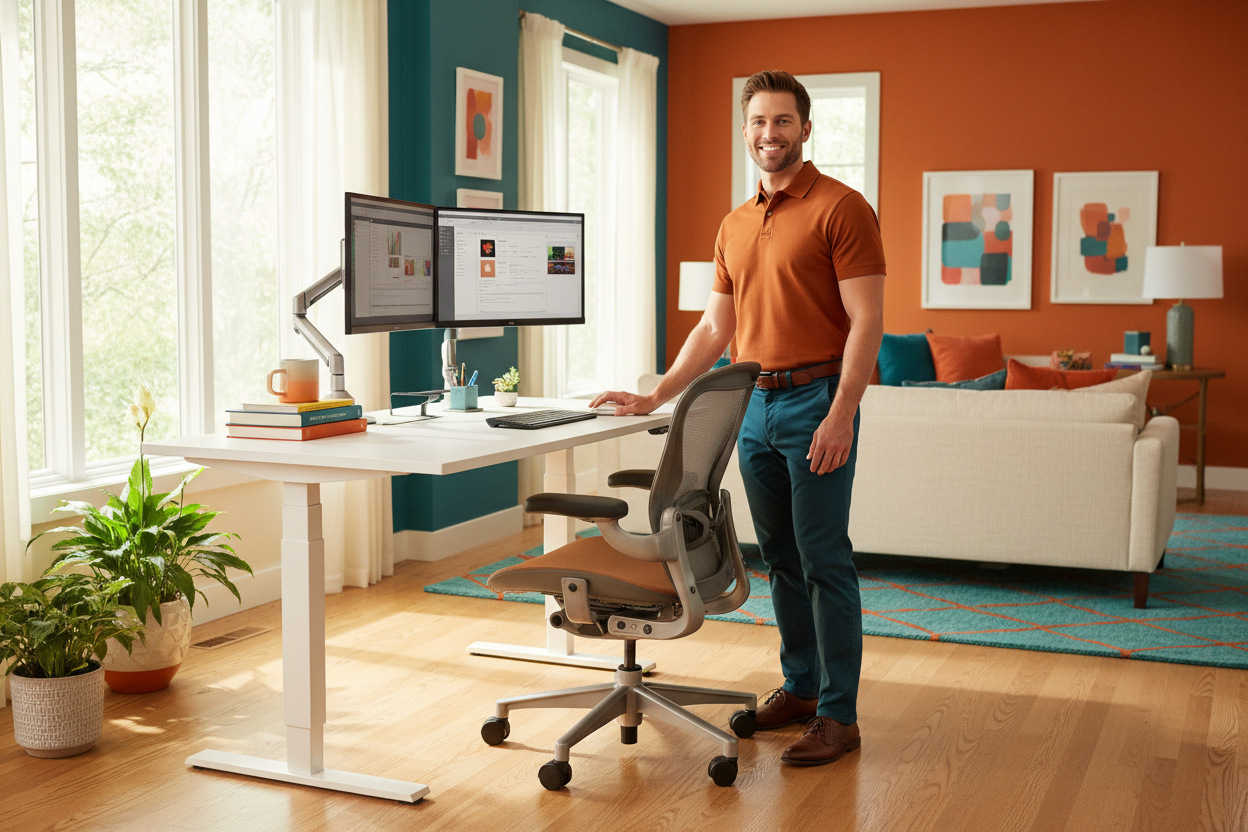
The Complete 2026 Home Office Budget Allocation Guide: Splurge vs. Save
Let's be honest. Setting up a home office feels like standing in the middle of a hardware store with a $1,000 bill and absolutely no idea where to start. Do you spend it all on a fancy chair? Split it between a desk and a monitor? Buy the cheapest everything and upgrade later?
Here's the thing: most people get this wrong. They splurge on the stuff that looks impressive on a Zoom call—a sleek webcam, a ring light, a nice keyboard—and then spend eight hours a day hunched over a $79 folding table wondering why their back hurts.
This guide is going to fix that. We're going to walk through exactly how to allocate a home office budget in 2026, which categories deserve your serious money, and where you can genuinely save without sacrificing your health or productivity.
Whether you're working with $500, $1,000, or $2,000+, the principles here stay the same. Let's get into it.
The Golden Rule of Home Office Spending
Before we talk numbers, there's one principle that should guide every single purchase decision you make:
Anything that sits between your body and the ground—or between your eyes and your screen—deserves your maximum investment.
Read that again. It sounds simple, but it changes everything.
Your chair supports your spine for 6–10 hours a day. Your desk determines whether you're sitting in a hunched C-shape or standing tall with your shoulders back. Your monitor arm decides whether your neck is craned down at a laptop screen or aligned perfectly at eye level.
These aren't luxury items. They're the infrastructure of your physical health. And unlike a $400 mechanical keyboard or a $300 microphone, a bad chair or a fixed-height desk will cost you in ways that don't show up on a receipt—chronic back pain, neck strain, reduced focus, and long-term posture damage.
The webcam? Save on it. The desk lamp? Save on it. The cable management clips? Definitely save on it. But the chair, the desk, and the monitor setup? That's where you put your real money.
With that principle locked in, let's look at how to actually allocate a real budget.
The Sample $1,000 Home Office Budget Breakdown

A $1,000 budget is the sweet spot for most remote workers setting up a functional, ergonomic home office from scratch. It's enough to get quality gear in every category without going overboard. Here's how we'd break it down:
45% — Electric Standing Desk (~$450)
Nearly half your budget goes here, and it should. An electric height-adjustable desk is the single most impactful piece of furniture in your home office. It's not just about standing—it's about movement. The ability to shift between sitting and standing throughout the day reduces lower back pressure, improves circulation, and keeps your energy levels from crashing at 2pm.
Fixed-height desks are a false economy. You save $200 upfront and spend the next three years locked into one position. Electric desks with programmable height presets let you switch positions in seconds, which means you'll actually use the feature instead of manually cranking a handle and giving up after day two.

The Rackora 40" x 24" Ergonomic Electric Height Adjustable Standing Desk ($599.99) fits this category perfectly. It's a full-size electric desk with smooth height adjustment, a sturdy frame, and enough surface area for a dual-monitor setup. If you're using the 15% welcome discount, you're bringing that down to around $510—well within the 45% allocation for a $1,000 budget, and honestly a steal for what you're getting.
If you're working with a tighter budget or a smaller space, the 8x24" Height Adjustable Ergo Standing Desk ($479.99) is a compact alternative that still gives you full electric height adjustment without taking over your room.

→ Shop the Rackora Electric Standing Desk — Use code at checkout for 15% off your first order
30% — Ergonomic Mesh Chair (~$300)

Your chair is your second-biggest investment, and the logic is the same as the desk: you're in it for thousands of hours a year. A bad chair doesn't just cause discomfort—it actively reshapes your posture over time in ways that are genuinely hard to reverse.
What makes a chair worth spending on? Lumbar support that actually adjusts to your spine's curve (not just a fixed foam bump), breathable mesh that doesn't trap heat during long sessions, and armrests that move in three dimensions so your shoulders can relax instead of creeping up toward your ears.

The Rackora Ergonomic Office Chair with Lumbar Support ($459.00) checks every one of those boxes. It features a high-back mesh design, 3D adjustable armrests, an adjustable headrest, and a reclining function—plus a 300 lbs weight capacity that makes it genuinely suitable for a wide range of body types. With the 15% welcome discount, you're looking at around $390, which puts it squarely in the 30% range for a $1,000 budget.
This is not the place to buy a $150 Amazon chair and call it ergonomic. The difference between a real ergonomic chair and a chair that just looks ergonomic is something you'll feel within the first week.
Want to go a step further? If your budget allows, the Rackora L2 Ergonomic Office Chair with Footrest & 135° Recline takes comfort to another level entirely. The 135° recline lets you decompress your spine during breaks without leaving your desk, and the retractable footrest turns your chair into a genuine recovery station. It's the kind of upgrade that makes long work sessions feel genuinely sustainable.

→ Shop the Rackora Ergonomic Mesh Chair — 15% off for new customers
15% — Monitor Arm or Mount (~$150)
This is where a lot of people underestimate the impact of a relatively small purchase. A monitor arm doesn't just free up desk space (though it does that too). It lets you position your screen at exactly the right height and distance for your eyes—which is something a monitor stand sitting flat on your desk simply cannot do.
The ergonomic standard is to have the top of your monitor at or slightly below eye level, with the screen about an arm's length away. If you're working on a laptop without a separate monitor, you're almost certainly looking down at a screen that's 6–8 inches too low. That's a recipe for neck strain that compounds over months and years.

The Rackora Full Motion Single Monitor Arm ($139.99) is a gas spring mount that supports screens from 13–32" and is fully VESA compatible. Gas spring means it holds position without drooping over time—a common problem with cheaper friction-based arms. At $139.99 (or about $119 with the welcome discount), it's one of the highest-value purchases in this entire guide.
Running dual monitors? The Dual Monitor Gas Spring Mount ($131.99) handles two screens up to 32" each and keeps both at the same height and angle—something that's nearly impossible to achieve with individual stands.
→ Shop Monitor Arms at Rackora — Free your desk and fix your neck posture
10% — Accessories (~$100)

This is your catch-all category: keyboard, mouse, laptop stand, cable management, desk mat, lighting. The key word here is functional. You don't need a $200 mechanical keyboard. You need a keyboard that doesn't make your wrists ache.
If you're using a laptop as your primary machine, a laptop stand is one of the best $80 you can spend. It raises your screen to eye level (solving the neck problem) and forces you to use an external keyboard and mouse—which is actually better for your wrists too.

The Rackora Ergo Laptop Stand Elite Edition ($79.99) is a premium ergonomic stand with universal compatibility. It's the kind of accessory that looks simple but makes a real difference in how your neck and shoulders feel at the end of a long day.
For the rest of your accessory budget, a basic wireless keyboard and mouse combo ($30–$50), a simple desk mat ($20–$30), and a power strip with USB ports ($20) will cover everything you need without blowing your budget.
The Cost-Per-Use Argument: Why "Expensive" Ergonomic Gear Is Actually Cheap
Here's a reframe that changes how most people think about home office spending.
Let's take the Rackora Ergonomic Chair at $459.00. That sounds like a lot of money for a chair. But let's do the math.
If you work from home full-time, you're probably sitting in that chair for roughly 6–8 hours a day, 5 days a week. That's about 1,500–2,000 hours per year. A quality ergonomic chair should last 7–10 years with normal use. So let's be conservative and say 7 years at 1,500 hours per year: that's 10,500 hours of use.
$459 ÷ 10,500 hours = about $0.044 per hour. That's less than 5 cents an hour.
Now compare that to the cost of a single visit to a chiropractor or physical therapist for back pain: $75–$150 per session, and chronic back pain often requires ongoing treatment. One month of PT visits can easily cost more than the chair itself.
The same logic applies to the standing desk. The Rackora Electric Standing Desk at $599.99, used for 2,000 hours a year over 8 years, works out to about $0.037 per hour. Less than 4 cents an hour to have a workspace that actively supports your health instead of slowly damaging it.
This is why the 15% welcome discount matters more than it might seem. On a $1,000 order, that's $150 back in your pocket—enough to cover your entire accessories budget. It's not a gimmick; it's a meaningful reduction on gear you're going to use every single day for years.
→ Browse all Rackora ergonomic products and apply your 15% welcome discount at checkout
Budget Scenarios: $500, $1,000, and $2,000+
Not everyone is starting with the same number. Here's how to apply the same allocation principles at different budget levels.
The $500 Budget: Essentials Only
At $500, you're making trade-offs, but you can still build a genuinely ergonomic setup if you prioritize correctly.
- Desk (~$225): Look for a compact electric standing desk. The 8x24" Ergo Standing Desk at $479.99 is slightly over budget on its own, but with the 15% welcome discount it comes down to about $408—leaving you $92 for a basic monitor arm or laptop stand.
- Chair (~$150): At this budget, you're looking at entry-level ergonomic chairs. Prioritize adjustable lumbar support over everything else.
- Monitor/Laptop Setup (~$75): A laptop stand ($79.99 with the Rackora Elite Stand) plus a $25 wireless keyboard gets your screen to eye level without a full monitor arm.
- Accessories (~$50): Desk mat, mouse, basic cable management.
The honest truth at $500: you'll probably need to upgrade the chair within 2–3 years. But getting the desk right from day one is the most important call you can make.
The $1,000 Budget: The Sweet Spot
This is the budget we've been building around throughout this guide. At $1,000 (or $850 after the 15% welcome discount), you can get a quality electric desk, a proper ergonomic chair, a gas spring monitor arm, and a laptop stand—everything you need for a genuinely healthy, productive workspace.
The allocation: 45% desk, 30% chair, 15% monitor arm, 10% accessories. Stick to it and you won't regret a single purchase.
The $2,000+ Budget: No Compromises
At $2,000 and above, you're not making trade-offs anymore. You're choosing between good and great.
- Desk (~$600–$800): Full-size electric desk with wider surface, higher weight capacity, and more programmable presets.
- Chair (~$500–$700): This is where you step up to a truly premium ergonomic experience. The Rackora L2 Ergonomic Office Chair with Footrest & 135° Recline is the standout choice at this budget level. The 135° recline angle actively decompresses your lumbar spine during breaks, the retractable footrest supports full-body recovery, and the build quality is designed for all-day, every-day use. At this budget, there's no reason to compromise on your chair.
- Dual Monitor Setup (~$300): Two monitors plus a dual monitor gas spring arm ($131.99) for a fully adjustable, symmetrical display setup.
- Accessories (~$200–$400): Quality keyboard, ergonomic mouse, monitor light bar, sit-stand mat, and proper cable management.

→ Shop the Rackora L2 Ergonomic Chair — The premium choice for serious home office setups
The Biggest Budget Mistakes People Make
We've covered where to spend. Here's where people consistently waste money—or make decisions they regret.
Mistake #1: Buying a Fixed-Height Desk to Save Money
This is the single most common home office mistake. A fixed-height desk locks you into one position for the entire workday. Even if that position is technically correct for sitting, you lose all the benefits of movement and postural variation. Electric standing desks have come down significantly in price over the past few years—there's no longer a compelling reason to buy fixed-height for a primary workspace.
Mistake #2: Treating the Chair as an Afterthought
People will spend $800 on a desk and then buy a $120 chair because they've run out of budget. This is backwards. If you have to choose between a premium chair and a premium desk, choose the chair. You can stand at a basic desk. You can't un-damage your spine from years of bad lumbar support.
Mistake #3: Skipping the Monitor Arm
A monitor arm is the most underrated purchase in a home office setup. It costs $120–$140, takes 20 minutes to install, and immediately fixes the most common ergonomic problem in home offices: screens that are too low. If you're not using one, you're almost certainly looking down at your screen all day.
Mistake #4: Over-Investing in Peripherals
A $250 mechanical keyboard is not going to improve your health or productivity in any meaningful way. A $30 wireless keyboard will do the same job. Save the peripheral budget for things that actually matter—like a proper desk mat that gives your wrists a soft landing, or a monitor light bar that reduces eye strain.
Mistake #5: Waiting Until the Pain Starts
This one is the most expensive mistake of all. Most people don't think about ergonomics until something hurts. By that point, you're not just buying a better chair—you're also paying for physical therapy, potentially taking time off work, and dealing with pain that could have been prevented entirely. The best time to invest in an ergonomic setup is before your back starts complaining.
How to Prioritize If You Can't Do Everything at Once
Not everyone can drop $1,000 on a home office setup in one go. That's completely fine. Here's a phased approach that lets you build toward the ideal setup over time without making bad short-term decisions.
Phase 1 (Month 1): The Desk
Get the electric standing desk first. It's the foundation of everything else. A good desk with a bad chair is still better than a bad desk with a good chair, because at least you can stand when sitting becomes uncomfortable.
Phase 2 (Month 2–3): The Chair
Once the desk is in place, upgrade the chair. This is when your setup starts to feel genuinely ergonomic rather than just functional.
Phase 3 (Month 3–4): The Monitor Setup
Add the monitor arm and, if needed, an external monitor. This is the finishing touch that brings your eye line to the right height and completes the ergonomic triangle: desk height, chair height, screen height.
Phase 4 (Ongoing): Accessories
Fill in the gaps as needed. A sit-stand mat if you're standing for long periods. A monitor light bar if you're working in the evenings. An ergonomic mouse if your wrist starts to complain.
Quick Reference: The 2026 Home Office Budget Cheat Sheet
| Category | % of Budget | $500 Budget | $1,000 Budget | $2,000 Budget |
|---|---|---|---|---|
| Electric Standing Desk | 45% | $225 | $450 | $900 |
| Ergonomic Chair | 30% | $150 | $300 | $600 |
| Monitor Arm / Mount | 15% | $75 | $150 | $300 |
| Accessories | 10% | $50 | $100 | $200 |
Frequently Asked Questions
How much should I realistically spend on a home office setup in 2026?
For a genuinely ergonomic setup that will last 5–10 years, plan on spending $800–$1,200. You can build a functional setup for less, but below $600 you'll start making compromises on the items that matter most—the desk and chair. The good news is that a 15% welcome discount on your first order can meaningfully reduce that number.
Is a standing desk actually worth the money?
Yes, but not because standing is inherently better than sitting. It's worth it because it gives you the ability to change positions throughout the day. The research on prolonged sitting is pretty clear—it's associated with increased risk of back pain, cardiovascular issues, and reduced metabolic function. An electric standing desk lets you break up long sitting periods without leaving your workspace.
What's the minimum I should spend on an ergonomic chair?
In 2026, you're looking at $300–$400 as the floor for a chair that offers genuine ergonomic adjustability—real lumbar support, adjustable armrests, and a seat that can be configured for your body. Below that price point, you're mostly paying for aesthetics rather than function.
Do I need a monitor arm if I already have a monitor stand?
A monitor stand can work if it puts your screen at exactly the right height—top of the screen at or slightly below eye level, about an arm's length away. Most monitor stands don't offer enough height adjustment to achieve this for everyone. A gas spring monitor arm gives you full range of motion in every direction and takes up zero desk space, which is why most ergonomic setups eventually include one.
Should I buy everything at once or build my setup gradually?
If budget allows, buying everything at once is more efficient—you get the full ergonomic benefit immediately and often save on shipping. If you need to phase it, prioritize in this order: desk first, chair second, monitor arm third. Don't buy a premium chair before you have a height-adjustable desk, because the chair's benefits are partially dependent on being able to set the desk at the right height.
How do I know if my current setup is causing me problems?
Common signs of an ergonomically poor setup include: neck or upper back pain that gets worse throughout the workday, wrist or forearm discomfort, eye strain or headaches in the afternoon, and fatigue that seems disproportionate to your workload. If you're experiencing any of these regularly, your setup is likely contributing.
What's the difference between a mesh chair and a foam chair?
Mesh chairs allow airflow, which keeps you cooler during long sessions and prevents the sweaty-back problem that foam chairs are notorious for. High-quality mesh also conforms to your body shape over time. Foam chairs can offer good support initially but tend to compress and lose their shape faster. For all-day use, mesh is generally the better choice.
Is a dual monitor setup worth the extra cost?
For most knowledge workers, yes. Research consistently shows that dual monitors improve productivity for tasks that involve referencing one document while working in another—which describes most office work. The key is getting a dual monitor arm so both screens are at the same height and angle. Two monitors on individual stands almost always results in one screen being in a suboptimal position.
How long should a quality ergonomic chair last?
A well-made ergonomic chair should last 7–12 years with normal use. The components most likely to wear out first are the seat foam (which compresses over time) and the gas cylinder (which controls height adjustment). Premium chairs often offer replacement parts, which can extend the lifespan significantly.
What's the best way to use the 15% welcome discount?
Apply it to your highest-value items first. If you're buying a standing desk and a chair in the same order, the 15% discount on a $1,000+ order saves you $150 or more—which is essentially a free monitor arm. Sign up for the Rackora newsletter or check the site for the current welcome offer before you check out.
Building a home office in 2026 is one of the best investments you can make in your long-term health and productivity. But only if you spend the money in the right places.
The golden rule holds: anything between your body and the ground, or between your eyes and your screen, deserves your maximum investment. Everything else is secondary.
Stick to the 45/30/15/10 allocation, use the cost-per-use math to justify the upfront spend, and take advantage of the 15% welcome discount to bring the total down to something that feels genuinely reasonable.
Your back will thank you. Your neck will thank you. And honestly, your productivity will too.
→ Shop the full Rackora ergonomic collection and build your ideal home office setup today
