The scene is every dorm room in September. A student is packing a backpack for a day of classes: laptop, charger, notebook, the tablet that was supposed to change everything, and a textbook that weighs more than the laptop. The backpack is heavy by the second week, and the shoulders know it before the semester does.
Here's the part nobody admits out loud: the tablet keeps getting left behind, not because it's useless, but because it's a pain to use. There's nowhere to put it. Propped against a mug, it slides off. Lying flat on the desk, it's a glare machine and a neck problem. Held in one hand for an hour of reading, it's an arm workout. So it stays in the bag, and the student ends up carrying a laptop to read PDFs, which is like driving a truck to the mailbox.
The real question isn't "tablet or laptop?" It's "when does each one earn its place in the bag?" And the answer, for a surprising number of students, comes down to a piece of hardware that costs less than a textbook and gets left out of every budget: a stand.
This article walks through the honest comparison: what a tablet genuinely beats a laptop at, where it falls apart, and how a $49.99 or $59.99 stand turns the tablet from a bag ornament into a daily study tool.
The Student Device Reality
Let's start with what a student actually does with a device, because the answer is messier than the marketing suggests.
A normal day looks like this. Lecture notes in the morning, typed or written. A PDF textbook open for a class where the professor assigns forty pages and the library copy has a waiting list. A video for another class, paused and replayed three times. A draft of a paper that's due Friday and currently exists as three paragraphs and a lot of guilt. Group chat with the project team. A late-night reread of slides before the quiz you definitely knew about.
Each of those tasks has an ideal device, and they're not all the same device. Notes want a keyboard. PDFs want a page you can hold, zoom, and scribble on. Video wants a screen that doesn't need a power outlet to survive a two-hour class. Writing wants a real keyboard and a real word processor.
The other part of the reality is the physical one. Campus is walking. Stairs, buses, rain, a building on the other side of the quad that you cross four times a day. Every pound in the backpack is a pound you carry, and the difference between a light day and a heavy day is the difference between arriving at your 2pm class fresh and arriving slightly defeated.
And the third part is the spaces. Students study at kitchen tables, library carrels, coffee shop counters, and dorm desks that are 24 inches deep if they're lucky. None of those spaces were designed for a tablet, and most of them barely fit a laptop. This is where the whole tablet-versus-laptop question actually gets decided, and it's not where most people look for the answer.
The industry has spent a decade trying to sell students a single device that does everything, and the one-device dream keeps dying on the same rock: a device that reads like a book and types like a keyboard ends up doing both jobs badly. The students who figure this out early stop asking which device to buy and start asking which device to carry, which is a much better question.
One more reality that never makes the brochure: the semester changes shape. September is light reading and heavy setup. November is papers, which means writing. Finals week is reading on fast-forward. A single-device strategy forces you to make the same compromise in all three seasons. The two-device strategy flexes: the tablet carries the reading months, the laptop carries the writing weeks, and neither one has to pretend to be the other.
What a Tablet Genuinely Beats a Laptop At
Let's give the tablet its due, because it's genuinely good at a specific set of things, and understanding those things is how you stop leaving it in the bag.
Portability. A tablet is dramatically lighter and thinner than even a small laptop, and it doesn't demand its charger in the same way. You can throw it in a tote with a notebook and not feel it. For a day of reading-heavy classes, that's the difference between a bag you notice and a bag you forget.
Reading. This is the tablet's home turf. A textbook PDF on a tablet feels like a book: you hold it, you flip pages with a tap, you zoom into the figure on page 212 without losing your place. On a laptop, reading a PDF means a trackpad and scrollbars and a window you can't quite arrange. It works, but it never feels natural. The tablet is the first device that actually replicates the reading experience instead of approximating it.
Annotation. On a tablet you write directly on the page. Circle a term, underline a sentence, sketch a quick diagram in the margin. On a laptop you're limited to highlighting tools and typed notes in a side pane. For classes that live in the margins, the tablet is the better tool, full stop.
Battery. A tablet sips power in a way laptops don't. All-day lectures, a long afternoon in the library, a flight home, and the tablet is still above half. That means no outlet hunting, no sitting on the floor next to the only open plug in the lecture hall, no anxiety at 4pm about a dying machine.
Instant on. The tablet wakes like a phone. No boot sequence, no fan spin-up, no "please wait" moment in the ten minutes before class. Tap it, it's there. For the rhythm of a campus day, where attention comes in twenty-minute chunks, that immediacy is worth more than the spec sheet suggests.
There's also the matter of where you read. A laptop is a lap machine in the strictest sense: it wants a flat surface, an outlet nearby, and a posture that keeps you upright. A tablet in a stand works on the armrest of a couch, on the floor of a dorm room, on the bus with the strap overhead, on the top bunk. The stand gives it the one thing it needs, a stable angle, and the tablet does the rest anywhere a human can sit.
Where the Tablet Falls Flat
Now the other side, because the honest comparison has one. The tablet loses badly in exactly the places a laptop lives.
Writing. Long-form writing on a tablet is miserable. Ten pages of a research paper typed on a glass keyboard, with autocorrect fighting your citations and your thumbs doing work a keyboard was designed for. Drafting, restructuring, formatting, footnotes, bibliography: these are laptop jobs, and no amount of clever accessories changes that.
It's not just the typing, either. It's the whole grammar of getting words out: cursor placement, word selection, moving a paragraph that landed wrong. These are gestures a mouse and keyboard have spent decades perfecting, and a touch screen rediscovers them one infuriating long-press at a time. When the paper is due in four hours, you want the tool with the muscle memory.
Software. A lot of campus life runs on software that assumes a full desktop computer. The library portal that only works in a desktop browser. The proctored exam tool that requires a webcam and a locked-down browser. The chemistry lab software, the CAD package, the statistics tool, the video editor. If your major's required software doesn't have a tablet version, the tablet simply can't do that part of your degree, and no case or stand fixes that.
Files and peripherals. USB drives, the library printer, downloads and downloads folders, drag-and-drop between apps. The laptop lives in the file world natively. The tablet lives in an app world with its own rules, and every file transfer is a negotiation.
Multitasking. A tablet can split its screen, and it's better at it than it used to be, but a laptop with a real window manager and a bigger display still wins when the task is juggling a source document, a notes file, and a chat window at the same time. The laptop's screen real estate is a feature, not a side effect.
The honest summary: the tablet is a reading and annotation machine with a battery that lasts forever. The laptop is a production machine. They fail at each other's jobs in predictable ways.
The Stand Is the Missing Piece
Here's the thing almost nobody considers, and it's the thing that changes the whole equation: the tablet's biggest weakness isn't the hardware. It's the ergonomics.
Think about how a tablet actually gets used by a student. It sits flat on a desk, and the user hunches over it like it's a document they're ashamed of. Or it gets propped against a stack of books at an angle that reflects the ceiling light. Or it's held in one hand while the other hand types, until the forearm cramps and the tablet goes back in the bag.
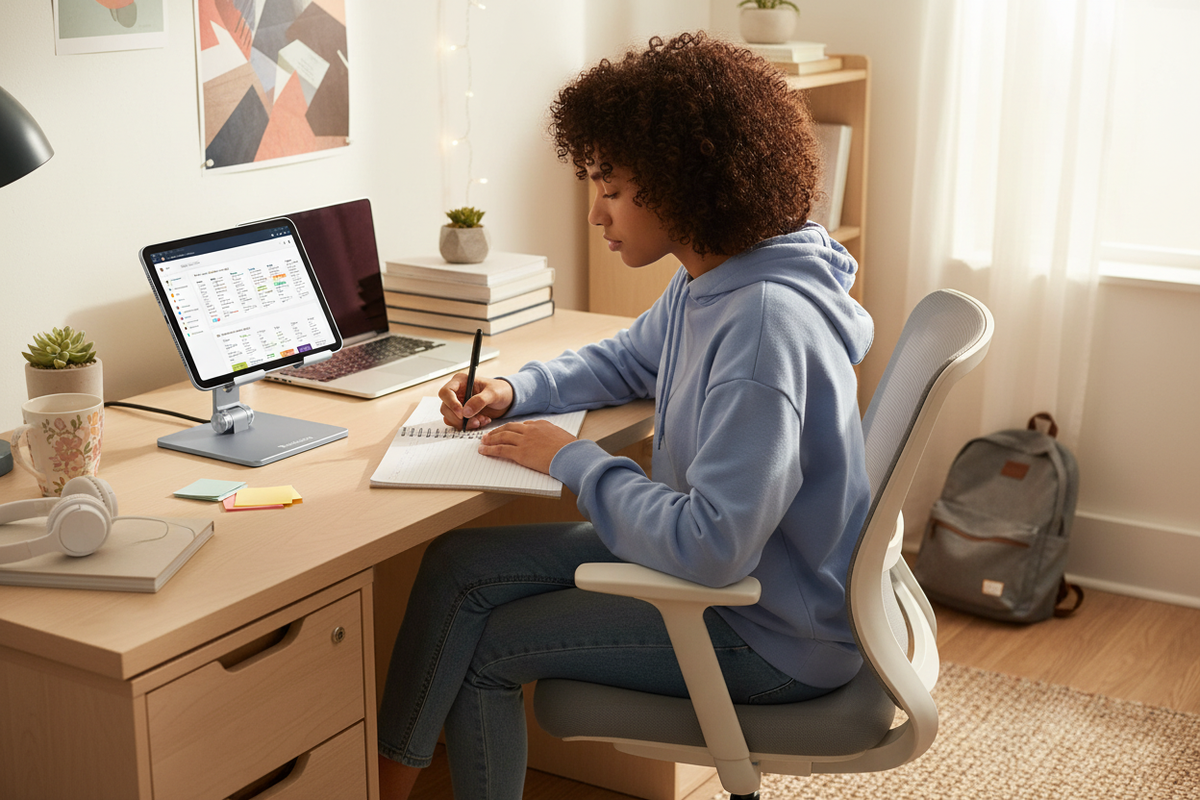
A stand fixes that, and it fixes it more completely than people expect. Put the tablet in a stand and it becomes a small monitor: screen at eye level, hands free for a pen and a notebook, angle adjustable so the glare goes elsewhere. The tablet stops being a handheld device you tolerate and becomes a workstation you use.
The Rackora Pro Stand 100 is the version I'd point a student at. It's $59.99 right now, regularly $99.99, and it's built for exactly this job: holding a tablet at the angle that works for you, with a base designed to stay put while you type and take notes. It does the one thing the tablet can't do for itself, which is hold still at the right height.
There are two small details that make the stand version of this setup work, and both of them matter more than you'd think. The first is charging while docked. With the tablet upright in the stand, the cable goes in and stays in, and the battery is full by the time you finish reading. The second is the notebook. Tablet in the stand, notebook beside it, pen in hand: you read on the screen and write on paper, and suddenly the tablet is doing what it's best at while you do what you're best at. If you've ever wondered why your neck hurts at the end of a study session, our article on the reasons your tablet might be killing your neck covers the anatomy of that problem in detail.
The other thing a stand changes is the length of a study session. Hold a tablet for twenty minutes and your arm starts negotiating. Prop it in a stand and two hours disappear without a complaint, because nothing about the setup is asking your body to hold still. That's the quiet magic of the whole thing: the stand isn't doing anything dramatic, it's just removing the friction that was making you quit. Most of the time, that's all a study setup needs.
The Kitchen-Table Study Setup
Now let's talk about where students actually study, because the fancy setups never survive contact with a shared kitchen.
The reality of student housing: the desk is 24 inches deep and covered in last week's laundry. The kitchen table is the flat surface that actually works, and it's also where breakfast happens. The library carrel is great until the library closes. So the study surface is whatever's available, and the tablet needs to work there.

This is where the Adjustable Tablet Stand for Home Office earns its place. At $49.99, regularly $69.99, it's the cheapest piece of study equipment you'll buy, and it's the one that gets used daily. It folds flat when you don't need it, adjusts to a good reading angle on a dinner table, and turns any flat surface into a study station.
The kitchen-table setup looks like this. Tablet in the stand at reading angle, textbook PDF open on it. Notebook beside the tablet. Laptop, if it's a laptop day, further back. Coffee, within reach but not near the electronics. The tablet becomes the second screen that the laptop never had: source material on one side, your own words on the other.
This setup is also the one that makes the tablet a real alternative to a second device. Most students don't need two laptops. They need one laptop and one reading surface, and the reading surface is a tablet in a stand. If you're building a full study station, our guide to the best tablet stands of the year has the broader lineup.
Don't underestimate the fold-flat detail, by the way. A stand that lives on the kitchen table is a stand that gets moved, because kitchens don't stay clear for long. The $49.99 stand is small enough to tuck into a drawer when dinner happens and cheap enough that you don't feel precious about it. Study tools that survive real life are study tools that get used, and real life for a student is a shared table that has other plans at 7pm.
When Students Still Need a Laptop
Let's be clear about the line, because crossing it without knowing is how students end up in the library at midnight with a submission that won't upload.
There are majors where the laptop is not optional. Drafting and architecture run on desktop software that eats tablets for breakfast. Engineering majors need tools that only run on a full operating system. Video and audio production, coding, data analysis, anything with a serious software stack: these are laptop territory, and in some cases desktop territory, full stop.
The same goes for the software layer of campus life. Some proctored exams require a locked-down browser that only exists on desktop. Some course platforms have features that quietly break on a tablet's browser. It's not that these things never work on a tablet; it's that they work unreliably, and unreliable is exactly what you don't want at 11:50pm before a midnight deadline.
The rule is boring and it's correct: check your program's software requirements before you decide what to carry. Read the syllabus, ask the department, look at the labs you'll actually take. If your major needs desktop software, the laptop comes with you, and the tablet is the companion, not the replacement. That's not a failure of the tablet. It's just the shape of the work.
It's worth writing the rule down, because the marketing noise pushes the other way. Every September there's a wave of "the tablet is the only device you need" content, and every December there's a wave of students at the campus computer lab at 2am because a file won't convert. The tablet is not a laptop, and that's fine, the same way a bike is not a truck. The mistake isn't owning a tablet. The mistake is deciding your major's software will bend to the device you'd rather carry.
The Two-Device Strategy That Actually Works
Here's the strategy that most students end up with, whether they planned it or not, and it's worth planning on purpose: one laptop for producing, one tablet with a stand for reading.
The laptop does the work. Papers get drafted there, spreadsheets get built there, software gets run there, files get organized there. It's the machine that makes things.
The tablet does the reading. Textbooks, PDFs, lecture slides, articles, annotations. In a stand, at eye level, with a notebook beside it, it's a reading station that also happens to be light enough to carry all day.
The strategy has a rhythm that makes it work. On reading-heavy days, the laptop stays home. The tablet goes in the bag with the stand, and the whole load is light enough to forget you're carrying it. On writing-heavy days, the laptop comes, and the tablet might stay home or come along for the library afternoon. On project days, both come, and the tablet in its stand becomes a second screen for the laptop, which is a genuinely useful setup that costs a fraction of a real second monitor.
The second-screen detail is worth its own sentence, because it's the move nobody plans for. You're writing a paper on the laptop, and the source PDF is open on the tablet standing next to it. No alt-tabbing, no window juggling, no tiny split screens. The tablet is doing what the laptop's screen is too small to do, and the stand is what makes that possible.

The point is that the two-device setup isn't about owning more stuff. It's about carrying the right stuff on the right day, and the stand is what makes the tablet worth carrying at all. Without it, the tablet is a bag ornament with good intentions.
One practical note on making the strategy stick: the stand lives with the tablet. It doesn't live on the desk at home while the tablet lives in the bag. Keep them together, stand and tablet in the same pocket, and the "should I bring it" decision gets easier. Gear that's easy to take gets taken. Gear that requires a search and a decision stays home, and then the strategy is just a theory you have while you carry a laptop to read forty pages.
The Budget Math
Let's do the arithmetic that actually matters, and there's a version of it that surprises people.
If you already own a tablet, its cost is sunk. It's paid for, it's in the drawer, and it's currently earning nothing. The question isn't "should I buy a tablet?" It's "what does it cost to make the one I have useful?" And the answer is the price of a stand.
The Pro Stand 100 is $59.99 right now, regularly $99.99. The Adjustable Tablet Stand for Home Office is $49.99, regularly $69.99. Either one is a one-time purchase, measured in tens of dollars, that turns an idle device into a daily tool. That's the cheapest productivity upgrade in the whole student budget, cheaper than a semester of coffee and more useful than most of the apps students pay for monthly.
The other side of the math is the "should I just buy a cheaper laptop" question. Here's the honest version: a laptop that can't run your major's software isn't cheaper, it's wasted. And a tablet that gets left in the bag isn't a tool, it's a mistake you made twice. The stand is the fix for the second one, and it's priced like the fix, not like a new device.
And for the laptop side of the equation, if the laptop is the thing causing the neck strain, the Ergo Laptop Stand Elite Edition at $79.99, regularly $129.99, raises the screen to eye level and fixes the laptop's ergonomics for less than the cost of a new device. The pattern in all three cases is the same: the gap between you and your screen is a stand-shaped problem, and stands are cheap.
And if you're doing the math against the alternative, remember what the alternative costs. A second device, even a used one, is a multiple of what a stand costs, and it adds weight to the bag every single day, even on days you don't need it. The stand is the only upgrade in the whole setup that pays for itself by subtraction: it makes the tablet you already own into the tool it was supposed to be. There aren't many purchases in the student budget you can say that about.
FAQ
Is a tablet enough for college?
For reading, note-taking, and light writing, a tablet is enough for many students. For majors that need desktop software, like drafting, engineering, or video production, it's not, and you'll know quickly which category you're in. The honest way to find out is to check your syllabus and your department's requirements before you spend anything.
What can't a tablet do?
Long-form typing is painful, some campus software and proctored exam tools won't run on it, and heavy multitasking gets cramped. File management, printing, and working with USB drives are also clunkier than on a laptop.
Is an iPad Pro a laptop replacement?
For some workflows, yes, and for others, no. It depends entirely on your major and your software requirements. A tablet with a stand covers reading and annotation; a laptop covers producing, and most students end up needing both.
Do students need a tablet stand?
If you want to actually use the tablet for reading or notes, yes. Without a stand you'll hunch over it, hold it until your arm cramps, or prop it against a mug, and it'll end up back in the bag.
What's the best stand for notes?
A stable, adjustable stand that puts the screen at eye level and leaves your hands free. The Pro Stand 100 at $59.99 is a solid choice for propping a tablet beside a notebook while you take notes.
Should I buy a tablet or a cheaper laptop?
If your major's software needs a laptop, buy the laptop and skip the debate. If your problem is reading-heavy weeks and a tablet that never gets used, the fix is a stand, not a new device. The tablet question only makes sense after you've answered the software question.
How do I set up a tablet for studying?
Put it in a stand at eye level, plug in the charger, and keep a notebook beside it. Use the tablet for reading and annotation, use the laptop for writing, and let the stand do the job of holding the screen.
Is a 2-device setup worth it?
For many students, yes. A laptop for producing and a tablet with a stand for reading beats carrying one heavy machine all day, and the stand is a one-time cost in tens of dollars. Start with one semester on the strategy and let your bag tell you if it's working.
Here's the whole argument in three sentences. A tablet is the best reading and annotation tool a student can carry, and it weighs almost nothing. It fails at exactly the tasks that matter most in paper season, which is why the laptop stays. A stand is what turns the tablet from a device you carry into a device you use, and it costs less than a textbook.
The tablet versus laptop debate is really a "carry the right tool" debate, and the tiebreaker is often a stand. A tablet in a stand is a reading station, a note-taking surface, and a second screen for the laptop, all for a one-time cost that's less than a textbook.
If you've got a tablet that's living in the bag, the Pro Stand 100 at $59.99 (regularly $99.99) is the upgrade that makes it useful, and the Adjustable Tablet Stand for Home Office at $49.99 (regularly $69.99) is the budget version for the kitchen table. Both ship free across the US and come with a 30-day money-back guarantee, so you can test the setup for a month and see whether the tablet finally earns its space in the bag. For most students, it will, and the laptop gets to stay home on the days it should.
