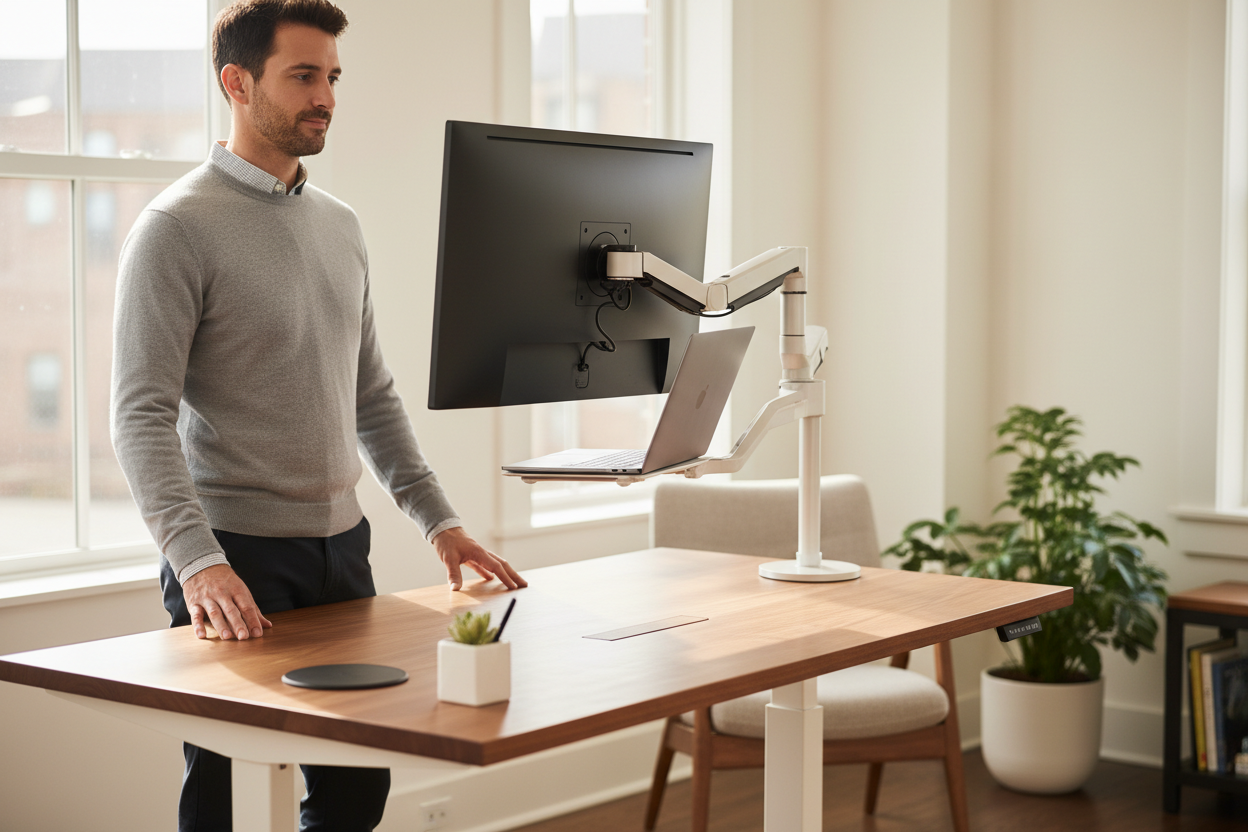
Vorteile von Stehschreibtischen: Warum jeder Remote-Mitarbeiter einen braucht
Die Revolution des Homeoffice hat Millionen von Esstischen, Gästezimmern und Küchenarbeitsplatten in provisorische Büros verwandelt. Doch da Homeoffice für viele Berufstätige zur Dauerlösung wird, lassen sich die versteckten Kosten schlechter Ergonomie nicht länger ignorieren. Rückenschmerzen, Nackenverspannungen, Energielosigkeit und geringere Produktivität sind mittlerweile gängige Beschwerden von Homeoffice-Mitarbeitern, die täglich mehr als acht Stunden an ungeeigneten Arbeitsplätzen verbringen.
Stehschreibtische sind eine bahnbrechende Lösung, die sich rasant zum unverzichtbaren Arbeitsmittel für ambitionierte Remote-Arbeiter entwickelt. Doch lohnt sich die Investition in Stehschreibtische wirklich? Die Forschung ist eindeutig: Höhenverstellbare Schreibtische bieten messbare Vorteile für Gesundheit, Produktivität und langfristiges Wohlbefinden.
In diesem umfassenden Leitfaden gehen wir auf die wissenschaftlich belegten Vorteile von Stehpulten ein, helfen Ihnen bei der Auswahl des richtigen Modells für Ihre Bedürfnisse und zeigen Ihnen, wie Sie Ihre Investition in ergonomische Arbeitsplatzlösungen optimal nutzen können.
Die wissenschaftlichen Erkenntnisse zu den Vorteilen von Stehpulten
1. Reduziertes Risiko für Gewichtszunahme und Fettleibigkeit
Gewichtszunahme entsteht, wenn man mehr Kalorien zu sich nimmt, als man verbrennt. Sport ist zwar der effektivste Weg, schnell Kalorien zu verbrennen, aber schon die Entscheidung, zu stehen statt zu sitzen, kann langfristig einen großen Unterschied machen.
Eine im European Journal of Preventive Cardiology veröffentlichte Studie ergab, dass Stehen im Vergleich zum Sitzen etwa 0,15 Kalorien mehr pro Minute verbrennt. Auch wenn dies zunächst wenig erscheint, summiert es sich: Wer nur drei Stunden täglich an fünf Tagen pro Woche steht, verbrennt wöchentlich zusätzlich 750 Kalorien – das entspricht etwa 13 Kilometern Laufen.
Für Remote-Mitarbeiter, die zuvor pendelten und sich in Bürogebäuden bewegten, bedeutet der Übergang zur Heimarbeit oft eine drastische Reduzierung der täglichen Bewegung. Ein Stehtisch hilft, dieses Bewegungsdefizit auszugleichen, ohne dass zusätzliche Zeit für Sport benötigt wird.
2. Niedrigere Blutzuckerwerte
Erhöhte Blutzuckerwerte nach dem Essen sind besonders schädlich für Menschen mit Insulinresistenz oder Typ-2-Diabetes. Mehrere Studien haben gezeigt, dass Stehtische dazu beitragen können, den Blutzuckerspiegel während des Arbeitstages zu regulieren.
Eine wegweisende Studie an Büroangestellten zeigte, dass 180 Minuten Stehen nach dem Mittagessen den Blutzuckeranstieg im Vergleich zu derselben Zeitspanne im Sitzen um 43 % reduzierten. Eine weitere Studie mit 23 Büroangestellten ergab, dass ein Wechsel zwischen Stehen und Sitzen alle 30 Minuten während des Arbeitstages den Blutzuckeranstieg im Durchschnitt um 11,1 % senkte.
Für Fernarbeiter, die während der Arbeit häufig zwischendurch etwas essen, ist dieser Vorteil bei der Blutzuckerregulierung besonders wertvoll für die langfristige Stoffwechselgesundheit.
3. Reduzierte Rücken- und Nackenschmerzen
Rückenschmerzen gehören zu den häufigsten Beschwerden von Büroangestellten und Freiberuflern. Langes Sitzen, insbesondere in schlechter Haltung, belastet die Wirbelsäule und die umliegende Muskulatur enorm.
Das vom CDC finanzierte Projekt „Take-a-Stand“ ergab, dass Teilnehmer, die Steh-Sitz-Schreibtische nutzten, bereits nach vier Wochen eine 54-prozentige Linderung ihrer Schmerzen im oberen Rücken und Nacken angaben. Als die Teilnehmer zu ihren alten Schreibtischen zurückkehrten, traten die Beschwerden innerhalb von zwei Wochen wieder auf – ein deutlicher Beweis für den direkten Zusammenhang zwischen Schreibtischtyp und Schmerzintensität.
Für Fernarbeiter, die mit provisorischen Heimarbeitsplätzen zu tun haben, kann die Investition in einen geeigneten höhenverstellbaren Stehschreibtisch sofortige Linderung chronischer Beschwerden verschaffen.

4. Verbesserte Stimmung und gesteigertes Energieniveau
Stehpulte wirken sich nachweislich positiv auf das allgemeine Wohlbefinden und die psychische Gesundheit aus. Das Take-a-Stand-Projekt berichtete, dass 87 % der Teilnehmer, die Stehpulte nutzten, im Laufe des Tages mehr Vitalität und Energie verspürten.
Die Teilnehmer berichteten außerdem von Verbesserungen in folgenden Bereichen:
- Reduziertes Stress- und Müdigkeitsgefühl
- Verbesserte Stimmung und Konzentration
- Gesteigertes Wohlbefinden
- Wahrnehmung einer besseren Work-Life-Balance
Für Fernarbeiter, die unter der Isolation und der Monotonie der Heimarbeit leiden, kann der Energieschub durch einen Stehtisch eine transformative Wirkung haben.
5. Gesteigerte Produktivität und Konzentration
Eine häufige Sorge bei Stehpulten ist, ob das Stehen die Tippgeschwindigkeit oder die Konzentration beeinträchtigen könnte. Studien zeigen jedoch durchweg das Gegenteil: Stehpulte erhalten oder steigern die Produktivität sogar.
Eine Studie unter Callcenter-Mitarbeitern ergab, dass diejenigen, die Stehtische nutzten, im Vergleich zu ihren sitzenden Kollegen täglich 45 % produktiver waren. Die Produktivitätssteigerung nahm mit der Zeit zu, da sich die Mitarbeiter an das Arbeiten im Stehen gewöhnten.
Stehen fördert die Durchblutung, versorgt das Gehirn mit mehr Sauerstoff und trägt dazu bei, die Wachsamkeit während langer Arbeitssitzungen aufrechtzuerhalten – ein entscheidender Vorteil für Fernarbeiter, die komplexe Projekte bearbeiten.
6. Geringeres Risiko für Herzerkrankungen
Die Idee, dass Stehen besser für die Herzgesundheit ist, wurde erstmals 1953 geäußert, als Forscher herausfanden, dass Busfahrer, die den ganzen Tag standen, im Vergleich zu ihren Kollegen auf den Fahrersitzen nur ein halb so hohes Risiko hatten, an Herzkrankheiten zu sterben.
Seitdem haben Wissenschaftler ein wesentlich besseres Verständnis der Auswirkungen von langem Sitzen auf die Herzgesundheit entwickelt. Längere Sitzphasen erhöhen das Risiko für Herzerkrankungen vermutlich um bis zu 147 %.
Selbst eine Stunde intensives Training kann die negativen Auswirkungen eines ganzen Tages im Sitzen nicht ausgleichen. Für Remote-Arbeiter ohne täglichen Arbeitsweg ist es daher unerlässlich, Stehzeiten in den Arbeitsalltag zu integrieren, um die Herz-Kreislauf-Gesundheit zu fördern.
Vorteile von Stehtischen speziell für Remote-Arbeiter
Bekämpfen Sie das „Homeoffice-Tief“
Fernarbeiter stehen vor besonderen Herausforderungen, die Büroangestellte nicht kennen. Ohne die natürliche Bewegung, die mit dem Arbeitsweg, dem Gang zu Besprechungen oder dem Besuch bei Kollegen einhergeht, können Fernarbeiter leicht 10 bis 12 Stunden nahezu bewegungslos verbringen.
Ein Stehtisch zwingt zu regelmäßigen Positionswechseln und fördert Mikrobewegungen über den Tag verteilt – Gewichtsverlagerung, Dehnübungen und Haltungskorrekturen. Diese kleinen Bewegungen summieren sich im Laufe der Zeit zu deutlichen gesundheitlichen Vorteilen.
Physische Grenzen zwischen Berufs- und Privatleben schaffen
Eine der größten Herausforderungen beim Homeoffice besteht darin, die Grenzen zwischen Berufs- und Privatleben zu wahren. Ein Stehtisch schafft einen physischen Arbeitsplatz, der dem Gehirn signalisiert, in den Arbeitsmodus zu wechseln.
Das Einstellen der Schreibtischhöhe kann zu einem Ritual werden, das den Beginn und das Ende des Arbeitstages markiert und Ihnen hilft, mental zwischen Arbeits- und Freizeit zu wechseln – etwas, womit viele Fernarbeiter zu kämpfen haben.
Maximieren Sie den begrenzten Platz im Homeoffice
Viele Remote-Arbeiter haben nicht den Luxus eines eigenen Heimbüros. Stehtische, insbesondere mobile und kompakte Modelle, bieten eine Flexibilität, die herkömmliche Schreibtische nicht bieten können.
Unser Rackora Small Mobile Rolling Stand Desk (158,07 €) ist speziell für kleine Räume konzipiert. Dank leichtgängiger Rollen und platzsparender Stellfläche lässt er sich mühelos von Raum zu Raum bewegen oder bei Nichtgebrauch platzsparend verstauen – ideal für Wohnungen oder Wohngemeinschaften.

Arten von Stehschreibtischen: Finden Sie den perfekten Schreibtisch für sich
Elektrisch höhenverstellbare Stehtische
Elektrisch verstellbare Stehschreibtische bieten höchsten Komfort und präzise Einstellmöglichkeiten. Per Knopfdruck wechseln Sie mühelos zwischen Sitzen und Stehen und können so Ihre Position mehrmals täglich problemlos verändern.
Ideal für: Fernarbeiter, die häufig ihren Arbeitsplatz wechseln, Personen mit körperlichen Einschränkungen und Fachleute, die programmierbare Höhenvoreinstellungen wünschen.
Produktempfehlung: Unser ergonomischer, elektrisch höhenverstellbarer Stehschreibtisch (102 x 61 cm , 599,99 €) bietet drei programmierbare Speicherplätze für die Höhenverstellung, einen flüsterleisen Betrieb unter 50 Dezibel und eine beeindruckende Tragkraft von 801 kg. Der laufruhige Elektromotor sorgt für sanfte Übergänge ohne Unterbrechung Ihres Arbeitsablaufs.
Für alle, die mehr Arbeitsfläche benötigen, bietet der höhenverstellbare ergonomische Stehschreibtisch (48" x 24" , 479,99 €) eine großzügige Arbeitsfläche mit einer Höhenverstellung von 28" bis 47" und ist somit für nahezu jede Körpergröße geeignet. Das moderne Design und die robuste Konstruktion machen ihn zu einer professionellen Ergänzung für jedes Homeoffice.
Elektrische Stehschreibtische kaufen →
Manuell höhenverstellbare Stehtische
Manuelle Stehschreibtische nutzen einen Kurbel- oder Hebelmechanismus zur Höhenverstellung. Sie erfordern zwar etwas mehr Kraftaufwand als elektrische Modelle, sind aber in der Regel günstiger und benötigen keine Steckdose – was eine größere Flexibilität bei der Aufstellung ermöglicht.
Ideal für: Preisbewusste Fernarbeiter, diejenigen, die nicht häufig ihren Arbeitsplatz wechseln, und Minimalisten, die mechanische Einfachheit bevorzugen.
Produktempfehlung: Der höhenverstellbare Schreibtisch Tech Desk 47' in Weiß (189,38 €) bietet eine stufenlose manuelle Höhenverstellung von 74,4 cm bis 110 cm mit 14 verschiedenen Höheneinstellungen. Der robuste Stahlrahmen trägt bis zu 100 kg, und die ansprechende weiße Oberfläche passt zu jeder Arbeitsplatzgestaltung.

Mobile Stehpultwagen
Mobile Stehtische vereinen Höhenverstellbarkeit mit Mobilität und sind mit Rollen ausgestattet, sodass Sie Ihren Arbeitsplatz flexibel in Ihrer Wohnung platzieren können. Sie eignen sich ideal für Remote-Mitarbeiter, die kein festes Büro haben oder ihren Arbeitsplatz im Laufe des Tages gerne wechseln.
Ideal für: Wohnungsbewohner, digitale Nomaden, Personen, die mit der Familie zusammenwohnen, und Arbeitnehmer, die Wert auf Flexibilität legen.
Produktempfehlung: Der Rackora Laptopwagen (158,46 €) ist von 72,4 cm bis 108 cm höhenverstellbar und verfügt über leichtgängige, feststellbare Rollen für optimale Stabilität. Der robuste Stahlrahmen und die geräumige Ablagefläche bieten sicheren Halt für Laptops und Zubehör.
Für maximale Mobilität empfiehlt sich der Rackora Adjustable Mobile Desk JST6600 (180,00 €), der über eine elegante Oberfläche aus gehärtetem Glas, 360°-Drehrollen und eine Höhenverstellung von 61,5 cm bis 83 cm verfügt. Das moderne Design eignet sich gleichermaßen für Homeoffices, Klassenzimmer oder Präsentationsräume.
Entdecken Sie mobile Stehtische →
Unverzichtbares ergonomisches Zubehör zur optimalen Nutzung der Vorteile eines Stehschreibtisches
Laptopständer für die richtige Bildschirmhöhe
Wer hauptsächlich am Laptop arbeitet, benötigt unbedingt einen Laptopständer für eine ergonomisch korrekte Haltung. Laptop-Bildschirme stehen meist zu niedrig auf dem Schreibtisch, sodass man den Nacken nach unten beugen muss – die ergonomischen Vorteile des Stehtisches werden dadurch zunichtegemacht.
Unser Rackora Ergo Laptopständer Elite Edition (79,99 €) hebt Ihren Laptop-Bildschirm auf die optimale Augenhöhe, ist aus hochwertigem Aluminium gefertigt und verfügt über ein integriertes Kabelmanagement. Die einstellbare Höhe und der verstellbare Winkel eignen sich perfekt für Stehtische, während das verbesserte Kühlsystem eine Überhitzung bei intensiver Nutzung verhindert.

Monitorarme für optimale Betrachtungswinkel
Für Remote-Mitarbeiter, die externe Monitore nutzen, bietet ein Monitorarm die Flexibilität, den Bildschirm im Sitzen oder Stehen in der optimalen Höhe und Entfernung zu positionieren. Dadurch entfällt die Notwendigkeit von Bücherstapeln oder provisorischen Erhöhungen.
Der voll bewegliche Monitorarm (139,99 €) mit leichtgängiger Gasfederung ermöglicht müheloses Positionieren, unterstützt Monitore von 13 bis 32 Zoll (bis zu 8 kg) und verfügt über ein integriertes Kabelmanagement. Das platzsparende Design spart wertvolle Schreibtischfläche und bietet gleichzeitig volle Bewegungsfreiheit – Neigen, Schwenken, Drehen und Ausziehen.
Ergonomische Stühle für Sitzintervalle
Auch mit einem Stehschreibtisch verbringt man viel Zeit im Sitzen. Die Kombination eines Stehschreibtisches mit einem hochwertigen ergonomischen Stuhl sorgt für Komfort sowohl im Sitzen als auch im Stehen.
Unser ergonomischer Bürostuhl mit Lendenwirbelstütze bietet verstellbare 3D-Armlehnen, eine Liegefunktion und eine Belastbarkeit von 136 kg. Die hohe Rückenlehne aus Netzgewebe sorgt für Luftzirkulation und unterstützt eine gesunde Sitzhaltung.
Vervollständigen Sie Ihre ergonomische Einrichtung →
So nutzen Sie einen Stehtisch richtig: Bewährte Praktiken für Remote-Arbeiter
Die 20-8-2-Regel
Ergonomieexperten empfehlen die 20-8-2-Regel für die optimale Nutzung von Stehtischen:
- 20 Minuten in ergonomisch korrekter Sitzposition
- 8 Minuten Stehen während der Arbeit
- 2 Minuten Bewegung und Dehnung
Dieser Ablauf sollte während Ihres gesamten Arbeitstages wiederholt werden. Wichtig sind regelmäßige Bewegung und Positionswechsel, nicht langes Stehen.
Richtige Ergonomie am Stehtisch
Monitorposition: Der Bildschirm sollte in Armlänge entfernt stehen, wobei sich die Oberkante des Monitors auf Augenhöhe oder etwas darunter befindet. Dies beugt Nackenverspannungen vor und fördert eine neutrale Kopfhaltung.
Positionierung von Tastatur und Maus: Ihre Ellbogen sollten beim Tippen einen 90-Grad-Winkel bilden, die Handgelenke in einer neutralen Position (weder nach oben noch nach unten abgewinkelt). Die Tastatur sollte sich direkt vor Ihnen befinden, nicht seitlich versetzt.
Stehende Haltung: Verteilen Sie Ihr Gewicht gleichmäßig auf beide Füße, entspannen Sie die Schultern und spannen Sie die Rumpfmuskulatur an. Vermeiden Sie es, die Knie durchzudrücken oder sich zur Seite zu lehnen.
Das richtige Schuhwerk ist wichtig: Tragen Sie bequeme Schuhe oder verwenden Sie eine Anti-Ermüdungsmatte. Vermeiden Sie es, längere Zeit barfuß oder in ungeeigneten Hausschuhen zu stehen.
Strategie des schrittweisen Übergangs
Versuchen Sie nicht, sofort den ganzen Tag zu stehen. Beginnen Sie in der ersten Woche mit 30 bis 60 Minuten Stehzeit, verteilt auf mehrere Tage, und steigern Sie die Stehzeit dann wöchentlich um 30 Minuten, bis Sie Ihre gewünschte Stehzeit erreicht haben.
Die meisten Ergonomieexperten empfehlen ein Sitz-Steh-Verhältnis von 50/50 oder 60/40 für optimale gesundheitliche Vorteile ohne übermäßige Ermüdung.
Vorteile von Stehschreibtischen: Echte Erfolgsgeschichten von Remote-Arbeitern
Sarah, Softwareentwicklerin
Nach sechs Monaten im Homeoffice entwickelte ich starke Rückenschmerzen, die mir das Programmieren erschwerten. Innerhalb von zwei Wochen nach der Nutzung eines Stehpults reduzierten sich meine Schmerzen um 70 %. Jetzt wechsle ich stündlich zwischen Sitzen und Stehen, und mein Nachmittagstief ist komplett verschwunden. Meine Produktivität hat sich merklich gesteigert – ich kann mich länger konzentrieren, ohne die Konzentrationsschwierigkeiten, die ich früher nach dem Mittagessen hatte.
Michael, Marketingberater
„Als Beraterin im Homeoffice verbringe ich täglich 4–6 Stunden in Videokonferenzen. Das Stehen während der Anrufe hat alles verändert. Ich fühle mich energiegeladener und engagierter, und meine Kunden haben bemerkt, dass ich vor der Kamera dynamischer wirke. Dank des mobilen Stehpults kann ich meinen Arbeitsplatz je nach Lichtverhältnissen und Hintergrund in verschiedenen Räumen einrichten – ein entscheidender Faktor für ein professionelles Auftreten in Kundengesprächen.“
Jennifer, Content-Autorin
„Ich war skeptisch, ob ich im Stehen effektiv schreiben könnte, aber der höhenverstellbare Schreibtisch hat meinen kreativen Prozess tatsächlich verbessert. Ich stehe während der Brainstorming- und Gliederungsphasen, wenn ich Energie und Bewegung brauche, und setze mich dann für konzentriertes Schreiben hin. Die Möglichkeit, je nach Aufgabe die Position zu wechseln, hat meinen Arbeitstag dynamischer und angenehmer gestaltet. Meine tägliche Wortzahl hat sich seit der Umstellung um etwa 20 % erhöht.“
Investitionsanalyse: Lohnt sich die Investition in Stehtische?
Einsparungen bei den Gesundheitskosten
Der durchschnittliche Amerikaner gibt jährlich 10.000 Dollar für Gesundheitsleistungen aus. Chronische Erkrankungen, die mit Bewegungsmangel zusammenhängen – darunter Fettleibigkeit, Diabetes, Herz-Kreislauf-Erkrankungen und Erkrankungen des Bewegungsapparates – machen einen erheblichen Teil dieser Kosten aus.
Studien legen nahe, dass eine Reduzierung der Sitzzeit um nur 2–3 Stunden täglich das Risiko für diese Erkrankungen um 10–20 % senken kann. Über eine 30–40-jährige Berufslaufbahn hinweg können die potenziellen Einsparungen im Gesundheitswesen durch die Nutzung eines Stehpults leicht 50.000–100.000 US-Dollar übersteigen.
Produktivitätssteigerungen
Wenn ein Stehtisch Ihre Produktivität auch nur um 5 % steigert (eine eher konservative Schätzung im Vergleich zu den in manchen Studien festgestellten 45 %), ist der Nutzen beträchtlich. Für einen Remote-Mitarbeiter mit einem Jahresgehalt von 60.000 US-Dollar entspricht eine Produktivitätssteigerung von 5 % einem zusätzlichen Wert von 3.000 US-Dollar pro Jahr.
Selbst ein einfacher Stehtisch amortisiert sich durch die gesteigerte Produktivität innerhalb von 2-3 Monaten.
Langlebigkeit und Lebensqualität
Am wichtigsten ist vielleicht, dass die Verbesserungen der Lebensqualität durch weniger Schmerzen, mehr Energie und einen besseren allgemeinen Gesundheitszustand zwar schwer zu beziffern, aber unschätzbar wertvoll sind. Die Möglichkeit, komfortabel zu arbeiten und das körperliche Wohlbefinden während der gesamten beruflichen Laufbahn zu erhalten, ist weit mehr wert als der Kaufpreis eines Schreibtisches.
Häufig gestellte Fragen zu Stehpulten
1. Wie lange sollte ich täglich an meinem Stehpult stehen?
Die meisten Ergonomieexperten empfehlen, während eines 8-Stunden-Arbeitstages 2–4 Stunden im Stehen zu verbringen, aufgeteilt in Intervalle von 30–60 Minuten. Wichtig ist der Wechsel zwischen Sitzen und Stehen, nicht das lange Stehen. Beginnen Sie mit 30–60 Minuten täglich und steigern Sie die Stehzeit allmählich, sobald sich Ihr Körper daran gewöhnt hat.
2. Hilft mir ein Stehtisch beim Abnehmen?
Stehen verbrennt pro Minute etwa 0,15 Kalorien mehr als Sitzen – das entspricht etwa 50 zusätzlichen Kalorien pro Stunde. Zwar ersetzt dies kein Training, aber drei Stunden Stehen täglich verbrennen wöchentlich zusätzlich 750 Kalorien, was einem 13-Kilometer-Lauf entspricht. In Kombination mit einer ausgewogenen Ernährung und Bewegung kann ein Stehtisch die Gewichtsabnahme unterstützen.
3. Kann ich einen Stehschreibtisch benutzen, wenn ich Rückenschmerzen habe?
Ja, Stehpulte können oft Rückenschmerzen lindern, insbesondere Schmerzen im unteren Rückenbereich, die durch langes Sitzen verursacht werden. Wenn Sie jedoch bereits Rückenprobleme haben, sollten Sie vor Veränderungen an Ihrem Arbeitsplatz Ihren Arzt konsultieren. Gehen Sie es langsam an und achten Sie auf die Signale Ihres Körpers.
4. Lohnt sich der Aufpreis für elektrische Stehschreibtische im Vergleich zu manuellen Stehschreibtischen?
Elektrisch verstellbare Stehschreibtische bieten mehr Komfort und fördern häufigere Positionswechsel, da die Verstellung nur minimalen Aufwand erfordert. Wer mehrmals täglich die Position wechselt, für den rechtfertigt der Komfort der elektrischen Verstellung die höheren Kosten. Manuelle Stehschreibtische eignen sich hingegen gut für Nutzer, die seltener die Position wechseln und einen günstigeren Preis bevorzugen.
5. Benötige ich spezielle Schuhe oder eine Matte für die Nutzung eines Stehtisches?
Stützendes Schuhwerk und eine Anti-Ermüdungsmatte sind zwar nicht unbedingt notwendig, verbessern aber den Komfort beim Stehen deutlich. Anti-Ermüdungsmatten fördern sanfte Bewegungen, die die Durchblutung anregen und Ermüdung reduzieren. Vermeiden Sie es, längere Zeit barfuß oder in nicht stützenden Hausschuhen zu stehen.
6. Woran erkenne ich, ob mein Stehtisch die richtige Höhe hat?
Beim Stehen sollten Ihre Ellbogen einen 90-Grad-Winkel bilden, wenn Ihre Hände auf der Tastatur liegen, und Ihre Handgelenke in einer neutralen Position sein. Ihr Monitor sollte in Armlänge entfernt sein, wobei sich die Oberkante des Bildschirms auf Augenhöhe oder etwas darunter befindet. Ihre Schultern sollten entspannt sein, weder hochgezogen noch nach vorne gebeugt.
7. Kann ich einen Stehschreibtisch benutzen, wenn ich schwanger bin?
Viele Schwangere empfinden Stehpulte als hilfreich, um Rückenschmerzen zu lindern und ihr Energieniveau zu halten. Langes Stehen kann jedoch während der Schwangerschaft zu Schwellungen und Beschwerden führen. Sprechen Sie mit Ihrem Arzt oder Ihrer Ärztin und achten Sie auf die Signale Ihres Körpers. Häufige Positionswechsel und ausreichend Sitzpausen sind in der Schwangerschaft besonders wichtig.
8. Werden meine Füße und Beine schmerzen, wenn ich den ganzen Tag stehe?
Langes Stehen ohne Pausen kann zu Fuß- und Beinschmerzen führen. Daher empfiehlt es sich, zwischen Sitzen und Stehen abzuwechseln, anstatt durchgehend zu stehen. Verwenden Sie eine Anti-Ermüdungsmatte, tragen Sie bequeme Schuhe und machen Sie regelmäßig Bewegungspausen, um Beschwerden vorzubeugen.
9. Wie lange dauert die Eingewöhnung an die Benutzung eines Stehpults?
Die meisten Menschen gewöhnen sich innerhalb von 2–4 Wochen an die Nutzung eines Stehtisches. Anfängliche Müdigkeit und leichte Beschwerden sind normal, da sich die Muskulatur an die neue Position anpasst. Beginnen Sie mit kurzen Stehintervallen und steigern Sie die Dauer allmählich. Sollten die Beschwerden länger als einen Monat anhalten, überprüfen Sie Ihre ergonomische Arbeitsumgebung und die Stehdauer.
10. Kann ich einen Stehschreibtisch mit einem Laufband kombinieren?
Ja, Laufband-Schreibtische vereinen die Vorteile eines Stehschreibtisches mit dem Komfort eines leichten Geh-Arbeitsplatzes. Allerdings erfordert Gehen während der Arbeit Übung und ist möglicherweise nicht geeignet für Tätigkeiten, die Feinmotorik oder hohe Konzentration erfordern. Beginnen Sie mit sehr niedrigen Geschwindigkeiten (1,5–3 km/h) und einfachen Aufgaben wie dem Lesen von E-Mails oder dem Telefonieren.
Fazit: Verändern Sie Ihr Remote-Arbeitserlebnis mit einem Stehschreibtisch
Die Beweislage ist eindeutig: Stehtische bieten erhebliche Vorteile für Remote-Arbeiter – von weniger Rückenschmerzen und mehr Energie bis hin zu gesteigerter Produktivität und langfristigem Gesundheitsschutz. Da Remote-Arbeit immer mehr zum festen Bestandteil des modernen Berufslebens wird, ist die Investition in ergonomische Arbeitsmittel nicht mehr optional, sondern unerlässlich.
Der Umstieg auf einen Stehschreibtisch muss weder teuer noch kompliziert sein. Ob Sie sich für ein hochwertiges elektrisches Modell mit programmierbaren Voreinstellungen oder einen preisgünstigen manuellen Schreibtisch entscheiden – wichtig ist, dass Sie sich dazu verpflichten, weniger Zeit im Sitzen zu verbringen und Ihrem körperlichen Wohlbefinden Priorität einzuräumen.
Denken Sie daran, dass ein Stehschreibtisch nur ein Baustein für einen gesunden Arbeitsalltag im Homeoffice ist. Kombinieren Sie ihn mit regelmäßiger Bewegung, gesunder Ernährung, ausreichend Schlaf und ergonomischem Zubehör wie Laptopständern und Monitorarmen, um optimale Ergebnisse zu erzielen.
Ihr Körper ist Ihr wichtigstes berufliches Kapital. Die Investition, die Sie heute in ergonomische Arbeitsplatzlösungen tätigen, wird sich über Jahrzehnte hinweg in Form von Komfort, Produktivität und Gesundheit auszahlen.
Bereit, Ihren Remote-Arbeitsplatz zu transformieren?
Entdecken Sie unser komplettes Sortiment an Stehtischen, ergonomischem Zubehör und Arbeitsplatzlösungen, die speziell für Remote-Arbeiter entwickelt wurden. Jedes Produkt steht für Qualität, Langlebigkeit und ergonomische Perfektion.
Alle ergonomischen Lösungen ansehen →
Haben Sie Fragen zur Auswahl des passenden Stehschreibtisches für Ihre Bedürfnisse? Unser Team unterstützt Sie gerne bei der Einrichtung Ihres ergonomischen Homeoffice-Arbeitsplatzes. Kontaktieren Sie uns noch heute für eine individuelle Beratung.
