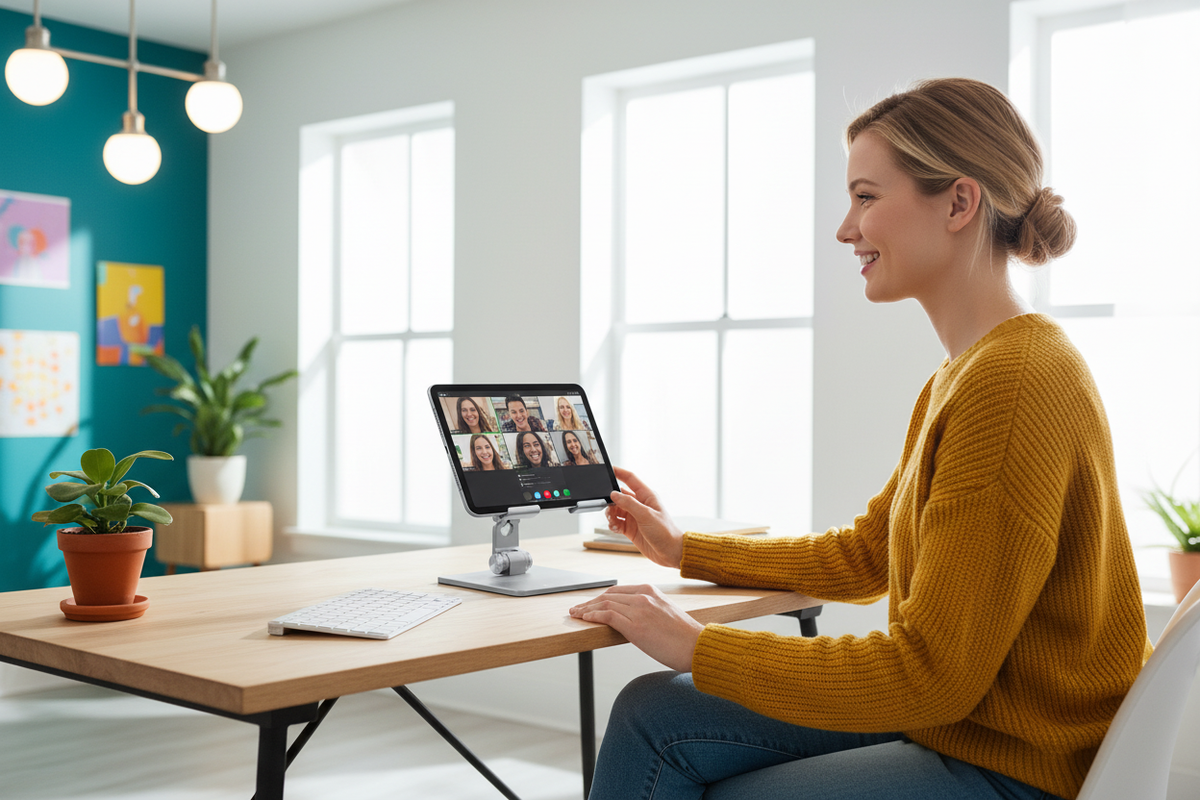
A foldable tablet stand is easy to buy and easy to like. It is compact, inexpensive, and useful when you need to prop up a tablet in a hotel room, kitchen, or coffee shop. But daily desk use asks more of a stand. If your tablet stays beside your keyboard for video calls, reading, note-taking, or a second screen, the differences become clear fast.
This comparison looks at the Rackora Pro Stand 100 and the lightweight foldable stands many people already own. Neither is automatically better. They are built for different jobs.
1. Desk stability versus travel-first design
Most foldable stands prioritize low weight and a small folded size. That makes them handy in a bag, but it can also make them less planted on a desk when you tap, swipe, or connect a charging cable.
The Pro Stand 100 is designed as an adjustable desk stand. Its aluminum-alloy construction, anti-slip silicone pads, and 0.56 kg weight give it a more substantial feel than a typical travel stand. The goal is simple: keep the device where you set it while you work.
That difference is easiest to notice during a long video call or a note-taking session. A stand that stays put lets you focus on the screen instead of readjusting the setup.
2. A larger working footprint can be worth it
A foldable stand usually takes up less space, which is genuinely useful on the road. On a permanent desk, though, the better question is whether the stand earns its space.
The Pro Stand 100 provides adjustable height and viewing angle, so you can position a tablet where it works best for your posture and task. It also folds down for storage when the workday is over. If you work at a compact desk, pairing it with a properly sized surface such as the 40" x 24" Ergonomic Electric Height Adjustable Standing Desk can help keep the setup organized without crowding the keyboard and monitor.
3. One stand for more of your devices
A small foldable may be perfect for one device and awkward for another. The Pro Stand 100 is compatible with devices from 4 to 13 inches, including phones in landscape orientation, tablets, e-readers, and portable monitors.
That range matters when one workspace serves more than one device. You can move from a phone to a tablet or e-reader without keeping a separate stand for each one. It is also useful in a shared home office, where different people may use different-size tablets.
4. Portability is where foldable stands shine
Foldable stands have a clear advantage for frequent travel. They are generally lighter, easier to slip into a sleeve or small bag, and easy to replace if one gets lost on the road.
The Pro Stand 100 is foldable and portable, but it is best thought of as a desk-first stand that can travel when needed. If your tablet spends most of its time in a backpack, choose the foldable. If it spends most of its time on a desk, the Pro Stand 100 is the better fit.
5. Materials and adjustment matter in everyday use
The Pro Stand 100 uses premium aluminum alloy and silicone pads at the base and device contact points. Its height and angle are adjustable, making it easier to set a comfortable viewing position for calls, reading, tutorials, and hands-free tasks.
A budget foldable can still be a smart purchase for occasional use. For a device you use for several hours most days, though, sturdier construction and a more adjustable setup can make the desk feel noticeably more comfortable.
6. Price should follow the job you need done
The Pro Stand 100 is currently priced at $59.99. A basic foldable stand will usually cost less, and that makes sense when portability and occasional use are the priority.

The value of the Pro Stand 100 is in its adjustable design, broad device compatibility, aluminum-alloy construction, silicone grip pads, and desk-oriented stability. It is not the right purchase simply because it costs more. It is the right purchase when your tablet has become part of your regular workspace.
Who should choose a foldable stand?
Choose a foldable stand if you travel often, use your tablet in different rooms, or only need a stand occasionally. It is an easy tool for recipes, flights, hotel desks, casual streaming, and quick calls.
A lightweight option is also sensible when you want a backup stand in a bag or drawer. In that role, simplicity is the point.
Who should choose the Pro Stand 100?
Choose the Pro Stand 100 if your tablet has a permanent place in your home office or work setup. It is especially suited to people who use a tablet for meetings, reading, studying, drawing, following instructions, or as a second screen.
It is also a useful choice when you regularly switch between devices. Its 4-to-13-inch compatibility means the same stand can support many common tablets, e-readers, phones in landscape orientation, and portable monitors.
Build a more comfortable desk setup
A tablet stand works best as part of a considered workspace. If you also use a laptop, the Rackora Ergo Laptop Stand Elite Edition is designed for laptops from 10 to 17 inches, with adjustable height and angle, an open design for airflow, silicone pads, and integrated cable management.
For a dedicated tablet setup, the Rackora Adjustable Tablet Stand for Home Office is another adjustable, foldable option with aluminum-alloy construction and silicone pads. Choosing the right stand comes down to the device you use and the way you work.
Foldable tablet stands are excellent travel tools. The Pro Stand 100 is a more capable desk tool. If your tablet lives in a bag, keep the setup light and simple. If it lives beside your keyboard every day, choose a stand built for adjustable, stable, hands-free use.
For daily tablet work, explore the Rackora Pro Stand 100 and build a setup that is comfortable enough to forget about.
