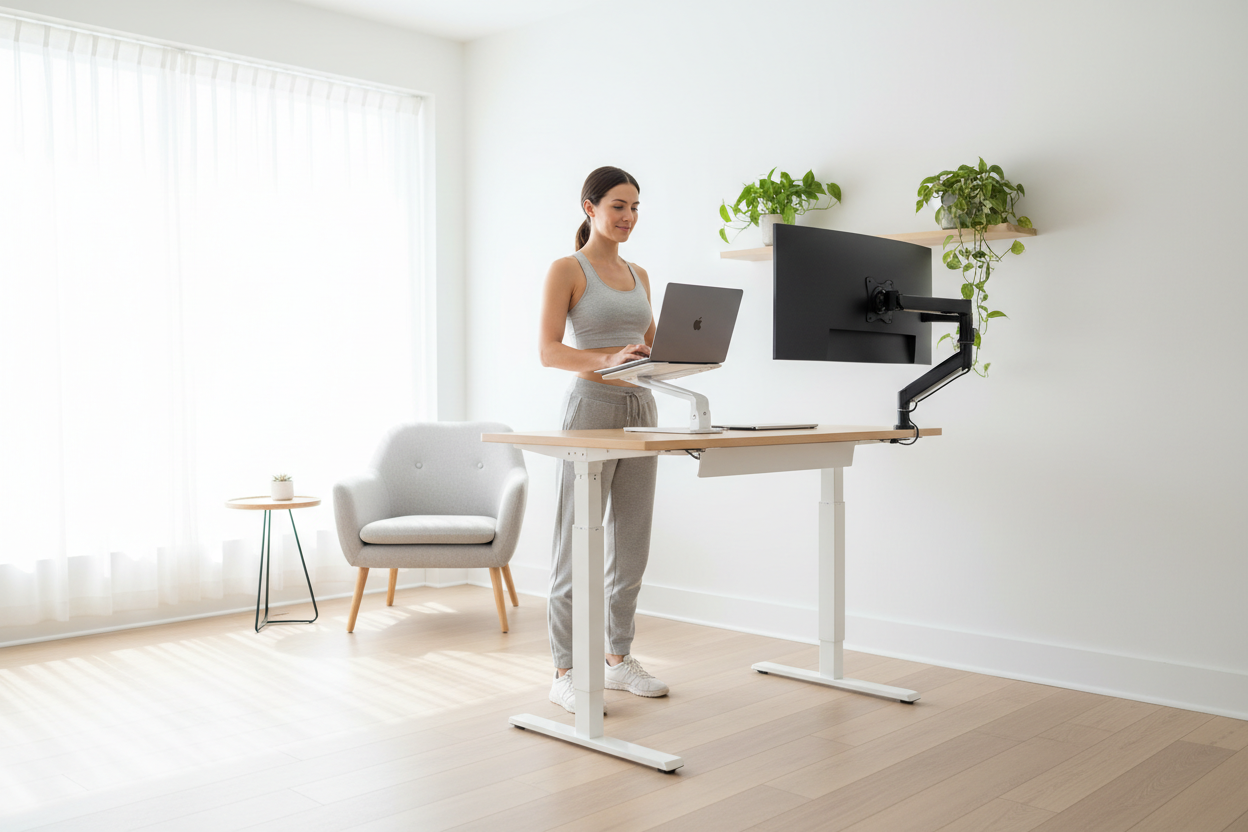
You're Not Lazy — You're Just Sitting Too Much
It's 2:07 PM. You've got three hours left in your workday, a half-finished report on your screen, and the overwhelming urge to put your head down on your desk. Sound familiar?
Here's the thing: that afternoon crash isn't a willpower problem. It's a physiology problem — and it's one that a smarter workspace setup can actually fix. The research on this is pretty clear. Prolonged sitting slows blood flow, reduces oxygen delivery to the brain, and triggers a cascade of hormonal signals that your body interprets as "time to rest." The result? Cognitive fog, drooping eyelids, and the kind of low-grade misery that makes every task feel twice as hard.
The good news is that you don't need a nap room, a cold shower, or a fourth cup of coffee. What you need is a structured movement routine built around your workstation — and the right ergonomic tools to make it effortless.
This guide walks you through exactly that: the science behind the slump, the 20-8-2 framework that ergonomists actually recommend, the precise setup angles that keep your body comfortable whether you're sitting or standing, and the specific Rackora products that make the whole system work without friction.
Part 1: Why the 2 PM Slump Happens (And Why It's Not Your Fault)
The Circadian Dip Is Real
Your body runs on a roughly 24-hour internal clock called the circadian rhythm. Most people know it governs sleep — but it also controls alertness, body temperature, and hormone release throughout the day. There's a well-documented dip in alertness that occurs in the early-to-mid afternoon, typically between 1 PM and 3 PM, regardless of how much sleep you got the night before.
This isn't a modern invention. Researchers believe it's an evolutionary holdover — a built-in signal for a brief rest period that many cultures around the world still honor with a siesta or afternoon break. In a modern office environment, though, we push through it. And when we push through it while sitting completely still, we make it dramatically worse.
What Sitting Does to Your Brain
When you sit for extended periods, several things happen simultaneously:
- Blood pools in your lower extremities. Your heart has to work harder to circulate blood upward, and overall circulation slows. Less blood reaching your brain means less oxygen — and your brain is an oxygen hog, consuming roughly 20% of your body's total oxygen supply.
- Muscle activity drops to near zero. Your large leg and core muscles are essentially switched off. This dramatically reduces the metabolic signals that keep you alert.
- Glucose metabolism slows. Your muscles aren't burning fuel, so blood sugar regulation becomes less efficient. This contributes to the foggy, sluggish feeling that hits after lunch.
- Posture collapses. As fatigue sets in, you slump. A slumped posture compresses your diaphragm, reducing lung capacity by up to 30% — which means even less oxygen with every breath.
The combination of the circadian dip and the physiological effects of prolonged sitting creates a perfect storm of afternoon misery. And if you're working from home, where the temptation to stay glued to your chair is even stronger, the problem is often worse than it would be in a traditional office.
The Work-From-Home Factor
Office workers, for all their complaints about open-plan offices and pointless meetings, actually move more than remote workers. They walk to conference rooms, grab coffee from a kitchen down the hall, chat with colleagues across the floor. Remote workers often go hours without leaving a 10-foot radius of their desk.
A 2021 study published in the International Journal of Environmental Research and Public Health found that remote workers reported significantly higher rates of sedentary behavior compared to their in-office counterparts — and that this sedentary behavior was directly correlated with increased fatigue, reduced focus, and lower job satisfaction.
The solution isn't to go back to the office. It's to build intentional movement into your home workspace routine.
Part 2: The 20-8-2 Framework — The Ergonomic Standard You Should Actually Be Using
Where Did 20-8-2 Come From?
You've probably heard of the 20-20-20 rule for eye strain (every 20 minutes, look at something 20 feet away for 20 seconds). The 20-8-2 framework is the movement equivalent, developed by ergonomics researchers and popularized by Dr. Alan Hedge at Cornell University.
The formula is simple:
- 20 minutes sitting — focused, supported work at your desk
- 8 minutes standing — continued work at a raised height
- 2 minutes moving — walking, stretching, or light activity
That's a 30-minute cycle that repeats throughout your workday. Over an 8-hour day, you'd complete roughly 16 cycles — meaning you'd spend about 5.3 hours sitting, 2.1 hours standing, and 32 minutes in active movement. Compare that to the average remote worker who sits for 7+ hours with almost no intentional movement, and the difference is significant.
Why This Ratio Works
The 20-8-2 ratio isn't arbitrary. It's calibrated around a few key physiological realities:
20 minutes of sitting is roughly the threshold before circulation starts to meaningfully slow and postural muscles begin to fatigue. Keeping sitting bouts under 20 minutes prevents the compounding effects of prolonged sedentary behavior.
8 minutes of standing is enough to meaningfully increase blood flow and engage your postural muscles without causing the leg fatigue that comes from standing too long. (Yes, standing all day is also bad for you — it causes its own set of problems including varicose veins, lower back strain, and foot pain.)
2 minutes of movement is the key that most people skip. This is where the real magic happens. Even light walking activates your large muscle groups, triggers the release of BDNF (brain-derived neurotrophic factor — essentially fertilizer for your neurons), and resets your focus. Two minutes is short enough that it doesn't disrupt your workflow but long enough to make a measurable difference in alertness.
How to Actually Implement It
The biggest barrier to the 20-8-2 framework isn't motivation — it's friction. If switching between sitting and standing requires manual adjustment of your monitor, keyboard, and accessories every 20 minutes, you'll stop doing it within a week.
This is where the right equipment makes all the difference. A laptop stand or monitor arm that can be repositioned quickly, a cart that moves with you, or a dedicated sit-stand setup that transitions smoothly — these aren't luxuries. They're the infrastructure that makes the routine sustainable.
Set a timer on your phone or use a browser extension like Stretchly or Time Out. When the 20-minute sitting alarm goes off, raise your setup, stand for 8 minutes, then take your 2-minute walk. After a few weeks, it becomes as automatic as checking your email.
Part 3: The Exact Ergonomic Angles You Need (Whether Sitting or Standing)
Switching between sitting and standing only helps if your ergonomic setup is correct in both positions. A poorly configured standing position can cause just as much strain as sitting — sometimes more, because the problems manifest faster.
The Seated Position: Getting the Basics Right
- Chair height: Adjust so your feet are flat on the floor and your thighs are roughly parallel to the ground. If your chair is too high, your feet dangle and pressure builds under your thighs. Too low, and your hips flex beyond 90 degrees, compressing your lumbar spine.
- Elbow angle: Your elbows should be at approximately 90 degrees when your hands rest on your keyboard. This is the neutral position for your forearms and wrists. If your elbows are higher or lower than 90 degrees, you're creating tension in your shoulders or wrists respectively.
- Wrist position: Neutral wrists — meaning flat, not bent up or down — are critical for preventing repetitive strain injuries. Your keyboard should be at a height that allows your wrists to float level with your forearms.
- Monitor height: The top of your screen should be at or slightly below eye level. If you're looking up at your screen, you're straining your neck extensors. If you're looking significantly down, you're compressing your cervical spine. The ideal viewing distance is 20–28 inches from your eyes.
- Monitor tilt: Tilt your screen back 10–20 degrees. This reduces glare and keeps your gaze angle comfortable as your eyes naturally look slightly downward when relaxed.
- Back support: Your lumbar spine has a natural inward curve. Your chair's lumbar support should fill that curve, not push against it. If your chair doesn't have adequate lumbar support, a rolled towel or lumbar cushion works as a temporary fix.
The Standing Position: What Changes and What Doesn't
When you transition to standing, most of the same principles apply — but a few things shift:
- Elbow angle stays at 90 degrees. This is the constant. Your keyboard height needs to rise when you stand so your elbows remain at 90 degrees. This is why a fixed-height desk doesn't work for sit-stand routines — you'd have to hunch over or raise your arms uncomfortably.
- Monitor height rises with you. Your screen needs to come up when you stand. A monitor arm or adjustable laptop stand makes this seamless. Without one, you're either craning your neck down at a laptop on a desk or squinting up at a monitor that's too low.
- Weight distribution matters. Stand with your weight evenly distributed between both feet. Avoid locking your knees — keep a very slight bend. If you're standing for the full 8 minutes, shift your weight occasionally or use an anti-fatigue mat.
- Foot position: Feet should be roughly hip-width apart. Avoid standing with your feet together (increases lower back strain) or too wide (creates hip imbalance over time).
- Core engagement: You don't need to actively "suck in" your stomach, but a light engagement of your core muscles — think 10–15% effort — helps stabilize your spine and prevents the lower back fatigue that comes from passive standing.
The 2-Minute Movement Break: What to Actually Do
Your 2-minute movement break doesn't need to be a workout. The goal is to activate your large muscle groups and get your blood moving. Here are some options that work well in a home office context:
- Walk to another room and back (even just to the kitchen for water)
- 10 bodyweight squats
- Neck rolls and shoulder circles
- Calf raises (great for counteracting the blood pooling in your legs)
- A quick walk around the block if weather permits
- Standing hip flexor stretch (lunge position, held for 30 seconds each side)
The key is that you actually leave your workstation. Stretching in your chair doesn't count — you need to break the postural pattern entirely.
Part 4: Building Your Sit-Stand Workspace — The Right Tools for the Job
The 20-8-2 framework is free. The ergonomic angles are free. What costs money — and what makes the difference between a routine you stick with and one you abandon — is having the right physical setup.
Here's what actually matters, and the specific Rackora products that deliver it.
1. A Flexible Laptop or Device Stand
If you work on a laptop, a stand is non-negotiable. Laptops are ergonomically terrible by design — the screen and keyboard are physically connected, which means you can't position both correctly at the same time. Either your screen is at eye level and your keyboard is too high, or your keyboard is at the right height and you're hunching over your screen.
A laptop stand raises your screen to eye level so you can use an external keyboard at the correct elbow angle. For a sit-stand routine, you want a stand that adjusts quickly between your seated and standing heights.

Rackora Ergo Laptop Stand Elite Edition
Premium ergonomic design with multiple height and angle settings. Engineered for all-day use with a stable, heat-dissipating platform that keeps your laptop cool during extended sessions. Folds flat for portability.
$79.99
Shop Now →2. A Height-Adjustable Mobile Cart
For the most flexible sit-stand setup — especially if you don't have a dedicated standing desk — a height-adjustable laptop cart is a game-changer. You can roll it to any position in your home, adjust the height for sitting or standing, and even move it to a different room for your 2-minute movement break.

Rackora Adjustable Laptop Computer Cart — 28.5" to 42.5"
Adjusts from 28.5 to 42.5 inches — covering the full range from seated to standing height for most users. Rolls on smooth-glide casters, locks in place when you need stability, and has a tilting surface for optimal screen angle. Works with laptops, tablets, and monitors.
$158.46
Shop Now →3. A Monitor Arm for Desktop Setups
If you use an external monitor, a monitor arm is the single highest-impact ergonomic upgrade you can make. It frees up desk space, allows infinite height and angle adjustment, and makes transitioning between sitting and standing positions a matter of seconds rather than minutes.
A good monitor arm should support gas-spring adjustment — meaning you can reposition your screen with one hand, with no tools required. This is what makes the 20-8-2 routine actually practical with a desktop monitor setup.

Rackora Full Motion Single Monitor Arm — Gas Spring, 13–32" Screens
Gas-spring counterbalance lets you reposition your monitor effortlessly — up, down, forward, back, tilt, swivel. VESA compatible (75x75 and 100x100mm). Supports screens up to 32 inches and 17.6 lbs. Cable management channels keep your desk clean.
$139.99
Shop Now →4. A Multi-Purpose Ergonomic Stand for Tablets and Devices
If your workflow involves a tablet for reference, video calls, or secondary display, having it at the right height and angle matters just as much as your primary screen. A versatile stand that works across devices keeps your neck in a neutral position and reduces the temptation to hunch over a flat tablet on your desk.

Rackora Premium K80 Multipurpose Ergonomic Stand
Works with laptops, tablets, phones, and e-readers. Multiple angle and height positions. Sturdy, non-slip base with a premium finish that looks at home on any desk. The K80 is the kind of stand that works as hard as you do — and looks good doing it.
$189.99
Shop Now →Part 5: A Sample Daily Schedule Using the 20-8-2 Framework
Theory is great. A concrete schedule is better. Here's what a 20-8-2 workday actually looks like for a typical 9-to-5 remote worker:
| Time | Position | Activity |
|---|---|---|
| 9:00–9:20 | Sitting | Email triage, morning planning |
| 9:20–9:28 | Standing | Continue email, Slack messages |
| 9:28–9:30 | Moving | Walk to kitchen, refill water |
| 9:30–9:50 | Sitting | Deep work — writing, analysis |
| 9:50–9:58 | Standing | Video call or reading |
| 9:58–10:00 | Moving | 10 calf raises, shoulder rolls |
| ... | ... | Repeat cycle through the day |
| 1:50–2:10 | Sitting | Post-lunch focused work |
| 2:10–2:18 | Standing | Review documents, light tasks |
| 2:18–2:20 | Moving | The 2 PM slump buster — walk outside if possible |
Notice that the 2 PM cycle is the most important one. That's when your circadian dip is deepest and when the movement break has the highest impact on your afternoon alertness. Don't skip it.
Part 6: Common Mistakes That Undermine Your Sit-Stand Routine
Mistake 1: Standing Too Long
A lot of people hear "standing desk" and assume more standing = better. It doesn't. Standing for hours on end causes its own problems: lower back pain, leg fatigue, varicose veins, and foot discomfort. The 20-8-2 framework is specifically calibrated to avoid this. Eight minutes of standing, not 80.
Mistake 2: Not Adjusting Your Monitor Height
This is the most common setup error. People raise their keyboard height for standing but forget to raise their monitor. The result is that they're standing but looking down at their screen — which is actually worse for your neck than sitting with a low monitor, because you're now bearing the weight of your head in a forward-flexed position while also fatiguing your legs.
A monitor arm or adjustable laptop stand solves this completely. It's not optional if you want the routine to actually work.
Mistake 3: Skipping the Movement Break
The 2-minute movement break is the part of the 20-8-2 framework that most people drop first. It feels like the least important part — you're already standing, right? But the movement break is where the neurological benefits happen. BDNF release, dopamine reset, improved blood flow to the prefrontal cortex — these all require actual movement, not just a change in posture.
Mistake 4: Inconsistent Timing
The framework works because it's consistent. If you do it for 2 hours and then forget about it for 3 hours, you lose most of the benefit. Set a recurring timer. Use a habit-tracking app. Put a sticky note on your monitor. Whatever it takes to make the 30-minute cycle automatic.
Mistake 5: Poor Footwear (or No Footwear)
If you're working from home and standing in socks on a hard floor, you're going to find standing uncomfortable very quickly. An anti-fatigue mat makes a significant difference. So does wearing supportive footwear — even just a pair of supportive slippers — during your standing intervals.
Part 7: The Nutrition and Hydration Side of the Equation
Your workspace setup handles the physical side of the afternoon slump. But there are a few nutritional factors worth mentioning because they interact directly with your energy levels during the 2 PM window.
Lunch Composition Matters
A high-carbohydrate, low-protein lunch accelerates the post-lunch energy crash. The spike in blood sugar followed by the insulin response creates a pronounced dip in alertness that compounds the circadian dip. A lunch with balanced protein, healthy fats, and moderate complex carbohydrates produces a much flatter energy curve through the afternoon.
This doesn't mean you need to eat a salad every day. It means being mindful of the ratio. A sandwich with protein and vegetables will serve you better than a bowl of pasta, even if both have similar calorie counts.
Hydration and Cognitive Function
Even mild dehydration — as little as 1–2% of body weight — measurably impairs cognitive performance, mood, and concentration. Most people working from home drink less water than they would in an office, simply because there's no water cooler to walk to.
Use your 2-minute movement breaks as hydration checkpoints. Walk to the kitchen, drink a glass of water, walk back. It's a simple habit that addresses both the movement and hydration components simultaneously.
Caffeine Timing
If you're going to use caffeine to manage afternoon energy, timing matters. Caffeine has a half-life of roughly 5–6 hours, which means a 2 PM coffee will still have half its caffeine in your system at 7–8 PM — potentially disrupting your sleep and making tomorrow's afternoon slump worse. If you want an afternoon caffeine boost, aim for before 1 PM and keep the dose moderate.
Part 8: Making It Stick — The Habit Science Behind Sustainable Routines
Knowing what to do and actually doing it consistently are two very different things. Here's what behavioral science tells us about making the 20-8-2 routine stick long-term.
Habit Stacking
Attach the new behavior to an existing one. Instead of trying to remember to stand up every 20 minutes from scratch, link it to something you already do. "When I finish a Pomodoro session, I stand up." "When I send an email, I check my timer." "When my coffee is ready, I start my movement break." The existing habit becomes the trigger for the new one.
Environmental Design
Make the desired behavior the path of least resistance. If your laptop stand is already set up and your timer is already running, standing up is easy. If you have to dig out your stand from a drawer and manually calculate when you last stood up, you won't do it. Your workspace should be configured so that the 20-8-2 routine is the default, not the exception.
Track It for the First 30 Days
Research on habit formation consistently shows that tracking behavior during the initial adoption phase dramatically increases the likelihood of long-term adherence. Use a simple tally sheet, a habit app, or even a sticky note on your monitor. Mark each completed cycle. After 30 days, the routine will be sufficiently ingrained that you won't need to track it anymore.
Give Yourself Permission to Be Imperfect
You will miss cycles. You'll get absorbed in a project and realize you've been sitting for 45 minutes. That's fine. The goal isn't perfection — it's a meaningful improvement over your current baseline. Missing one cycle doesn't undo the benefit of the 15 you completed. Just reset and continue.
Ready to Build Your Sit-Stand Setup?
The 2 PM slump is beatable. Not with more caffeine, not with willpower, and not with a complete lifestyle overhaul — just with a smarter workspace routine and the right tools to support it.
Here's a quick summary of the Rackora products that make the 20-8-2 framework practical and sustainable:
- Rackora Ergo Laptop Stand Elite Edition ($79.99) — For laptop users who need quick height adjustment between sitting and standing
- Rackora Adjustable Laptop Cart ($158.46) — The most flexible option for true sit-stand mobility anywhere in your home
- Rackora Full Motion Monitor Arm ($139.99) — For desktop monitor users who need effortless height and angle adjustment
- Rackora Premium K80 Multipurpose Stand ($189.99) — For multi-device setups that need a versatile, premium-quality stand
Start with whichever product fits your current setup. Even one good ergonomic tool, combined with a consistent 20-8-2 routine, will make a noticeable difference in how you feel by 5 PM.
Stop Fighting the Afternoon Slump. Start Working Smarter.
Explore Rackora's full range of ergonomic workspace accessories — designed for people who take their work seriously.
Shop All Ergonomic Accessories →Frequently Asked Questions
Q: Is the 20-8-2 framework backed by research?
A: Yes. The framework was developed based on ergonomics research, most notably work by Dr. Alan Hedge at Cornell University. The core principle — that alternating between sitting, standing, and moving in structured intervals is healthier than either prolonged sitting or prolonged standing — is well-supported by peer-reviewed literature on sedentary behavior and occupational health.
Q: Do I need a dedicated standing desk to use the 20-8-2 routine?
A: No. A dedicated standing desk is one option, but it's not the only one. A height-adjustable laptop cart, a laptop stand with an external keyboard, or even a monitor arm on a fixed desk can all enable a sit-stand routine. The key is that your screen and keyboard can both be repositioned when you transition between sitting and standing.
Q: How long does it take to see results from a sit-stand routine?
A: Most people notice a difference in afternoon energy levels within the first week. The physiological benefits — improved circulation, reduced muscle fatigue, better posture — begin immediately. The cognitive benefits (improved focus, reduced brain fog) typically become noticeable within 2–4 weeks as the routine becomes consistent.
Q: Is standing bad for you if you do it too much?
A: Yes. Prolonged standing causes its own set of problems, including lower back pain, leg fatigue, varicose veins, and foot discomfort. This is why the 20-8-2 framework limits standing to 8 minutes per cycle. The goal is alternation, not replacement of sitting with standing.
Q: What's the best monitor height for standing?
A: The top of your monitor should be at or slightly below eye level when standing. For most people, this means the monitor needs to be significantly higher when standing than when sitting — which is why a monitor arm or adjustable stand is so important for a sit-stand setup.
Q: Can I do the 20-8-2 routine during video calls?
A: Absolutely. Standing during video calls is actually one of the easiest ways to incorporate the standing interval, because you're not typing and the transition is seamless. Many people find they're more energetic and engaged on calls when standing.
Q: What if I have a back condition — is a sit-stand routine still safe?
A: For most common back conditions, alternating between sitting and standing is actually recommended by physical therapists and occupational health specialists. However, if you have a specific diagnosis, consult your healthcare provider before making significant changes to your work posture. The 20-8-2 framework is a general wellness guideline, not medical advice.
Q: How do I remember to switch positions every 20 minutes?
A: Set a recurring timer on your phone, use a browser extension like Stretchly or Time Out, or use a smartwatch reminder. After 3–4 weeks of consistent practice, the transitions will start to feel natural and you'll often find yourself wanting to stand up before the timer goes off.
Q: Does the 20-8-2 routine work for people who work non-traditional hours?
A: Yes. The framework is based on the duration of sitting, not the time of day. Whether you work 9–5, 6 PM–2 AM, or a split shift, the same principle applies: don't sit for more than 20 minutes at a stretch without a standing and movement break.
Q: What's the minimum equipment I need to start a sit-stand routine today?
A: At minimum, you need a way to raise your screen to eye level when standing and a way to position your keyboard at elbow height. For laptop users, a laptop stand plus an external keyboard and mouse is the most affordable starting point. The Rackora Ergo Laptop Stand Elite Edition at $79.99 is a solid entry point that covers both the seated and standing positions with quick adjustment.
