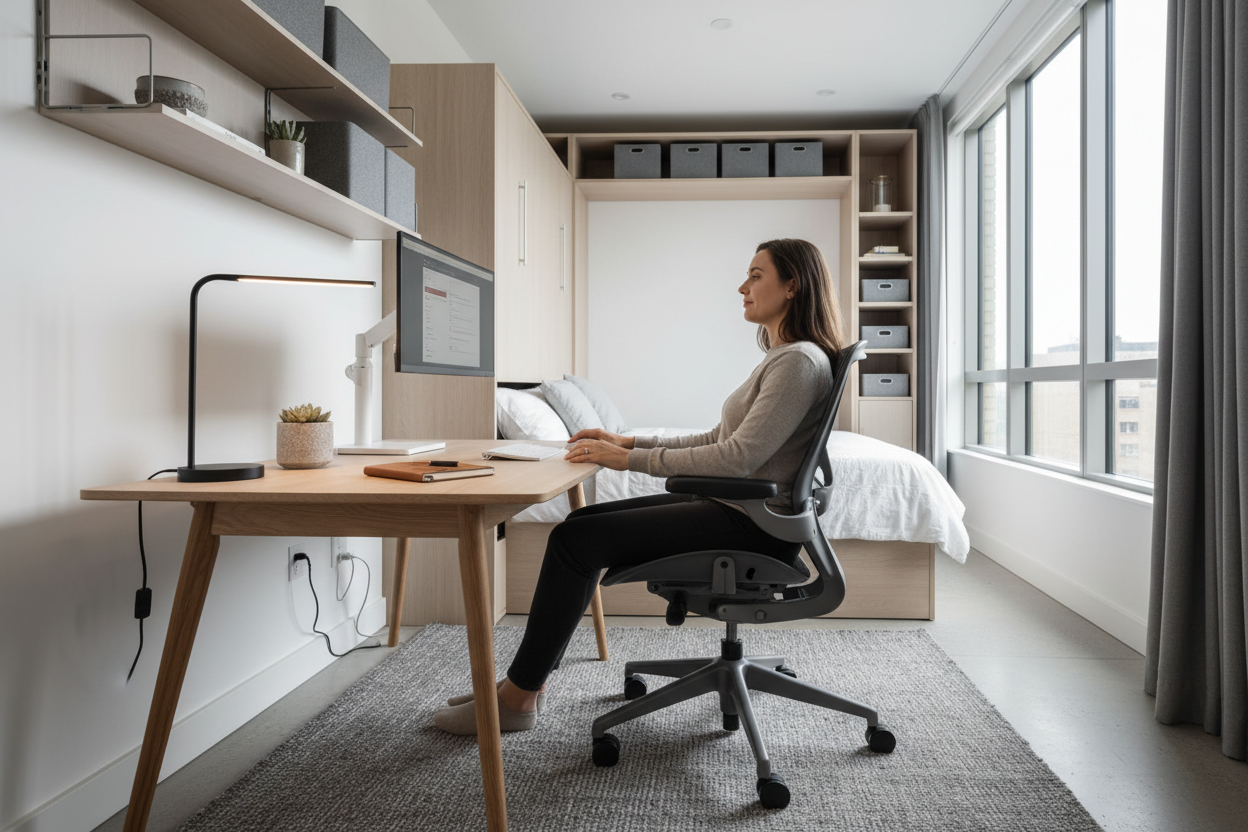
Wie man ein ergonomisches Heimbüro in einer Einzimmerwohnung einrichtet
Auch in einem kleinen Studio-Apartment müssen Sie beim Arbeiten von zu Hause aus nicht auf Komfort oder Produktivität verzichten. Mit kluger Planung und der richtigen ergonomischen Ausstattung können Sie sich einen Arbeitsplatz schaffen, der Ihre Gesundheit fördert und Ihnen hilft, Höchstleistungen zu erbringen – selbst auf begrenztem Raum.
Dieser Leitfaden führt Sie durch alles, was Sie über die Einrichtung eines ergonomischen Heimbüros auf kleinem Raum wissen müssen – von der Auswahl der richtigen Möbel bis hin zur Optimierung des Layouts für maximale Effizienz.
Warum Ergonomie in kleinen Räumen wichtig ist
Wer in einem Einzimmerapartment arbeitet, für den zählt jeder Quadratmeter. Doch einen Schreibtisch in eine Ecke zu quetschen und das Ganze als Büro zu bezeichnen, kann langfristig zu ernsthaften Problemen führen. Schlechte Ergonomie trägt zu Nackenschmerzen, Rückenverspannungen, Karpaltunnelsyndrom und chronischer Müdigkeit bei – Beschwerden, die sich in beengten Arbeitsräumen noch verstärken.
Die American Chiropractic Association berichtet, dass Rückenschmerzen einer der häufigsten Gründe für Arbeitsausfälle sind, und dass diese oft auf eine ungünstige Arbeitsplatzgestaltung zurückzuführen sind. In einem Einzimmerapartment, wo der Arbeitsbereich häufig gleichzeitig als Wohnraum dient, ist eine ergonomisch optimale Gestaltung besonders wichtig.
Die gute Nachricht? Sie brauchen weder ein separates Heimbüro noch teure Umbauten, um einen ergonomischen Arbeitsplatz einzurichten. Mit dem richtigen Ansatz und der passenden Ausstattung können Sie selbst die kleinste Ecke Ihres Studios in eine wahre Produktivitätszentrale verwandeln, die Körper und Geist fit hält.
Beurteilung des Grundrisses Ihrer Studio-Wohnung
Bevor Sie auch nur ein einziges Möbelstück kaufen, nehmen Sie sich Zeit, Ihren Raum zu analysieren. Gehen Sie durch Ihr Studio und identifizieren Sie mögliche Arbeitsbereiche. Achten Sie auf Bereiche mit:
Natürliches Licht – Arbeiten in der Nähe eines Fensters reduziert die Augenbelastung und hebt die Stimmung, aber achten Sie darauf, dass Sie Blendeffekte mit Jalousien oder Vorhängen kontrollieren können.
Ausreichend Steckdosen – Sie benötigen Strom für Ihren Laptop, Monitor, Ihr Handy-Ladegerät und gegebenenfalls eine Schreibtischlampe. Verlängerungskabel sind zwar eine Notlösung, aber fest installierte Steckdosen sind sicherer und sauberer.
Geringe Besucherfrequenz – Selbst in einem Studio gibt es Bereiche mit höherer Besucherfrequenz als andere. Wer seinen Arbeitsplatz in einer stark frequentierten Zone einrichtet, ist ständigen Unterbrechungen und Ablenkungen ausgesetzt.
Trennung vom Bett – Dies ist entscheidend für die Trennung von Arbeit und Freizeit. Stellen Sie Ihren Schreibtisch möglichst so auf, dass er nicht direkt auf Ihr Bett zeigt, oder nutzen Sie einen Raumteiler, um eine visuelle Trennung zu schaffen.
Messen Sie Ihren verfügbaren Platz sorgfältig aus. In einem Einzimmerapartment stehen Ihnen wahrscheinlich maximal 50 bis 100 Quadratfuß (ca. 4,5 bis 9 Quadratmeter) für Ihren Arbeitsbereich zur Verfügung. Notieren Sie sich die Maße und halten Sie sie beim Möbelkauf bereit.
Das Fundament: Den richtigen Schreibtisch für kleine Räume auswählen
Ihr Schreibtisch ist das Herzstück Ihrer ergonomischen Arbeitsplatzgestaltung, und in einem Einzimmerapartment muss er eine doppelte Funktion erfüllen – ausreichend Arbeitsfläche bieten und gleichzeitig möglichst wenig Stellfläche beanspruchen.
Kompakte Stehtische: Die platzsparende Lösung
Stehtische haben das Homeoffice revolutioniert und sind besonders in Einzimmerwohnungen von großem Nutzen. Die Möglichkeit, im Laufe des Tages zwischen Sitzen und Stehen zu wechseln, reduziert die gesundheitlichen Risiken, die mit langem Sitzen einhergehen, darunter Herz-Kreislauf-Erkrankungen, Diabetes und Übergewicht.

Für Einzimmerwohnungen eignen sich kompakte Stehschreibtische, die höhenverstellbar sind, ohne viel Platz einzunehmen. Der manuell höhenverstellbare, kompakte Stehschreibtisch (70 cm) ist speziell für kleine Räume konzipiert. Mit einer Breite von nur 70 cm passt er problemlos in enge Ecken und bietet dennoch ausreichend Platz für einen Laptop und wichtiges Zubehör.

Dieser Schreibtisch ermöglicht die manuelle Höhenverstellung und bietet Ihnen so die Flexibilität, im Stehen zu arbeiten, wenn Sie einen Energieschub benötigen, oder im Sitzen, wenn Sie sich konzentriert der Arbeit widmen möchten. Dank seiner kompakten Stellfläche lässt er sich platzsparend an einer Wand verstauen oder sogar teilweise unter ein Hochbett schieben, wenn er nicht gebraucht wird.
Preis: 229,00 $
Kompakter Stehschreibtisch kaufen →
Mobile Schreibtischlösungen
Wenn Sie in Ihrem Studio-Apartment maximale Flexibilität benötigen, ist ein mobiler Schreibtisch ideal, den Sie im Raum flexibel bewegen können. Der Rackora Small Mobile Rolling Standing Desk verfügt über feststellbare Rollen, mit denen Sie Ihren gesamten Arbeitsplatz dorthin schieben können, wo Sie ihn benötigen.

Das ist besonders praktisch, wenn Sie je nach Tageszeit gerne an verschiedenen Orten arbeiten – morgens am Fenster im hellen Licht oder nachmittags in einer ruhigeren Ecke für konzentriertes Arbeiten. Nach getaner Arbeit rollen Sie es einfach beiseite und haben Ihren Wohnraum wieder frei.
Preis: 158,07 $
Stehtische in voller Größe für konzentriertes Arbeiten
Wenn Sie etwas mehr Platz haben und eine größere Arbeitsfläche benötigen, bietet der ergonomische, elektrisch höhenverstellbare Stehschreibtisch (102 x 61 cm) eine elektrische Höhenverstellung per Knopfdruck. Die Breite von 102 cm bietet ausreichend Platz für zwei Monitore oder einen Laptop und Unterlagen, während die Tiefe von 61 cm für eine platzsparende Konstruktion sorgt.

Die elektrische Höhenverstellung ist eine lohnende Investition, wenn Sie mehrmals täglich zwischen Sitzen und Stehen wechseln. Die manuelle Verstellung funktioniert zwar auch, aber der Komfort der Elektromotoren erhöht die Wahrscheinlichkeit, dass Sie die Stehfunktion regelmäßig nutzen.
Preis: 599,99 $
Alle Stehschreibtische ansehen →
Sitzmöbel: Die wichtigste ergonomische Investition
Wenn Sie in ein ergonomisches Arbeitsgerät investieren möchten, dann sollte es Ihr Stuhl sein. Sie verbringen täglich Stunden auf diesem Stuhl, und ein hochwertiger ergonomischer Stuhl zahlt sich in puncto Komfort, Gesundheit und Produktivität aus.
Was macht einen Stuhl ergonomisch?
Ein ergonomischer Bürostuhl sollte folgende Eigenschaften aufweisen:
- Verstellbare Sitzhöhe – Ihre Füße sollten flach auf dem Boden stehen und Ihre Knie einen 90-Grad-Winkel bilden.
- Lendenwirbelstütze – Eine korrekte Unterstützung des unteren Rückens erhält die natürliche Krümmung Ihrer Wirbelsäule.
- Verstellbare Armlehnen – Die Arme sollten bequem ruhen, die Schultern entspannt.
- Sitztiefeneinstellung – Zwischen Ihren Kniekehlen und der Sitzkante sollten 5–10 cm Platz sein.
- Atmungsaktives Material – Mesh-Einsätze am Rücken verhindern Überhitzung bei längeren Arbeitssitzungen
- Schwenkbar und mit Rollen – Leichtgängigkeit reduziert die Belastung beim Greifen nach Gegenständen
Top-Empfehlungen für ergonomische Stühle

Der ergonomische Bürostuhl mit Lendenwirbelstütze ist ideal für alle, die in einem kleinen Apartment arbeiten. Er verfügt über verstellbare 3D-Armlehnen, eine Neigungsfunktion bis zu 135 Grad und ein atmungsaktives Netzgewebe an der hohen Rückenlehne, das auch bei langen Arbeitssitzungen für angenehme Kühlung sorgt.

Die verstellbare Kopfstütze bietet optimale Nackenunterstützung, besonders wichtig bei Videokonferenzen oder beim Lesen am Bildschirm. Mit einer Tragkraft von 136 kg und einem stabilen Standfuß bietet dieser Stuhl professionelle Ergonomie zum erschwinglichen Preis.
Preis: 459,00 $

Für alle, die Premium-Funktionen zu einem besseren Preis suchen, bietet der ergonomische Bürostuhl Sweetcrispy mit hoher Rückenlehne verstellbare Kopfstütze und Lendenwirbelstütze mit atmungsaktivem Netzgewebe. Das separat positionierbare Lendenkissen lässt sich exakt an Ihre Bedürfnisse anpassen und bietet so eine individuelle Unterstützung des unteren Rückens.
Preis: 112,16 $
Monitorpositionierung: Schutz für Nacken und Augen
Einer der größten ergonomischen Fehler im Homeoffice ist die direkte Arbeit am Laptop. Laptop-Bildschirme sind zu niedrig angebracht, sodass man den Nacken stundenlang nach unten beugen muss. Diese nach vorne geneigte Kopfhaltung belastet die Nacken- und Rückenmuskulatur und kann zu Spannungskopfschmerzen und chronischen Schmerzen führen.
Die Lösung? Stellen Sie Ihren Laptop höher oder verwenden Sie einen externen Monitor auf Augenhöhe.
Laptopständer: Sofortige ergonomische Verbesserung
Ein Laptopständer ist eine der kostengünstigsten ergonomischen Verbesserungen, die Sie vornehmen können. Indem Sie Ihren Laptop-Bildschirm auf Augenhöhe anheben, nehmen Sie eine neutrale Nackenhaltung ein und reduzieren die Belastung deutlich.

Der Rackora Ergo Laptopständer Elite Edition wurde speziell für optimale Ergonomie entwickelt. Gefertigt aus hochwertiger Aluminiumlegierung, hebt er Ihren Laptop auf die optimale Betrachtungshöhe und sorgt gleichzeitig für Luftzirkulation, um Überhitzung zu vermeiden.

Dank der verstellbaren Höhe und des verstellbaren Winkels können Sie die Position exakt an Ihre Bedürfnisse anpassen, egal ob Sie sitzen oder stehen. Durch das faltbare Design lässt sich der Stuhl zusammenklappen und platzsparend verstauen, wenn Sie mehr Wohnraum benötigen – ein entscheidender Vorteil in einem Einzimmerapartment.
Preis: 79,99 $

Für Gamer und alle, die maximale Flexibilität benötigen, bietet der Rackora Gaming-Laptopständer Elite Edition eine 180-Grad-Neigung in zwei Achsen. Das optimierte Luftstromdesign und die erhöhte Bodenfreiheit sorgen dafür, dass Ihr Laptop auch bei intensiven Gaming-Sessions oder rechenintensiven Aufgaben kühl bleibt.
Preis: 79,99 $

Für maximale Flexibilität bietet der Rackora 360° drehbare Laptopständer mit Lüfter die ideale Lösung. Er vereint Höhenverstellung mit einem drehbaren Fuß und integriertem Lüfter. Dank der 360°-Drehung können Sie Ihren Bildschirm problemlos bei Videokonferenzen oder Präsentationen teilen, während der leise Lüfter eine Überhitzung bei anspruchsvollen Aufgaben verhindert.
Preis: 129,99 $
Richtige Verwendung eines Laptopständers
Wenn Sie Ihren Laptop höher stellen, benötigen Sie eine externe Tastatur und Maus. Das mag zunächst umständlich erscheinen, ist aber tatsächlich ein großer ergonomischer Vorteil. Mit dem Bildschirm auf Augenhöhe und der Tastatur in Ellbogenhöhe behalten Sie eine gesunde Körperhaltung bei.
Positionieren Sie Ihre externe Tastatur so, dass Ihre Ellbogen beim Tippen einen 90-Grad-Winkel bilden und Ihre Handgelenke eine neutrale Position einnehmen (weder nach oben noch nach unten abgewinkelt). Ihre Maus sollte sich auf der gleichen Höhe wie Ihre Tastatur befinden, so nah, dass Sie nicht danach greifen müssen.
Monitorarme: Optimale Nutzung des Schreibtischplatzes
Wenn Sie anstelle (oder zusätzlich zu) Ihrem Laptop einen externen Monitor verwenden, ist ein Monitorarm in einem Einzimmerapartment ein echter Gamechanger. Durch die Montage Ihres Monitors an einem verstellbaren Arm gewinnen Sie wertvolle Schreibtischfläche und können Ihren Bildschirm in der perfekten Höhe und im optimalen Abstand positionieren.

Der Full Motion Einzelmonitorarm verfügt über einen verstellbaren Gasfedermechanismus, der das Umpositionieren Ihres Monitors mühelos ermöglicht. Er ist kompatibel mit Bildschirmen von 13 bis 32 Zoll und unterstützt die VESA-Montagestandards.

Der Arm lässt sich ausziehen, einfahren, neigen und schwenken und ermöglicht Ihnen so die volle Kontrolle über die Position Ihres Monitors. Dies ist besonders in einem Einzimmerapartment von Vorteil, da Sie den Monitor je nach Tätigkeit – ob Arbeiten, Filme schauen oder Videochatten mit Freunden – unterschiedlich ausrichten möchten.
Preis: 139,99 $
Beleuchtung: Reduzierung der Augenbelastung in kleinen Räumen
Die richtige Beleuchtung wird bei ergonomischen Arbeitsplätzen oft vernachlässigt, ist aber entscheidend, um die Augen zu schonen und die Konzentration zu fördern. In einem Einzimmerapartment hat man mit dem natürlichen Licht durch die Fenster und der vorhandenen künstlichen Beleuchtung vorliebnehmen müssen.
Für Computerarbeiten dürfte keines der beiden Systeme ideal sein.
Arbeitsplatzbeleuchtung für Ihren Schreibtisch

Eine separate Schreibtischlampe ermöglicht die Kontrolle über die Beleuchtung Ihres Arbeitsplatzes, reduziert Blendeffekte auf Ihrem Bildschirm und sorgt gleichzeitig für ausreichend Licht zum Arbeiten mit Papierkram oder zum Anfertigen von Notizen.
Die 49,5 cm hohe Schreibtischlampe aus schwarzem Metall mit Organizer vereint gezieltes Arbeitslicht mit integrierter Organisation. Dank des verstellbaren Arms lässt sich das Licht genau dorthin lenken, wo Sie es benötigen, während der integrierte Organizer Stifte, Büroklammern und andere Kleinigkeiten griffbereit hält.
Preis: 67,66 $
Bewährte Beleuchtungspraktiken
Positionieren Sie Ihre Schreibtischlampe seitlich neben Ihrem Monitor, nicht dahinter oder direkt davor. So vermeiden Sie Spiegelungen auf dem Bildschirm und sorgen gleichzeitig für ausreichend Licht auf Ihrer Tastatur und der Schreibtischoberfläche.
Wenn Sie in der Nähe eines Fensters arbeiten, stellen Sie Ihren Schreibtisch senkrecht zum Fenster auf, anstatt davor zu sitzen oder es hinter sich zu haben. Dadurch wird die Blendung minimiert, während Sie gleichzeitig das natürliche Licht nutzen können.
Beachten Sie die Farbtemperatur Ihrer Glühbirnen. Kälteres Licht (5000–6500 K) fördert die Aufmerksamkeit und eignet sich gut für die Arbeit am Tag, während wärmeres Licht (2700–3000 K) abends angenehmer für die Augen ist.
Checkliste für ergonomisches Setup
Nutzen Sie diese Checkliste, um sicherzustellen, dass Ihr Büro in Ihrem Studio-Apartment richtig eingerichtet ist:
Monitor-/Laptop-Bildschirm:
- Oberer Bildschirmrand auf oder etwas unterhalb der Augenhöhe
- 20-28 Zoll von Ihren Augen entfernt
- Um 10-20 Grad nach hinten geneigt
- Keine Blendung durch Fenster oder Lampen
Stuhl:
- Füße flach auf dem Boden (oder auf einer Fußstütze)
- Knie im 90-Grad-Winkel
- Oberschenkel parallel zum Boden
- Der untere Rücken wird durch eine Lendenwirbelstütze gestützt.
- Die Armlehnen stützen die Ellbogen in einem 90-Grad-Winkel.
- 2-4 Zoll Abstand zwischen Sitzkante und Kniekehle
Tastatur und Maus:
- Auf Ellbogenhöhe
- Handgelenke in neutraler Position (weder nach oben noch nach unten gebeugt)
- Schultern entspannt
- Maus in der Nähe der Tastatur (nicht erreichbar)
Schreibtisch:
- Die Höhe ermöglicht einen 90-Grad-Ellbogenwinkel beim Tippen
- Genügend Platz für alle notwendigen Gegenstände
- frei von Unordnung
Beleuchtung:
- Keine Spiegelungen auf dem Bildschirm
- Ausreichendes Licht zum Lesen/Schreiben
- Anpassbar an verschiedene Tageszeiten
Häufige ergonomische Fehler, die Sie vermeiden sollten
Selbst mit der richtigen Ausrüstung können schlechte Gewohnheiten Ihre ergonomische Arbeitsweise beeinträchtigen. Achten Sie auf diese häufigen Fehler:
Arbeiten vom Sofa oder Bett aus
Es ist verlockend, in einem Einzimmerapartment vom Sofa oder Bett aus zu arbeiten – schließlich sind sie direkt daneben. Doch diese Oberflächen bieten nicht die nötige Unterstützung für längere Computerarbeit. Das Sofa ist zum Entspannen gedacht, nicht zum Arbeiten, und das Bett ist für die Haltung noch ungünstiger.
Arbeiten Sie ausschließlich an Ihrem Schreibtisch. Wenn Sie einen Tapetenwechsel brauchen, nehmen Sie Ihren Laptop mit in ein Café oder eine Bibliothek, aber vermeiden Sie es, Ihr Bett oder Ihre Couch zu Ihrem Hauptarbeitsplatz zu machen.
Unbehagen ignorieren
Schmerzen sind ein Warnsignal Ihres Körpers. Wenn Sie Beschwerden verspüren, ignorieren Sie diese nicht – passen Sie Ihre Arbeitsumgebung an. Verstellen Sie Ihren Monitor, ändern Sie die Stuhlhöhe oder machen Sie eine Pause. Kleine Anpassungen können späteren, schwerwiegenderen Verletzungen vorbeugen.
Zu lange in einer Position verharren
Selbst die ergonomischste Arbeitsplatzgestaltung kann Probleme verursachen, wenn man sich nie bewegt. Der menschliche Körper ist nicht dafür gemacht, stundenlang in einer Position zu verharren. Stellen Sie sich einen Timer, um sich alle 30 bis 60 Minuten daran zu erinnern, aufzustehen, sich zu strecken und sich zu bewegen.
Wenn Sie einen Stehschreibtisch haben, wechseln Sie im Laufe des Tages zwischen Sitzen und Stehen ab. Eine gute Faustregel ist, stündlich 15 bis 30 Minuten zu stehen.
Häufig gestellte Fragen
Wie viel sollte ich für eine ergonomische Heimarbeitsplatzausstattung ausgeben?
Für eine ergonomische Grundausstattung in einem Einzimmerapartment sollten Sie 500–1000 € einplanen. Darin enthalten sind ein guter Stuhl (200–300 €), ein Laptopständer oder ein kleiner Schreibtisch (100–200 €), eine externe Tastatur und Maus (50–100 €) sowie eine Schreibtischlampe (30–50 €). Wenn Sie einen Stehtisch wünschen, kommen weitere 200–500 € hinzu. Sie müssen nicht alles auf einmal kaufen – beginnen Sie mit den wichtigsten Dingen und ergänzen Sie Ihr Budget nach und nach.
Kann ich einen ergonomischen Arbeitsplatz ohne einen separaten Schreibtisch einrichten?
Ja, aber für eine Vollzeitbeschäftigung ist es nicht ideal. Falls in Ihrem Studio absolut kein Platz für einen Schreibtisch ist, verwenden Sie einen Laptopständer auf Ihrem Esstisch oder der Küchenarbeitsplatte, zusammen mit einer externen Tastatur und Maus. Wichtig ist eine korrekte Körperhaltung: Bildschirm auf Augenhöhe, Tastatur in Ellbogenhöhe, Füße flach auf dem Boden. Wenn Sie jedoch regelmäßig von zu Hause aus arbeiten, sollte die Suche nach einem kleinen Schreibtisch Priorität haben.
Wie oft sollte ich zwischen Sitzen und Stehen wechseln?
Wenn Sie einen Stehschreibtisch haben, versuchen Sie, stündlich 15 bis 30 Minuten zu stehen. Beginnen Sie mit kürzeren Stehphasen und steigern Sie diese allmählich, sobald sich Ihr Körper daran gewöhnt hat. Ziel ist es nicht, den ganzen Tag zu stehen, sondern regelmäßig die Position zu wechseln. Achten Sie auf Ihren Körper und passen Sie Ihre Aktivitäten entsprechend an.
Was ist die wichtigste ergonomische Investition für ein Büro in einer Einzimmerwohnung?
Wenn Sie sich nur eine ergonomische Verbesserung leisten können, entscheiden Sie sich für einen Laptopständer. Für unter 100 Euro hebt ein hochwertiger Laptopständer Ihren Bildschirm auf Augenhöhe und reduziert so die Belastung von Nacken und Schultern deutlich. Kombinieren Sie ihn mit einer preiswerten externen Tastatur und Maus, und Sie haben das größte ergonomische Problem gelöst, mit dem die meisten Menschen konfrontiert sind.
Wie schaffe ich es, die Balance zwischen Berufs- und Privatleben zu wahren, wenn sich mein Büro in meinem Schlafzimmer befindet?
Schaffen Sie klare Grenzen durch Routinen und visuelle Signale. Legen Sie feste Arbeitszeiten fest und halten Sie sich daran. Schalten Sie am Ende des Arbeitstages Ihren Computer vollständig aus und decken Sie Ihren Schreibtisch mit einem dekorativen Tuch ab oder klappen Sie Ihren Laptopständer zusammen. Machen Sie einen kurzen Spaziergang um den Block, um den Arbeitsweg zu simulieren. Wechseln Sie Ihre Arbeitskleidung, selbst wenn es nur um bequeme Kleidung geht. Diese Rituale signalisieren Ihrem Gehirn, dass die Arbeit beendet ist.
Lohnt sich die Anschaffung eines Stehschreibtisches für ein Einzimmerapartment?
Ja, wenn Sie Vollzeit im Homeoffice arbeiten. Die gesundheitlichen Vorteile des Wechsels zwischen Sitzen und Stehen sind erheblich, und viele Stehschreibtische für kleine Räume sind platzsparend. Achten Sie auf Modelle mit einer Breite von maximal 100 cm. Bei sehr beengten Platzverhältnissen bietet sich ein Stehschreibtischaufsatz an, der auf die vorhandene Arbeitsfläche gestellt wird.
Wie kann ich die Augenbelastung bei der Arbeit am Laptop reduzieren?
Befolgen Sie die 20-20-20-Regel: Schauen Sie alle 20 Minuten 20 Sekunden lang auf einen Punkt in etwa 6 Metern Entfernung. Positionieren Sie Ihren Bildschirm so, dass er nicht von Fenstern oder Lampen geblendet wird. Passen Sie die Bildschirmhelligkeit an Ihre Umgebung an – nicht zu hell und nicht zu dunkel. Verwenden Sie einen Laptopständer, um Ihren Bildschirm auf Augenhöhe zu positionieren, etwa 50–70 cm von Ihren Augen entfernt. Bei langen Arbeitszeiten empfiehlt sich eine Blaulichtfilterbrille.
Was ist die ideale Schreibtischhöhe für ergonomisches Arbeiten?
Im Sitzen sollte Ihr Schreibtisch so hoch eingestellt sein, dass Ihre Ellbogen einen 90-Grad-Winkel bilden, wenn Ihre Hände auf der Tastatur liegen. Für die meisten Menschen entspricht das einer Höhe von 71–76 cm. Im Stehen sollte Ihr Schreibtisch auf Ellbogenhöhe sein, typischerweise 97–117 cm, abhängig von Ihrer Körpergröße. Deshalb sind höhenverstellbare Schreibtische so wertvoll – sie passen sich Ihren individuellen Körpermaßen an.
Kann ich mein Bett als Stuhl benutzen, wenn ich einen richtigen Schreibtisch habe?
Nein. Betten bieten nicht die nötige Unterstützung für längere Computerarbeit. Selbst bei optimaler Schreibtischhöhe und Monitorposition nimmt Ihr Körper beim Sitzen im Bett eine ungünstige Haltung ein. Ihre Füße stehen nicht flach auf dem Boden, Ihre Hüften werden nicht richtig gestützt, und Sie neigen dazu, zusammenzusacken. Investieren Sie in einen ergonomischen Stuhl – er ist wichtig für Ihre Gesundheit.
Woran erkenne ich, ob meine ergonomische Arbeitsplatzgestaltung funktioniert?
Achten Sie darauf, wie sich Ihr Körper während und nach der Arbeit anfühlt. Ein ergonomisch optimaler Arbeitsplatz sollte Ihnen ein angenehmes Gefühl vermitteln und Verspannungen und Schmerzen vermeiden. Nackenschmerzen, Schulterverspannungen, Rückenschmerzen oder Beschwerden in den Handgelenken sollten nicht auftreten. Falls diese Probleme nach der Einrichtung Ihres ergonomischen Arbeitsplatzes weiterhin bestehen, muss etwas angepasst werden. Machen Sie Fotos von sich bei der Arbeit und überprüfen Sie Ihre Haltung: Halten Sie den 90-Grad-Winkel in Ihren Ellbogen und Knien ein? Befindet sich Ihr Bildschirm auf Augenhöhe?
Handeln Sie jetzt: Beginnen Sie noch heute mit dem Aufbau Ihres ergonomischen Studio-Büros.
Man braucht weder ein großes Budget noch ein separates Arbeitszimmer, um einen ergonomischen Arbeitsplatz einzurichten. Mit kluger Planung, der richtigen Ausstattung und der Berücksichtigung der eigenen körperlichen Bedürfnisse lässt sich selbst die kleinste Einzimmerwohnung in ein komfortables und produktives Arbeitsumfeld verwandeln.
Beginnen Sie mit den Basics – einem Laptopständer, einer externen Tastatur und Maus sowie einer guten Beleuchtung. Sobald es Ihr Budget zulässt, können Sie auf einen ergonomischen Stuhl und einen höhenverstellbaren Schreibtisch umsteigen. Achten Sie auf Ihr Körpergefühl und passen Sie die Einstellungen bei Bedarf an.
Ihre Gesundheit ist die Investition wert. Das Geld, das Sie jetzt in ergonomische Arbeitsmittel investieren, erspart Ihnen später Tausende an Arztkosten und Produktivitätsverlusten.
Ergonomische Schreibtische kaufen → Ergonomische Stühle kaufen → Laptopständer kaufen →
Verwandeln Sie Ihr Studio-Apartment in einen Arbeitsplatz, der Ihre Gesundheit, Produktivität und Ihren Erfolg fördert. Ihr Körper wird es Ihnen danken.
