You found the perfect apartment. Great light, decent rent, close to everything. The only problem? There's no room for a real desk.
If you're working from a 300–500 sq ft studio, you already know the math doesn't add up. A standard desk runs 48–60 inches wide. Your entire living room might only be 10 feet across. Something has to give — and it's usually your workspace.
But here's the thing: you don't need a big desk to have a good desk. You need the right desk. One that fits your actual space, adjusts to your height, and doesn't look like it belongs in a storage unit.
This guide covers everything you need to know about finding a small standing desk for your apartment — including two Rackora models built specifically for tight spaces.
Why a Standing Desk Makes Even More Sense in a Small Apartment
Most people think of standing desks as a luxury for big home offices. But in a small apartment, a height-adjustable desk is actually more practical than a fixed-height one. Here's why.
When your desk adjusts from 29" to 43", it stops being just a desk. Lower it to dining height (30") and it's your kitchen table. Raise it to counter height (36") and it doubles as a prep surface when you're cooking. Push it against the wall when you're done working and it disappears into the room.
A fixed desk just sits there. A height-adjustable desk earns its square footage.
There's also the health angle. Sitting all day in a small apartment — where you're already not moving much — compounds the problem. Being able to stand for even 30–60 minutes during your workday makes a real difference in how your back and neck feel by evening.
The Dimensional Strategy: Why 24–40 Inches Is the Sweet Spot
Let's talk numbers, because this is where most people go wrong when shopping for a small apartment desk.
Standard desks are 48–72 inches wide. That's 4–6 feet of wall space just for the desk surface — before you account for a chair, clearance to walk around, or anything else in the room.
Here's a quick breakdown of what different desk widths actually require in terms of floor space:
- 24" wide: Fits in a closet conversion, a hallway nook, or the end of a galley kitchen. Enough for a laptop and a notebook.
- 27–30" wide: The minimum for a comfortable single-monitor setup. Works in corners, against narrow walls, or as a secondary surface.
- 36–40" wide: The practical sweet spot. Fits a monitor, keyboard, mouse, and a few accessories without feeling cramped. Still manageable in a studio.
- 48"+ wide: Starts to dominate a small room. Fine for a dedicated office, but often too much for a studio or one-bedroom.
The math on corner placement: if you put a 40" desk in a corner at a 45-degree angle, the actual wall footprint is about 28" on each side. That's a significant space saving compared to placing it flat against a wall.
Depth matters too. Most desks are 24" deep, which is the minimum for a comfortable monitor distance (about 20–24" from your eyes to the screen). Going shallower than 20" starts to create eye strain. Going deeper than 30" wastes floor space in a small room.
The 24" depth is non-negotiable for ergonomics. Width is where you have flexibility.
Multi-Purpose Utility: Getting More From Every Square Foot
In a small apartment, every piece of furniture needs to pull double duty. A height-adjustable desk is one of the few pieces that genuinely can.
As a workstation: Obvious. Laptop, monitor, keyboard. Standard setup.
As a dining table: Lower it to 29–30" and pull up a stool or chair. For one or two people, a 27–40" surface is plenty for a meal. You're not hosting dinner parties in a studio anyway.
As a kitchen prep counter: Most apartment kitchens are short on counter space. A desk at counter height (36") next to your kitchen area gives you extra prep room when you're cooking and folds back into a workstation when you're done.
As a standing reading or hobby surface: Raise it to standing height and use it for anything that benefits from being upright — sketching, assembling things, wrapping packages, folding laundry.
The key is choosing a desk with a clean, neutral surface that doesn't scream "office furniture." A white or wood-tone top blends into a living space. A black industrial frame might not.
Product Spotlight: Rackora 27.5" Manual Compact Standing Desk — $229

If you want a standing desk that genuinely fits a small apartment without a big price tag, this is the one to start with.
The Rackora 27.5" Manual Compact Desk measures 27.5" wide by 18.5" deep — smaller than a standard laptop bag in terms of footprint. It adjusts from 29.5" (sitting height) to 43.3" (standing height) via a manual crank. No power outlet needed, no motor to break down, no app to configure.
The crank mechanism is smooth and reliable. You turn it, the desk goes up or down. That's it.

What works well:
- The footprint is genuinely small. At 27.5" x 18.5", it fits on a balcony, in a closet conversion, or in the corner of a studio bedroom.
- The powder-coated steel frame is solid. No wobble at standing height, which is a real problem with cheaper compact desks.
- The white finish is neutral enough to work in most apartment aesthetics.
- At 30 lbs, it's light enough to move around but heavy enough to feel substantial.
What to know before buying:
- At 27.5" wide, you're fitting a laptop or a small monitor — not both comfortably. If you need a full monitor + keyboard setup, look at the 40" model below.
- Manual crank means you're turning a handle to adjust height. It takes about 10–15 seconds to go from sitting to standing. Not a dealbreaker, but worth knowing.
- Assembly is required. Most people finish it in under 30 minutes.

Best for: Remote workers in studios, students in dorms, anyone who needs a standing desk but has less than 3 feet of wall space to work with.
Shop the 27.5" Manual Compact Desk — $229 →
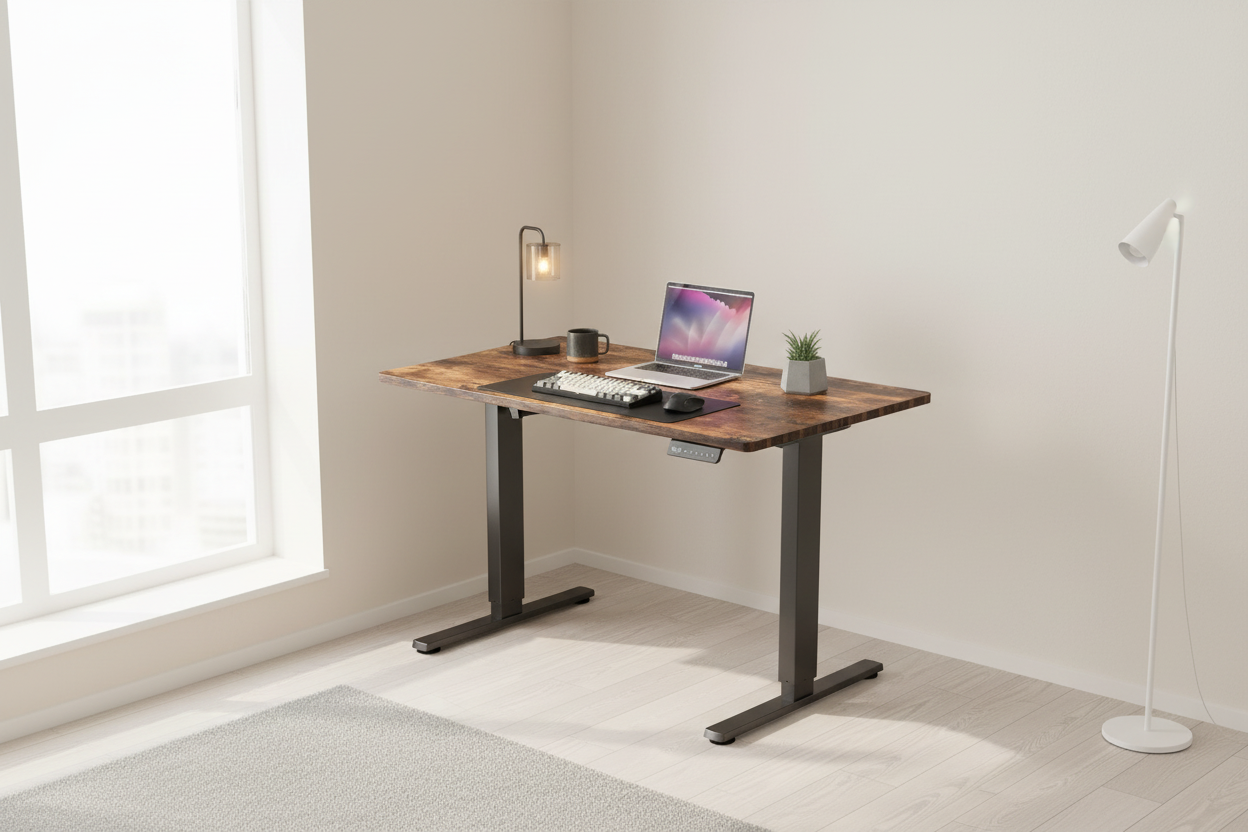
Product Spotlight: Rackora 40" x 24" Electric Standing Desk — $599.99

If you want more surface area and the convenience of electric height adjustment, the 40" x 24" model is the step up that makes sense.
At 40" wide and 24" deep, this desk fits a full monitor, keyboard, mouse, and still has room for a coffee and a notepad. It's the smallest footprint you can get while still having a proper workstation setup.
The electric motor adjusts height quietly — under 50 decibels, which matters in an apartment where your neighbors are close. It has three programmable memory presets, so you can save your exact sitting and standing heights and switch between them with one button press.

What works well:
- One-button height adjustment. Press your preset, the desk moves. No cranking, no manual effort.
- Three memory presets mean you can save sitting height, standing height, and a third position (counter height, for example).
- Rear cable management holes keep cords organized — important in a small space where clutter is amplified.
- Side hooks for headphones, bags, or accessories.
- Ships from a US warehouse, so delivery is fast.
What to know before buying:
- Needs a power outlet. In a small apartment, outlet placement matters — make sure you have one within reach of where you'll put the desk.
- At 42 lbs, it's heavier than the manual model. Still moveable, but you'll want to place it once and leave it.
- The brown wood-tone top has a specific aesthetic. It works well in warm, natural interiors but may not suit every apartment style.

Best for: Anyone who wants a full workstation setup in a small apartment and is willing to invest in the convenience of electric adjustment.
Shop the 40" Electric Standing Desk — $599.99 →
Which One Is Right for You?
Here's a simple way to decide between the two Rackora models:
Get the 27.5" Manual ($229) if:
- You primarily use a laptop (no external monitor)
- You have less than 3 feet of wall space
- You want to keep costs down
- You don't mind a manual crank
- You want something lightweight you can move around
Get the 40" Electric ($599.99) if:
- You use an external monitor
- You want one-button height adjustment
- You're setting up a permanent workstation
- You want memory presets for sitting and standing heights
- You're willing to spend more for daily convenience
Both desks are genuinely compact by standing desk standards. Neither will dominate a small room the way a standard 48–60" desk would.
Also Worth Considering: The Rolling Desk Option

If you want maximum flexibility — the ability to move your workspace from room to room — the Rackora Mobile Rolling Standing Desk ($158.07) is worth a look.
It's a laptop cart with locking casters, designed for people who work in different spots throughout the day. Roll it to the couch for a video call, move it to the kitchen for a standing work session, tuck it in a corner when you're done. The locking wheels keep it stable when you're actually working.
It's not a replacement for a full desk if you have a monitor and peripherals. But for a laptop-only setup in a very small space, it's the most flexible option on this list.
How to Set Up a Standing Desk in a Small Apartment: Practical Tips
1. Measure twice, order once. Before you buy anything, tape out the desk dimensions on your floor. A 27.5" x 18.5" rectangle is smaller than you think. A 40" x 24" rectangle is bigger. See how it actually fits in your space before committing.
2. Use corners. Corners are dead space in most apartments. A compact desk in a corner uses space that would otherwise hold nothing. The 40" model fits comfortably in most standard apartment corners.
3. Go vertical for storage. Once your desk is in place, resist the urge to pile things on it. Use wall shelves, pegboards, or a monitor arm to keep the desk surface clear. A cluttered small desk feels smaller than it is.
4. Cable management matters more in small spaces. In a big office, a few loose cables are invisible. In a studio apartment, they're the first thing you see. The 40" electric model has built-in cable management holes. Use them.
5. Get an anti-fatigue mat. If you're going to stand at your desk, you need a mat. Standing on hard floors for more than 20–30 minutes without cushioning causes foot and back fatigue. A good anti-fatigue mat costs $30–80 and makes a real difference.
6. Set your monitor height correctly. The top of your monitor should be at or slightly below eye level when standing. If you're using a laptop, a laptop stand brings the screen up to the right height. This is the most common ergonomic mistake people make with standing desks.
More Rackora Desks to Consider
If neither of the compact models above is quite right for your space, here are two more options from Rackora:
47" Height-Adjustable Desk in White — $489.38
A step up in surface area for people who need more room but still want a relatively compact footprint. The white finish is clean and works in most apartment aesthetics. At 47" wide, it fits a dual-monitor setup with a monitor arm.

48" x 24" Electric Ergo Standing Desk — $479.99
An electric model with a 28"–47" height range and a 48" surface. Good for people who want electric adjustment at a lower price point than the 40" model, and don't mind the slightly larger footprint.
Shop All Compact Standing Desks at Rackora →
Frequently Asked Questions
What is the smallest standing desk that's still practical for work?
The practical minimum for a laptop-only setup is about 24" wide and 18" deep. The Rackora 27.5" Manual Compact Desk (27.5" x 18.5") is right at that threshold — it fits a laptop, a mouse, and a drink without feeling cramped. If you need an external monitor, you'll want at least 36–40" of width.
Can a standing desk really double as a dining table in a small apartment?
Yes, if it adjusts to dining height (28–30"). The Rackora manual model goes down to 29.5", which works for a seated meal. The 27.5" surface is tight for two people but fine for one. The 40" model gives you more room. The key is choosing a desk with a clean surface that doesn't look out of place at mealtime.
How much floor space does a compact standing desk actually need?
The desk itself takes up its footprint (e.g., 27.5" x 18.5" for the manual model). But you also need clearance for your chair (about 24" behind the desk when seated) and space to stand comfortably (about 18–24" in front). Total floor space needed: roughly 27.5" wide by 5–6 feet deep for a full sitting/standing setup.
Is the manual crank on the 27.5" desk hard to use?
No. It takes about 10–15 seconds to go from sitting height to standing height. The mechanism is smooth and doesn't require much force. The main trade-off vs. electric is that you have to physically turn the crank rather than pressing a button. For most people, that's a minor inconvenience, not a dealbreaker.
How loud is the electric motor on the 40" desk?
Under 50 decibels during operation — roughly the volume of a quiet conversation or a refrigerator hum. In an apartment, you won't disturb neighbors or roommates when adjusting height. It's noticeably quieter than many electric standing desks in this price range.
Do I need a special floor mat for a standing desk in an apartment?
You don't need one, but you'll want one. Standing on hard floors (wood, tile, concrete) for more than 20–30 minutes causes fatigue. An anti-fatigue mat with cushioning makes standing sessions much more comfortable. Look for one that's 20" x 32" or larger, with a thickness of at least 3/4".
Will a compact standing desk wobble at full height?
Quality matters here. Cheap compact desks often wobble at standing height because the frame isn't rigid enough. The Rackora manual model uses a powder-coated steel frame that stays stable at all heights. The 40" electric model is similarly solid. If you're looking at other brands, check reviews specifically for wobble at standing height — it's the most common complaint with budget standing desks.
Can I use a monitor arm with a compact standing desk?
Yes, as long as the desk has a surface thick enough to clamp to (most are 1" or thicker) and the arm's reach matches your desk depth. A monitor arm is actually a great investment for a small desk — it frees up surface space by lifting the monitor off the desk entirely, and lets you position the screen at the exact right height and distance.
How long does assembly take?
The 27.5" manual model typically takes 20–30 minutes with basic tools. The 40" electric model is slightly more involved due to the motor and cable routing, but most people finish in 45–60 minutes. Both ship with all hardware and instructions included.
What's the weight capacity of these desks?
The 27.5" manual model holds standard laptop and monitor setups comfortably (the frame is rated for typical office equipment loads). The 40" electric model has a substantial weight capacity suitable for monitors, peripherals, and accessories. Neither desk is designed for heavy industrial use, but both handle everything a typical home office setup requires.
A small apartment doesn't have to mean a bad workspace. The right compact standing desk gives you ergonomic flexibility, multi-purpose utility, and a setup that actually fits your life — without taking over your living room.
If you're working with a tight budget and a very small footprint, the Rackora 27.5" Manual Compact Desk at $229 is the most practical starting point. If you want a full workstation with electric adjustment and more surface area, the 40" x 24" Electric model at $599.99 is worth the investment.
Either way, you're getting a desk that was designed for exactly the situation you're in: a real workspace in a real apartment, without the square footage of a dedicated home office.
Shop the 27.5" Manual — $229 → Shop the 40" Electric — $599.99 →
