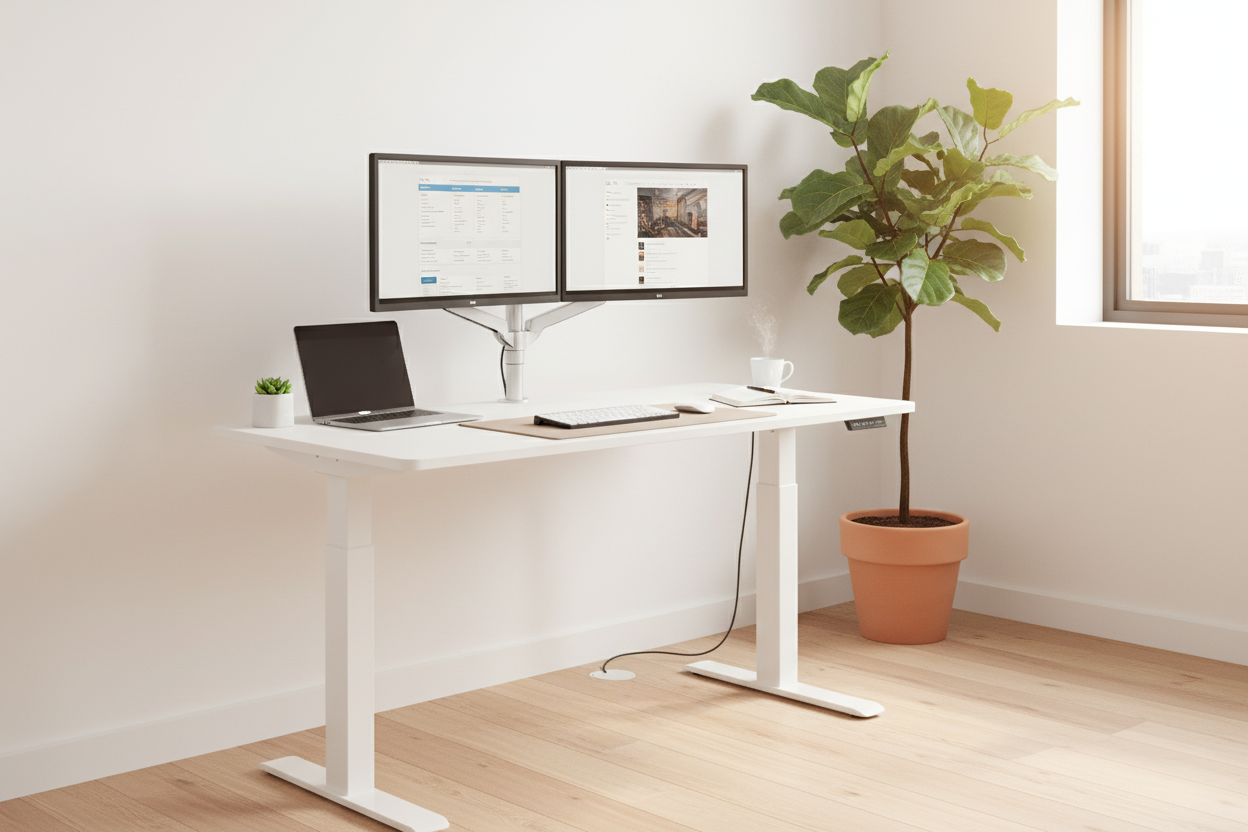
January hits different when you're staring at the same cluttered desk you've been using since 2020. Your back aches by 2 PM, your neck feels like concrete, and that "temporary" home office setup? Still temporary. If you're finally ready to stop treating your workspace like an afterthought, a standing desk isn't just another piece of furniture—it's the foundation of a workspace that actually works with your body instead of against it.
Research from the American Journal of Public Health shows that alternating between sitting and standing throughout the workday can reduce back pain by up to 54% and improve overall productivity by 46%. But here's what nobody tells you: not all standing desks are created equal, and choosing the wrong one can leave you with an expensive coat rack.
This guide cuts through the marketing fluff to show you exactly what to look for in a standing desk for 2026, which models actually deliver on their promises, and how to set up a home office that makes you want to work instead of dreading Monday mornings.
Why Your Current Desk Is Sabotaging Your Productivity
Most home office setups are disasters. You've got a dining chair that wasn't designed for eight-hour stretches, a desk height that forces you to hunch over, and a monitor positioned so poorly that your chiropractor could retire early on your visits alone.
The problem isn't just discomfort. When your workspace forces you into awkward positions, your body compensates in ways that kill your focus. That afternoon energy crash? It's not just the coffee wearing off—it's your body screaming for movement. Static sitting compresses your spine, restricts blood flow, and turns your hip flexors into tight rubber bands.
Standing desks solve this by giving you options. Not by forcing you to stand all day (that's just as bad), but by letting you shift positions when your body needs it. The key is having a desk that adjusts smoothly, holds your equipment securely, and doesn't require an engineering degree to operate.
Electric vs. Manual Standing Desks: What Actually Matters
Walk into any office furniture store and you'll hear the same pitch: electric standing desks are worth the premium because they're "effortless." Manual desks are positioned as budget options for people who don't mind a workout. Here's the reality—both have legitimate use cases, and the right choice depends on how you actually work.
Electric Standing Desks: The Premium Standard
Electric standing desks use motors to adjust height at the push of a button. Most quality models include memory presets, so you can save your preferred sitting and standing heights and switch between them in seconds. This matters more than you'd think—when adjusting your desk requires effort, you simply won't do it as often.
The 8x24 Inches Height Adjustable Ergo Standing Desk ($479.99) represents the sweet spot for electric models. With a height range from 28" to 47", it accommodates everyone from petite users to tall professionals who've spent years hunching over undersized desks. The 48" x 24" workspace gives you room for dual monitors, a keyboard, and actual desk space.
What separates this from cheaper electric desks is the lift capacity—80 lbs means you're not playing Jenga with your monitor setup every time you adjust height. The 15-minute assembly is legitimate; you're not spending your Saturday deciphering furniture instructions.
Best for: People who switch positions multiple times daily, anyone with mobility limitations, professionals with complex multi-monitor setups.
Shop 8x24" Electric Desk - $479.99 →
Manual Standing Desks: Underrated and Underpriced
Manual standing desks use a crank mechanism to adjust height. Yes, it requires a few seconds of effort. No, it's not a dealbreaker. In fact, for certain users, manual desks offer advantages that electric models can't match.
The Manual Height Adjustable Desk - 27.5" Compact Standing Desk ($229.00) proves that budget doesn't mean compromise. The 27.5" x 18.5" footprint fits in spaces where full-size desks won't, making it perfect for apartments, dorm rooms, or multi-purpose rooms where every square foot counts.
The height range (29.5" to 43.3") covers the ergonomic sweet spot for most users. The steel frame and composite wood top handle daily adjustments without wobbling or creaking. At 30 lbs, it's light enough to move between rooms but stable enough for serious work.
Here's the thing about manual desks: the crank mechanism is actually more reliable long-term than electric motors. No electronics means no motor failures, no control panel glitches, and no "why won't this thing move" moments when you're on a deadline.
Best for: Small spaces, budget-conscious buyers, people who adjust height once or twice daily, anyone who values mechanical simplicity.
Get Compact Manual Desk - $229.00 →
Our Top 5 Standing Desk Recommendations for 2026
1. Best Overall Value: 8x24" Height Adjustable Ergo Standing Desk - $479.99

This electric standing desk hits the sweet spot between features and affordability. The 48" x 24" work surface accommodates dual monitors comfortably, while the 28" to 47" height range works for users from 5'0" to 6'5". The 80 lb weight capacity handles serious setups without wobbling.
Key Features:
- Electric height adjustment with smooth operation
- Generous 48" x 24" workspace
- 28" to 47" height range
- 80 lb weight capacity
- Quick 15-minute assembly
- Built-in cable management
Best For: Remote workers with multi-monitor setups, anyone who adjusts desk height multiple times daily, professionals seeking reliable electric adjustment without premium pricing.
Get the 8x24" Ergo Desk - $479.99 →
2. Best Premium Option: 40" x 24" Ergonomic Electric Standing Desk - $599.99

When you need commercial-grade stability and features, this desk delivers. The 1,766 lb weight capacity is absurd overkill for home use—which means zero wobble even with the heaviest equipment. Three memory presets let you save exact heights for different tasks, and the sub-50 dB motor operates quieter than normal conversation.
Key Features:
- 1,766 lb weight capacity for maximum stability
- Three programmable memory presets
- Ultra-quiet motor (below 50 dB)
- Cable management holes
- Brown wood finish
- Anti-collision technology
Best For: Creative professionals who need rock-solid stability for precision work, heavy multi-monitor setups, anyone who values premium build quality and quiet operation.
Shop Premium 40" Desk - $599.99 →
3. Best for Small Spaces: 27.5" Compact Manual Standing Desk - $229.00

Proof that small spaces don't require compromising on ergonomics. The 27.5" x 18.5" footprint fits in corners, alcoves, and tight spaces where standard desks won't. The manual crank adjustment is reliable and maintenance-free.
Key Features:
- Ultra-compact 27.5" x 18.5" footprint
- Manual crank adjustment (no electronics to fail)
- 29.5" to 43.3" height range
- Steel frame with composite wood top
- Lightweight 30 lbs for easy repositioning
- White finish
Best For: Apartment dwellers, dorm rooms, multi-purpose spaces, budget-conscious buyers.
Get the Compact Desk - $229.00 →
4. Best for Large Setups: 47" Standing Desk - $489.38

When you need serious workspace for dual monitors, a laptop, and actual desk space for notes and accessories, this 47" model delivers. The white finish keeps aesthetics clean even with multiple displays.
Key Features:
- Spacious 47" work surface
- Electric height adjustment
- Fits 27" monitor plus accessories
- Solid 92 lb construction
- Clean white finish
- Cable management system
Best For: Developers with multi-monitor setups, designers who need space for tablets and reference materials.
Shop 47" White Desk - $489.38 →
5. Best Mobile Option: Rackora Mobile Rolling Desk - $158.07

For hybrid workers or anyone who needs workspace flexibility, this mobile desk rolls between rooms and locks in place when you're working. The compact design supports laptops from 11" to 15.6".
Key Features:
- Mobile design with locking casters
- Adjustable height for sitting or standing
- Supports laptops 11" to 15.6"
- Compact space-saving footprint
- Universal device compatibility
- Easy to move and store
Best For: Hybrid workers who move between locations, small apartments where space serves multiple purposes.
Get the Mobile Desk - $158.07 →
Setting Up Your Standing Desk for Maximum Productivity
Buying a standing desk is step one. Setting it up correctly is where most people fail. Here's how to actually optimize your workspace.
The Ergonomic Fundamentals
Monitor Height: Your screen should sit at arm's length, with the top of the display at or slightly below eye level. This prevents the forward head posture that causes neck pain. If your monitor sits directly on your desk, you need a monitor arm—the Full Motion Single Monitor Arm solves this with adjustable positioning that works for both sitting and standing heights.
Keyboard Position: Your elbows should form a 90-degree angle when typing, with your wrists straight (not bent up or down). If you're reaching up to type or hunching down, your desk height is wrong.
Standing Posture: Stand with your weight evenly distributed, knees slightly bent (not locked), and your core engaged. If you're leaning on the desk or shifting all your weight to one leg, you're doing it wrong.
The Sit-Stand Schedule That Actually Works
Here's what the research shows: standing all day is just as harmful as sitting all day. The goal is movement and variation, not replacing one static position with another.
Start with this schedule and adjust based on how your body responds:
- Morning (9 AM - 12 PM): Alternate every 30-45 minutes. Start sitting, stand for your first call, sit for focused work, stand for email processing.
- Afternoon (12 PM - 3 PM): Sit for lunch, stand for the post-lunch energy dip (standing helps combat that 2 PM crash), sit for deep work sessions.
- Late Afternoon (3 PM - 6 PM): Stand for meetings and calls, sit for detailed work that requires precision.
The key is listening to your body. If your feet hurt, sit. If your back feels tight, stand. The desk should adapt to you, not force you into a rigid schedule.
Common Standing Desk Mistakes (And How to Avoid Them)
Mistake #1: Standing Too Much, Too Soon
You buy a standing desk, get excited, and spend the entire first day standing. By 3 PM, your feet are screaming, your back hurts, and you're convinced standing desks are a scam.
The Fix: Start with 20-30 minutes of standing per day and gradually increase over 2-3 weeks. Your body needs time to adapt to the new position. Think of it like starting a new workout routine—you don't run a marathon on day one.
Mistake #2: Wrong Desk Height
You set your desk to a height that "feels about right" without actually measuring or checking ergonomic guidelines. This leads to hunched shoulders, wrist strain, and neck pain.
The Fix: Use the 90-degree rule—your elbows should form a 90-degree angle when typing, whether sitting or standing. Your monitor should be at arm's length with the top of the screen at or slightly below eye level.
Mistake #3: Ignoring Footwear
You stand in the same shoes you wear for sitting—dress shoes, heels, or completely barefoot. All of these create problems over extended standing periods.
The Fix: Invest in supportive footwear or a quality anti-fatigue mat. Your feet are the foundation of your standing posture; if they're uncomfortable, everything else suffers.
Mistake #4: Static Standing
You stand in one position without shifting weight or moving. This is just as bad as static sitting.
The Fix: Shift your weight between feet, take micro-breaks to walk around, and use a footrest to alternate which leg bears more weight. Movement is the goal, not just a different static position.
Mistake #5: Skipping the Transition Period
You expect immediate results and give up when you don't feel amazing after three days.
The Fix: Give your body 3-4 weeks to adapt. The benefits of a standing desk compound over time—you're not going to reverse years of sitting in a week.
The Real Cost of Standing Desks: Budget Breakdown
Standing desks range from $150 to $1,500+, and the price differences aren't just marketing. Here's what you actually get at each price point.
Budget Tier ($150-$300)
At this price point, you're looking at manual adjustment mechanisms, smaller work surfaces, and basic construction. The Manual Height Adjustable Desk ($229.00) represents the best of this category—solid construction, reliable adjustment mechanism, and a footprint that works in real-world spaces.
Pros: Low entry cost, mechanical simplicity, no electronics to fail
Cons: Manual adjustment requires effort, smaller work surfaces, fewer features
Mid-Range ($300-$600)
This is where electric motors enter the picture, along with larger work surfaces, better build quality, and features like memory presets. The 8x24 Inches Height Adjustable Ergo Standing Desk ($479.99) and 47-Inch Standing Desk ($489.38) sit in this sweet spot.
Pros: Electric adjustment, memory presets, larger work surfaces, better stability
Cons: Higher upfront cost, potential motor maintenance
Premium Tier ($600+)
Premium desks like the 40" x 24" Ergonomic Electric Standing Desk ($599.99) offer commercial-grade construction, higher weight capacities, quieter motors, and advanced features.
Pros: Maximum stability, highest weight capacity, quietest operation
Cons: Highest cost, features you might not need
The Health Benefits: What the Research Actually Shows
Proven Benefits
Reduced Back Pain: Multiple studies show that alternating between sitting and standing reduces lower back pain by 32-54% over 4-6 weeks. The key word is "alternating"—standing alone doesn't fix back pain.
Improved Energy and Focus: Research from the Texas A&M Health Science Center found that workers using standing desks reported 46% higher productivity and 66% improvement in focus compared to seated-only workers.
Better Posture: Standing desks encourage better spinal alignment and reduce the forward head posture that causes neck and shoulder pain. However, this only works if you set up your desk correctly.
Increased Calorie Burn: Standing burns approximately 50 more calories per hour than sitting. Over a full workday, this adds up to 200-300 extra calories burned.
Overstated Claims
Weight Loss: Standing desks alone won't make you lose weight. The increased calorie burn is modest, and without dietary changes or additional exercise, the impact on weight is minimal.
Reduced Risk of Heart Disease: Some studies suggest that prolonged sitting increases cardiovascular risk, but the evidence that standing desks specifically reduce this risk is limited. Regular exercise matters far more.
Improved Circulation: Standing does promote better blood flow compared to sitting, but standing in one position for hours creates its own circulation problems. Movement is what improves circulation, not just standing.
Frequently Asked Questions About Standing Desks
1. How long should I stand at my standing desk each day?
Start with 20-30 minutes per day and gradually increase to 2-4 hours over several weeks. The goal isn't to stand all day—it's to alternate between sitting and standing throughout the day. Most ergonomics experts recommend a 1:1 or 2:1 sitting-to-standing ratio. Listen to your body and adjust based on how you feel.
2. Will a standing desk help me lose weight?
Standing burns approximately 50 more calories per hour than sitting, which adds up to 200-300 extra calories over an 8-hour workday. While this is better than nothing, it's not a significant weight loss strategy on its own. Think of it as a small bonus, not a replacement for proper diet and exercise.
3. What's the ideal height for a standing desk?
The ideal height varies based on your height and proportions. As a general rule, your elbows should form a 90-degree angle when typing, and your monitor should be at arm's length with the top of the screen at or slightly below eye level. Most people need a desk that adjusts from 28-30" (sitting) to 42-48" (standing).
4. Are electric standing desks worth the extra cost?
If you plan to adjust your desk multiple times per day, electric motors with memory presets are worth the investment. The ease of adjustment means you'll actually use the standing function instead of leaving the desk in one position. If you only adjust once or twice daily, a manual desk saves money without sacrificing functionality.
5. How much weight can standing desks hold?
Weight capacity varies significantly by model. Budget desks typically handle 50-80 lbs, mid-range models support 100-150 lbs, and premium desks can hold 200+ lbs. Consider your entire setup—monitors, laptop, keyboard, mouse, desk accessories, and any other equipment. Add 20-30% buffer to your calculated weight for safety and stability.
6. Do I need a mat for my standing desk?
Anti-fatigue mats significantly improve comfort during extended standing periods. They reduce pressure on your feet and joints and encourage subtle movements that improve circulation. If you're standing on hard floors (wood, tile, concrete), a mat is highly recommended. If you're standing on carpet, you may not need one.
7. Can I use a standing desk if I have back problems?
Many people with back problems find relief from standing desks because they allow position changes throughout the day. However, standing alone won't fix back issues, and poor standing posture can make problems worse. Consult with your doctor or physical therapist before making changes to your workspace.
8. How long does it take to assemble a standing desk?
Assembly time varies by model. Simple manual desks can be assembled in 15-30 minutes. Electric desks with more components typically take 30-60 minutes. The 8x24" Height Adjustable Ergo Standing Desk advertises 15-minute assembly, which is accurate for most users.
9. What's the difference between a standing desk and a desk converter?
A standing desk is a complete desk that adjusts from sitting to standing height. A desk converter sits on top of your existing desk and raises your monitor and keyboard. Converters are cheaper ($100-300) and don't require replacing your current desk, but they reduce your work surface and often feel less stable. Full standing desks provide better ergonomics and stability.
10. How do I prevent my standing desk from wobbling?
Wobbling usually comes from three sources: uneven floors, insufficient weight capacity, or poor construction. First, ensure your desk is on level ground—use adjustable feet or shims if needed. Second, don't exceed the desk's weight capacity. Third, choose desks with reinforced frames and anti-collision technology. The premium 40" x 24" Ergonomic Electric Standing Desk eliminates wobble with its commercial-grade construction.
Making the Investment: Your Next Steps
You've read the research, compared the options, and understand what makes a standing desk actually work. Here's how to move from research to action.
Measure Your Space
Before buying anything, measure your available space. You need room for the desk itself plus clearance for your chair when sitting. Don't forget to account for the desk's depth when fully extended.
Calculate Your Budget
Factor in the desk plus essential accessories (monitor arm, cable management, potentially an anti-fatigue mat). A $400 desk plus $150 in accessories is still cheaper than a $600 desk that requires the same accessories.
Start With These Proven Options
Best Overall Value: 8x24 Inches Height Adjustable Ergo Standing Desk ($479.99) - Electric adjustment, generous work surface, solid build quality.
Best for Small Spaces: Manual Height Adjustable Desk - 27.5" Compact ($229.00) - Fits where other desks won't, reliable manual adjustment.
Best Premium Option: 40" x 24" Ergonomic Electric Height Adjustable Standing Desk ($599.99) - Maximum stability, commercial-grade construction.
Best for Flexibility: Rackora Small Mobile Rolling Standing Desk ($158.07) - Move your workspace anywhere.
Best for Large Setups: 47-Inch Standing Desk with Height Adjustment ($489.38) - Room for dual monitors plus accessories.
The Bottom Line
Your workspace should work for you, not against you. A standing desk isn't a magic solution, but it's a powerful tool for creating a more dynamic, comfortable, and productive work environment. The key is choosing the right desk for your needs, setting it up correctly, and using it as intended—alternating between sitting and standing throughout the day.
Whether you choose the budget-friendly compact manual desk at $229 or the premium electric model at $599, the investment in your health and productivity pays dividends. Start with the right desk, set it up properly, transition gradually, and give your body time to adapt. Your back, your energy levels, and your productivity will thank you.
Ready to transform your workspace? Browse our complete collection of standing desks and start your home office makeover today.
