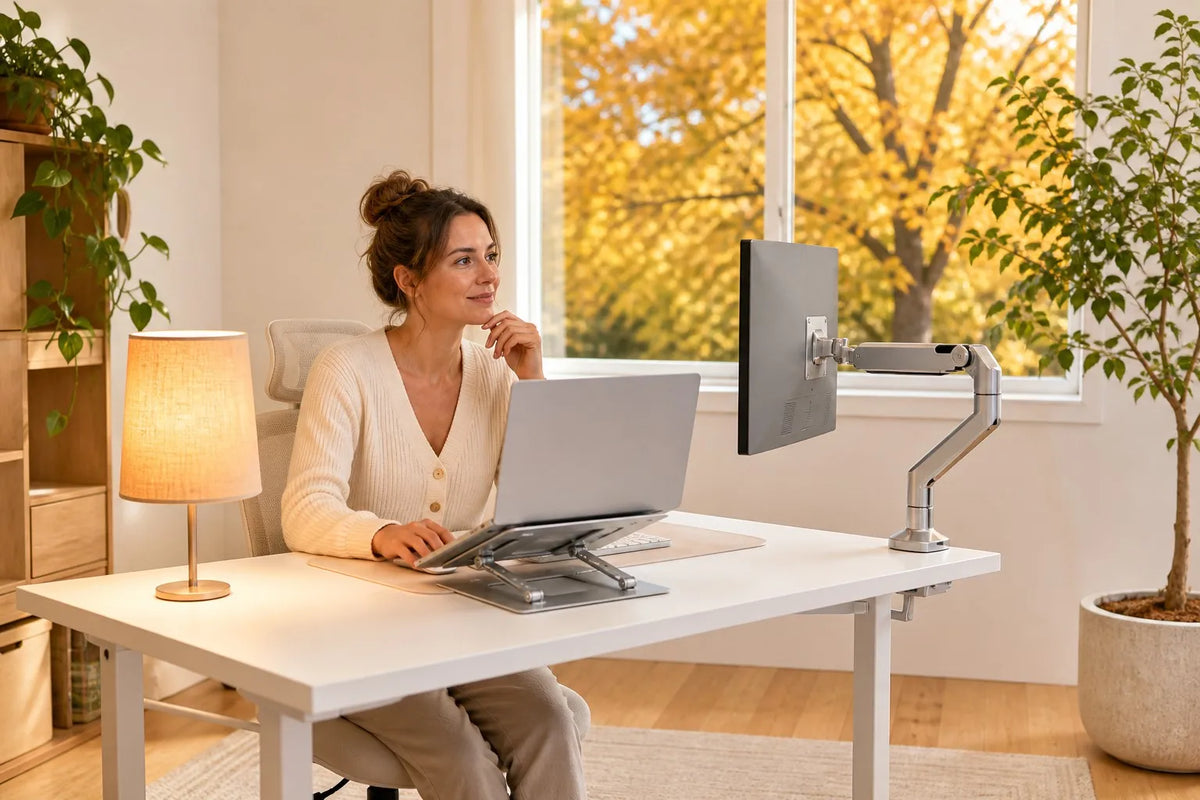
Fall Daylight Is Shrinking: How Lighting and Desk Setup Affect Your 4 p.m. Energy
It is 4 p.m. in October, and your home office suddenly feels finished for the day. The sun is low, the room looks flat, and your screen seems harder to read than it did an hour ago. Your shoulders creep upward, you lean toward the monitor, and the last part of the workday starts to drag.
That fall afternoon slump is not just about motivation. Shorter days, lower-angle sunlight, screen glare, and hours spent in one position can all make late-day work feel heavier. The good news is that you do not need to rebuild your office. A few smart changes to your lighting, screen position, and desk height can make 4 p.m. feel much more manageable.
Why 4 p.m. Feels Different in Fall
In summer, late afternoon still feels bright and active. In fall, daylight fades earlier across much of the United States, and many people finish the workday after the strongest natural light has already left the room.
At the same time, fall often means more hours indoors. Lunch walks get shorter, windows stay closed, and the workday becomes a long stretch of screen time. By late afternoon, a dim room can make you feel as if the day is ending even when your calendar says otherwise.
The solution is not to blast the overhead light or turn your monitor brightness all the way up. It is to give the room better light, reduce reflections, and change your physical position before fatigue settles in.
Low Fall Sun Creates a Different Kind of Glare
Summer sunlight tends to come from higher in the sky. Fall sunlight enters windows at a lower angle, often right at desk and eye level. A window that gave you pleasant daylight in July may send a bright reflection across your monitor in October.
Glare creates a quiet chain reaction. You squint, move closer to the screen, tilt your head, and hold tension in your neck and shoulders. None of those movements feels dramatic, but together they can drain your focus.
Start by placing your monitor perpendicular to the window instead of directly facing it or sitting with the window behind you. Then move your lamp outside the screen's reflection zone. If the reflection remains, change the screen angle rather than increasing brightness.

This is where a Rackora single monitor arm can be useful. It lets you adjust the screen position as the sunlight moves, making it easier to shift a reflection away from your line of sight. The current price is $139.99.
Use Three Layers of Light
A comfortable home office usually needs more than one ceiling fixture. Think of lighting in three simple layers:
- Ambient light provides soft, general brightness for the room.
- Task light illuminates your keyboard, notebook, or paperwork.
- Accent light adds a warmer glow to a corner, shelf, or wall.
Each layer has a different job. Ambient light keeps the room from feeling dark around a bright screen. Task light helps you see your work without flooding the whole room. Accent light makes the office feel less clinical as daylight fades.
For desk work, place a task lamp to the side and slightly in front of you. Aim it at the work surface, not the monitor. If you write with your right hand, placing the lamp on the left can also reduce shadows on the page, and vice versa.
Let the Room Change With the Day
Bright, cooler light tends to feel more appropriate during the active part of the day. Warmer, softer light feels more natural as evening approaches. You do not need an elaborate smart-lighting system to use that difference.
During the morning and early afternoon, keep the room bright enough that the monitor is not the dominant light source. Around the end of the workday, reduce the task lighting and switch to a warmer lamp. That transition helps the room move from work mode to evening mode instead of changing all at once when the sun disappears.
Desk Height Changes the Lighting Geometry
Your screen, window, and eyes form a triangle. When you change your working height, that triangle changes too. A reflection that sits directly in your line of sight while seated may move or disappear when you stand.

That makes a sit-stand desk more than a posture tool. It gives you a second working position when the afternoon light shifts. The Rackora 40×24 electric standing desk, priced from $599.99, includes memory presets so you can move between saved seated and standing positions without rebuilding your setup each time.
Try this simple fall-afternoon reset: when glare or fatigue shows up, raise the desk, adjust the monitor, and work standing for a short block. The goal is not to stand all day. It is to avoid spending the entire afternoon locked into one position.
Set the Screen at a More Comfortable Height
Laptops are convenient, but a laptop placed flat on a desk usually keeps the screen low and fixed. That can encourage you to bend toward the display, especially when the room gets dimmer.

The Rackora Ergo Laptop Stand Elite Edition, currently $79.99, raises the laptop screen and gives you another way to adjust its relationship to the window and desk lamp. Pairing a raised laptop with an external keyboard and mouse can also make it easier to sit back from the screen.
A Practical 4 p.m. Reset
When your energy drops, use a short reset instead of reaching immediately for another coffee:
- Change the light. Turn on the task lamp or brighten the room around the screen.
- Change your height. Move from sitting to standing, or sit down if you have been standing for a while.
- Change your view. Adjust the monitor angle and look away from the screen for a moment.
- Move. Walk to the kitchen, refill your water, or take a quick lap around the house.
If you want a more structured approach, our September standing desk routine offers a simple way to alternate seated and standing work blocks. For a broader seasonal refresh, see the fall home office setup guide.
Build the Setup Around How You Actually Work
A useful home office is not a showroom. It should help you move, keep the screen readable, and stay comfortable through the last hour of the workday.
For a flexible setup, start with the piece that solves your biggest problem. If the afternoon sun reflects across the screen, begin with the monitor position. If you stay seated for hours because changing height is inconvenient, consider the standing desk. If your laptop keeps pulling your head downward, raise it.

For the seated part of a sit-stand routine, the L2 ergonomic office chair is the $389 model referenced in this setup. The goal is not to add products for the sake of adding products. Each piece should solve a specific problem in the way you work.
Common Fall Home Office Lighting Mistakes
- Using only the overhead light: It can leave the desk in shadow while making the rest of the room feel flat.
- Putting a lamp behind you: This can cast your shadow onto the work surface and create a reflection on the screen.
- Turning up monitor brightness to fight sunlight: Repositioning the screen or controlling the window light is usually more comfortable.
- Working in a dark room with a bright screen: Add ambient light so your eyes are not switching between a glowing display and a dark background.
- Keeping the same setup all day: Fall light moves quickly. Your screen angle, blinds, lamp, or desk height may need to move with it.
Frequently Asked Questions
Why do I feel tired around 4 p.m. in fall?
A late-afternoon dip is common, and shorter fall days can make it feel more noticeable. Less natural light, long periods of sitting, screen glare, and a dim workspace may all contribute to that heavy end-of-day feeling.
What is the best lighting setup for a home office?
Use soft ambient light for the room, focused task light for the work surface, and optional accent light for warmth. Keep bright lamps out of the monitor's reflection zone.
How can I reduce monitor glare?
Place the screen perpendicular to the window, move lamps to the side, adjust blinds, and tilt or reposition the display. A movable monitor arm makes those small adjustments easier.
Can a standing desk help with an afternoon slump?
Changing from sitting to standing adds movement and may give you a better viewing angle when the sunlight shifts. It is one practical part of an afternoon reset, not a cure-all.
Should office lighting be warm or cool?
Brighter, cooler light often works well earlier in the day, while warmer light can make the transition into evening feel more natural. The best choice depends on the hour and the task.
Fall changes the light before it changes your calendar. When daylight fades earlier, a screen reflection, low laptop, fixed desk height, or dim room can make the final stretch of work feel harder than it needs to.
Start with the basics: light the room as well as the desk, keep reflections off the screen, and change position before fatigue takes over. Then choose equipment based on the specific problem you want to solve. A better fall workday is less about buying more and more about making the light, screen, desk, and chair work together.
