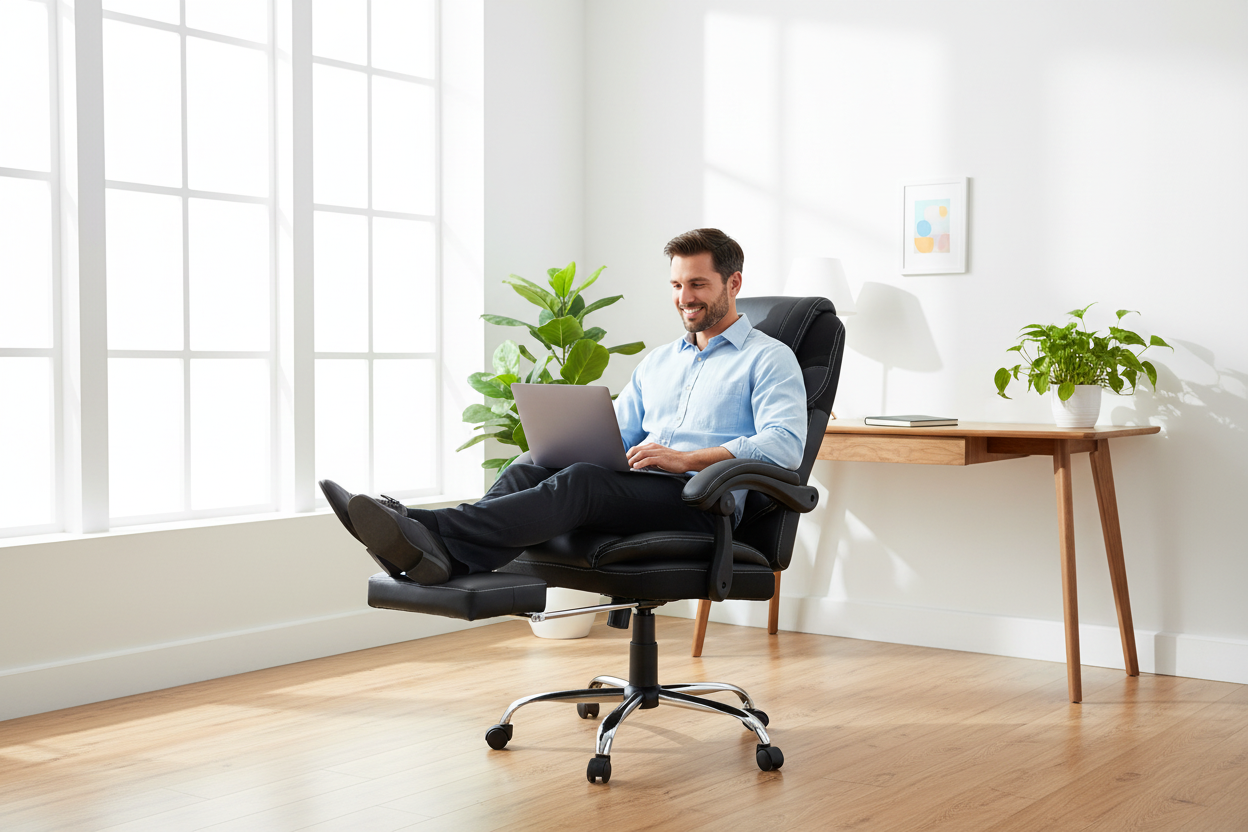
You've Been Sitting Wrong — And It's Costing You More Than Just Back Pain
Let's be honest. Most of us were taught that good posture means sitting up straight, feet flat on the floor, back at a perfect 90-degree angle. It sounds right. It looks professional. And for decades, office furniture designers built entire product lines around that idea.
There's just one problem: it's not actually how the human body works best.
If you've ever finished a long workday feeling like your lower back was slowly being compressed into a pancake, you're not imagining things. The rigid, upright sitting posture that traditional task chairs enforce puts a surprising amount of pressure on your lumbar discs — more, in fact, than standing or even lying down. And when you're spending 8, 10, or 12 hours a day in that position, the cumulative effect on your spine, your focus, and your energy levels is real.
This article is a deep dive into the actual science of sitting, a head-to-head comparison between traditional task chairs and reclining office chairs with footrests, and a practical guide to figuring out which setup is right for your work style. We'll also take a close look at the Rackora Massage Reclining Office Chair — a $529 chair that's been quietly changing how a lot of remote workers think about their workday.
No fluff. Just the real breakdown.
Part 1: The 90-Degree Myth — Why "Perfect Posture" Is a Lie
Where the 90-Degree Rule Came From
The idea that 90 degrees is the ideal sitting angle has roots in mid-20th century ergonomics research. Early studies focused on factory workers and typists, and the goal was to minimize awkward reaching and reduce wrist strain. The 90-degree hip angle made sense in that context — it kept workers close to their workstations and reduced lateral movement.
But here's what those early researchers didn't fully account for: the spine isn't designed to be static. It's a dynamic, load-bearing structure that thrives on movement and variation. Locking it into a single position — even a "correct" one — for hours at a time creates compressive forces that build up over time.
What the Research Actually Says
A landmark study published in the journal Spine used MRI imaging to measure intradiscal pressure (the pressure inside your spinal discs) across different body positions. The findings were eye-opening:
- Lying flat: lowest disc pressure
- Standing: moderate disc pressure
- Sitting upright at 90°: significantly higher disc pressure than standing
- Sitting reclined at 135°: disc pressure drops substantially compared to 90°
In other words, the position that most traditional task chairs force you into is actually one of the worst for your spinal discs over long periods. The 135-degree recline — the kind you get with a quality reclining office chair — is measurably better for your lumbar spine during extended sitting sessions.
The Muscle Fatigue Factor
There's another piece of this puzzle that doesn't get talked about enough: muscle fatigue. When you sit upright at 90 degrees, your core and back muscles are constantly working to hold you in that position. It's low-intensity, but it's continuous. Over the course of a workday, that sustained muscle activation leads to fatigue — and fatigue leads to slouching, which leads to the exact poor posture you were trying to avoid in the first place.
A reclining position transfers more of your body weight to the chair's backrest, reducing the muscular load on your spine. Your muscles get a partial break without you having to leave your desk. That's not laziness — that's smart ergonomics.

Part 2: Traditional Task Chair vs. Reclining Office Chair — A Real Comparison
What a Traditional Task Chair Does Well
Let's give credit where it's due. A well-designed traditional task chair has real strengths:
- Compact footprint: Task chairs are typically smaller and easier to tuck under a desk, which matters in tight home office setups.
- Adjustability for desk work: Most task chairs are designed to position you at the right height relative to a standard desk, with armrests that support typing posture.
- Breathability: Many modern task chairs use mesh backs that allow airflow, which helps with temperature regulation during long sessions.
- Lower price point: Entry-level task chairs are generally more affordable than full-featured reclining chairs.
If you're doing short, focused work sessions — say, 2-3 hours at a time with regular breaks — a good task chair can absolutely get the job done.
Where Traditional Task Chairs Fall Short
The problems start to compound when you're sitting for longer stretches. Here's where traditional task chairs consistently underperform:
- No recovery mode: A task chair is a one-position tool. When you need to decompress, think through a problem, or take a mental break, you're stuck in the same upright position. There's no way to shift into a lower-intensity posture without leaving your chair entirely.
- Limited lumbar support: Most task chairs offer basic lumbar support, but it's often a fixed pad or a simple adjustment that doesn't adapt to your movement throughout the day.
- No leg elevation: Keeping your legs at 90 degrees for hours restricts blood flow in the lower extremities. Without a footrest, many people end up crossing their legs or shifting constantly — both of which create their own postural problems.
- Mental fatigue amplification: There's a real connection between physical discomfort and cognitive performance. When your body is uncomfortable, your brain is spending resources managing that discomfort instead of focusing on your work.
What a Reclining Office Chair with Footrest Changes
A quality reclining office chair with an integrated footrest isn't just a more comfortable chair — it's a fundamentally different approach to how you spend your workday.
The key difference is the ability to shift between active work mode and recovery mode without leaving your workspace. When you're in a focused sprint — writing, coding, designing — you can sit more upright. When you're in a thinking phase — reviewing, planning, reading — you can recline to 135 or even 155 degrees, extend the footrest, and let your spine decompress while your brain keeps working.
This isn't a minor quality-of-life upgrade. It's a structural change in how your body experiences a long workday.

Rackora Massage Reclining Office Chair with Footrest — $529
Recline up to 155°, built-in massage, 300 lb capacity.
→ Shop the Rackora Massage Reclining Chair — $529
Part 3: The Science of Dynamic Recovery — Why 135° to 155° Is the Sweet Spot
Spinal Decompression in Practice
When you recline past 120 degrees, something interesting happens to your spine. The compressive load on your lumbar discs decreases significantly. The muscles along your spine — the erector spinae, the multifidus — get a chance to relax. The intervertebral discs, which are essentially fluid-filled shock absorbers, can rehydrate slightly as the pressure on them eases.
This is why people instinctively lean back when they're thinking hard. It's not laziness — it's your body's way of reducing physical load so your brain can operate more efficiently. A reclining office chair that supports this position properly (with a headrest, lumbar support, and footrest) turns that instinct into a productive tool.
The Footrest Connection
The footrest is more important than most people realize. When you recline without leg support, your legs hang at an angle that creates tension in your hip flexors and lower back. The footrest solves this by elevating your legs to a position that complements the reclined angle of your torso.
At a 135-155 degree recline with legs elevated, your body approaches a "zero gravity" position — a posture originally developed by NASA to distribute body weight evenly across the spine during launch. In this position, the pressure on your lumbar spine is at its lowest while seated, and blood circulation in your legs improves significantly.
Deep Work and the Reclined Position
There's a growing body of anecdotal evidence — and some emerging research — suggesting that certain types of cognitive work actually benefit from a more relaxed physical posture. Creative thinking, problem-solving, and strategic planning often happen better when the body isn't in a state of physical tension.
The 135-degree recline isn't a nap position. It's a thinking position. Many writers, designers, and executives who've switched to reclining chairs report that their best ideas come during reclined sessions — not despite the relaxed posture, but because of it.
Part 4: Product Deep Dive — The Rackora Massage Reclining Office Chair ($529)
There are a lot of reclining chairs on the market. Most of them are either cheap recliners that weren't designed for desk work, or expensive executive chairs that recline slightly but don't offer real recovery functionality. The Rackora Massage Reclining Office Chair sits in a different category.
What Makes It Different
155-degree recline range: This isn't a chair that tilts back 15 degrees and calls it a recline. The Rackora goes all the way to 155 degrees — far enough to achieve genuine spinal decompression, but not so far that you're essentially lying flat and unable to work.
Integrated retractable footrest: The footrest extends smoothly and locks in position, supporting your legs at the right angle to complement the reclined torso position. When you're ready to return to upright work mode, it tucks away cleanly.
Built-in massage function: This is where the "recovery" aspect gets serious. The chair includes a massage system that targets the lumbar and back regions — useful for breaking up muscle tension during long sessions without having to leave your workspace. It's not a spa massage, but it's genuinely effective for reducing the kind of low-grade muscle tension that builds up over a workday.
300 lb weight capacity: Built for real-world use, not just the average-sized person. The reinforced frame handles heavier users without compromising the recline mechanism or the structural integrity of the chair.
High-back design with headrest: When you recline, your head needs support. The high-back design and adjustable headrest ensure that your cervical spine is supported at every recline angle, not just when you're sitting upright.
Adjustable lumbar support: The lumbar support adjusts to fit your specific spinal curve, which matters because lumbar support that's positioned wrong is often worse than no lumbar support at all.
At $529, the Rackora Massage Reclining Chair is priced at the intersection of serious ergonomic functionality and real-world affordability. You're not paying for a brand name — you're paying for a chair that was actually designed around how people work.
→ Get the Rackora Massage Reclining Chair — $529
Part 5: Other Reclining Chair Options from Rackora
Not everyone needs the full massage feature set. Depending on your work style, budget, and the amount of time you spend at your desk, one of these alternatives might be a better fit.
155° Reclining Swivel Ergonomic Office Chair — $546

If you want the full 155-degree recline range with a swivel base and a clean, executive aesthetic — but don't need the massage function — this is the chair. It's built for people who want maximum recline flexibility in a more traditional office chair form factor. The swivel base and smooth-rolling casters make it easy to move around your workspace, and the high-back design provides full spinal support at every angle.
Reclining Office Chair with Footrest & Inflatable Lumbar Support — $429

The standout feature here is the inflatable lumbar support — a pump-adjustable air bladder that lets you dial in the exact amount of lumbar pressure you need. This is particularly useful if you have a specific lumbar condition or if your lumbar support needs change throughout the day. At $429, it's the most accessible entry point into Rackora's reclining chair lineup without sacrificing the footrest or the recline range.
L2 Ergonomic Office Chair with Footrest & 135° Recline — $489

The L2 is Rackora's most refined ergonomic chair design — clean lines, a 135-degree recline, and a retractable footrest in a package that looks as good as it performs. If you're setting up a home office that needs to look professional on video calls while still giving you real ergonomic functionality, the L2 hits that balance well. The 135-degree recline is the scientifically validated sweet spot for spinal decompression, and the footrest integrates cleanly into the chair's design.
High Back Mesh Office Chair — $241

Not everyone needs a full recline. If you're primarily doing focused desk work and want a breathable, ergonomic chair with a footrest for leg support — without the full reclining mechanism — this mesh chair is worth a look. The breathable mesh back keeps you cooler during long sessions, and the lumbar support is adjustable. At $241, it's the most budget-friendly option in the lineup that still takes ergonomics seriously.
Part 6: Who Should Choose a Reclining Chair — And Who Shouldn't
A Reclining Office Chair Is Probably Right for You If:
- You work 6+ hours a day at a desk
- You experience lower back pain, hip tightness, or leg fatigue during or after work
- Your work involves extended periods of reading, reviewing, or thinking (not just typing)
- You work from home and have the space for a slightly larger chair footprint
- You've tried multiple task chairs and still end up uncomfortable by mid-afternoon
- You want to reduce the number of times you have to get up and walk around just to relieve physical discomfort
A Traditional Task Chair Might Still Be the Better Choice If:
- You work in a shared office environment where a reclining chair would be impractical or out of place
- Your desk setup is very compact and you need a chair with a minimal footprint
- You work in short, intense sessions with frequent breaks and movement
- Your primary concern is wrist and shoulder positioning for heavy typing work, and you're not experiencing back or leg discomfort
The honest answer is that for most people who work from home and spend long hours at a desk, a reclining chair with a footrest is the better long-term investment. The productivity benefits of reduced physical discomfort compound over time in ways that are hard to quantify but very easy to feel.
Part 7: Setting Up Your Reclining Chair for Maximum Productivity
The Two-Mode Workflow
The most effective way to use a reclining office chair isn't to pick one angle and stay there all day. It's to use the chair's range of motion as a deliberate productivity tool.

Active work mode (90°–110°): Use this position for tasks that require close attention to your screen, precise mouse work, or heavy typing. Sit closer to upright, with your arms supported by the armrests and your eyes level with the top third of your monitor.
Review and thinking mode (120°–135°): Use this position for reading long documents, reviewing designs, listening to calls, or working through complex problems. Extend the footrest, recline to a comfortable angle, and let your body decompress while your brain stays engaged.
Deep recovery mode (135°–155°): Use this position for intentional recovery breaks — 10-15 minutes of eyes-closed rest, meditation, or simply letting your spine decompress between intense work sessions. This isn't slacking; it's maintenance.
Monitor Height Matters More in a Reclining Chair
One thing to be aware of: when you recline, your eye level changes. If your monitor is at a fixed height, you may find yourself craning your neck upward in the reclined position. A monitor arm that allows height and tilt adjustment is a worthwhile addition to any reclining chair setup. It lets you optimize your screen position for each work mode without having to compromise.
Desk Height Compatibility
Most reclining office chairs work fine with standard desk heights (28-30 inches) when in the upright position. In the reclined position, you'll naturally move slightly away from the desk, which is fine for tasks that don't require close keyboard work. If you're doing a lot of laptop work in the reclined position, a lap desk or a monitor arm with a keyboard tray can help bridge the gap.
Part 8: The Long-Term Math on Ergonomic Investment
A $529 chair sounds like a significant purchase. And it is. But let's put it in context.
The average American worker spends roughly 1,700 hours per year sitting at a desk. If you're working from home, that number is often higher. Over a 5-year lifespan for a quality chair, that's 8,500 hours of use — which works out to about $0.06 per hour for the Rackora Massage Reclining Chair.
Compare that to the cost of a single physical therapy session for back pain (typically $150-$300 per session), the productivity loss from chronic discomfort, or the long-term health costs of years of poor spinal loading. The math on a quality ergonomic chair is actually pretty straightforward.
This isn't about luxury. It's about treating your workspace as a tool that either supports your performance or quietly undermines it.
→ Invest in the Rackora Massage Reclining Chair — $529
Frequently Asked Questions
Is a reclining office chair actually good for productivity, or does it just make you sleepy?
This is the most common concern, and it's a fair one. The key is the angle. A 135-degree recline is a thinking position, not a sleeping position. Most people find that reclining to this angle while keeping their eyes on a screen or listening to audio actually improves focus during review and ideation tasks. The 155-degree position is better suited for intentional recovery breaks. If you're falling asleep in your chair, you're probably already sleep-deprived — the chair isn't the cause.
Can I use a reclining office chair with a standard desk?
Yes, with some caveats. In the upright position, a reclining chair works fine with any standard desk. When you recline, you'll naturally move back from the desk, which is appropriate for tasks that don't require close keyboard work. For heavy typing in the reclined position, a monitor arm and a wireless keyboard/mouse setup makes the experience much more comfortable.
What's the difference between a reclining office chair and a regular recliner?
A regular recliner (the kind you'd find in a living room) is designed for passive relaxation — watching TV, reading for leisure, napping. It typically doesn't have the height adjustability, armrest positioning, or lumbar support needed for active desk work. A reclining office chair is designed to support both active work and recovery, with adjustable seat height, proper armrest positioning for keyboard use, and lumbar support that works across the recline range.
How much recline is too much for a work chair?
For active work, 110-135 degrees is the practical range. Beyond 135 degrees, most people find it difficult to maintain focus on a screen without neck strain (unless the monitor is positioned very high). The 135-155 degree range is best used for intentional recovery breaks rather than active screen work. The Rackora chairs that go to 155 degrees give you the full range — you choose how to use it.
Is the footrest on the Rackora chair sturdy enough for daily use?
Yes. The footrest on the Rackora Massage Reclining Chair is a retractable mechanism built into the chair's base, not an add-on accessory. It's designed for daily use and supports the chair's 300 lb weight capacity. It extends and retracts smoothly and locks in position when extended.
Does the massage function on the Rackora chair require a power outlet?
Yes, the massage function is electrically powered and requires a standard outlet. The chair comes with a power cord that connects to the massage motor. The rest of the chair's functions — recline, footrest, height adjustment — are mechanical and don't require power.
How long does it take to notice a difference when switching from a task chair to a reclining chair?
Most people notice a difference within the first week. The initial adjustment period involves learning how to use the recline range effectively — figuring out which angle works best for which tasks. By the end of the first month, most users report significantly less end-of-day back and leg fatigue. The long-term benefits to spinal health accumulate over months and years.
Is a reclining office chair worth it if I only work 4-5 hours a day?
It depends on your current comfort level. If you're already experiencing back pain or leg fatigue in shorter sessions, a reclining chair will help. If you're comfortable in your current setup and only working part-time hours, a high-quality task chair with good lumbar support might be sufficient. The reclining chair's benefits scale with the number of hours you spend sitting.
What's the weight capacity of the Rackora Massage Reclining Chair?
The Rackora Massage Reclining Office Chair supports up to 300 lbs. This applies to all functions of the chair, including the recline mechanism and the footrest.
How does the Rackora reclining chair compare to Herman Miller or Steelcase ergonomic chairs?
Herman Miller and Steelcase make excellent task chairs — but they're task chairs. They're designed for upright, active desk work and don't offer meaningful recline functionality. If your primary need is a high-quality upright task chair, those brands are worth the premium. If you want a chair that supports both active work and genuine recovery — with a footrest and a real recline range — the Rackora chairs offer functionality that Herman Miller and Steelcase simply don't provide at any price point.
The 90-degree sitting posture that traditional task chairs enforce isn't the ergonomic ideal it was once thought to be. The research is clear: a reclined position reduces spinal disc pressure, decreases muscle fatigue, and — when used strategically — can actually support certain types of cognitive work rather than undermining them.
A reclining office chair with a footrest isn't a luxury item for people who want to lounge at work. It's a functional tool for people who take their work seriously enough to optimize the environment they do it in.
The Rackora Massage Reclining Office Chair at $529 is the most complete version of that tool — with a 155-degree recline range, an integrated footrest, a built-in massage function, and a 300 lb capacity. But whether you go with the massage model or one of the other options in the Rackora lineup, the core principle is the same: your chair should work as hard as you do.
Your back will thank you. So will your productivity.
