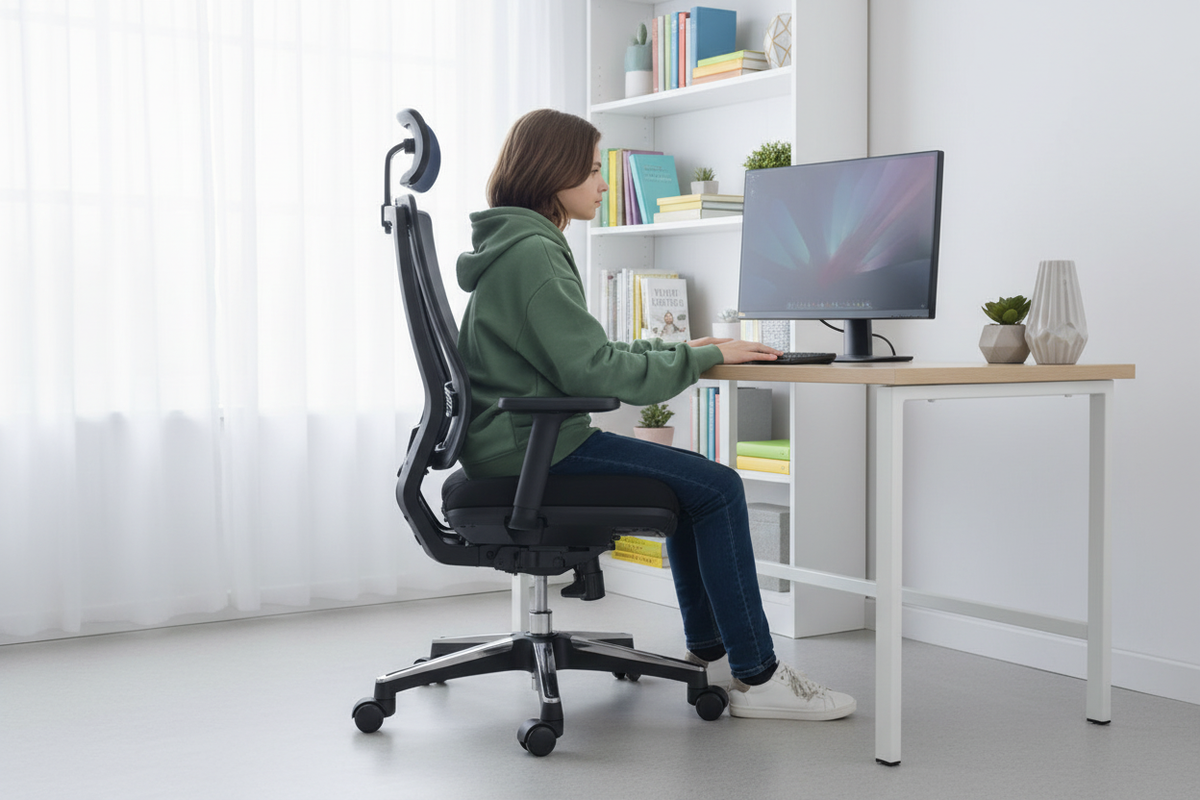
The desk in the corner of the den has one light on at 10:40 on a school night. Your kid is in the chair, or what's left of fitting in it, working on a history essay, earbuds in, one elbow on the desk, spine curved like a comma. The chair was fine in sixth grade. It was fine, honestly, for most of seventh. Somewhere in the last growth spurt it stopped being fine, and nobody noticed until the homework moved from the kitchen table to the desk and the complaints started.
Here's the thing about teenagers and chairs: they grow. Not steadily, like houseplants. In spurts, like teenagers. A kid can gain several inches over a summer and come back in September unable to fit a chair that was perfect in May. And the desk hours are real. Between homework, essays, online classes, group projects, and the gaming that keeps them social, the average teen spends more waking hours at a desk than most adults do at their jobs.
So the chair matters more than it looks like it should. Not as furniture. As a piece of daily life, the thing they sit in for thousands of hours between sixth grade and graduation. And the honest truth is that most families buy the wrong thing, because the market is full of "kids chairs" that stop fitting exactly when the desk hours get serious.
This article is about the alternative: a chair that grows with a kid, what adjustability actually means on a real chair, and why the boring math usually ends up favoring one good chair over a parade of cheap ones.
The Teen Desk Reality Check
Let's start with what a teen's desk life actually looks like, because it's easy to underestimate. Homework is the obvious one, and it's bigger than most adults remember: essays, worksheets, study sessions, projects that used to be poster boards and are now slide decks. On top of that there are online classes, video calls with friends, and the gaming that fills the hours in between. Add it up and a typical school night includes several hours of sitting, and weekends are worse, not better.
This isn't optional screen time. This is where their work happens, the same way your office is where your work happens. And the chair under them during all of it is often a hand-me-down, a dining chair, or a "kids chair" bought when they were in elementary school.
Then add the growth spurts. Teenage growth is not a smooth line. It comes in waves, and a kid can outgrow a chair's range in a single season. The chair that fit in spring doesn't fit in fall, and nobody notices until the kid starts sitting sideways, tucking a leg under, or slouching down until the backrest hits them in the wrong place.
Here's the uncomfortable math of that age: the desk hours are at their highest exactly when the body is changing the fastest. That's the worst possible combination for a fixed-size chair. The kid needs more support at the exact moment the chair they own has the least to give.
And the habits formed now are the ones that stick. Nobody thinks about posture at 14 and then gets a do-over at 25. The way they sit in high school is largely the way they'll sit in college and in their first job. That's not a lecture about posture; it's just a reason to take the chair seriously while the desk hours are happening.
Why the Cute Kids Chair Quits First
The classic "kids chair" is easy to spot: it's small, it's cheerful, it's sold by age range instead of by fit, and it looks perfect in the aisle of the big box store. It's also the single most common mistake in this whole category, and it fails for reasons that are obvious once you say them out loud.
Age ranges are averages, and averages don't sit in chairs. A 12-year-old at 5'4" and a 12-year-old at 4'10" are the same age and completely different sizes. A chair sized for "ages 8 to 12" has to fit a span of bodies that barely overlap, which means it fits the middle of that range and nobody else, and only for about a year of actual growth.
The geometry is the problem. A kids chair has a fixed seat height, a shallow seat, and a small backrest, because it was designed to look right in a kid's room, not to hold a growing body for hours of homework. The seat is too high for the youngest kids in the range and too low for the oldest. The backrest stops around mid-back for a kid who's suddenly tall. The whole thing is sized for a moment, not for a stretch of years.
So the timeline plays out the same way in almost every house. Year one: the chair is great, the kid is thrilled, it matches the decor. Year two: the kid is getting cramped, sitting on the edge of the seat, legs at awkward angles. Year three: the chair is a decoration, and the kid has taken over the dining room table or the parent's office chair.
That's the real cost of the cute kids chair, and it's not just the sticker price. It's the year of sitting wrong in between replacements. It's the second chair you buy because the first one got outgrown, which is basically the same chair in a different color. It's the sense, creeping in around year two, that you're going to be buying chairs for this kid forever.
The fix isn't a bigger kids chair. It's a different category entirely: a real chair with real adjustment ranges, sized to grow with the kid instead of being replaced by the kid.
What Adjustability Actually Matters
Here's the thing about adjustability: not all of it matters, and a chair with five levers can still fail to adjust where it counts. Before you buy anything, it's worth knowing which adjustments actually do the work.
Seat height range. This is the big one, and it's the one most kids chairs simply don't have. The question to ask is simple: can the seat go low enough that the kid's feet rest flat on the floor with their knees at hip level or slightly below, and can it go high enough to stay correct as they grow? The range is the feature, not the label on the box. A chair whose height adjusts by an inch is a chair with a single setting and extra steps.
Seat depth. The distance from the back of the seat to the front edge. When the kid's back is against the backrest, the backs of their knees should clear the front edge of the seat by a couple of fingers. Too deep, and the seat edge presses into the backs of the thighs, which is exactly the feeling you get in a too-big adult chair. Too shallow, and the thighs don't get supported and the whole posture slides forward. A seat that slides forward and back moves with the kid as their legs lengthen.
Backrest height. Lumbar support only works when it hits the right spot, and the right spot moves up as a kid grows. A backrest that adjusts up and down keeps the support in the curve of the lower back year after year. A backrest that doesn't adjust is a pillow in the wrong place half the time.
Armrests. This one gets skipped, and it shouldn't. When arms rest, shoulders relax. Armrests that adjust in height keep the shoulders from hiking up toward the ears during a long typing or gaming session. For a teen who spends hours with their hands on a keyboard or a controller, adjustable armrests are the difference between comfortable and achy.
The takeaway is short: look for verified adjustment ranges, not a generic "grows with you" label. The L2's current catalog specifications list a 17"–19" seat-height range, a seat that slides 2" forward and back, and 3D armrests that adjust in height, depth, and pivot. The product information does not list an adjustable backrest height, so that should not be treated as one of its features.
Ergonomics 101: What the Guidance Actually Says
Ergonomics is not a magic sitting pose or a promise that a chair can prevent pain. It is the practice of matching the workstation to the person and allowing the person to change position. For a growing teen, that means checking the fit regularly instead of treating one chair setting as permanent.
The U.S. Occupational Safety and Health Administration's Computer Workstations eTool recommends a chair setup that lets the feet rest firmly on the floor or on a footrest, keeps the lower legs roughly vertical, and supports a neutral working position without the armrests blocking the desk. That is why seat height and foot support come before style. If the feet are unsupported, lowering the seat or adding a stable footrest is more useful than simply telling a teen to sit up straight.
The UK Health and Safety Executive's display-screen guidance also emphasizes screen placement and movement. Its practical advice includes positioning the screen at a comfortable distance, keeping the top of the screen around eye level, and changing position or taking breaks rather than holding one posture for hours. The point is not to force every body into one exact 90-degree diagram. The point is to reduce awkward reaches, unsupported limbs, glare, and long periods without movement.
For parents, the professional takeaway is simple: check the chair, desk, screen, and feet as one system. A chair can have excellent adjustment and still feel wrong if the desk is too high, the screen is too low, or the user's feet are dangling. These recommendations are general workstation guidance, not a diagnosis or treatment plan. If a teen has persistent pain, numbness, weakness, or other concerning symptoms, ask a qualified healthcare professional for individual advice.

Educational illustration: use the posture and workstation checks above as a starting point. The illustration is not a medical diagnosis and does not depict the L2 chair.
The L2 Ergonomic Office Chair, One Chair for the Long Haul
This is where the L2 Ergonomic Office Chair enters the conversation, because it's the answer we keep coming back to for families with teens, and we'd rather show our work than just say so.

The price, straight up: $389.00 right now, with a regular price of $449.00. It's not a small number, and we're not going to pretend it is. It's also not the whole story, and the next section does the math on that. For now, the headline: this is an office chair with documented adjustment, durability, and coverage details, rather than a chair whose fit is described only by an age range.
Verified L2 specifications
The following figures come from the current Rackora product record, not an estimate:
- Seat height: 17"–19".
- Seat size: 19.5" deep by 20.5" wide.
- Seat-depth adjustment: slides 2" forward and back.
- Overall height: 44.5"–50.2".
- Armrests: 3D adjustment for height, depth, and pivot; the listed armrest height is 6"–8.5" from the seat and 23.5"–28.7" from the floor.
- Recline and tilt: 90°–135°, with a 135° maximum recline and lockable tilt.
- Backrest: breathable elastic mesh with adaptive lumbar support that moves as the chair reclines.
- Footrest: built in and fold-away.
- Gas lift: Class 3, BIFMA-certified, rated for 120,000 cycles.
- Weight and capacity: 55 lb item weight and a listed weight capacity of 300 lb / 136 kg.
- Certification: BIFMA X5.1-2017(R2022), according to the product listing.
- Coverage: 5-year limited warranty on the frame, mechanism, gas lift, mesh, and upholstery; 1 year on armrest pads and casters. The listing also states 30-day easy returns.
Those numbers make the fit conversation more useful, but they do not prove that one chair fits every teen. Measure the desk, compare the seat height with the user's leg length, and set the chair with the feet supported. If a teen's feet do not reach the floor at a comfortable seat height, use a stable footrest while they grow. The product data gives you the adjustment range; the final fit still has to be checked in the room.
What you're getting is a mesh chair with a current catalog rating of 4.88 out of 5 from 418 ratings. That number can change as new customers leave feedback, so treat it as a current product snapshot rather than a permanent promise.
Why mesh matters for a teen specifically. Mesh breathes. A long homework session in a fabric chair ends with a warm, sweaty back; mesh lets air move through the backrest, which keeps the back cooler and the kid less fidgety. Mesh also flexes with movement, so a kid who shifts around while studying (and they all do) gets support that moves instead of fighting them. And it wipes clean, which, if you've seen the state of a teenager's desk, is a feature you'll appreciate.
Why an adult chair for a teen. Because a kids chair is built for kids, in every sense: lighter duty, smaller range, less abuse tolerance. A teen at full height, with homework, a gaming rig, and the energy of a person who sits hard and rocks back and forth, is using a chair the way an adult does. Give them something built for that.
The L2's documented adjustment is more specific than a generic age recommendation. Seat height is 17"–19", the seat slides 2" forward and back, and the 3D armrests can be adjusted for height, depth, and pivot. Its adaptive lumbar support moves with the 90°–135° tilt range, while the built-in footrest folds away when it is not needed. Those are the measurable features to test during setup.
And the recline. When the essay is done or the match is over, the L2 leans back and lets them decompress for a minute before they go do the next thing. Being able to change position, to lean back, to move, is genuinely good for a body that's still growing, and a chair that fights that movement is a chair that will get abandoned for the bed.
The honest note: it's an investment, and it's not the cheapest chair in the world. The question is whether it's cheaper than the alternative over time, and that's the next section.
The 5-Year Math
Let's do the arithmetic, because this is where the decision actually gets made, and the numbers have a point of view.
$389.00, the current price of the L2. Spread it across four years of high school, and it's about $97.25 a school year. Spread it across high school plus a couple of years of college, and it comes to about $64.83 a year. However you slice it, a chair that actually fits, every single day, for the whole stretch, works out to pocket change per month.
Now the alternative, and let's be honest about how the alternative actually goes. A cheap kids chair gets outgrown in a year or two, so you buy another one, and the second one gets outgrown too. You're not buying one cheap chair; you're buying a subscription to cheap chairs, each one slightly too small for part of its life. Add up two or three of them and you've spent the price of the L2 on chairs that never quite fit.
The return policy changes the risk profile, which is the part people forget. The current product listing states 30-day easy returns, so the decision doesn't have to be made on faith. Check the current return terms before ordering, then test the chair in the room where it will be used, with the person who will use it.
The framing that actually matters: the L2 isn't automatically the right chair for every teen, but its published specifications make it possible to compare fit instead of guessing from an age label. Measure first, set it correctly, and use the return window if the real-life fit does not work.
Setting Up a Chair for a Growing Body
Buying the chair is step one. Setting it up right is step two, and it's where most of the benefit actually lives. A good chair set up wrong is a mediocre chair. A good chair set up right is the last thing you'll think about, which is exactly how it should be.
The footrest truth first, because this is the one that trips everyone up. If the kid's feet don't reach the floor with their knees at hip height, they need a footrest. A sturdy box, a stack of books, an actual footrest, anything solid and flat. Dangling feet do two bad things: they press the backs of the thighs into the front edge of the seat, and they pull the whole posture forward toward the screen. Feet planted means the spine can stack, and the spine stacking is the entire game.
The honest part: the footrest is a stage, not a permanent accessory. The whole point of a chair that adjusts is that the footrest eventually becomes unnecessary. When the kid's feet land flat on their own, the footrest goes away. If you're buying a footrest to fix a chair that's too tall, you're solving the wrong problem; the chair should fit, and the footrest is just the bridge until it does.
Seat depth, checked the way we described earlier: back against the backrest, a couple of fingers of space between the front edge of the seat and the backs of the knees. If the seat is too deep, the kid will sit forward on the edge, and the backrest becomes decorative. Adjust it until the backrest is doing the work.
Backrest and lumbar: the support should sit in the curve of the lower back, not up under the shoulder blades and not down at the tailbone. The L2's adaptive lumbar support is designed to move as the chair reclines, so check that the support feels natural in both upright work mode and reclined mode.
Armrests: elbows at roughly a right angle when the hands are on the keyboard or the desk, shoulders relaxed. If the shoulders are hiked up toward the ears, the armrests are too high. If the kid is leaning forward to rest their forearms, they're too low.
And the screen: the top of the monitor should sit around eye level. A laptop screen sits low by default, which is why a laptop stand belongs in the same conversation as the chair, and we'll get to that in a minute.
Here's the habit that makes all of it work: recheck after every growth spurt. The chair that fit in September is a different fit in March, not because the chair changed, but because the kid did. Adjust the chair the day you notice, not the day the complaints start. Knee pain, back pain, "this chair is too small," those are signals to review the setup. Persistent pain should be discussed with a qualified healthcare professional, not treated as a chair-adjustment problem.
Build the Whole Corner
The chair is the centerpiece of the setup, but it's not the whole setup, and a chair doing its job on a desk that's wrong is a chair fighting a losing battle. The good news is that the rest of the corner is cheap to fix.
Screen height first, because it's the most common gap. A laptop screen on a bare desk puts the top of the display well below eye level, which sends the head forward and down, which undoes half of what a good chair does. A laptop stand fixes that in one move, and Rackora makes a few of them at different price points. The Ergo Laptop Stand Elite Edition at $79.99 (regularly $129.99) is the clean, quiet option for a study desk. The Pro Stand 100 at $59.99 (regularly $99.99) is the budget pick that does the core job. And if the corner doubles as the gaming corner, the 360° Rotating Laptop Stand with Cooling Fan at $129.99 (regularly $179.99) lifts the screen and moves air under a hot laptop at the same time.
The room itself matters less than people think. A good chair works in a corner of a bedroom, a slice of the den, or a spot in the living room, because the chair is portable in a way a built-in desk setup isn't. We've written a whole guide on ergonomic chairs for small spaces if the room is tight, and another one on what a reasonable budget for an ergonomic chair looks like if you want the full breakdown of how prices shake out.

The checklist for the whole corner is short: feet flat (or footrest), knees at hip height, back supported, elbows at a right angle, screen at eye level, light that doesn't glare off the screen. Do all six and the kid will stop thinking about the setup entirely, which is the whole point.
How to Test a Chair Before You Commit
The best thing about buying a chair with a 30-day return period is that you don't have to decide on faith. You get to test the thing in the room where it'll live, with the person who'll live in it, and that test has a shape worth following.
Week one: set the chair up to the fit checklist and let the kid adjust it themselves. Show them the levers once, then let them own it. Kids are better at this than adults expect; they'll find the position that works.
Week two: stop checking. Watch instead. Does the kid gravitate to the chair on their own, or are they still sitting on the bed with the laptop? Are the complaints about the chair gone, or have they moved somewhere else? A chair that fits gets used without anyone thinking about it.
Week three: check the wear patterns. Are the adjustments holding their settings, or does everything drift back? Are they actually using the recline, which is the sign of a chair that lets them move?
Week four: make the call. If the chair fits, you're done, and the math from earlier is the reason it was worth it. If it doesn't fit, follow the current return instructions and terms rather than assuming every return is identical.
That's the useful part of a return window: the risk can be tested in the actual room, not guessed from a product photo.
When Two Kids Share One Desk
A lot of families are running this experiment right now: one desk, two kids, and a single chair that's the wrong size for at least one of them at any given moment. It's worth a section of its own, because the dynamics are different from the single-kid setup, and they explain why adjustability stops being a nice-to-have and becomes a survival tool.
The classic failure goes like this. The older kid gets the good chair, because they have more homework and it's their desk in the first place. The younger one gets the hand-me-down, which was already the wrong size for the older kid two years ago. Both kids are sitting wrong. The older one, who needs the chair most, is the one who got the fit. The younger one is swimming in a chair that's too big, or crammed into one that's too small. Nobody wins, and the parents end up refereeing the same argument at the same time every night.
The adjustment is the peace treaty. A chair with real ranges can be set for the younger kid in the afternoon and re-set for the older one in the evening, because the levers move and the settings hold. It's not the same as having two properly fitted chairs, and we're not going to pretend it is. But it's a dramatically better answer than one chair that fits nobody, and it teaches both kids something useful: a chair is a tool with settings, not a throne that belongs to one person.
The hand-me-down chain works in the other direction too, and this is the part families don't see coming. When the oldest kid finally outgrows the L2, it doesn't go to the curb. It moves down to the next kid, who is now roughly the size the oldest was a few years ago. That's the quiet genius of buying one chair that adjusts instead of three chairs that don't: the hand-me-down actually fits, because the ranges move with the next occupant. The second kid gets a properly fitted chair for the price of turning a couple of levers.
And if the two kids are near the same size, the argument usually resolves itself. Whoever has the longer desk session gets the chair set for them, and the other gets the same chair, re-set in under a minute the next evening. That's the difference between a desk that runs on arguments and a desk that runs on levers, and after a week of it, the kids stop fighting over the chair and start fighting over whose turn it is to adjust it, which is, frankly, a better problem to have.
FAQ
What's the best ergonomic chair for a teenager?
The useful starting point is a chair with documented adjustment ranges, not just an age label. The L2's current specifications list a 17"–19" seat-height range, 2" of forward-and-back seat-depth adjustment, 3D armrests, a 90°–135° tilt range, and a built-in footrest. Whether it fits a particular teen still depends on measurements and setup.
How do I know if a chair fits my kid?
Feet should be supported, knees should be around hip level or slightly below, there should be a small gap between the seat edge and the backs of the knees, and the lower back should feel supported. Compare those checks with the chair's published range. If the chair cannot meet the user's dimensions, it is the wrong size, no matter what the box says.
Is a $389 chair too much for a teen?
That depends on the household budget and how long the chair is used. At the current $389 price, the simple cost is about $97.25 per year over four years, or about $64.83 per year over six years. That calculation does not guarantee a chair will last that long, but the L2 listing does include a 5-year limited warranty on several major components.
Do kids need footrests?
Until their feet reach the floor comfortably, they need stable foot support. Dangling feet can make it harder to maintain a steady seated position. The L2 also has a built-in fold-away footrest, but the setup should still be checked for the individual user.
Will an adult chair fit a teen?
It can, if the published ranges match the teen's measurements. The L2 lists a 17"–19" seat height, 19.5" seat depth, and 3D armrests, but those figures are not a universal fit guarantee.
What chair grows with a child?
Look for measurable adjustment in seat height and seat depth, plus armrest and back-support features that are clearly described. The L2 lists 17"–19" seat height, 2" of seat-depth travel, adaptive lumbar support, and 3D armrests. Compare those ranges with the child's actual measurements instead of relying on the word "grows."
Is mesh good for teens?
Mesh can be a practical choice for a warm study or gaming area because the L2's product listing describes its backrest as breathable elastic mesh. Comfort is personal, so use the return terms and the actual test period to judge the fit and feel.
How long should a teen chair last?
No chair's service life can be guaranteed from a blog post. The L2 product listing states a 5-year limited warranty on the frame, mechanism, gas lift, mesh and upholstery, and 1 year on the armrest pads and casters. Read the full warranty terms and maintain the chair according to the manufacturer's guidance.

Your kid is going to spend a lot of time at a desk between now and graduation, and the chair they sit in is going to be part of that setup. The L2 Ergonomic Office Chair is currently listed at $389.00, compared with a regular price of $449.00. Its current product record lists a 17"–19" seat-height range, 2" of seat-depth adjustment, 3D armrests, 90°–135° tilt, a built-in footrest, a 300 lb / 136 kg capacity, BIFMA X5.1-2017(R2022), and a 5-year limited warranty on major chair components. The listing also states 30-day easy returns. Those are useful facts to compare against a teen's measurements, but the final decision should come from a real setup test, not a promise that one chair fits everyone.
Sources
- U.S. Occupational Safety and Health Administration, Computer Workstations eTool.
- UK Health and Safety Executive, Working with display screen equipment.
