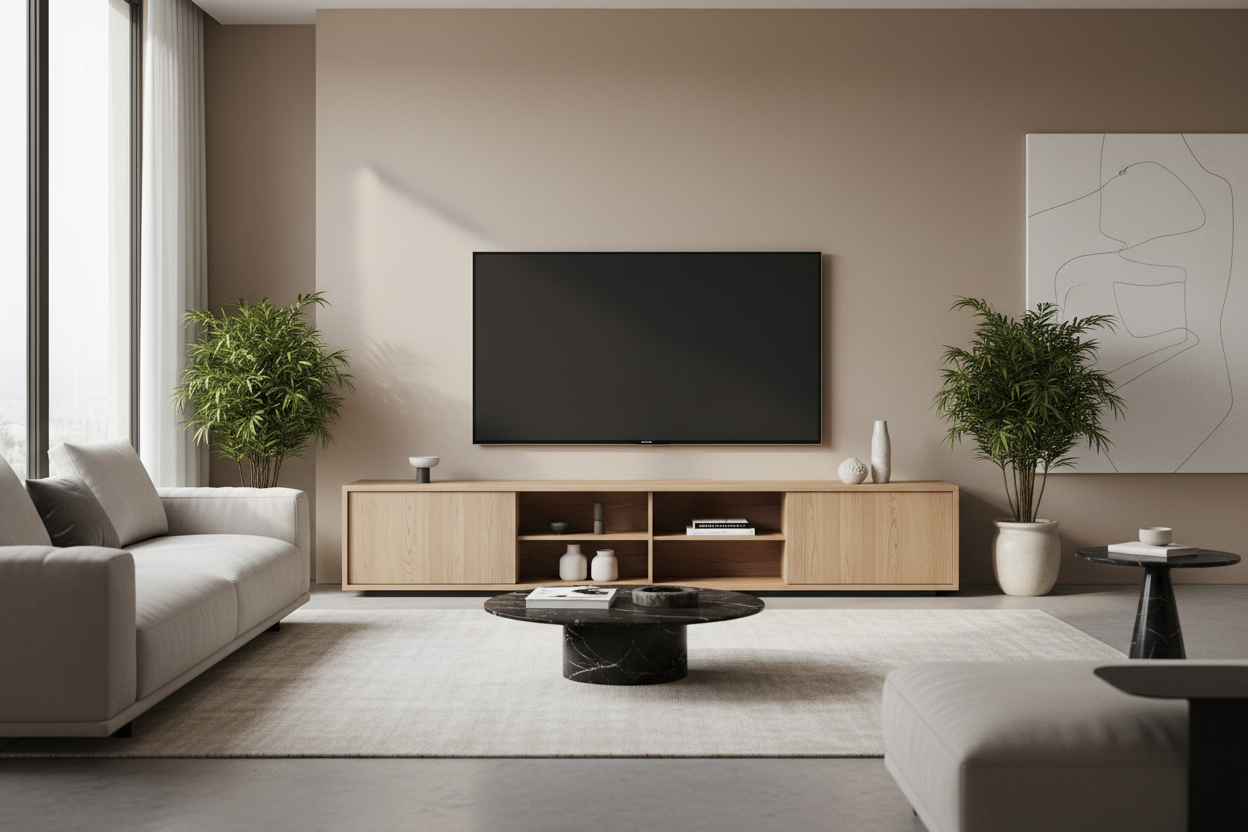
Why Your Living Room Needs a TV Stand with Storage
Walk into any modern American living room, and you'll likely see the same problem: a beautiful flat-screen TV surrounded by a tangle of cables, gaming consoles stacked precariously, remote controls scattered across surfaces, and DVDs or streaming devices with nowhere to go. The TV itself looks great, but everything around it? That's a different story.
A TV stand with storage isn't just furniture—it's the solution to one of the most common organizational challenges in your home. The right entertainment center transforms your living space from cluttered chaos into a streamlined, magazine-worthy room where everything has its place.
According to interior designers, Americans spend an average of 4-5 hours daily in their living rooms, with the TV area serving as the focal point. When that focal point is cluttered, it affects the entire room's atmosphere. But when you choose a TV stand with proper storage, you're not just buying furniture—you're investing in your home's functionality and your own peace of mind.
Understanding TV Stand Storage Solutions: What Actually Works
Not all TV stands are created equal, and understanding the different storage options available helps you make the right choice for your specific needs.
Open Shelf Storage
Open shelving remains popular for good reason. These designs feature exposed shelves that provide easy access to your devices while maintaining a light, airy aesthetic. The Rackora Large ATV900 TV Stand Entertainment Center ($229.99) exemplifies this approach with its three-tier tempered glass shelves. Each shelf can hold up to 33 lbs, giving you plenty of room for cable boxes, gaming consoles, and sound systems.

The advantage of open shelving is accessibility—you can grab what you need without opening doors or drawers. The downside? Everything is visible, so you'll need to keep things organized. For people who like their electronics on display and don't mind seeing cables (or are willing to manage them properly), open shelving works beautifully.
Enclosed Cabinet Storage
If you prefer a cleaner look where everything is hidden away, enclosed cabinets are your answer. The Mid-Century Modern TV Stand for 80 Inch TV ($549) combines the best of both worlds with two drawers and additional storage compartments. This design lets you tuck away remotes, DVDs, gaming controllers, and all those random cables that seem to multiply on their own.

Enclosed storage works particularly well for families with young children or pets. You can keep potentially dangerous items (like small batteries or cables) safely out of reach while maintaining a sophisticated, uncluttered appearance.
Hybrid Storage Systems
The most versatile TV stands combine open and closed storage. These designs typically feature open shelves for devices that need ventilation (like gaming consoles and receivers) alongside closed cabinets for items you want hidden. The Modern TV Stand for 80 Inch TV with Drop Down Door ($639) offers this flexibility with its double storage space configuration.

This approach gives you the best of both worlds: easy access to frequently used items while keeping clutter hidden. It's the choice that works for most households because it adapts to different storage needs.
How to Choose the Right Size TV Stand for Your Space
Size matters when it comes to TV stands, but it's not just about matching your TV's width. Here's what you need to consider:
TV Size and Stand Width
Your TV stand should be at least as wide as your TV, but ideally 3-6 inches wider on each side. This creates visual balance and provides a safety margin. For a 55-inch TV, you're looking at a stand that's 60-65 inches wide. For a 65-inch TV, aim for 70-75 inches.
The 63-inch Mid Century Modern TV Stand ($125) works perfectly for TVs up to 60 inches, while the 80-inch models accommodate larger screens up to 80 inches. Don't make the mistake of buying a stand that's too small—it looks awkward and can be unstable.
Room Proportions
Your TV stand needs to fit your room, not just your TV. In a small apartment living room, a massive entertainment center overwhelms the space. In a large, open-concept area, a tiny stand looks lost.
Measure your wall space before shopping. Leave at least 6-12 inches of clearance on each side of the stand for visual breathing room. If you're placing the stand between two pieces of furniture (like a sofa and a wall), make sure there's enough space to walk comfortably—at least 30 inches of clearance.
Storage Capacity Planning
Count what you need to store. Gaming console? Sound bar? Cable box? Streaming device? DVDs or Blu-rays? Each item needs space, and you'll want room to grow. Most people underestimate their storage needs and end up with cluttered surfaces again within months.
A good rule of thumb: if you think you need two shelves, get three. If you think you need three, get four. The extra space prevents overcrowding and gives you flexibility as your entertainment setup evolves.
Cable Management: The Secret to a Professional Look
Even the most beautiful TV stand looks messy if cables are visible. Professional cable management transforms your entertainment center from "functional" to "showroom-ready."
Built-In Cable Management Features
Look for TV stands with integrated cable management systems. The Rackora Large Wooden Storage MAT6700 ($350.99) includes a comprehensive wire management system that routes cables through the back of the unit, keeping them completely hidden from view.
These systems typically include:
- Cable routing holes in the back panel
- Wire channels or trays that run along the back
- Grommets that protect cables from sharp edges
- Tie-down points for securing cable bundles
DIY Cable Management Solutions
If your TV stand doesn't have built-in cable management, you can add it yourself:
Velcro cable ties - Bundle cables together in groups (power cables separate from HDMI cables to reduce interference). These cost about $10 for a pack and make a huge difference.
Cable raceways - These plastic channels mount to the wall or the back of your stand, hiding cables completely. They're paintable, so you can match your wall color.
Cable sleeves - Fabric or neoprene sleeves bundle multiple cables into one clean line. They're particularly useful for the cables running from your wall outlet to your stand.
Label everything - Use a label maker or masking tape to mark each cable. When you need to unplug something (and you will), you'll know exactly which cable to pull without disturbing everything else.
The Power Strip Strategy
Mount a power strip to the back of your TV stand using command strips or screws. This keeps all your power connections in one place and prevents the "octopus" of cables spreading across your floor. Choose a power strip with surge protection—your expensive electronics deserve it.
Pro tip: Get a power strip with widely-spaced outlets. Those bulky power adapters won't block adjacent outlets, and you'll actually be able to use all the plugs.
Material Matters: Wood, Glass, and Metal TV Stands
The material of your TV stand affects both aesthetics and durability. Here's what works best in different situations:
Tempered Glass
Glass TV stands like the ATV900 ($229.99) offer a modern, minimalist aesthetic that works beautifully in contemporary spaces. Tempered glass is surprisingly strong—the ATV900's top shelf supports up to 88 lbs—and it's easy to clean with glass cleaner.
The transparency of glass makes rooms feel more spacious, which is why it's popular in apartments and smaller homes. However, glass shows fingerprints and dust more readily than other materials, so plan on weekly cleaning if you have kids or pets.
Wood and MDF
Wood entertainment centers bring warmth and traditional elegance to your living room. The MAT6700 ($350.99) combines premium MDF with tempered glass, offering the best of both materials. MDF (medium-density fiberboard) is engineered wood that's more stable than solid wood and less prone to warping.
Wood stands work in virtually any decor style, from farmhouse to mid-century modern to traditional. They're also more forgiving of scratches and dings than glass—a consideration if you have active kids or pets.
Metal Frames
Powder-coated aluminum or steel frames provide industrial-chic style and exceptional durability. The ATV900 uses powder-coated aluminum tubes that won't rust or corrode, even in humid climates. Metal frames are typically lighter than solid wood, making them easier to move when you're rearranging furniture.
Special Features That Make Life Easier
Modern TV stands offer features that go beyond basic storage. Here are the ones worth paying for:
Swivel Function
The ability to rotate your TV changes everything in open-concept homes. The ATV900 offers a 45-degree swivel angle, letting you adjust your viewing angle whether you're on the couch, at the dining table, or in the kitchen. The MAT6700 provides a 30-degree swivel (15° in each direction).
This feature is particularly valuable in:
- Open-concept living spaces where you watch TV from multiple locations
- Corner placements where you need flexibility in viewing angles
- Rooms with windows that create glare at certain times of day
Height Adjustment
The MAT6700 features three different height adjustment options, allowing you to position your TV at the optimal viewing height. Ergonomics experts recommend the center of your TV screen should be at eye level when you're seated—typically 42-48 inches from the floor for most sofas.
Adjustable height means you can accommodate different seating arrangements or change the setup as your furniture evolves.
Ventilation Design
Electronics generate heat, and proper ventilation prevents overheating that can shorten the lifespan of your devices. Open-shelf designs naturally provide excellent airflow. If you're choosing a stand with enclosed cabinets, look for ventilation holes or slatted doors that allow heat to escape.
The 63 Inch Mid Century Modern TV Stand ($125) features slatted grille striped doors that provide ventilation while keeping contents hidden—a smart design that protects your investment in electronics.

Organizing Your Entertainment Center: A Room-by-Room Approach
Living Room Entertainment Centers
Your main living room typically houses the most equipment: TV, sound system, gaming consoles, streaming devices, and possibly a DVD/Blu-ray player. You need maximum storage with easy access.
The Modern TV Stand for 80 Inch TV ($639) excels here with its double storage space. Use the top shelf for your TV, middle shelves for active devices (gaming console, cable box), and enclosed storage for items you don't access daily (extra controllers, cables, DVDs).
Organization strategy:
- Top shelf: TV only (keeps it stable and at proper viewing height)
- Second shelf: Sound bar or center channel speaker
- Third shelf: Gaming console and streaming device (needs ventilation)
- Enclosed storage: Remote controls, cables, manuals, DVDs
Bedroom TV Stands
Bedroom entertainment centers typically need less storage since you're usually just watching TV, not gaming or using complex audio systems. A simpler design works well here.
The 63 Inch Mid Century Modern TV Stand ($125) fits perfectly in bedrooms. Its enclosed storage keeps the space looking clean and uncluttered—important in a room where you're trying to relax and sleep. Use the storage for:
- Extra blankets or pillows
- Books or magazines
- Charging cables for phones and tablets
- Personal items you want out of sight
Home Office or Den
In a home office or den, your TV stand might pull double duty as a display for your computer monitor or a storage unit for office supplies. Look for stands with adjustable shelving that can accommodate different-sized items.
The swivel function becomes particularly valuable here—you can angle the screen toward your desk when working or toward seating when relaxing.
Assembly and Installation: What to Expect
Most TV stands require some assembly, but the difficulty varies widely. Here's what you need to know:
Assembly Time and Difficulty
Simple glass stands like the ATV900 typically take 30-45 minutes to assemble with basic tools. The instructions are straightforward, and most people can handle it alone, though having a second person helps when attaching the glass shelves.
Larger wooden entertainment centers like the MAT6700 might take 1-2 hours. These usually come with pre-drilled holes and labeled parts, making assembly manageable even if you're not particularly handy. The key is laying out all the parts first and following the instructions step by step.
Tools You'll Need
Most TV stands include the necessary hardware (screws, bolts, Allen wrenches), but you might need:
- Phillips head screwdriver
- Rubber mallet (for tapping pieces into place without damaging them)
- Level (to ensure your stand sits evenly)
- Measuring tape
Two-Person Job Considerations
While you can assemble most stands alone, certain steps are easier with help:
- Attaching glass shelves (they're heavy and awkward to position)
- Mounting the TV to the stand (especially for larger TVs)
- Flipping or positioning the assembled stand
Styling Your TV Stand: Beyond Storage
A TV stand with storage solves organizational problems, but it's also a design element in your room. Here's how to make it look intentional and polished:
The Rule of Thirds
Don't fill every inch of shelf space. Leave about one-third of your shelving empty or decorated with non-functional items. This prevents the "stuffed" look and makes your stand feel curated rather than cluttered.
Decorative Objects
Mix functional items with decorative ones. A few well-chosen pieces transform your entertainment center from purely utilitarian to stylish:
- Small plants (real or high-quality faux)
- Decorative boxes that hide small items while looking intentional
- Framed photos or art
- Sculptural objects that reflect your personal style
- Books arranged horizontally or vertically
Lighting
LED strip lighting behind or under your TV stand adds ambiance and reduces eye strain when watching TV in a dark room. Battery-operated LED strips cost $15-30 and install in minutes with adhesive backing.
Color Coordination
If you have open shelving, coordinate the colors of visible items. Group black electronics together, use matching storage boxes, or choose decorative items in a cohesive color palette. This creates visual harmony even when multiple items are visible.
Maintenance and Care: Keeping Your TV Stand Looking New
Glass Surfaces
Clean tempered glass shelves weekly with glass cleaner and a microfiber cloth. Spray the cleaner on the cloth, not directly on the glass, to prevent drips into electronics below. For stubborn fingerprints, a mixture of equal parts white vinegar and water works beautifully.
Wood and MDF
Dust wood surfaces weekly with a microfiber cloth. For deeper cleaning, use a wood cleaner appropriate for your finish. Avoid excessive water, which can damage MDF. Wipe up spills immediately to prevent water rings or staining.
Metal Frames
Powder-coated metal requires minimal maintenance. Wipe with a damp cloth as needed. Avoid abrasive cleaners that can scratch the finish.
Preventing Damage
- Use coasters under drinks to prevent water rings
- Place felt pads under decorative objects to prevent scratches
- Don't exceed weight limits on shelves
- Keep electronics away from the edges of shelves to prevent accidental falls
- Tighten screws and bolts annually—they can loosen over time
Budget Considerations: Getting the Best Value
TV stands with storage range from under $150 to over $600. Here's how to get the best value at different price points:
Budget-Friendly Options ($125-250)
The Rackora Large ATV900 at $229.99 offers exceptional value. You get tempered glass shelves, a swivel function, and a 110 lb total capacity—features often found on much more expensive stands. The 63 Inch Mid Century Modern TV Stand at $125 provides enclosed storage at an entry-level price.
At this price point, expect:
- Assembly required
- MDF or glass construction (not solid wood)
- Basic cable management
- Standard finishes
Mid-Range Options ($300-400)
The MAT6700 at $350.99 represents the mid-range sweet spot. You get premium materials (MDF and tempered glass), advanced features (swivel, height adjustment, wire management), and higher weight capacity (180 lbs on the top shelf).
This price range typically includes:
- Better materials and construction
- More storage options
- Enhanced cable management
- Special features like swivel or height adjustment
Premium Options ($500+)
The Mid-Century Modern TV Stand for 80 Inch TV at $549 and the Modern TV Stand with Drop Down Door at $639 offer premium construction, maximum storage, and the ability to accommodate very large TVs.
Premium stands provide:
- Accommodation for TVs up to 80 inches
- Maximum storage capacity
- Superior materials and finishes
- Advanced features and design details
- Longer lifespan and better warranty coverage
Common Mistakes to Avoid
Buying Too Small
The most common mistake is choosing a stand that's too small for your TV or your storage needs. Your TV should never overhang the edges of the stand—it looks precarious and actually is unstable. Similarly, underestimating storage needs leads to cluttered surfaces within weeks.
Ignoring Weight Limits
Every shelf has a weight limit for a reason. Exceeding it can cause shelves to sag, crack, or collapse. Check the specifications before loading up shelves with heavy equipment.
Forgetting About Ventilation
Enclosed cabinets look clean, but electronics need airflow. If you're storing a gaming console or receiver in a closed cabinet, make sure it has ventilation holes or leave the door slightly ajar during use.
Poor Cable Planning
Don't wait until after assembly to think about cables. Plan your cable routing before you set up your stand, and you'll save yourself hours of frustration.
Skipping the Level
An unlevel TV stand looks wrong even if you can't immediately identify why. Use a level during assembly to ensure your stand sits perfectly flat. If your floor is uneven, use furniture levelers or shims to compensate.
Frequently Asked Questions
What size TV stand do I need for a 55-inch TV?
For a 55-inch TV, choose a stand that's at least 60 inches wide, though 63-65 inches is ideal. This provides 3-5 inches of clearance on each side, creating visual balance and ensuring stability. The 63 Inch Mid Century Modern TV Stand ($125) works perfectly for this size TV.
How do I hide cables on my TV stand?
Use a combination of cable management techniques: bundle cables with velcro ties, route them through built-in cable management holes in your stand, use cable raceways or sleeves for visible sections, and mount your power strip to the back of the stand. The MAT6700 ($350.99) includes a comprehensive wire management system that makes this process straightforward.
Can a TV stand hold an 80-inch TV?
Yes, but you need a stand specifically designed for large TVs. The Mid-Century Modern TV Stand for 80 Inch TV ($549) and the Modern TV Stand for 80 Inch TV with Drop Down Door ($639) are both engineered to safely support TVs up to 80 inches. Always check the weight capacity and VESA compatibility before purchasing.
What's the difference between a TV stand and an entertainment center?
The terms are often used interchangeably, but technically an entertainment center is larger and offers more storage than a basic TV stand. Entertainment centers typically include multiple shelves, cabinets, or drawers for storing media, electronics, and decorative items. A TV stand might just be a simple platform with one or two shelves.
How high should my TV be from the floor?
The center of your TV screen should be at eye level when you're seated, typically 42-48 inches from the floor for standard sofa heights. This reduces neck strain during extended viewing. Stands with height adjustment like the MAT6700 ($350.99) let you fine-tune this positioning.
Do I need a TV stand with doors or open shelves?
It depends on your priorities. Open shelves provide better ventilation for electronics and easier access but show everything. Enclosed cabinets create a cleaner look and hide clutter but require more intentional cable management and ventilation planning. Hybrid designs like the Modern TV Stand with Drop Down Door ($639) offer both options.
How much weight can a TV stand hold?
Weight capacity varies by model. The ATV900 ($229.99) supports 88 lbs on the top shelf and 110 lbs total. The MAT6700 ($350.99) handles up to 180 lbs on the top shelf. Always check specifications and never exceed the stated weight limits—doing so can damage the stand or cause collapse.
Are glass TV stands safe?
Yes, when made from tempered glass. Tempered glass is heat-treated to be 4-5 times stronger than regular glass. If it does break (which is rare), it shatters into small, relatively harmless pieces rather than dangerous shards. The ATV900 uses premium tempered glass shelves that are both safe and durable.
How do I clean a TV stand without damaging it?
Use appropriate cleaners for your stand's material. For glass, use glass cleaner and microfiber cloths. For wood or MDF, use a slightly damp cloth and wood-safe cleaner. For metal, a damp cloth is usually sufficient. Always avoid excessive water and abrasive cleaners. Clean weekly to prevent dust buildup.
Can I assemble a TV stand by myself?
Most TV stands can be assembled solo, though having a helper makes certain steps easier and safer. Simple designs like the ATV900 take 30-45 minutes. More complex units like the MAT6700 might take 1-2 hours. The instructions are generally straightforward, and no special skills are required—just patience and basic tools.
Making Your Final Decision
Choosing the right TV stand with storage comes down to balancing your practical needs with your aesthetic preferences and budget. Start by measuring your space and TV, count what you need to store, and determine which features matter most to you.
For budget-conscious shoppers who want quality and functionality, the Rackora Large ATV900 at $229.99 delivers exceptional value with its swivel function and tempered glass construction.
If you need maximum storage with a mid-range budget, the MAT6700 at $350.99 combines wood and glass beautifully while offering comprehensive cable management and height adjustment.
For large TVs and premium features, the Mid-Century Modern TV Stand ($549) or the Modern TV Stand with Drop Down Door ($639) provide the capacity and style for a showroom-worthy living room.
Whatever you choose, remember that a TV stand with proper storage isn't just furniture—it's an investment in your home's organization, your living room's appearance, and your daily quality of life. When everything has its place and cables are managed properly, you can actually relax and enjoy your entertainment system instead of being distracted by clutter.
Ready to transform your living room? Shop our collection of TV stands with storage and discover how the right entertainment center can declutter your space and elevate your home's style.
