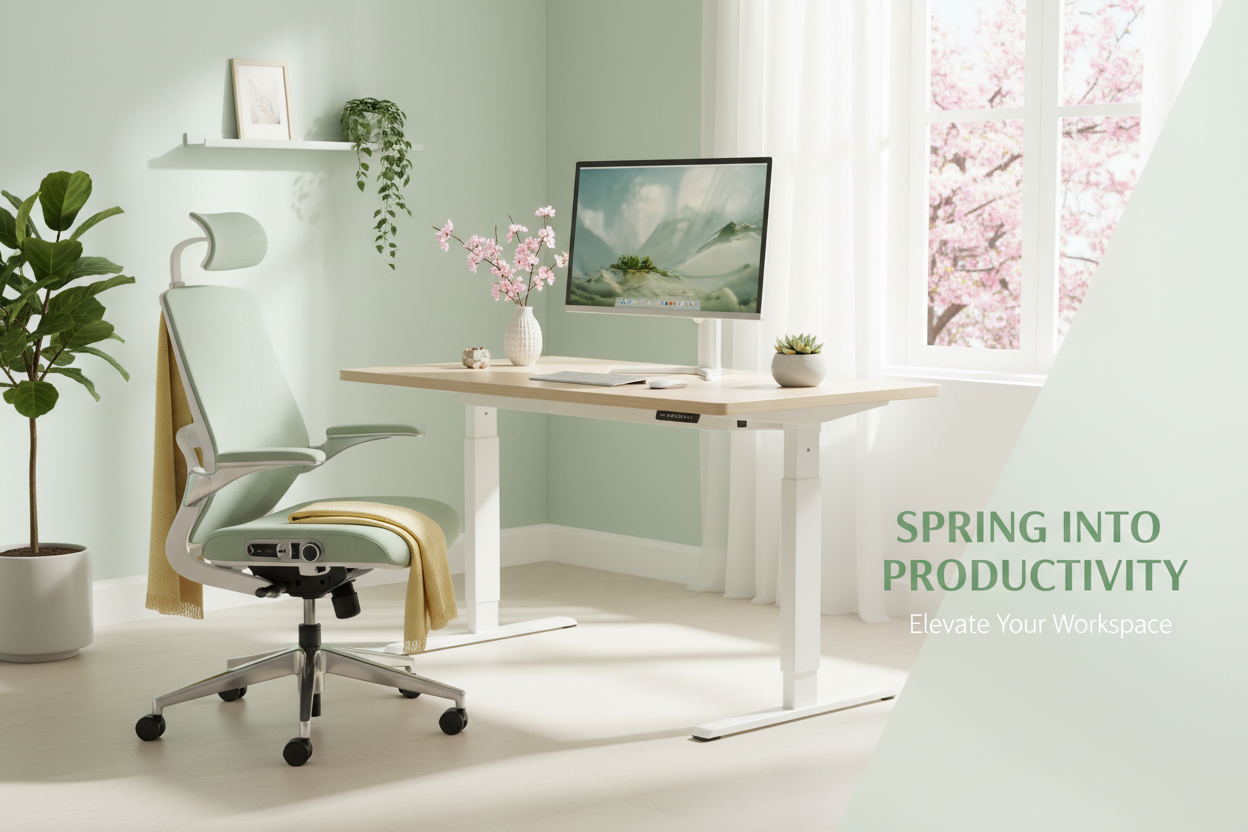
La primavera no se trata solo de limpiar armarios; es el momento perfecto para transformar tu oficina en casa en un centro de productividad. Tras meses de hibernación invernal, tu espacio de trabajo merece una renovación completa. Ya sea que tengas dolor de espalda por esa vieja silla de comedor o que finalmente estés listo para invertir en un escritorio de pie, esta guía te explica todo lo que necesitas saber para crear un espacio de trabajo ergonómico y eficiente que se adapte a tu cuerpo y a tu presupuesto.
El mercado del mobiliario de oficina ha evolucionado drásticamente. Atrás quedaron los días en que "ergonómico" significaba caro y feo. Las opciones actuales combinan funcionalidad y diseño, y las rebajas de primavera hacen que los muebles premium sean sorprendentemente asequibles. Veamos cómo modernizar tu espacio de trabajo correctamente.
Por qué la primavera es el momento perfecto para renovar tu oficina en casa
El momento oportuno es fundamental al invertir en muebles de oficina. La primavera trae tres ventajas principales: las rebajas de temporada, la llegada de nuevos productos y el renovador psicológico que acompañan los días más largos y el clima más cálido. Los minoristas liquidan el stock de invierno para dar cabida a nuevos diseños, lo que se traduce en importantes descuentos en piezas de calidad.
Más allá de los beneficios económicos, el impulso energético natural de la primavera facilita el compromiso con mejores hábitos de trabajo. Al combinar una nueva configuración ergonómica con la renovada motivación de la temporada, se prepara para mejoras sostenidas de la productividad que perduran mucho más allá de la emoción inicial por los muebles nuevos.
Los beneficios para la salud se acumulan con el tiempo. Cada día que pasas en un espacio de trabajo mal diseñado aumenta la tensión en el cuello, la espalda y las muñecas. La primavera te ofrece un punto de control natural para evaluar qué funciona y qué causa problemas. La mayoría de las personas notan un alivio inmediato durante la primera semana de cambiar a un mobiliario ergonómico adecuado.
La Fundación: Cómo elegir el escritorio de pie adecuado para su espacio y presupuesto
Los escritorios de pie han pasado de ser una tendencia a ser esenciales, y con razón. Las investigaciones demuestran sistemáticamente que alternar entre estar sentado y de pie a lo largo del día reduce el dolor de espalda, mejora la circulación y aumenta los niveles de energía. Pero no todos los escritorios de pie ofrecen el mismo valor.
Eléctrico vs. manual: lo que realmente importa
Los escritorios eléctricos de pie ofrecen la comodidad de pulsar un botón, lo que facilita cambiar de posición a lo largo del día. Esta facilidad de uso significa que realmente usará la función de ajuste de altura; las manivelas parecen adecuadas en teoría, pero en la práctica se convierten en un obstáculo para los cambios de posición regulares.
El escritorio eléctrico ergonómico de 40'' x 24'' con altura ajustable ($599.99) es la solución ideal para la mayoría de las oficinas en casa. Su motor eléctrico facilita las transiciones, su ancho de 40'' permite colocar dos monitores cómodamente y su construcción de alta calidad permite un uso diario sin vibraciones ni ruidos.

Para espacios más pequeños o presupuestos más ajustados, las opciones compactas ofrecen ventajas ergonómicas. La clave es asegurar que el escritorio alcance tanto la altura ideal para sentarse (codos a 90 grados al escribir) como la altura ideal para estar de pie (misma posición de los codos al estar de pie). La mayoría de los escritorios eléctricos de calidad cubren un rango de 71 a 122 cm, adaptándose a usuarios de entre 1,52 m y 1,96 m.
Consideraciones de tamaño: Cómo adaptar las dimensiones del escritorio a su flujo de trabajo
El tamaño del escritorio influye directamente en tu productividad y comodidad. Un ancho de 40 pulgadas es adecuado para la mayoría de las configuraciones con una laptop y un monitor, o con dos monitores en un espacio reducido. Si tienes una configuración con varios monitores, editas videos o distribuyes materiales físicos, considera opciones de 60 pulgadas.
La profundidad importa más de lo que la gente cree. Un escritorio de 61 cm (24 pulgadas) de profundidad proporciona suficiente espacio para un teclado y un monitor a una distancia de visión adecuada (entre 50 y 66 cm). Los escritorios más profundos (76 cm) ofrecen espacio para lámparas, organizadores y otros accesorios sin abarrotar el área de trabajo principal.
Compre ahora: actualice a nuestro escritorio eléctrico de pie más vendido y experimente la diferencia que una ergonomía adecuada genera en su comodidad y productividad diarias.
La silla ergonómica: tu inversión más importante
Incluso con un escritorio de pie, pasarás mucho tiempo sentado. Una silla ergonómica de calidad no es un lujo: es un cuidado preventivo para la columna vertebral. Una silla inadecuada causa daños acumulativos que se manifiestan como dolor crónico, mala postura y disminución de la productividad.
¿Qué hace que una silla sea verdaderamente ergonómica?
El verdadero diseño ergonómico va más allá de las modas. Busque estas características indispensables: soporte lumbar ajustable que se adapta a la curvatura natural de su columna, ajuste de altura del asiento que permite que sus pies descansen planos sobre el suelo, reposabrazos que sujetan sus antebrazos sin levantar los hombros y una profundidad del asiento que deja de 5 a 10 cm entre el borde del asiento y la parte posterior de las rodillas.
La silla ergonómica de oficina con soporte lumbar ($459.00) lo tiene todo. Su soporte lumbar ajustable se mueve vertical y horizontalmente para adaptarse a la curvatura de tu espalda. Los reposabrazos 3D se ajustan en altura, anchura y ángulo, cruciales para una correcta posición de los hombros durante largas sesiones de escritura. La función reclinable con control de tensión te permite reclinarte para hablar por teléfono o leer sin perder el soporte lumbar.

Malla vs. acolchado: Cómo elegir el material adecuado
Los respaldos de malla proporcionan una transpirabilidad superior, esencial si corres con calor o trabajas en un clima sin aire acondicionado. El material se adapta a la espalda manteniendo el soporte y no se comprime con el tiempo como los cojines de espuma. Las sillas de malla se mantienen cómodas durante largas sesiones de trabajo sin el problema del sudor en la espalda que suelen causar las alternativas acolchadas.
Los asientos acolchados ofrecen una sensación más suave que algunos usuarios prefieren, especialmente para jornadas de trabajo cortas. Sin embargo, la malla de calidad ha mejorado tanto que las diferencias de comodidad son mínimas, mientras que la ventaja en transpirabilidad sigue siendo significativa. Para estar sentado todo el día, la malla es la mejor opción tanto en comodidad como en durabilidad.
La capacidad de peso importa más de lo que sugiere el marketing. Una silla con capacidad para más de 136 kg utiliza componentes de mayor resistencia: cilindros de gas más resistentes, bases reforzadas y mecanismos más robustos. Incluso si su peso es muy inferior al límite, estas sillas duran más y mantienen mejor sus ajustes que los modelos de menor capacidad.
Oferta por tiempo limitado: Consigue nuestra silla ergonómica premium e invierte en tu comodidad y salud a largo plazo. Tu espalda te lo agradecerá.
Brazos para monitor: El elemento esencial ergonómico que se pasa por alto
La posición del portátil y el monitor causa más tensión en el cuello que cualquier otro factor del espacio de trabajo. La mayoría de las personas trabajan con pantallas demasiado bajas, lo que les obliga a inclinar la cabeza hacia abajo durante horas al día. Esta postura adelantada de la cabeza añade hasta 27 kg de presión a la columna cervical; no es de extrañar que el dolor de cuello sea una epidemia entre los trabajadores de escritorio.
¿Por qué los brazos para monitor son mejores que los soportes integrados?
Los brazos para monitor resuelven por completo el problema de posicionamiento. Permiten ajustar la altura, la distancia y el ángulo de la pantalla de forma independiente, creando la posición de visualización perfecta: la parte superior de la pantalla a la altura de los ojos o ligeramente por debajo, a una distancia de 50-66 cm, con una inclinación de 10-20 grados hacia atrás para reducir el deslumbramiento y mantener una posición neutra del cuello.
El brazo articulado para un monitor (139,99 $) utiliza tecnología de resorte de gas para un ajuste sin esfuerzo. Puede reposicionar el monitor con una sola mano, cambiando la altura entre sentado y de pie en segundos. La compatibilidad VESA es compatible con prácticamente todos los monitores de 13 a 32 pulgadas, y el sistema de gestión de cables los mantiene organizados y ocultos.

Más allá de la ergonomía, los brazos del monitor liberan valioso espacio en el escritorio. Quitar el soporte del monitor crea espacio para portátiles, el teclado durante las sesiones de pie o simplemente un espacio de trabajo más limpio y ordenado. No se debe subestimar el beneficio psicológico de un escritorio ordenado: el desorden visual crea desorden mental.
Consejos de instalación y ajuste
La mayoría de los brazos para monitor utilizan abrazaderas en C o ojales. Las abrazaderas en C se adaptan a cualquier borde de escritorio y no requieren taladrar, lo que resulta ideal para inquilinos o quienes buscan flexibilidad. Los soportes con ojales ofrecen una apariencia más limpia, pero requieren perforar un orificio en la superficie del escritorio. Ambos tipos de montaje ofrecen una estabilidad excepcional cuando se instalan correctamente.
Tras la instalación, dedique tiempo a ajustar la posición perfecta. Siéntese en su postura habitual de trabajo y ajuste el monitor de modo que mire directamente al tercio superior de la pantalla. Su cuello debe sentirse en posición neutra, sin inclinarse hacia arriba ni hacia abajo. Ajuste la distancia hasta que el texto sea legible cómodamente sin inclinarse hacia adelante. Estos ajustes tardan cinco minutos, pero influyen en cada hora que pasa en su escritorio.
Iluminación: El factor de productividad que probablemente estás ignorando
La mala iluminación causa fatiga visual, dolores de cabeza y fatiga. Sin embargo, la mayoría de las oficinas en casa dependen de lámparas de techo inadecuadas o de una luz directa intensa. Una iluminación adecuada transforma la comodidad de su espacio de trabajo y reduce el estrés físico del trabajo frente a la pantalla.
Fundamentos de la iluminación de tareas
Una iluminación de escritorio eficaz proporciona una iluminación enfocada en la superficie de trabajo sin deslumbrar la pantalla. La luz debe provenir de un lateral o ligeramente detrás del monitor, nunca directamente detrás (lo que crea reflejos en la pantalla) ni directamente delante (lo que genera sombras intensas).
La lámpara de escritorio de 19.5" con organizador ($67.66) combina iluminación funcional con un práctico almacenamiento. El brazo ajustable permite dirigir la luz exactamente donde la necesita, su construcción metálica proporciona estabilidad sin ocupar demasiado espacio en el escritorio, y el organizador integrado mantiene bolígrafos, clips y objetos pequeños accesibles y organizados.

La temperatura de color es importante tanto para la comodidad como para la productividad. La luz más fría (5000-6500 K) imita la luz diurna y fomenta la atención, ideal para sesiones de trabajo matutinas y tareas que requieren concentración. La luz más cálida (2700-3000 K) reduce la fatiga visual durante el trabajo nocturno y crea un ambiente más relajado. Las lámparas de temperatura ajustable ofrecen lo mejor de ambos mundos, aunque las lámparas de temperatura fija de calidad funcionan bien si elige el rango adecuado para sus horas de trabajo principales.
Soluciones de almacenamiento: Cómo organizar su espacio de trabajo actualizado
Un espacio de trabajo funcional necesita más que un simple escritorio y una silla. Un almacenamiento adecuado mantiene los suministros accesibles, reduce el desorden visual y mantiene una estética limpia que favorece la concentración y la productividad.
Centros de entretenimiento como almacenamiento multiusos
Los modernos soportes para TV y centros de entretenimiento son ideales para el almacenamiento en la oficina, especialmente en espacios con múltiples usos. El moderno soporte para TV con almacenamiento (639.00 $) ofrece un espacio cerrado para guardar suministros, archivos y equipos de oficina, manteniendo una apariencia limpia y profesional.

El diseño de puerta abatible mantiene los artículos almacenados libres de polvo y fuera de la vista durante las videollamadas, algo cada vez más importante a medida que el teletrabajo se vuelve permanente para muchos profesionales. El doble espacio de almacenamiento permite guardar todo, desde papel para impresora hasta libros de referencia, eliminando la necesidad de archivadores o estanterías independientes.
Cómo crear un espacio de trabajo ergonómico: guía paso a paso
Tener los muebles adecuados no sirve de nada si no están bien ajustados. Sigue esta secuencia para ajustar tu configuración ergonómica:
Paso 1: Altura de la silla
Siéntese con los pies apoyados en el suelo. Ajuste la altura del asiento hasta que los muslos queden paralelos al suelo y las rodillas formen un ángulo de 90 grados. Los pies deben descansar cómodamente, sin presión en la parte posterior de los muslos.
Paso 2: Altura del escritorio (sentado)
Con la silla correctamente ajustada, ajuste la altura del escritorio de modo que los codos formen un ángulo de 90 grados al apoyar las manos sobre el teclado. Los hombros deben estar relajados, no levantados ni encorvados.
Paso 3: Monitorear la posición
Coloque el monitor de manera que la parte superior de la pantalla quede a la altura de los ojos o ligeramente por debajo. La pantalla debe estar a una distancia de 50 a 66 cm (20 a 26 pulgadas) de los ojos, aproximadamente la distancia de un brazo. Incline la pantalla hacia atrás entre 10 y 20 grados para reducir el deslumbramiento y mantener una posición neutra del cuello.
Paso 4: Soporte lumbar
Ajuste el soporte lumbar de su silla para que se adapte a la curvatura natural de su espalda baja. Debe sentir una presión suave y uniforme que sostenga la curvatura interna de su columna. El soporte debe estar en contacto con su espalda entre la línea de la cintura y la parte media de la espalda.
Paso 5: Posición del reposabrazos
Coloque los reposabrazos de manera que sus antebrazos descansen ligeramente mientras sus hombros permanecen relajados. Los reposabrazos deben sujetar sus brazos sin forzar sus hombros hacia arriba ni inclinarlo hacia un lado. Si los reposabrazos no se ajustan correctamente, es mejor quitarlos que usarlos incorrectamente.
Paso 6: Altura de pie
Eleve el escritorio a la altura de estar de pie, manteniendo el mismo ángulo de 90 grados en los codos. El monitor debe moverse con el escritorio (otra razón por la que los brazos para monitor son esenciales). Su peso debe distribuirse uniformemente entre ambos pies, con las rodillas ligeramente flexionadas; nunca las bloquee mientras esté de pie.
La estrategia de sentarse y pararse: cómo usar realmente su escritorio de pie
Comprar un escritorio de pie no mejora automáticamente tu salud; necesitas usarlo correctamente. El objetivo no es estar de pie todo el día (lo cual conlleva sus propios problemas), sino alternar posiciones con regularidad.
Proporciones de sentado y de pie basadas en evidencia
Las investigaciones sugieren que una proporción de 1:1 o 2:1 entre estar sentado y de pie es la mejor opción para la mayoría de las personas. Empiece con un ritmo moderado: 20 minutos de pie por cada 40 minutos sentado. A medida que su cuerpo se adapta, puede aumentar el tiempo de pie, pero incluso quienes trabajan de pie en escritorios dedicados rara vez superan el 50 % del tiempo de pie.
Escucha las señales de tu cuerpo. La fatiga, las molestias en los pies o el dolor lumbar al estar de pie indican que es hora de sentarse. La inquietud, la rigidez o la necesidad de estirarse al estar sentado indican que es hora de levantarse. Estas señales naturales funcionan mejor que los temporizadores rígidos para la mayoría de las personas.
El movimiento es más importante que la posición. Ya sea sentado o de pie, cambie el peso, estírese y cambie de posición con frecuencia. El cuerpo humano no está diseñado para posturas estáticas; la variación es clave para la comodidad y la salud.
Estrategias para las rebajas de primavera: Cómo maximizar su presupuesto para muebles
Los muebles ergonómicos de calidad representan una inversión considerable, pero las rebajas de primavera hacen que las piezas premium sean accesibles. Aquí te explicamos cómo aprovecharlas al máximo:
Paquete y ahorro
Comprar un equipo completo (escritorio, silla y accesorios) suele ofrecer mejores precios que comprar las piezas por separado. Calcula tus necesidades totales con antelación y luego busca ofertas especiales o descuentos por volumen.
El trío ergonómico básico (escritorio de pie, silla ergonómica y brazo para monitor) aborda las tres principales causas de incomodidad en el espacio de trabajo: dolor de espalda por una mala postura, tensión cervical por una altura incorrecta del monitor y problemas de circulación por sentarse de forma estática. Invertir en los tres genera beneficios sinérgicos que superan la suma de las mejoras individuales.
Calidad vs. Precio: Dónde derrochar y dónde ahorrar
Tu silla merece la mayor parte de tu presupuesto. La usarás durante horas al día, y las diferencias de calidad impactan directamente en tu comodidad física y salud a largo plazo. Una silla ergonómica de $450 que dura 10 años cuesta $45 al año: una ganga en comparación con las visitas al quiropráctico o la pérdida de productividad por dolor.
Los escritorios de pie justifican un precio elevado si se usa el ajuste de altura con regularidad. Los motores eléctricos, la estabilidad de la estructura y la suavidad de funcionamiento marcan la diferencia entre un escritorio que se ajusta varias veces al día y uno que se mantiene en posición sentada, ya que el ajuste manual es demasiado complicado.
Accesorios como lámparas de escritorio y organizadores ofrecen mayor flexibilidad para compradores con presupuesto ajustado. Una lámpara de trabajo de $70 ofrece el 90% del beneficio de una opción de diseñador de $200. Centra tu presupuesto en los artículos con los que interactúas más directamente (asientos y superficie de trabajo) y luego añade accesorios según lo permita tu presupuesto.
Alerta de oferta de primavera: compre nuestra colección de escritorios de pie y construya su espacio de trabajo ergonómico perfecto mientras duren los descuentos de primavera.
Errores ergonómicos comunes (y cómo evitarlos)
Incluso con muebles de calidad, los errores de configuración minan las ventajas ergonómicas. Esté atento a estos errores frecuentes:
Error n.° 1: Monitor demasiado bajo
Las pantallas y monitores de portátiles con soportes integrados obligan a la cabeza a inclinarse, lo que genera tensión en el cuello. La solución: usar un brazo para monitor o un soporte para portátil para elevar las pantallas a la altura de los ojos. Este simple ajuste elimina más dolor de cuello que cualquier otra intervención.
Error n.° 2: Teclado demasiado alto
Los escritorios demasiado altos fuerzan los hombros hacia arriba y crean tensión en el cuello y la parte superior de la espalda. Los codos deben formar un ángulo de 90 grados con los hombros relajados. Si su escritorio no se ajusta lo suficientemente bajo, considere una bandeja para el teclado; aunque un escritorio ajustable del tamaño adecuado elimina esta necesidad.
Error n.° 3: Sentarse demasiado lejos del escritorio
Extender la mano para escribir o usar el ratón tensiona los hombros y la parte superior de la espalda. Siéntese lo suficientemente cerca como para que los codos queden cerca del cuerpo. Los reposabrazos de su silla (si los usa) deben deslizarse debajo del escritorio, lo que le permite acercarse a la superficie de trabajo.
Error n.° 4: Ignorar la posición del pie
Tener los pies colgando o metidos debajo de la silla causa problemas de circulación y tensión en la zona lumbar. Los pies deben descansar planos sobre el suelo o en un reposapiés. Si la altura del escritorio le obliga a levantar demasiado la silla para mantener una postura correcta, añada un reposapiés para mantener una postura correcta.
Error n.° 5: Postura estática
Incluso una postura ergonómica perfecta se vuelve problemática si se mantiene demasiado tiempo. La mejor postura es la siguiente: cambia de posición con frecuencia, ponte de pie y estírate, y aprovecha la capacidad de ajuste de tu escritorio de pie para variar tu postura de trabajo a lo largo del día.
Más allá de los muebles: hábitos que multiplican los beneficios ergonómicos
El mobiliario ergonómico sienta las bases, pero los hábitos diarios determinan los resultados reales. Incorpora estas prácticas para maximizar tu inversión en espacio de trabajo:
La regla 20-20-20 para la fatiga visual
Cada 20 minutos, mira algo a 6 metros de distancia durante 20 segundos. Esta sencilla práctica reduce la fatiga visual causada por el trabajo frente a la pantalla y le da a tu cuello un descanso de la posición estática. Configura un temporizador discreto o usa recordatorios en el software hasta que el hábito se vuelva automático.
Micro-rupturas para resultados macro
Ponte de pie y muévete de 2 a 3 minutos cada hora. Camina para beber agua, haz algunos estiramientos o simplemente ponte de pie y cambia el peso. Estas breves interrupciones evitan la rigidez y la incomodidad que se acumulan al estar sentado durante largos periodos y te brindan descansos mentales que mejoran la concentración al volver al trabajo.
Trabajo de fuerza y flexibilidad
Los muebles ergonómicos reducen la tensión, pero no desarrollan la fuerza ni la flexibilidad necesarias para una comodidad duradera. Incorpora ejercicios básicos que trabajen el torso, la parte superior de la espalda y los flexores de la cadera. Incluso 10 minutos diarios de estiramiento y fortalecimiento mejoran drásticamente la resistencia del cuerpo a las exigencias del trabajo de escritorio.
Medición del éxito: cómo saber si su configuración funciona
Una ergonomía adecuada debería resultar cómoda de inmediato y mostrar beneficios mensurables en cuestión de semanas. Monitoree estos indicadores:
Comodidad inmediata: Su entorno debe ser cómodo desde el primer día. Si experimenta dolor o incomodidad en su nuevo entorno ergonómico, es necesario ajustar algo. No espere a que su cuerpo se adapte a una mala postura; ajuste los muebles a su cuerpo.
Reducción del dolor: El dolor de espalda, cuello o muñecas debería disminuir en 1 o 2 semanas con una configuración ergonómica adecuada. Si el dolor persiste o empeora, consulte a un profesional de la salud. Los muebles ergonómicos ayudan a mantener la salud, pero no sustituyen el tratamiento médico para lesiones existentes.
Mayor energía: Una ergonomía adecuada reduce la fatiga física del trabajo de escritorio. Te sentirás menos agotado al final de la jornada laboral y experimentarás menos bajones de energía por la tarde. Esta mejora suele notarse durante la primera semana.
Mejor postura: Mantendrás una mejor postura de forma natural si tus muebles te permiten una posición correcta. Si te encuentras constantemente encorvado o cambiando de postura para estar cómodo, tu configuración necesita mejorar.
Preguntas frecuentes sobre la configuración ergonómica de la oficina en casa
¿Cuánto debería presupuestar para una configuración ergonómica completa de oficina en casa?
Un equipo ergonómico de calidad que incluye un escritorio de pie, una silla ergonómica y un brazo para monitor suele costar entre $800 y $1500. El escritorio de pie ($599.99) y la silla ergonómica ($459.00) constituyen la inversión principal, y el brazo para monitor ($139.99) completa el trío esencial. Esta inversión se amortiza gracias a la mejora de la productividad, la reducción del dolor y la prevención de problemas de salud a largo plazo. Las ofertas de primavera suelen reducir estos costes entre un 15% y un 30%.
¿Realmente vale la pena invertir en un escritorio de pie o es solo una tendencia?
Los escritorios de pie ofrecen beneficios mensurables para la salud cuando se usan correctamente. Las investigaciones demuestran que reducen el dolor de espalda, mejoran la circulación, aumentan los niveles de energía y pueden contribuir a una mejor salud cardiovascular a largo plazo. La clave está en alternar entre estar sentado y de pie, no estar de pie todo el día. Los escritorios eléctricos de pie permiten cambiar de posición sin esfuerzo, lo que significa que realmente usará la función con regularidad. Los escritorios manuales con manivela parecen económicos, pero a menudo terminan en una posición sentada permanente porque el ajuste requiere demasiado esfuerzo.
¿Cuál es la mejora ergonómica más importante si solo puedo permitirme un artículo?
Si debe optar por una mejora, invierta en una silla ergonómica de calidad. La usará durante horas todos los días, y una mala postura al sentarse puede causar dolor de espalda, mala postura y problemas de columna a largo plazo. Una silla ergonómica adecuada, como nuestro modelo con soporte lumbar ajustable, proporciona comodidad inmediata y previene daños acumulativos. Puede trabajar con un escritorio básico, pero nada reemplaza un buen soporte al sentarse.
¿Cuánto tiempo se tarda en adaptarse a un escritorio de pie?
La mayoría de las personas se adaptan al uso de escritorios de pie en una o dos semanas. Empiece con intervalos cortos de pie (15-20 minutos) y aumente gradualmente la duración a medida que su cuerpo se adapta. La fatiga inicial en pies o piernas es normal; sus músculos se están adaptando a la nueva exigencia. Una esterilla antifatiga ayuda durante el período de transición. Para la tercera semana, la mayoría de los usuarios encuentran un ritmo cómodo de estar sentado y de pie, natural y sostenible.
¿Puedo utilizar mi monitor actual con un brazo para monitor?
La mayoría de los monitores fabricados en la última década incluyen orificios de montaje VESA en la parte posterior, la interfaz estándar para brazos de monitor. Consulte las especificaciones de su monitor o busque un patrón cuadrado de orificios para tornillos (generalmente con una separación de 75 mm o 100 mm) en el panel posterior. El brazo de monitor de movimiento completo es compatible con patrones VESA y monitores de 13 a 32 pulgadas, lo que cubre prácticamente todas las pantallas de oficina estándar. Si su monitor no tiene soporte VESA, existen placas adaptadoras disponibles para la mayoría de los modelos.
¿Cuál es la altura ideal para un escritorio de pie?
La altura ideal del escritorio varía según la altura y las proporciones corporales. Para sentarse, ajuste el escritorio de modo que los codos formen un ángulo de 90 grados al escribir, con los hombros relajados. Para estar de pie, mantenga el mismo ángulo de codo. La mayoría de las personas necesitan una altura de entre 63 y 76 cm para sentarse y de entre 96 y 120 cm para estar de pie. Los escritorios eléctricos de pie de calidad cubren este rango completo, adaptándose a usuarios de entre 1,52 m y 1,96 m. El escritorio eléctrico de pie de 101 cm se ajusta de 71 a 120 cm, adaptándose a la gran mayoría de los usuarios.
¿Cómo puedo prevenir el dolor de cuello cuando trabajo desde casa?
El dolor de cuello suele deberse a la posición del monitor. La parte superior de la pantalla debe estar a la altura de los ojos o ligeramente por debajo, a una distancia de 50-66 cm. Los usuarios de portátiles sufren la mayor tensión en el cuello porque las pantallas de los portátiles están demasiado bajas. Soluciones: utilice un brazo para monitor para elevar un monitor externo a la altura adecuada o utilice un soporte para portátil con teclado y ratón externos. El brazo ajustable facilita la colocación perfecta del monitor y permite ajustar la altura al alternar entre estar sentado y de pie.
¿Debería comprar una silla de oficina de malla o de cuero?
Las sillas de malla ofrecen una transpirabilidad superior y mantienen su soporte a lo largo del tiempo sin los problemas de compresión que afectan a los cojines de espuma. Las sillas de cuero y tela ofrecen una sensación inicial más cómoda, pero pueden resultar incómodas durante largas sesiones, especialmente en ambientes cálidos. Para uso en la oficina durante toda la jornada, los respaldos de malla combinados con asientos acolchados ofrecen el mejor equilibrio entre comodidad, soporte y regulación de la temperatura. Nuestra silla ergonómica de malla utiliza esta combinación para una máxima comodidad durante todo el día.
¿Cuál es la mejor configuración de iluminación para reducir la fatiga visual?
Una iluminación de oficina eficaz combina la luz ambiental (cenital o natural) con la iluminación de trabajo, lo que ilumina la superficie de trabajo sin deslumbrar la pantalla. Coloque la lámpara de escritorio al lado del monitor, no detrás ni directamente delante. Use temperaturas de color más frías (5000-6500 K) para trabajar por la mañana y más cálidas (2700-3000 K) para las sesiones nocturnas. Reduzca el brillo de la pantalla para que coincida con la iluminación ambiental; el monitor no debe ser el objeto más brillante en su campo de visión.
¿Con qué frecuencia debo alternar entre estar sentado y de pie?
Comienza con una proporción de 2:1 entre estar sentado y estar de pie: 40 minutos sentado, 20 minutos de pie. A medida que tu cuerpo se adapta, puedes aumentar el tiempo de pie, pero la mayoría de las personas encuentran que una proporción de 1:1 (30 minutos cada vez) o 3:2 funciona mejor a largo plazo. La clave es variar con regularidad; estar de pie todo el día genera sus propios problemas. Presta atención a las señales de tu cuerpo: ponte de pie cuando te sientas inquieto o rígido al estar sentado, siéntate cuando te sientas fatigado o incómodo al estar de pie. Los cambios de movimiento y postura son más importantes que alcanzar objetivos de tiempo específicos.
La transformación de tu espacio de trabajo de primavera comienza ahora
Crear una oficina en casa ergonómica no se trata de comprar los muebles más caros, sino de elegir piezas que sujeten bien el cuerpo y usarlas correctamente. La combinación de un escritorio de pie de calidad, una silla ergonómica y una posición correcta del monitor elimina las principales fuentes de incomodidad en el espacio de trabajo y te prepara para una productividad sostenible.
Las rebajas de primavera hacen de este el momento ideal para invertir en tu espacio de trabajo. Los muebles que elijas ahora influirán en tu comodidad, salud y productividad durante años. Empieza con lo esencial (escritorio y silla) y luego añade accesorios según tu presupuesto. Incluso las mejoras graduales se consolidan con el tiempo.
Tu cuerpo se adapta a todo lo que le das. Si lo alimentas con malas posturas y posiciones estáticas, desarrollarás dolor y disfunción. Apóyalo con una ergonomía adecuada y movimiento regular, y mantendrás la comodidad y la capacidad durante décadas de trabajo productivo.
¿Listo para transformar tu espacio de trabajo? Empieza con nuestro escritorio de pie más vendido , añade la silla ergonómica premium y completa tu configuración con el brazo ajustable para monitor . Tu renovación de primavera empieza con la base adecuada: ¡construyela hoy!
¿Tienes dudas sobre qué configuración se adapta mejor a tus necesidades? Nuestro equipo está aquí para ayudarte a crear el espacio de trabajo ergonómico perfecto para tu cuerpo, tu estilo de trabajo y tu presupuesto. Invierte en tu comodidad esta primavera y disfruta de sus beneficios cada día.
