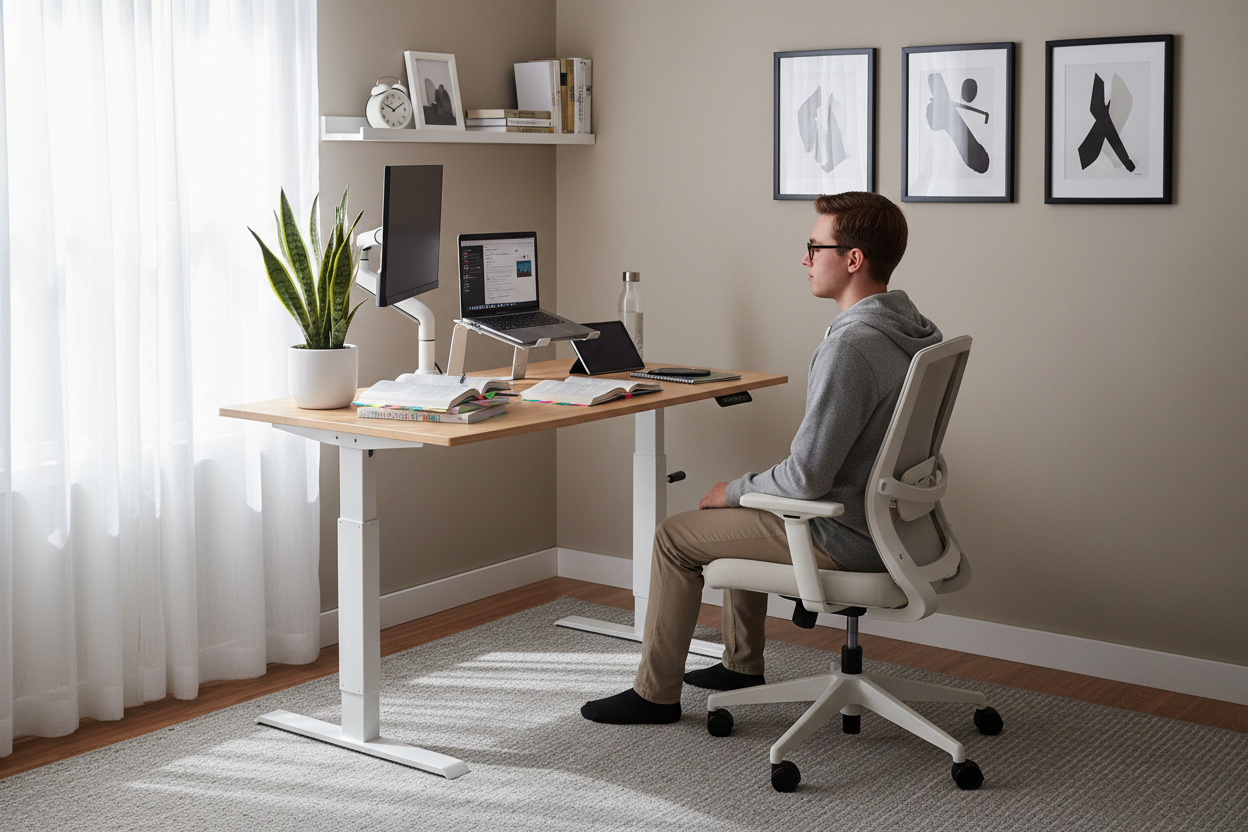
Trabajar desde casa no debería significar estar atado a un solo lugar. Ya sea que respondas correos electrónicos desde el sofá, hagas videollamadas de pie o cambies tu configuración para obtener mejor luz, el espacio de trabajo ideal se mueve contigo.
El carrito para portátil Rackora convierte cualquier habitación en una oficina funcional. Ajustable en altura de 72 a 108 cm, funciona tanto para sentarse como para estar de pie. Llévalo adonde necesites, bloquea las ruedas cuando estés cómodo y ajusta la altura sin herramientas ni complicaciones.

Conclusiones clave
- Comodidad ergonómica: ajuste la altura de 28,5" a 42,5" para encontrar su posición de trabajo perfecta
- Diseño minimalista: líneas limpias y acabado neutro que combinan con cualquier decoración.
- Diseñado para durar: el marco de aluminio soporta hasta 33 libras sin tambalearse
- Movilidad real: Cuatro ruedas de 360° con bloqueos delanteros le permiten moverse y asegurar su espacio de trabajo
- Gestión de cables: los clips incorporados mantienen los cables organizados y fuera de la vista
- Almacenamiento adicional: el estante lateral sostiene portátiles, cargadores o su café.
- Respaldado por garantía: devoluciones de 30 días más garantía del fabricante de 3 años
- Configuración rápida: se ensambla en 15 minutos con las herramientas incluidas
Por qué destaca el carrito para portátiles Rackora
La mayoría de los escritorios móviles te obligan a elegir entre estabilidad y portabilidad. Los pesados no se mueven con facilidad. Los ligeros se tambalean. El Rackora equilibra ambas: lo suficientemente ligero como para llevarlo con una mano y lo suficientemente estable para escribir sin vibraciones.

Diseño innovador que realmente funciona
El sistema de ajuste con resorte de gas es su característica más destacada. Presione la palanca, suba o baje el escritorio a la altura deseada y suéltela. Sin manivelas, sin múltiples puntos de ajuste ni herramientas. Se mantiene exactamente donde lo colocó, incluso al escribir con fuerza o apoyarse en la superficie.
El escritorio mide 60 x 39 cm, suficiente espacio para una laptop de 43 cm y un mouse, notebook o tableta. La superficie es lo suficientemente lisa para el seguimiento del mouse, pero con la textura suficiente para evitar que la laptop se deslice al mover el carrito.
Materiales de primera calidad sin un precio premium
Por $158.46, obtienes una estructura de aluminio resistente a la oxidación y la corrosión, ruedas industriales para uso diario y un escritorio resistente a rayones y manchas. Compáralo con escritorios fijos de precios similares que no se mueven ni se ajustan.
La estructura utiliza aluminio de grado aeronáutico, el mismo material que se utiliza en muebles de oficina de alta gama, pero el proceso de fabricación mantiene los costos razonables. Disfruta de durabilidad sin tener que pagar por una marca de diseño.
Ergonomía: más que solo ajuste de altura
Estar sentado todo el día duele. Estar de pie todo el día duele de forma diferente. La solución no es elegir una, sino alternar entre ambas a lo largo de la jornada laboral.

Rango de altura que se adapta a personas reales
El rango de 72,5 a 108 cm cubre desde la altura del escritorio sentado (71-76 cm) hasta la altura del escritorio de pie (96-107 cm) para la mayoría de los adultos. Si mide 1,57 m o 1,93 m, encontrará una posición cómoda. El resorte de gas se mantiene estable en cualquier punto de ese rango, sin muescas preestablecidas ni posiciones limitadas.
Capacidad del espacio de trabajo
La capacidad de peso de 15 kg permite transportar una laptop, un monitor externo, un teclado, un mouse y accesorios sin esfuerzo. La computadora de escritorio no se dobla ni se dobla con el uso normal. Como referencia, una MacBook Pro de 15" pesa aproximadamente 1.8 kg, un monitor de 24" alrededor de 4.5 kg; tiene suficiente espacio para todo lo demás.
Gestión de cables que realmente gestiona los cables
Los clips para cables integrados recorren el borde trasero del marco. Pasa el cable de alimentación, los cables USB y los cargadores por los clips, y se mantendrán en su lugar al mover el carrito. Se acabó tener que meterse debajo de los muebles para recuperar cables caídos o lidiar con enredos.
Movilidad y flexibilidad
Las cuatro ruedas son suaves y silenciosas, sin traqueteos ni chirridos al moverse entre habitaciones. Las dos ruedas delanteras se bloquean con solo presionar el pie, asegurando el carrito mientras trabaja.

Ruedas de 360° con bloqueo
Cada rueda gira completamente, lo que permite maniobrar el carrito en espacios reducidos sin tener que levantarlo ni inclinarlo. El mecanismo de bloqueo de las ruedas delanteras es lo suficientemente resistente como para que el carrito no se desplace en suelos inclinados ni al escribir.
Marco de aluminio ligero
El carrito completo pesa aproximadamente 7 kg. Puedes levantarlo por encima de un umbral, subirlo por las escaleras o moverlo con una sola mano. A pesar de su ligereza, el armazón no se dobla ni se siente endeble: la construcción de aluminio proporciona rigidez sin ser voluminoso.
Diseño plegable para almacenamiento
Cuando no lo uses, el carrito se pliega prácticamente plano. No desaparece por completo, pero cabe detrás de una puerta o en un armario con más facilidad que un escritorio tradicional. Ideal para apartamentos pequeños donde cada metro cuadrado cuenta.
Características de ahorro de espacio
El tamaño del carrito es de aproximadamente 60 x 40 cm, más pequeño que la mayoría de los escritorios, pero lo suficientemente grande para trabajar cómodamente. En un estudio o una habitación compartida, esa diferencia es importante. Puedes desplegarlo cuando necesites trabajar y guardarlo al terminar.
Espacio compacto para apartamentos y estudios
Los escritorios tradicionales ocupan de 122 a 152 cm de espacio permanente en la pared. El Rackora ocupa la mitad y no necesita estar pegado a la pared. Úsalo en la sala de estar durante el día, llévalo al dormitorio por la noche o al balcón cuando hace buen tiempo.
Fácil almacenamiento cuando no está en uso
El estante lateral se desmonta para que el carrito sea aún más compacto. Sin el estante, es lo suficientemente estrecho como para deslizarse entre los muebles o colocarse en una esquina sin que ocupe demasiado espacio.
Comparación: Rackora vs. Escritorios tradicionales
| Característica | Carrito para portátiles Rackora | Escritorio tradicional |
|---|---|---|
| Ajuste de altura | 28,5-42,5 pulgadas (resorte de gas) | Altura fija (normalmente 29-30") |
| Movilidad | 4 ruedas giratorias con frenos | Estacionario |
| Huella | 24" x 16" | 48-60" x 24-30" |
| Peso | ~15 libras | 50-100+ libras |
| Almacenamiento | Plegable, fácil de almacenar. | Accesorio permanente |
| Precio | $158.46 | $200-500+ |
Comparación: Rackora vs. otros carritos móviles
| Característica | Carrito Rackora | Carritos móviles económicos | Escritorios de pie premium |
|---|---|---|---|
| Material del marco | Aluminio | Acero/plástico | Acero |
| Método de ajuste | Resorte de gas (liso) | Pasadores/manivelas manuales | Motor eléctrico |
| Estabilidad | Excelente (capacidad de 33 lb) | Regular (oscila con el uso) | Excelente (capacidad de más de 100 lb) |
| Portabilidad | Alto (15 libras, 4 ruedas) | Mediano (ruedas más pesadas y baratas) | Bajo (pesado, movilidad limitada) |
| Precio | $158.46 | $60-100 | $400-800+ |
| Garantía | 3 años | 90 días - 1 año | 5-10 años |
Cómo comprar su carrito para portátil Rackora
Pida el carrito ajustable para computadora portátil Rackora ($158.46) →
Proceso de pedido paso a paso
- Visite la página del producto: Carrito ajustable para computadora portátil Rackora
- Seleccionar cantidad: La mayoría de los clientes piden una sola cantidad, pero puede haber descuentos por volumen disponibles para oficinas.
- Añadir al carrito: Haga clic en el botón "Añadir al carrito"
- Revisa tu pedido: revisa el contenido del carrito y aplica cualquier código de descuento
- Proceder al pago: Ingrese la información de envío y pago
- Confirmar compra: Revisar los detalles del pedido y completar el pago.
Envío y entrega
Los pedidos suelen enviarse en 1 o 2 días hábiles. El tiempo de entrega varía según la ubicación, pero el promedio para pedidos nacionales es de 5 a 7 días hábiles. Recibirá información de seguimiento por correo electrónico una vez que se envíe su pedido.
El carrito se entrega en una caja compacta (aproximadamente 76,2 cm x 45,7 cm x 15,2 cm) y pesa aproximadamente 8,1 kg con el embalaje. Disponemos de envío estándar, con opciones de envío rápido al finalizar la compra si lo necesita antes.
Seguimiento de su pedido
Una vez enviado tu pedido, recibirás un correo electrónico con un número de seguimiento. Úsalo para supervisar el estado de tu envío. Si tienes alguna pregunta sobre tu pedido, contacta con atención al cliente en support@rackorapro.com.
Soporte y garantía
Contacto de atención al cliente
¿Tienes preguntas antes o después de la compra? Contacta con el equipo de Rackora en:
- Correo electrónico: support@rackorapro.com
- Tiempo de respuesta: Generalmente dentro de las 24 horas en días hábiles.
Garantía de devolución de dinero de 30 días
Pruebe el carrito durante un mes. Si no se ajusta a su espacio o necesidades, devuélvalo para obtener un reembolso completo. El carrito debe estar en condiciones de reventa y con su embalaje original. Contacte con atención al cliente para solicitar una devolución.
Garantía del fabricante de 3 años
La garantía cubre defectos de materiales y mano de obra durante tres años a partir de la fecha de compra. Esto incluye el armazón, el mecanismo de resorte de gas y las ruedas. El desgaste normal no está cubierto, pero los defectos de fabricación se solucionan rápidamente con piezas de repuesto o una unidad nueva.
Consejos de configuración y uso
Instrucciones de montaje
El montaje tarda unos 15 minutos y no requiere herramientas especiales: todo lo necesario viene en la caja. Las instrucciones son claras e ilustradas. Tendrá que colocar las ruedas, conectar las piezas del marco, instalar el escritorio y añadir el estante lateral.
La mayoría de las personas pueden ensamblarlo solas, aunque tener una segunda persona que sostenga las piezas mientras usted aprieta los pernos lo hace un poco más fácil.
Consejos de configuración ergonómica
Para trabajar sentado, coloque el escritorio de forma que los codos se doblen 90 grados al escribir. La pantalla debe estar a la altura de los ojos; utilice un soporte para portátil o un monitor externo si es necesario.
Para trabajar de pie, el escritorio debe estar a la altura del codo o ligeramente por debajo. Las muñecas deben estar rectas al escribir, no dobladas. Si es la primera vez que trabaja de pie, comience con intervalos de 20 a 30 minutos y aumente gradualmente.
Ideas para organizar el espacio de trabajo
Usa el estante lateral para los artículos que necesitas con frecuencia: el cargador del teléfono, la libreta o la botella de agua. Mantén el escritorio principal despejado, excepto para tu portátil y tus artículos de trabajo inmediatos. Los clips para organizar cables funcionan mejor si los colocas antes de empezar a trabajar en lugar de intentar organizarlos después.
Considere agregar una pequeña lámpara de escritorio si trabaja en áreas oscuras: el carrito no incluye iluminación, pero hay espacio para una lámpara LED compacta en el estante lateral.
Otras opciones de escritorio móvil Rackora
Si el carrito para computadora portátil estándar no se adapta a sus necesidades, Rackora ofrece otras soluciones de escritorios móviles:

Escritorio móvil pequeño con ruedas Rackora
El escritorio móvil pequeño con ruedas (158,07 $) ofrece un tamaño más compacto para portátiles pequeños (de 11" a 15,6"). Es ideal para espacios reducidos o si usa principalmente una tableta o un portátil pequeño. La misma calidad de construcción y las mismas características de movilidad en un tamaño más pequeño.

Escritorio móvil ajustable Rackora JST6600
El modelo JST6600 (US$180.00) cuenta con un escritorio de vidrio templado y se ajusta de 24.2" a 32.7". Está diseñado para trabajar sentado, con trabajo ocasional de pie, en lugar de permitir trabajar de pie o sentado. La superficie de vidrio le da un aspecto más elegante para entornos profesionales como aulas o salas de conferencias. Soporta un peso de 120 lb (54 kg).
Explorar todas las soluciones de escritorios móviles de Rackora →
Preguntas frecuentes
¿Qué dispositivos son compatibles con el Rackora Laptop Cart?
El carrito es compatible con portátiles de 11" a 17", incluyendo MacBook, Dell, HP, Lenovo, Asus y Surface. También admite tabletas, Chromebooks y monitores portátiles. El escritorio de 23,6" x 15,7" ofrece espacio suficiente para la mayoría de los tamaños de portátiles, además de un ratón y pequeños accesorios.
¿Qué tan estable es el carrito al escribir o tipear?
Muy estable con las ruedas delanteras bloqueadas. El marco de aluminio no se flexiona con la presión normal al escribir, y el resorte de gas mantiene la altura firmemente. No experimentará el tambaleo típico de los carritos móviles más económicos. La capacidad de peso de 15 kg garantiza que el escritorio se mantenga nivelado incluso con una computadora portátil, un monitor y accesorios.
¿Puedo utilizar este carrito sobre alfombra?
Sí, las ruedas giran suavemente sobre alfombras de pelo corto. En alfombras gruesas o afelpadas, puede que necesite aplicar un poco más de fuerza para mover el carrito, pero aun así es manejable. Las ruedas con bloqueo funcionan bien sobre alfombras, aunque se agarran mejor en suelos duros.
¿Qué tan difícil es el montaje?
El montaje suele tardar entre 15 y 20 minutos. Las instrucciones incluyen diagramas claros y todas las herramientas y herrajes necesarios vienen en la caja. Tendrá que colocar las ruedas, conectar las secciones del marco, montar el escritorio y añadir el estante lateral. No se requieren habilidades ni herramientas especiales.
¿Cuál es la política de devolución si no me funciona?
Rackora ofrece una garantía de devolución de dinero de 30 días. Si no está satisfecho, contacte con atención al cliente para gestionar una devolución. El carrito debe estar en condiciones de reventa y con su embalaje original. Los reembolsos se procesan una vez recibida e inspeccionada la devolución.
¿El carrito viene completamente ensamblado?
No, requiere ensamblaje. El carrito se envía por piezas para reducir los costos de envío y el tamaño del paquete. El ensamblaje es sencillo y toma aproximadamente 15 minutos con las instrucciones y herramientas incluidas.
¿Cuál es el límite de peso para el escritorio?
La computadora de escritorio soporta hasta 15 kg. Esto es suficiente para una laptop, un monitor externo, un teclado, un mouse y accesorios. Como referencia, una laptop de 15" pesa aproximadamente 1.8 kg, y un monitor de 24" alrededor de 4.5 kg, lo que deja suficiente espacio para otros artículos.
¿Puedo ajustar la altura mientras mi computadora portátil está en el carrito?
Sí, el mecanismo de resorte de gas está diseñado para ajustarse suavemente incluso con peso sobre el escritorio. Presione la palanca, suba o baje a la altura deseada y suéltela. El mecanismo se mantiene estable en cualquier punto entre 72 y 108 cm.
¿El estante lateral es extraíble?
Sí, el estante lateral se puede desmontar si se necesita un perfil más compacto o no se necesita almacenamiento adicional. Esto hace que el carrito sea más estrecho para guardarlo o usarlo en espacios reducidos.
¿Qué mantenimiento requiere el carrito?
Requiere un mantenimiento mínimo. Compruebe ocasionalmente que los tornillos estén bien apretados, especialmente después de las primeras semanas de uso. Limpie el escritorio con un paño húmedo según sea necesario. Las ruedas pueden acumular polvo o pelos con el tiempo; una limpieza rápida las mantiene girando con suavidad. El mecanismo de resorte de gas está sellado y no requiere lubricación.
Reflexiones finales
El carrito para portátil Rackora resuelve un problema específico: necesitas un espacio de trabajo que se adapte a tu forma de trabajar, no a la que los muebles de oficina tradicionales te imponen. Con un precio de $158.46, se encuentra entre carritos económicos que se tambalean y escritorios de pie premium que cuestan el triple.
Obtendrás una construcción de aluminio, un ajuste de altura suave, movilidad real y suficiente espacio de trabajo para trabajar de verdad. La garantía de 3 años y la política de devolución de 30 días reducen el riesgo al probarlo.
Si trabajas desde casa, te desplazas entre habitaciones o buscas la opción de estar sentado o de pie durante todo el día, este carrito es la solución. No pretende reemplazar una oficina completa; está diseñado para ofrecerte una flexibilidad que los escritorios tradicionales no pueden igualar.
¿Listo para mejorar tu espacio de trabajo móvil? Pide hoy mismo tu carrito para portátiles Rackora y experimenta la diferencia que supone un espacio de trabajo verdaderamente flexible.
