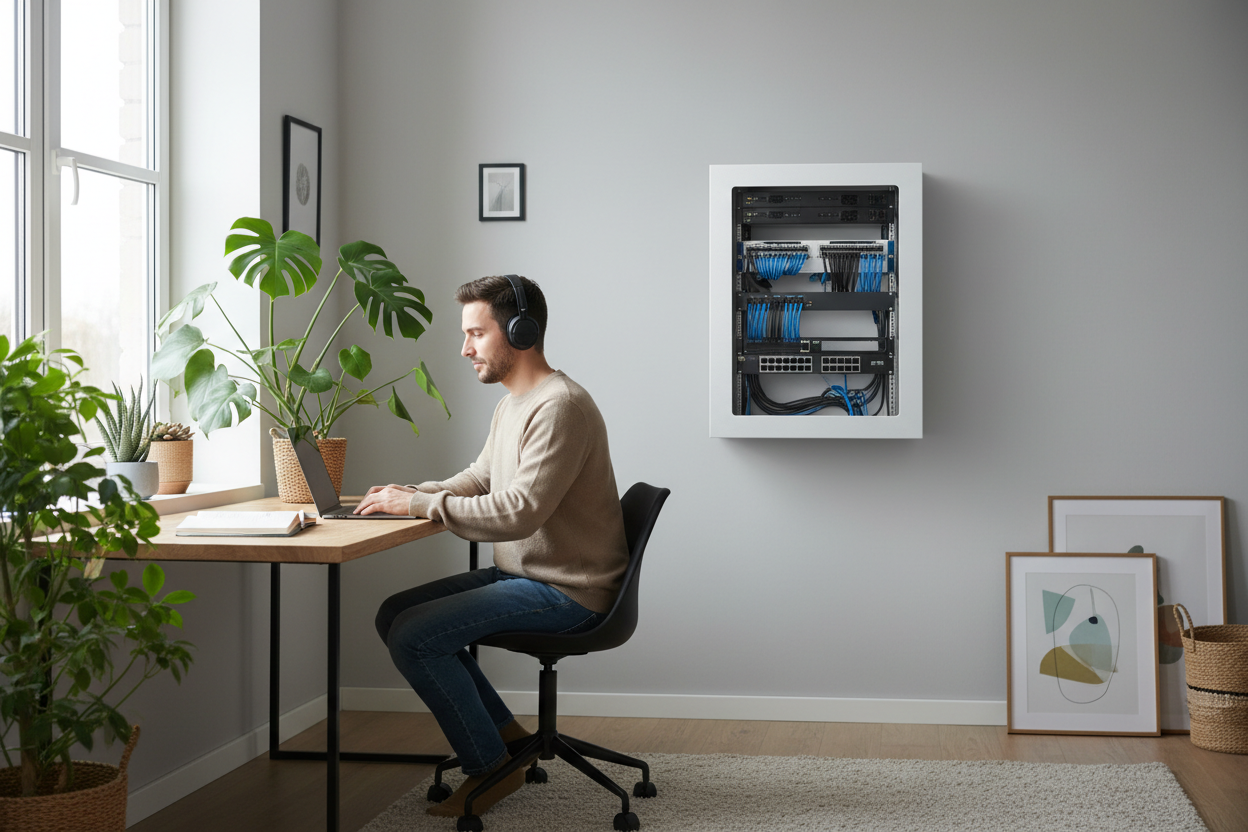
Your home office deserves better than a noisy industrial server rack that sounds like a jet engine. If you're building a homelab or upgrading your home network infrastructure, the cabinet you choose makes all the difference between a professional workspace and a constant source of irritation.
Let's talk about something most tech guides skip: your home office isn't a data center. You don't need the same equipment that belongs in a climate-controlled server room. What you need is a quiet server rack that looks good, keeps your gear organized, and doesn't announce its presence every time the fans spin up.

Why Industrial Server Racks Don't Belong in Your Home Office
Here's the thing about traditional server cabinets: they're designed for environments where noise doesn't matter. Data centers are loud. Nobody cares if a rack sounds like a wind tunnel because there's nobody sitting next to it for eight hours a day.
But your home office? That's a different story entirely.
Industrial racks typically come with high-CFM cooling fans that prioritize maximum airflow over acoustics. They're built with perforated metal doors that do nothing to contain sound. The metal construction itself can amplify vibrations, turning every hard drive spin and fan rotation into audible noise that carries through your workspace.
I've seen people try to make industrial racks work in residential settings. They stuff them in closets, build soundproof enclosures around them, or just learn to live with the constant hum. None of these are good solutions.
What Makes a Network Cabinet Actually Quiet
A proper home network cabinet addresses noise at multiple levels. It's not just about slapping some foam padding inside an industrial rack and calling it done. The entire design philosophy needs to be different.
Tempered Glass Doors: The Premium Difference
This is where Rackora network cabinets stand apart from commodity industrial racks. A tempered glass front door serves multiple purposes that perforated metal simply cannot match.
First, glass provides actual sound dampening. When properly sealed, it creates a barrier that significantly reduces the noise escaping from your equipment. You can still see your gear through the transparent door (important for monitoring status LEDs and checking connections), but the acoustic signature drops dramatically.
Second, tempered glass looks professional. If clients or colleagues see your home office on video calls, a sleek cabinet with a glass door reads as premium equipment, not repurposed data center surplus.
The 6U Wall Mount Network Server Cabinet ($191.43) exemplifies this approach. The locking tempered glass door provides security, noise reduction, and visual appeal in one component.

Silent Cooling vs. High-CFM Fans
Here's where most people get tripped up: they assume more airflow equals better cooling. In a data center with dozens of high-wattage servers, sure. But in a home office with a router, a switch, maybe a NAS and a small server? You don't need industrial-grade cooling.
What you need is adequate cooling that operates quietly. This means larger, slower-spinning fans instead of small, high-RPM screamers, proper ventilation design that promotes natural convection, strategic placement of vented panels where they improve airflow without compromising sound isolation, and temperature-controlled fan operation that only ramps up when actually needed.
The difference in noise level between a 40mm fan spinning at 6,000 RPM and a 120mm fan at 1,200 RPM is night and day, even if they move similar amounts of air. Rackora's cabinet designs incorporate proper ventilation without relying on aggressive forced-air cooling.
Understanding Rack Depth: How to Measure Your Equipment Properly
This is critical, and it's where I see people make expensive mistakes. Rack depth isn't just about the equipment you're mounting today. It's about the equipment you'll add next year, the cable management behind your devices, and the airflow space you need for proper cooling.
The Three Depth Measurements That Matter
1. Equipment Depth - Measure from the front mounting ears to the furthest point back on your device. Don't forget to account for cable connectors that stick out the back. That network switch might be 10 inches deep, but with ethernet cables plugged in, it effectively needs 12 inches.
2. Usable Internal Depth - This is the space between the front mounting rails and the back wall of the cabinet. The Rackora 6U cabinet offers 15.5 inches of usable depth, which handles most home networking equipment with room to spare.
3. Cable Management Depth - Add at least 2-3 inches beyond your equipment depth for proper cable routing. Cramming cables into tight spaces creates heat buildup and makes future changes a nightmare.

Common Equipment Depths
Here's what you're actually working with for typical homelab gear: consumer network switches run 8-10 inches, patch panels are 4-6 inches, cable modems and ONTs measure 6-8 inches, small form factor servers need 12-16 inches, NAS devices require 10-14 inches, and rack-mount UPS units take up 12-18 inches.
A 15.5-inch deep cabinet like Rackora's 6U model accommodates all of this with proper cable management space. Going shallower saves wall space but creates headaches. Going deeper (20+ inches) is overkill for home use and makes the cabinet protrude unnecessarily.
Wall Mount vs. Floor Standing: Which Makes Sense for Home Offices
For most home office scenarios, a 9U wall mount rack or smaller makes more sense than a floor-standing cabinet. Here's why:
Space Efficiency - Wall-mounted cabinets don't consume floor space. In a home office where every square foot matters, getting your network gear off the floor and onto the wall is a significant advantage.
Easier Cable Management - When your rack is at eye level or slightly above, running cables to it is straightforward. You're not crawling under desks or routing cables along baseboards.
Better Cooling - Heat rises. A wall-mounted cabinet naturally benefits from this, with warm air exhausting upward and away from the equipment.
Professional Appearance - A properly mounted wall cabinet looks intentional and organized. A floor-standing rack in a home office often looks like you couldn't find anywhere else to put it.
The Rackora 6U Wall Mount Cabinet supports up to 200 lbs when properly installed, which is more than sufficient for typical home networking setups. Six rack units gives you space for a patch panel, switch, router, small server or NAS, and a UPS, with room left over for future expansion.

The Rackora Advantage: Premium Features That Matter
Let's get specific about what separates a purpose-built home office network cabinet from industrial alternatives.
Locking Mechanisms That Actually Work
If you have kids, pets, or just want to keep curious hands away from your network infrastructure, a proper locking door isn't optional. The Rackora 6U cabinet includes a keyed lock on the tempered glass door. It's not just security theater—it's a real barrier that prevents accidental disconnections and unauthorized access.
Removable Side Panels for Easy Access
You will need to access the sides of your equipment. Maybe you're adding a drive to your NAS. Maybe you need to check a cable connection. Cabinets with removable side panels make this trivial. The Rackora design makes this straightforward without compromising structural integrity.
Proper Grounding and Power Distribution
This is a safety issue that cheap racks ignore. Your network cabinet should provide proper grounding points for your equipment. Rackora cabinets include proper grounding provisions.
Sizing Your Home Network Cabinet
The temptation is to buy the biggest rack you can fit. Resist this urge.
Inventory Your Current Equipment
List everything you're mounting right now. How many rack units does each device occupy? Add 2U for cable management and 1U for a power strip.
Plan for Realistic Growth
Add 50% to your current needs. If you're using 4U of equipment now, plan for a 6U cabinet. This gives you room to add a device or two without needing to upgrade the entire cabinet.
For most home offices, 6U is the sweet spot. The Rackora 6U model at $191.43 represents excellent value for this size range.

Cable Management: Professional vs. Chaotic
A quiet cabinet with terrible cable management is still a problem. Here's how to do it right.
Front-to-Back Cable Routing
Your cables should enter from the back or sides, route through the cabinet, and connect to the front of your equipment. Use the depth wisely—that 15.5 inches isn't just for equipment, it's for creating clean cable paths.
Velcro Over Zip Ties
Zip ties are permanent until you cut them. Velcro cable ties are reusable, adjustable, and don't damage cables. Your future self will thank you.
Label Everything
Every cable should have a label at both ends. When you're troubleshooting at 11 PM, you don't want to be tracing cables by hand.
Accessories That Complete Your Setup
Rack Shelves for Non-Rackmount Equipment
Not everything has mounting ears. Cable modems, small switches, external drives need shelves. The Rackora 1U Server Rack Shelf 2-Pack ($46.00) provides vented shelves that maintain airflow while supporting equipment that doesn't rack-mount natively.

Proper Power Distribution
Don't just throw a power strip in your cabinet. Get a proper rack-mount PDU with surge protection. Look for models with individually switched outlets.
Temperature Monitoring
Even with good passive cooling, you should know what's happening inside your cabinet. A simple temperature sensor lets you monitor conditions and catch problems before they become failures.
Installation Tips: Mounting Your Wall Cabinet Correctly
A 6U cabinet loaded with equipment can weigh 50-100 pounds. Proper installation isn't optional.
Find the Studs
Always mount to wall studs, never just drywall. Use a stud finder to locate them. Your cabinet should attach to at least two studs for stability.
Use Appropriate Hardware
The mounting hardware included with Rackora cabinets is designed for the load. Use it. For drywall installation into studs: 3-inch lag bolts or structural screws. For concrete or brick: appropriate masonry anchors rated for the load.
Level Is Critical
An unlevel cabinet looks bad and can cause equipment to sit incorrectly. Use a level during installation. Take your time getting it right.
Comparing Rackora to Industrial Alternatives
Noise Levels
Industrial rack with perforated doors: 45-55 dB at 3 feet. Rackora cabinet with tempered glass door: 35-40 dB at 3 feet. That 10-15 dB difference is significant—decibels are logarithmic, so a 10 dB reduction means the sound is perceived as roughly half as loud.
Aesthetic Integration
Industrial rack looks like data center equipment. Rackora cabinet looks like premium office furniture. If your home office is visible to clients or appears in video calls, this matters.
Price Comparison
Basic industrial 6U wall rack: $120-150. Rackora 6U Wall Mount Cabinet: $191.43. The premium is about $40-70. For that, you get tempered glass, better noise isolation, locking security, and a design that actually belongs in a home office.

When to Consider Larger Configurations
A 6U cabinet isn't always the answer. If you're running multiple servers, extensive switching infrastructure, or professional AV equipment, the Rackora 12U Open Frame Server Rack ($181.99) offers more flexibility.
The adjustable depth (15-40 inches) accommodates deeper equipment, and the open frame design provides maximum airflow for higher-wattage gear. The included casters make it easy to reposition. This is the choice for serious homelabs where you're running multiple physical servers or extensive storage arrays.

Maintenance and Long-Term Care
A quality network cabinet should last a decade or more.
Quarterly Cleaning
Dust accumulates. Every three months, power down your equipment and clean everything thoroughly. Use compressed air for electronics, microfiber cloths for surfaces. Clean the tempered glass door inside and out.
Annual Hardware Check
Once a year, verify that all mounting hardware is still tight. Check that the cabinet is still level and securely attached to the wall. Inspect cables for damage or excessive wear.
Common Mistakes to Avoid
Overloading the Cabinet
Just because you have 6U of space doesn't mean you should fill all 6U with equipment. Leave space for airflow. A packed cabinet runs hotter and noisier.
Ignoring Weight Distribution
Put heavy equipment (UPS units, servers) at the bottom. Light equipment (switches, patch panels) at the top. This keeps the center of gravity low and reduces stress on mounting hardware.
Skimping on Cable Management
Taking shortcuts on cable management creates problems that compound over time. Do it right from the start. Use proper cable organizers, label everything, and maintain documentation.
Blocking Ventilation
Don't mount your cabinet where ventilation openings are blocked. Don't stack stuff on top of it. Give it space to breathe.
Future-Proofing Your Setup
Plan for Higher Power Density
Equipment gets more powerful over time. Make sure your power distribution can handle future upgrades. If you're running a 500W UPS now, consider a 750W or 1000W model to leave headroom.
Consider 10GbE Migration
10-gigabit Ethernet is becoming standard for homelab environments. Make sure your cabinet has space for the switches and patch panels you'll need when you upgrade from 1GbE.
Leave Room for Expansion
That empty rack unit isn't wasted space—it's future capacity. Don't feel pressured to fill every slot immediately.
Real-World Setup Examples
Basic Home Network Setup
1U: Patch panel (12-port)
1U: Network switch (16-port gigabit)
1U: Cable modem and router on shelf
2U: NAS device
1U: Rack-mount UPS
Total: 6U, with good spacing for airflow
Advanced Homelab Configuration
1U: Patch panel (24-port)
1U: Managed switch (24-port with 10GbE uplinks)
1U: Shelf for cable modem and security gateway
2U: Small form factor server
1U: Power distribution unit
Total: 6U, optimized for performance
Media Server Setup
1U: Network switch
2U: Media server
2U: Storage expansion
1U: UPS
Total: 6U, focused on storage and streaming
All of these configurations fit comfortably in the Rackora 6U Wall Mount Cabinet with proper cable management and adequate cooling.

Frequently Asked Questions
How much noise reduction can I expect from a tempered glass door?
A properly sealed tempered glass door typically reduces noise by 10-15 decibels compared to a perforated metal door. This is roughly equivalent to cutting the perceived loudness in half. The exact reduction depends on the equipment inside and the quality of the door seals, but the difference is immediately noticeable in a home office environment.
Will a wall-mounted cabinet damage my walls?
When properly installed into wall studs with appropriate hardware, a wall-mounted cabinet distributes its load safely and won't damage walls. The key is using the correct mounting method for your wall type and ensuring the installation is level and secure. The Rackora 6U cabinet includes all necessary mounting hardware for standard installations.
How do I know if my equipment will fit in a 15.5-inch deep cabinet?
Measure your equipment from the front mounting ears to the furthest point back, including any cables or connectors that protrude from the rear. Add 2-3 inches for cable management space. If the total is less than 15.5 inches, it will fit comfortably. Most home networking equipment falls well within this range.
Can I install additional cooling fans if needed?
Yes, most network cabinets including Rackora models have provisions for adding supplemental cooling fans. However, for typical home office equipment loads, passive cooling through proper ventilation is usually sufficient. If you do add fans, choose larger, slower-spinning models (120mm or 140mm) rather than small high-RPM fans to maintain quiet operation.
What's the difference between a 9U wall mount rack and a 6U cabinet?
The primary difference is capacity—a 9U rack provides 50% more mounting space than a 6U cabinet. However, it's also taller (approximately 20 inches vs. 15 inches). For most home office setups, 6U provides adequate space without dominating the wall. Choose 9U if you have specific equipment requirements that exceed 6U or want significant room for future expansion.
How often should I clean my network cabinet?
Perform a basic cleaning (dusting exterior, cleaning glass) monthly. Do a thorough cleaning (removing equipment, cleaning interior, checking cables) quarterly. Annual deep maintenance should include verifying all mounting hardware, checking for any signs of wear or damage, and updating cable management as needed.
Is it better to mount the cabinet in a closet or in the main office space?
This depends on your priorities. Mounting in a closet provides additional noise isolation and keeps equipment out of sight, but makes access more difficult and may create cooling challenges if the closet is small or poorly ventilated. Mounting in the main office space provides easy access and better cooling, but requires a cabinet that looks good and operates quietly—exactly what Rackora's tempered glass cabinets are designed for.
Can I use a home network cabinet for audio/video equipment?
Absolutely. Standard 19-inch rack mounting is universal across IT and AV equipment. Many home theater enthusiasts use network cabinets to organize receivers, amplifiers, media players, and distribution equipment. The quiet operation and professional appearance of a Rackora cabinet makes it ideal for AV applications in living spaces.
What's the maximum weight capacity I should plan for?
The Rackora 6U cabinet supports up to 200 lbs when properly wall-mounted. However, you should plan for significantly less than the maximum to maintain safety margins. A typical home office setup with switches, a small server, NAS, and UPS will weigh 40-80 lbs total. Always distribute weight with heavier items at the bottom.
Do I need special tools to install equipment in the cabinet?
Basic installation requires only a Phillips screwdriver and cage nuts (typically included with the cabinet). For wall mounting, you'll need a drill, appropriate drill bits for your wall type, a level, and a stud finder. Most homeowners have these tools already or can borrow them. No specialized rack installation tools are required for home office setups.
Making Your Decision
Choosing a quiet server rack for your home office comes down to understanding that residential and commercial environments have fundamentally different requirements. What works in a data center creates problems in a home office.
The Rackora 6U Wall Mount Network Server Cabinet ($191.43) represents the right approach: premium materials like tempered glass, thoughtful design that prioritizes both aesthetics and acoustics, and practical features like locking doors and removable panels that make daily use easier.
Whether you're setting up your first homelab or upgrading from an industrial rack that's been driving you crazy, investing in a proper home network cabinet pays dividends in reduced stress, better equipment longevity, and a workspace you actually enjoy spending time in.
Ready to upgrade your home office network setup? Explore the Rackora 6U Wall Mount Cabinet and experience the difference that purpose-built residential networking equipment makes.
