It's 2:30 in the afternoon. The sun is hammering the windows, your air conditioner is working overtime, and you've been parked in the same chair since 9 AM. Your lower back is starting to ache, your legs feel heavy, and your focus has basically left the building. Sound familiar?
This isn't just a willpower problem. There's real physiology behind that mid-afternoon summer slump — and a well-designed sit-stand routine can do more to fix it than another cup of coffee ever will. In this guide, we're going to break down exactly what's happening to your body during those long summer workdays, walk through the science of the 30/60 Rule, and show you how the right ergonomic setup — including an electric standing desk, an anti-fatigue mat, and smart memory presets — can completely change how you feel by 5 PM.
No fluff, no generic advice. Just practical information you can actually use.
What Summer Heat Actually Does to a Sitting Body
Most people think fatigue during hot weather is just about being warm. It's actually a lot more specific than that — and it hits harder when you're sedentary.
When you sit for extended periods, your body's circulation naturally slows. Blood tends to pool in the lower extremities — a phenomenon called venous pooling — because your leg muscles aren't contracting to push it back up toward the heart. In cooler conditions, this is uncomfortable. In summer heat, it becomes a real problem.
Heat causes your blood vessels to dilate. That's your body's way of trying to cool itself down by moving warm blood closer to the skin surface. But when you're sitting still, that dilation combined with venous pooling means your cardiovascular system is working harder just to maintain baseline circulation. The result? Your brain gets slightly less oxygenated blood than it needs, your muscles stiffen up faster, and that heavy, foggy feeling sets in well before the end of the workday.
Add to that the fact that heat increases your body's demand for hydration, and that even mild dehydration (as little as 1–2% of body weight) measurably impairs cognitive function, and you've got a recipe for a genuinely rough afternoon.
Here's what prolonged summer sitting specifically does to your body:
- Reduced blood circulation: Sitting compresses the major blood vessels in your thighs and hips. Heat-induced vasodilation makes this worse, not better.
- Venous pooling in the legs: Without muscle contractions to act as a pump, blood accumulates in the lower legs. This causes that heavy, swollen feeling by mid-afternoon.
- Accelerated muscle stiffness: Heat increases muscle tension in an already-compressed position. Your hip flexors, hamstrings, and lower back muscles shorten and tighten faster than they would in cooler weather.
- Spinal compression: Sitting puts roughly 40% more pressure on your lumbar discs than standing. Over a full summer workday, that adds up to significant cumulative stress on your spine.
- Metabolic slowdown: Your basal metabolic rate drops when you're sedentary. In summer, when your body is already working to regulate temperature, this creates a compounding energy drain.
The good news is that all of these effects are reversible — and preventable — with the right movement strategy.
The 30/60 Rule: The Science Behind Sit-Stand Intervals
You've probably heard that you should "take breaks" from sitting. But vague advice like that rarely sticks because it doesn't give you a concrete system to follow. The 30/60 Rule does.

The principle is straightforward: stand for at least 30 minutes out of every 60-minute work block. Research published in ergonomics and occupational health journals consistently shows that this ratio — roughly a 1:1 or 1:2 stand-to-sit ratio — produces measurable improvements in energy levels, focus, and musculoskeletal comfort compared to either sitting all day or standing all day.
Here's why it works physiologically:
Standing activates your postural muscles. When you stand, your calves, glutes, core, and back muscles all engage to keep you upright. This muscle activity acts as a circulatory pump, pushing blood back up from your legs and dramatically reducing venous pooling. Even light standing — not walking, just standing — increases blood flow to the brain by a meaningful margin.
It resets your spinal alignment. Standing allows your lumbar spine to return to its natural curve. The intervertebral discs, which are partially compressed during sitting, can rehydrate and decompress. Over the course of a workday, this makes a significant difference in how your back feels by evening.
It boosts your basal metabolic rate. Standing burns roughly 50 more calories per hour than sitting — not a dramatic number on its own, but the metabolic activation that comes with it keeps your energy systems more engaged. You feel more alert because your body is more active.
It breaks the heat-sitting feedback loop. When you stand and move slightly, you encourage circulation and help your body's thermoregulation work more efficiently. Counterintuitively, light movement in a warm environment often makes you feel less overheated than sitting still, because your circulation is actually doing its job.
The 30/60 Rule isn't about standing until your feet hurt. It's about strategic alternation. Most people find that after a few weeks of following this pattern, they naturally start to feel uncomfortable sitting for more than 45–50 minutes at a stretch — which is exactly the point. Your body recalibrates its baseline.
The practical challenge, of course, is actually doing it. That's where the right desk setup becomes essential.
Why Your Desk Is the Foundation of Everything
You can know all the ergonomic theory in the world, but if your desk makes transitioning between sitting and standing a production — adjusting bolts, manually cranking a handle, or dragging furniture around — you're not going to do it consistently. Friction kills habits.
An electric height-adjustable standing desk removes that friction entirely. You press a button, the desk moves to your preset height in seconds, and you're standing. No interruption to your workflow, no physical effort, no excuse not to do it.
Here are the standing desks from Rackora that are built for exactly this kind of daily sit-stand routine:
40" x 24" Ergonomic Electric Height Adjustable Standing Desk — $599.99

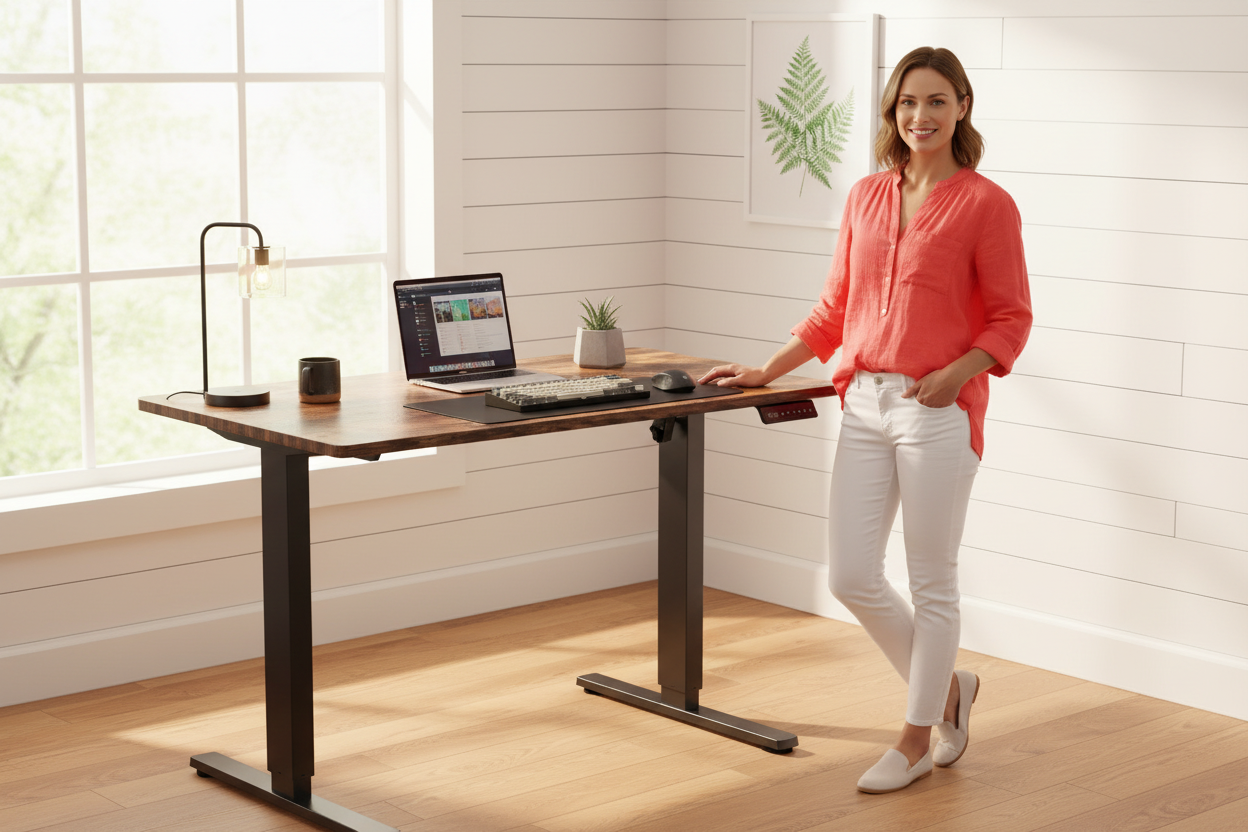
This is the desk for people who are serious about their ergonomic setup. The 40" x 24" surface gives you enough room for a monitor, keyboard, mouse, and a notepad without feeling cramped. The electric motor adjusts height smoothly and quietly — under 50 decibels, so you won't disrupt a video call when you switch positions.
The three programmable memory presets are the feature that makes the 30/60 Rule actually work in practice. You set your ideal sitting height, your standing height, and maybe a third position for when you're on a call and want to be slightly lower. From that point on, transitioning takes about three seconds and zero mental effort. You just press a number.
The desk handles up to 176 lbs of load capacity, so dual monitors, a docking station, and a full desk setup are no problem. The wood surface in a warm brown finish also looks genuinely good — not like a piece of office equipment that wandered into your home.
→ Shop the 40" x 24" Electric Standing Desk — $599.99
8x24 Inches Height Adjustable Ergo Standing Desk — $479.99

If you want a larger work surface — the 48" x 24" desktop gives you serious real estate — this is the desk to look at. The height range of 28" to 47" covers virtually every user height from seated to standing, and the electric adjustment system makes switching positions effortless.
Assembly takes about 15 minutes, which is genuinely fast for a desk of this size. The construction is solid — 80 lbs of desk that doesn't wobble when you're typing or shifting your weight. For home offices where you're spending 8+ hours a day, the extra surface space makes a real difference in how organized and comfortable your setup feels.
→ Shop the 48" Ergo Standing Desk — $479.99
Rackora Adjustable Mobile Desk JST6600 — $180.00

Not everyone is ready to commit to a full standing desk replacement — and that's completely fine. The JST6600 mobile desk is a smart intermediate option. It adjusts from 24.2" to 32.7" in height, rolls on five lockable 360° swivel casters, and has a tempered glass surface that's easy to clean and looks clean in any room.
This works particularly well if you want a standing option in a different part of your home — a living room, a bedroom, or a shared space — without permanently reconfiguring your main office. Roll it where you need it, lock the wheels, and you have a stable standing workstation. At $180, it's also the most accessible entry point into sit-stand working on this list.
→ Shop the JST6600 Mobile Standing Desk — $180.00
The Anti-Fatigue Mat: Not Optional
Here's something a lot of people learn the hard way: switching from a traditional desk to a standing desk without an anti-fatigue mat is a recipe for sore feet, aching knees, and giving up on standing within two weeks.
Standing on a hard floor — even with good shoes — creates constant static muscle tension in your feet, calves, and lower legs. Your muscles are working to stabilize you on an unyielding surface, and they fatigue faster than you'd expect. By the end of a 30-minute standing interval, your feet hurt, and you sit back down and don't stand again for the rest of the day.
An anti-fatigue mat solves this by introducing a slightly unstable, cushioned surface that encourages micro-movements in your feet and legs. These small, constant adjustments keep your muscles engaged without fatiguing them. The result is that you can stand comfortably for significantly longer — and you actually want to.
When choosing an anti-fatigue mat, look for:
- Thickness of at least 3/4": Thinner mats don't provide enough cushioning to make a real difference.
- Beveled edges: Flat edges are a tripping hazard. Beveled edges let you step on and off naturally.
- Non-slip bottom: Especially important on hardwood or tile floors.
- Size that matches your desk width: You want room to shift your weight and change your stance without stepping off the mat.
Think of the anti-fatigue mat as the foundation of your standing desk setup. The desk gets you off your chair; the mat makes staying off your chair sustainable.
Memory Presets: The Feature That Makes Sit-Stand Actually Happen
We touched on this above, but it's worth going deeper because memory presets are genuinely the difference between a standing desk you use every day and one that stays at the same height for months.
The psychology here is simple: if transitioning between sitting and standing requires any decision-making or physical effort, you'll do it less. If it's a single button press that takes three seconds, you'll do it every time.
Here's how to set up your presets for maximum effectiveness:
Preset 1 — Sitting height: Adjust your desk so your elbows are at roughly 90 degrees when your hands are on the keyboard. Your feet should be flat on the floor (or on a footrest). Your monitor should be at eye level — which is where a monitor arm becomes valuable.
Preset 2 — Standing height: Same elbow rule applies. When you're standing, your elbows should still be at roughly 90 degrees with your hands on the keyboard. Most people need to raise the desk 10–12 inches from their sitting height. Your monitor arm should be adjusted to match.
Preset 3 — Call/presentation height: Some people prefer a slightly lower standing position for video calls — it changes the camera angle and feels more natural. Others use this preset for a slightly reclined sitting position. Experiment and find what works for you.
Once your presets are dialed in, the 30/60 Rule becomes almost automatic. Set a timer, press a button, keep working. That's the whole system.
Completing Your Ergonomic Setup: The Monitor Arm
One thing that trips people up when they first get a standing desk is monitor positioning. When you raise your desk to standing height, your monitor needs to come up with it — and if it's just sitting on the desk surface, it's going to be too low when you're standing and too high when you're sitting.
A monitor arm solves this completely. It lets you adjust your screen height, tilt, and distance independently of your desk height, so your monitor is always at eye level regardless of whether you're sitting or standing.
Full Motion Single Monitor Arm — $139.99

The Rackora Full Motion Single Monitor Arm uses a gas spring mechanism that makes repositioning your monitor effortless — no tools, no cranking, just smooth adjustment. It supports monitors from 13" to 32" and up to 17.6 lbs, covers 360° of swivel, and includes integrated cable management to keep your setup clean.
It mounts via C-clamp or grommet, installs in minutes, and immediately frees up the desk surface that was previously occupied by your monitor's stand. That reclaimed space is genuinely useful — especially on a 40" desk where every inch counts.
For anyone building a sit-stand setup, a monitor arm isn't an accessory. It's a core component.
→ Shop the Full Motion Monitor Arm — $139.99
Building Your Summer Sit-Stand Routine: A Practical Day Plan
Knowing the theory is one thing. Having a concrete daily structure is another. Here's a sample routine built around the 30/60 Rule that works well for a standard 9-to-5 workday in summer:

8:45 AM — Morning setup: Before you start work, spend two minutes adjusting your chair, desk height, and monitor position. Hydrate. Starting the day with your ergonomics dialed in sets the tone.
9:00–9:30 AM — Sitting block: Start seated. Your body is still warming up, and sitting is fine for the first 30 minutes of the day.
9:30–10:00 AM — First standing block: Press your standing preset. Keep working. If you have a call during this window, stay standing — it actually tends to make you sound more energetic.
10:00 AM–12:00 PM — Continue alternating: 30 minutes sitting, 30 minutes standing. Set a phone timer if you need the reminder. After a few weeks, you'll start to feel the cue naturally.
12:00–1:00 PM — Lunch break: Actually leave your desk. Walk outside if possible. Even 10 minutes of outdoor movement in the middle of the day significantly reduces afternoon fatigue.
1:00–3:00 PM — The critical window: This is when summer heat and post-lunch digestion combine to create maximum fatigue risk. Be deliberate about your standing intervals here. If you feel yourself getting sluggish, stand up immediately — don't wait for the timer.
3:00–5:00 PM — Wind down: Continue alternating. Many people find they naturally want to sit more in the final two hours of the day, and that's fine — just make sure you're getting at least one 30-minute standing block in this window.
End of day: Do a quick 2-minute stretch — hip flexors, hamstrings, and thoracic spine. This takes almost no time and makes a significant difference in how you feel the next morning.
Common Mistakes People Make When Starting a Sit-Stand Routine
A few things that trip people up, so you can avoid them:
Standing too much too soon. If you've been sitting all day for years, jumping to 4 hours of standing on day one is going to hurt. Start with 20–30 minutes of standing per hour and build up over two to three weeks.
Wearing the wrong shoes. Standing in flat, unsupportive shoes on a hard floor is almost as bad as not having an anti-fatigue mat. If you work from home and tend to go barefoot or in socks, get the mat first.
Ignoring monitor height. The most common ergonomic mistake at a standing desk is having the monitor too low. If you're looking down at your screen while standing, you're putting the same strain on your neck that you were trying to escape from sitting. Get the monitor arm.
Not drinking enough water. Standing increases your metabolic rate slightly, which means you'll need more hydration than you're used to. Keep a water bottle at your desk and actually use it.
Treating it as all-or-nothing. Some days you'll sit more than you planned. That's fine. The goal is a better average over time, not perfection every day.
The Full Rackora Sit-Stand Setup: What It Costs to Do This Right
If you're building a complete ergonomic sit-stand workstation from scratch, here's what a well-configured setup looks like with Rackora products:
- Electric Standing Desk (40" x 24"): $599.99
- Full Motion Monitor Arm: $139.99
- Anti-fatigue mat: ~$40–80 (third-party)
Total investment for a complete setup: roughly $780–840. That's less than a single month of physical therapy for a chronic back problem — and it prevents the problem from developing in the first place.
If you're working with a tighter budget, the mobile desk option at $180 gets you into sit-stand working immediately, and you can upgrade to a full electric desk later.
→ Build Your Setup — Start with the Electric Standing Desk
Frequently Asked Questions
How long does it take to get used to a standing desk?
Most people need two to four weeks to fully adapt. The first week, your feet and legs will likely feel tired faster than expected — that's normal. Start with shorter standing intervals (15–20 minutes) and gradually increase. By week three, most people find that standing for 30 minutes feels completely natural.
Is standing all day better than sitting all day?
No — and this is an important point. Standing all day creates its own set of problems: varicose veins, lower back fatigue, and joint stress. The research consistently shows that alternating between sitting and standing is significantly better than either extreme. The 30/60 Rule is specifically designed to give you the benefits of both positions without the downsides of either.
What's the correct standing desk height for me?
The standard formula: when standing with your arms at your sides, bend your elbows to 90 degrees. The height of your forearms is approximately where your desk surface should be. For most people of average height (5'6"–5'10"), this works out to roughly 40"–44". Taller or shorter users will need to adjust accordingly — which is exactly why a wide height range matters.
Do I need a special chair for a sit-stand desk?
Your existing chair will work fine as long as it's height-adjustable and provides adequate lumbar support. The desk adjustment compensates for most chair limitations. That said, if your chair is genuinely uncomfortable, no amount of standing will fully compensate — it's worth addressing both.
Can I use a standing desk on carpet?
Yes. Electric standing desks work fine on carpet. The anti-fatigue mat is still recommended — in fact, on thick carpet, a firm anti-fatigue mat can actually provide better support than the carpet alone, which can be too soft and unstable for extended standing.
How does summer heat specifically affect posture?
Heat causes muscles to fatigue faster and increases the tendency to slouch as your body tries to minimize effort. It also increases sweating, which can make you shift position more frequently — sometimes into positions that aren't ergonomically ideal. Staying hydrated and following a structured sit-stand routine are the two most effective countermeasures.
Will a standing desk help with lower back pain?
For most people with non-specific lower back pain caused by prolonged sitting, yes — significantly. The key is using it correctly: alternating positions rather than standing all day, maintaining proper desk and monitor height, and using an anti-fatigue mat. If you have a specific spinal condition, consult with a physical therapist before making major changes to your workstation setup.
How quiet are electric standing desks during adjustment?
The Rackora electric desks operate at under 50 decibels during height adjustment — roughly equivalent to a quiet conversation. You can adjust your desk during a video call without it being audible to the other participants.
What's the weight capacity of these desks?
The 40" x 24" electric desk supports up to 176 lbs. For context, a dual-monitor setup with a docking station, laptop, and accessories typically weighs 20–30 lbs. You have significant headroom for even the most loaded desk setup.
Is a monitor arm really necessary, or is it just a nice-to-have?
For a sit-stand setup specifically, a monitor arm is genuinely necessary rather than optional. Without one, your monitor will be at the wrong height for at least one of your two positions — either too low when standing or too high when sitting. The monitor arm is what allows your screen to be at eye level in both positions, which is the whole point of the ergonomic setup.
Ready to stop fighting the afternoon slump and start actually enjoying your summer workdays? The right desk setup makes the 30/60 Rule effortless — and effortless is the only kind of habit that sticks.
