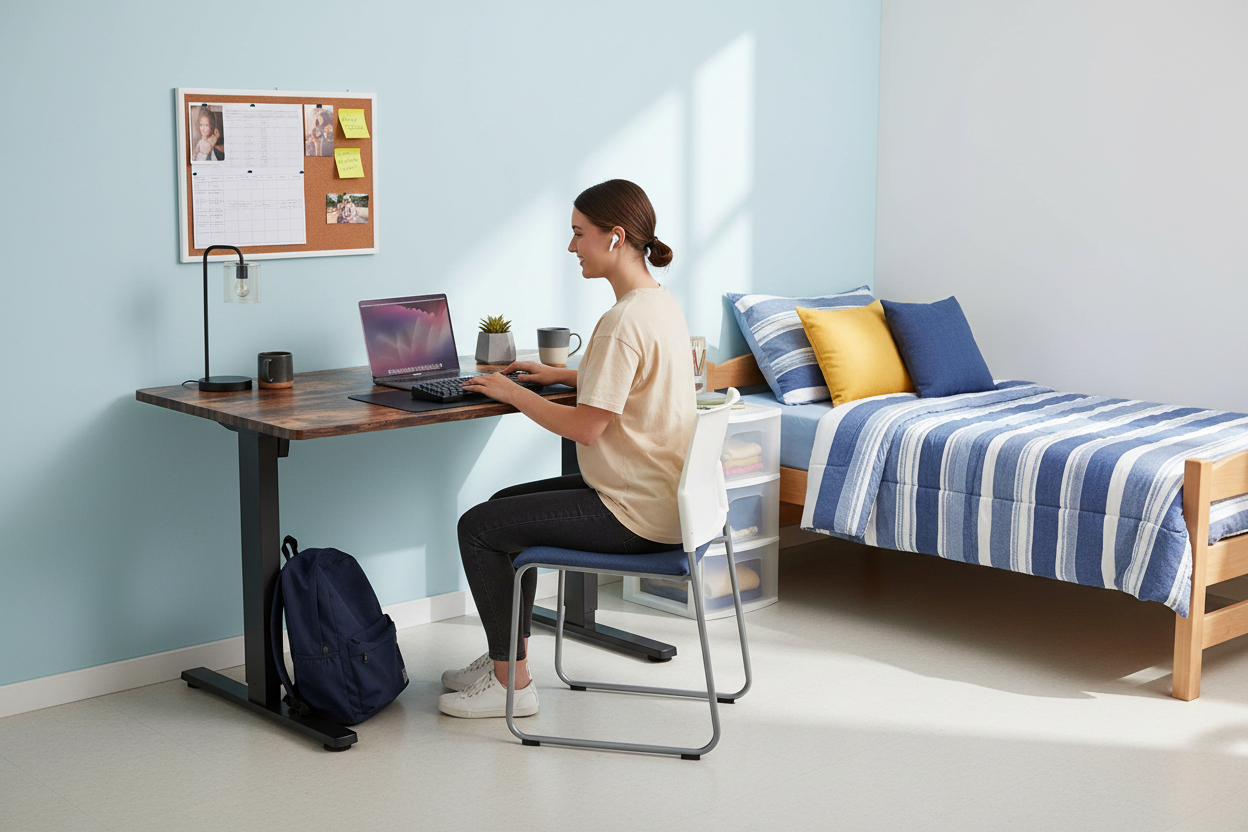
Your dorm room is roughly twelve feet by ten feet. There's a twin bed against one wall, a roommate on the other side, and somewhere in between, the school has squeezed in a desk that was purchased sometime during the Clinton administration.
You know the one. It's 29 inches tall, fixed, and covered in a laminate that's seen three decades of spilled coffee. Your laptop goes on it, your neck starts complaining by the second week of classes, and your "gaming setup" is a laptop propped on a stack of textbooks because there's no room for anything else.
Here's the thing, though: it doesn't have to be like that.
An electric standing desk — a compact one, sized for a dorm or a small bedroom — fixes the posture problem, the space problem, and the whole study-by-day, game-by-night juggling act. It's the single upgrade that changes how a student's room actually works. This guide walks through everything you need to know before buying one: what to measure, which specs matter, what it costs, when to order, and — honestly — whether it's even worth it.
Why the Dorm Desk Is the Worst Desk You'll Ever Sit At
Let's be honest about the desk the school gave you. It's not bad because someone skimped on the budget. It's bad because it was never designed for how students actually use a desk in 2026.
It's the wrong height for your body. Standard dorm desks hover around 29 inches tall, which was fine when people wrote on paper. But when your laptop screen sits at 29 inches and your eyes are at 40-something, your head tilts forward to look down at it. Every inch of forward tilt adds weight to your neck. Hold a bowling ball at your chest and it's heavy; hold it out in front of you and it's exhausting. That's basically what your neck is doing for six hours a day. This is the exact mechanism behind "text neck" — the same reason desk workers get headaches and stiff shoulders. If you've noticed your neck aching after a long study session, this is why.
It wastes the only vertical space you have. A dorm room is small, but it's not flat. You've got walls going all the way up. A fixed desk uses the bottom two and a half feet and leaves the rest as empty air. A height-adjustable desk turns that dead space into a standing workstation — which is like getting a second room for free, because you can work standing up when sitting gets stale.
It tries to be one thing, and fails. Studying wants an upright, focused setup. Gaming wants something looser and more relaxed. A fixed desk can't be both, so you compromise — and the compromise means you're never fully comfortable in either mode. You hunch over notes at 4 p.m., then hunch over a keyboard at 11 p.m., and your back pays for both.
There's a reason so many college kids end up doing homework in bed. The desk is so uncomfortable that anywhere else feels better. But beds are worse — way worse — for your posture, and eventually for your sleep.
A Day in the Life of a Student's Desk (and Why It Breaks Down)
Let's map out a normal Tuesday, because the problem isn't one big thing. It's a dozen small things stacked on the same piece of furniture.
8:00 a.m. — You roll out of bed, grab coffee, sit down to check email and review for your 9 a.m. class. You're already slouching because the screen is too low and you don't want to wake your roommate by turning on the overhead light.
11:00 a.m. — Back from class. You've got a paper due Friday, so you sit down to write. Two hours in, your lower back is starting to complain. You shift, cross your legs, lean on one elbow — anything to change the pressure.
3:00 p.m. — Study group. You and three friends crowd around the tiny desk with laptops and notes. Nobody's comfortable, but it's the only surface.
7:00 p.m. — Dinner, then you're back for homework. By now your neck is stiff and you're fighting the urge to just lie down with your laptop. (You will, eventually, and you'll regret it in the morning.)
11:00 p.m. — Homework done. Now it's game time — the one hour of the day that's actually yours. You prop the laptop on the textbook stack, plug in headphones, and hunch forward for "just one more match." One match becomes four.
Now add it up: that's eight to ten hours on a surface that was never designed for any of this. Fixed height. No adjustability. No room. No break.
The fix isn't discipline — it's the setup. If your desk lets you stand up every half hour, sit at the right height, and switch modes without rearranging everything, your Tuesday looks completely different. That's what an electric standing desk does. It's not magic. It's just giving your body what it already needed.
What the Research Actually Says About Sitting All Day
Quick reality check before we get into specs, because there's a lot of hype around standing desks and some of it is nonsense.
Standing all day is not better than sitting all day. Letting your knees lock and standing in one spot for eight hours is its own kind of torture. The research that's held up over the years points to something more boring but more useful: your body wants alternation. It wants to move. The worst position isn't standing or sitting — it's staying in either one too long.
For students, the practical version of this is the 30/60 rhythm: roughly thirty minutes sitting, then thirty to sixty minutes standing, then back down. That's not a wellness trend, it's just a reasonable pattern that keeps blood moving and attention up. If you've ever felt that mid-afternoon fog hit right around 2 p.m. — where you're technically awake but absolutely nothing is getting done — part of that is sitting still for too long. Standing up, even for ten minutes, changes the math.
And here's the part that matters for the back-to-school crowd specifically: back pain in your late teens and early twenties is usually not an injury. It's a pattern problem. It's eight hours a day on the wrong furniture, repeating for months, until one day your back decides it's done. The fix is not ibuprofen. It's not a better mattress. It's movement — and a desk that makes movement easy.
That's what Rackora's own sit-stand testing across home-office setups keeps landing on, by the way. People don't fail at standing desks because the desks are bad. They fail because adjusting the height is a hassle, so they stop doing it. An electric desk with memory presets removes that hassle. You press a button, it goes to the height you saved, and you don't think about it again. That's the whole trick.
What to Measure Before You Buy a Standing Desk for a Dorm
1. Your actual floor space
Measure it. Not the desk you want to fit — the actual wall space you have, from the corner to the door, accounting for the bed and the wardrobe and the roommate's stuff. Dorm furniture moves around more than you'd think, so give yourself a few inches of breathing room.
A desk around 40 inches wide and 24 inches deep fits most single and double rooms. It's big enough for a laptop, a monitor, and some study space, but it doesn't eat the room. If you're in a smaller space, or you're in a triple (yes, they still exist), look at the depth more than the width — a deep desk wastes a lot of floor.
2. The height range
This is the one people forget, and it's the most important. A standing desk is only useful if it goes low enough for comfortable sitting and high enough for comfortable standing.
Check the numbers against your body, not against the marketing. If you're shorter, you need a desk that goes low enough that your elbows rest at about 90 degrees while you type. If you're taller, you need one that goes high enough that you're not hunching when you stand. Most adjustable desks cover the middle 90% of the population; what you're really checking is that the extremes work for you.
3. Memory presets
You'd think this is a luxury. It's not — it's the difference between actually using the desk and letting it sit at one height forever.
Here's what happens without presets: you raise the desk, stand for ten minutes, lower it, stand again, lower it... and after a week, you stop raising it at all. The whole point was the alternation, and the hassle killed it. With presets, you save your sitting height and your standing height once. After that it's one button press to switch. Students especially need this, because you're switching modes constantly — study, game, study, game — and you will not remember to hold a button down for ten seconds in the middle of a ranked match.
4. Stability at full height
Wobble is a dealbreaker. When a desk is fully raised and your monitor is shaking every time you type, you'll hate it, and you'll stop standing. Most of the cheap desks wobble at extension; the good ones don't.
There's no spec sheet number that captures wobble, honestly. What you want is a desk with a solid frame and a base that doesn't flex. Read the reviews for the word "stable." If multiple people say it's rock solid at standing height, it probably is.
5. Motor quality and noise
Electric desks have either one motor or two. Two motors is generally smoother and handles more weight; one motor is fine for a laptop-only setup and costs less. Neither is wrong — it's about what your desk actually carries.
Noise matters more than you'd think in a dorm. Some motors sound like a blender. If your roommate is asleep and you want to switch from study to standing at 2 a.m., you will not want the blender sound. Look for reviews that mention the motor being quiet.
What a Decent One Costs (and What You're Actually Paying For)
Let's talk money, because this is the question everyone's actually asking.
You can find standing desks online for under $200. They exist, they're electric, and they're mostly fine for a year. The corners they cut show up in three places: the motor (loud, slow, dies early), the stability (wobble at standing height), and the warranty (good luck claiming it). For a student desk that has to survive four years of dorms, apartments, and moving trucks, cheap usually ends up costing more.
The Rackora 40" x 24" electric height adjustable standing desk sits at $599.99, with a regular price of $879.99 when it's not on sale. That's squarely in the mid-range for a solid electric desk — the price band where you actually get the dual motor, the stable frame, and the memory presets that make the thing usable. When it's discounted, which happens regularly around back-to-school and Labor Day, you're paying roughly $300 less than the sticker.
Is it worth it? Here's the math a student (or a parent) should actually run:
- A decent ergonomic setup you'll use for 10 hours a day, for four years, costs a few hundred dollars.
- That's pennies per hour of use — cheaper than the coffee that gets you through the day.
- And the alternative isn't "save money," it's "keep using the 1998 dorm desk," which costs you in posture, focus, and eventually your back.
If your budget genuinely can't stretch, a laptop stand is still a real upgrade for your neck — you can read about why screen height changes your posture instantly in our guide. But the standing desk is the upgrade that changes your whole day, and Labor Day sales are one of the best windows of the year to buy one without overpaying.
Study by Day, Game by Night: The Two-Preset Life
Here's the part students actually get excited about: your desk can remember who you are, depending on the hour.

Study mode. You've got a paper due, notes everywhere, coffee to the right. You press preset one, and the desk drops to your saved sitting height — the height where your eyes hit the top third of the screen and your neck stays neutral. Elbows at 90 degrees, feet flat. You sit down and just... work.

Game mode. Classes are done, the headset goes on. You press preset two, and the desk rises to your standing height. Now you can stand through matches (seriously — standing during long gaming sessions changes how your back feels the next day), or you can keep it at a raised height with a controller in hand, with the screen at eye level instead of down at your lap.
One button. Two modes. Zero rearranging. And when you're done, you press preset one again and you're back in study mode for tomorrow's exam.
That's the setup trick most students don't know exists until they see it. It's also why serious gamers have been switching their setups to adjustable standing desks over the last couple of years — not for the aesthetics, but because alternating between sitting and standing through a long session beats being welded to a chair.
The 30/60 Rhythm, Minus the Wellness Talk
Every ergonomics article has a section about "building healthy habits," and usually it reads like homework. So let's skip the lecture and just give you the pattern that works:
- Sit for about thirty minutes.
- Stand for thirty to sixty minutes.
- Repeat.
That's it. No app, no reminder bracelet, no guilt. You don't need to be strict about it — the goal isn't hitting exact numbers, it's just not staying in one position for hours.
The easiest way to build the rhythm is to attach it to things you already do. Stand up when you switch tasks. Stand up when you send that email you've been avoiding. Stand up during loading screens. Stand up when you're on a call — actually, you're probably already pacing during calls, so just do it in front of the desk.
If you have memory presets, the friction is gone, which is the whole point. Press the button, stand, work, press the button, sit, repeat. Your back doesn't care about the philosophy, it just wants the movement.
Making It Fit: Dorm, Bedroom, Shared Space
Every room is different, but the same three principles apply: keep the desk in a corner, keep cables off the floor, and make sure you can stand without hitting the ceiling fan. (Yes, that's a real problem with loft beds and standing desks. Measure before you commit.)
Single dorm room. Corner placement is your friend. Push the desk into the corner with the power cable routed along the wall — most desks come with a cable tray or at least a management hook, and using it is what separates "clean setup" from "spaghetti." Keep the surface clear: a laptop stand or a monitor on one side, a small organizer for the other. You want enough clear space that you can switch between study and game mode without clearing the desk first, because if you have to clear it, you won't switch.
Small bedroom. Put the desk against the wall opposite the bed, or use it to divide a studio into "sleep" and "work" zones. In a studio especially, the desk is doing double duty as the room divider, so the cable management matters twice as much — a clean back panel keeps both sides looking intentional.
Shared apartment or living room corner. Face the desk toward the room instead of the wall. You can study while still feeling part of the space, and when roommates are over, the desk becomes a standing surface for spreading out snacks and controllers. The 40-inch width fits a living room corner without dominating it.
Wherever it goes, two rules hold: screen at eye level, and a clear path to stand up every half hour. Everything else is negotiable.
Assembly and Setup: What You're Actually In For
Let's address the thing students worry about most: putting it together.
Most electric standing desks ship in two boxes (the frame and the desktop). Assembly is usually a one-person job, and "one person" in this case means "a student with a Phillips screwdriver and a YouTube video." Realistic timeline: 20 to 40 minutes, depending on whether you read the instructions or just vibe it out. The pieces are big but not heavy — the frame slides together, the desktop bolts on, the motor wiring is color-coded and snaps in place.
A couple of setup tips that make the difference:
- Assemble on the floor, not on the bed. The desk is bigger than it looks in the box. Floor, with a blanket under the desktop so it doesn't scratch.
- Route cables before you attach the desktop. If your desk has a cable tray, mount it while the desk is upside down. Trust us — doing it later means flipping a fully assembled desk.
- Set your presets last. Once it's standing, raise it to your standing height, save preset two. Lower it to sitting height, save preset one. Two button presses and it's done.
- Check the height range against your body on day one. If sitting height is uncomfortable, adjust it before you've memorized the wrong settings.
When to Order: Beat the Move-In Rush
Timing is the quiet killer of dorm upgrades. Everyone thinks about it in the last week of August, and everyone hits the same wall: it's peak back-to-school season, desks are bulky, and shipping windows stretch.
The practical advice:
- Order two to three weeks before move-in. Early to mid-August is the sweet spot. The desk arrives at your dorm's shipping address or your home, and it's sitting there waiting when you unpack — instead of arriving a week after classes start.
- Ship to home if you can. If you're moving into the dorms, shipping to your parents' house and bringing it in the car beats shipping to a dorm mailroom in the middle of move-in chaos. If you're already there, order early enough that it beats the crush.
- Use the return window as your trial period. Rackora offers a 30-day money-back guarantee on the desk. That means you can set it up, study on it for two weeks, and if the height range doesn't work for your body, send it back. For something you'll sit at ten hours a day, that's a genuinely risk-free way to try it.
Plan the purchase like you plan your classes: a little early, and you never scramble.
FAQ
Is a standing desk worth it for a dorm room?
Yes, if you spend six or more hours a day at your desk — which most students do. It fixes the posture problem of a fixed-height desk, adds a standing option that keeps you alert, and the compact footprint fits a small room. It's the highest-impact upgrade per square foot you can make in a dorm.
What size standing desk fits a small bedroom or dorm?
Measure your floor space first, then look for a desk around 40 inches wide and 24 inches deep. That size fits most single and double rooms, leaves room for the chair and walking space, and is big enough for a laptop plus a monitor. In tight spaces, watch the depth more than the width.
How much does a decent electric standing desk cost?
A usable electric standing desk starts around $200, but the ones that hold up — quiet motors, stable at height, real warranty — land in the $400–$700 range. The Rackora 40" x 24" desk is priced at $599.99, with a regular price of $879.99 when not on sale, and it's frequently discounted around back-to-school and Labor Day.
Is $599.99 too much for a standing desk?
For a desk you'll use for ten hours a day across four years of college, no — it works out to pennies per hour, and it replaces a dorm desk that's actively hurting your posture. The cheaper options exist, but they tend to wobble at standing height, get loud, or fail within a year or two. The mid-range price is where you get the dual motor, stability, and memory presets that make the desk actually usable.
Can I use one desk for studying and gaming?
That's exactly what memory presets are for. Save a sitting height for study mode and a standing or raised height for game mode, then switch with one button. It's the feature students use the most, once they realize it exists.
How long does assembly take?
20 to 40 minutes for one person with a screwdriver. The pieces are large but not heavy, the wiring is color-coded, and most people get through it with the manual or a quick video. Assemble on the floor, route cables before attaching the desktop, and set your height presets last.
Do I need an anti-fatigue mat with a standing desk?
If you'll stand for 30–60 minutes at a time, a mat helps with leg and foot fatigue. Start without one — if your calves start complaining after a week of standing, add a mat. It's a cheap add-on and easy to buy later.
Will a standing desk work in a shared room?
Yes, with two caveats. First, measure the floor space so the desk doesn't crowd the room. Second, pick a desk with a quiet motor — a blender-sounding motor will not make you popular with a sleeping roommate at 2 a.m. A corner placement with clean cable management keeps the shared space looking intentional.
Your dorm desk was fine for 1998. It's not fine for 2026, and it's not fine for your body.
An electric standing desk — compact, with memory presets, priced in the mid-range where the quality actually lives — is the one upgrade that fixes posture, space, and the study/game split in a single piece of furniture. It won't change your grades. It will change how you feel at the end of a long day, and honestly, that's the part you'll notice first.
If you're building your back-to-school setup this year, start there. The Rackora 40" x 24" Electric Height Adjustable Standing Desk has the memory presets, the stability, and the free US shipping with a 30-day money-back guarantee — order it before move-in week and start the semester sitting (and standing) better than everyone else.
