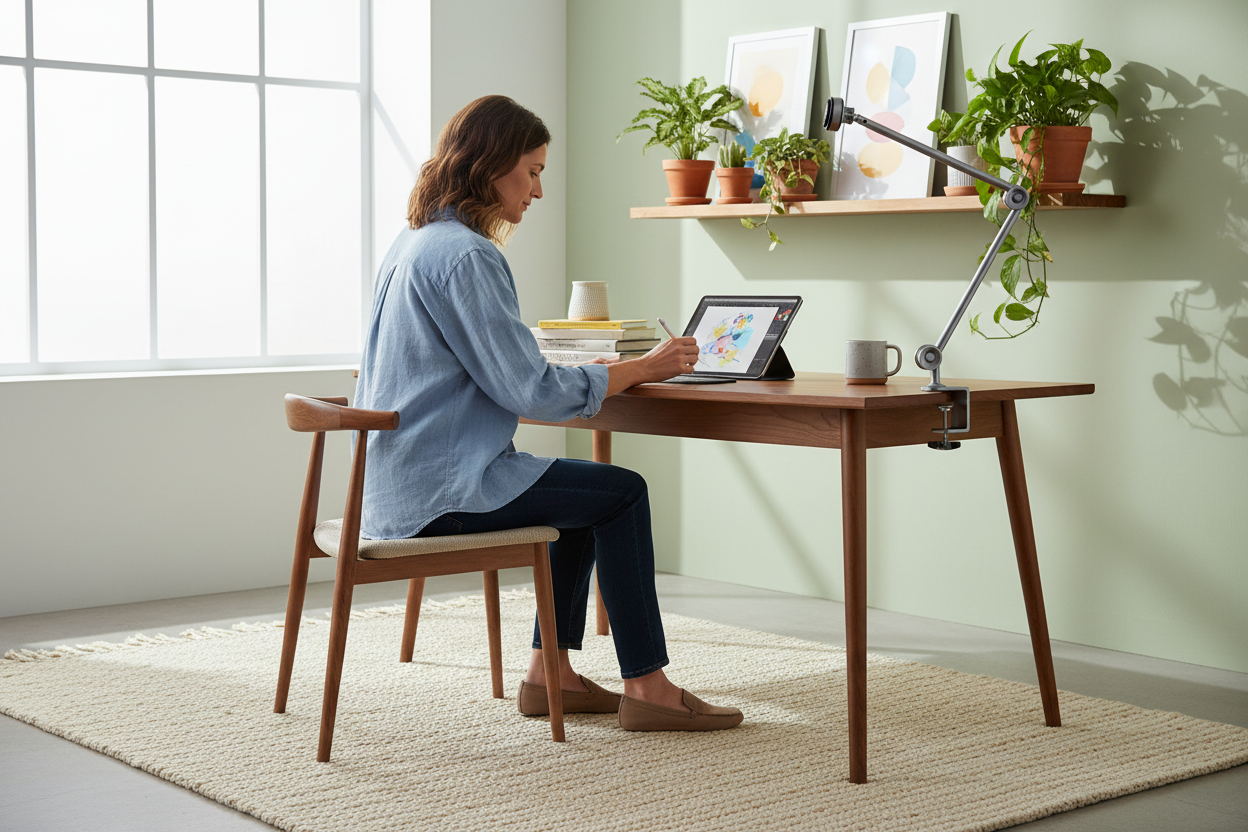
Here's a scene from my studio, any night of the week. An iPad Pro balanced on a stack of three hardcover books, tilted at a gravity-defying angle, held in place by nothing but hope and the rubber edge of a case. Next to it, a stylus. Under it, a sketchbook I haven't touched in a month. And me, hunched over the whole arrangement like a librarian inspecting a rare manuscript, neck at an angle my chiropractor would describe with a disappointed sigh.
Or the other scene. I'm sketching with the iPad in my left hand and the stylus in my right, because there's nowhere to set the tablet down, so the drawing happens in a constant low-level arm curl, and my shoulder starts filing complaints around minute twenty.
And the third scene, the one that actually convinced me to fix this: I'm streaming, reading a script off a tablet lying flat on my desk, looking down at it like a monk by candlelight, which means the audience sees the top of my head, and my neck hates me by the end of the night.
If any of those scenes feel familiar, this article is for you. Because the problem isn't the tablet. The tablet is great. The problem is that we keep treating a studio tool like a phone you hold in one hand, or a book you prop on whatever is nearby. There's a better way, and it's embarrassingly simple: an adjustable tablet stand that holds the screen at the angle your neck wants and the angle your stylus needs, and stays there.
The Tablet Problem Is a Neck Problem
Start with the physics, minus the math. When a tablet lies flat on a desk, you don't look straight down at it. You look down and forward, your head drifting out past your shoulders, and every hour you spend like that is an hour of low-grade strain your neck quietly bills you for. Nobody notices in the moment. Everybody notices at 11 p.m.
The fix is boring and effective: get the screen up near your eye line. That's the entire job of a tablet stand, and it's why the propping-it-on-a-book approach fails. A book gives you one angle, usually the wrong one, and it slides. The moment you add a second book, it's a Jenga tower with your expensive tablet on top. If you've ever watched a tablet slowly migrate down a book stack mid-drawing, you know exactly what I mean. We wrote a whole post about how tablets wreck your neck and shoulders, and the short version is that angle, not hours, is the killer.

The good news: the fix is permanent. One stand, one desk, one angle you set once and forget.
Sketching: Angle, Stability, and the Stylus Question
Drawing on a tablet is different from every other tablet task, because it's the only one where your hand is on the screen while you work. Palm on glass, stylus moving. That single fact changes everything you need from a stand.
Angle first. Drawing wants a flatter angle than reading. Something close to a drafting table gives you the natural hand position for long strokes, hatching, and shading, where your wrist stays neutral and your elbow does the work. Too steep, and you're fighting gravity on every stroke. Too flat, and you're hovering over the screen like a hawk. The sweet spot most artists settle into is a modest tilt, and the stand needs to hold that tilt without creeping, because a stand that slowly sinks under the weight of your palm is worse than no stand at all. When you need a steeper angle, for reference images, color picking, or stepping back to see the whole composition, you should be able to get it in one move, without a screwdriver and without re-balancing the tablet.
Stability next, and this is the stylus question in disguise. The reason drawing with the tablet in one hand is miserable isn't the weight. It's that every stroke happens on an unstable surface. Your left arm gets tired, your shoulder knots up, and the tablet drifts exactly when you need it to stay still. A stack of books wobbles precisely when your palm comes down, and a wobbling tablet turns a clean line into a shaky one. A stand with a solid base doesn't do that. That's the whole difference between holding the tablet and drawing on it.
The hand thing deserves its own paragraph. When the tablet sits at a good angle on a stable stand, you can rest your hand on the glass the way you would on paper, and palm rejection handles the accidental touches. Your shoulders finally stay level. Both hands are free, which means your non-drawing hand can hold reference, adjust the angle, or just hang out instead of supporting a tablet for three hours. Artists who switch from one-handed sketching to a stand describe the same feeling, which is the feeling of the tablet becoming a desk instead of a prop. The tablet stops being something you juggle and starts being something you work on, and that shift changes how long you can draw before your body complains.
Streaming, Scripts, and the Eye-Line
Streaming changes the rules, because now there's a camera, and the camera sees what you see.
Here's the classic streamer mistake. The script, or the chat, or the notes are on a tablet lying flat on the desk. To read them, you look down. The audience, watching your face on camera, sees the top of your head and your forehead for the entire stream. You look checked out, and your neck pays for a three-hour show.
The fix is the teleprompter trick. Put the tablet on a stand, lift it to eye level, and park it just off to the side of the camera. Now reading the script reads as looking at the audience. Your eye line stays level, your neck stays neutral, and the stream looks like you're talking to people instead of reading a memo off the floor.
The same logic applies to recording anything with a script: YouTube videos, podcasts, voiceover work, even long video calls where you're the one presenting. A tablet on a flat desk becomes a downward-looking script. A tablet on a stand becomes a prompter. That's the difference, and it costs a few seconds of setup.
Chat is the sneaky one. If you stream, you're watching chat all night, and if chat lives on a tablet on the desk, you're doing the neck thing all night. Lift the tablet to eye level next to the monitor, and chat becomes a glance instead of a bow. One angle change, and the whole stream gets easier on your body and better on camera.
Sheet Music, Chord Charts, and Practice Time
Musicians discovered tablet stands before artists did, and for good reason: sheet music and tablets were made for each other.
Think about what a music stand does. It holds paper at eye level, tilted so you can read it while your hands stay on the instrument. Paper music stands are narrow, flimsy, and hold exactly one page, which is why every gig involves a page-turner or a tap-dance between verses. A tablet holds the whole set list, and a tablet stand can hold it at the same angle a music stand would, without the wobble.
For keyboard players, this is huge. The keyboard already forces a specific posture, hands out front, and looking down at a flat tablet on top of the keys adds a second curve to a spine that's already working. Lift the music to eye level, and you're just reading, like a classical pianist, while your hands do their thing. Page turns become a tap, or a foot pedal if you're fancy, and the whole practice session stops being an obstacle course.
Guitarists get the same win with chord charts and lyrics. Singers get lyrics at a readable height without wrestling a binder. Producers get a second reference screen for session notes. The common thread: anywhere a flat tablet makes you bend toward it, a stand puts the screen where your eyes already are. It's the same principle as the sketching angle, applied to a different instrument, and it's why the practice room is where a lot of tablet stands earn their keep first.
The Two-Device Desk: iPad and Laptop
The modern desk is a two-screen desk, and the second screen is almost always a tablet. The question is where it lives.
Most people park the tablet flat beside the keyboard, which means every time you glance at it, you're looking down and to the side, adding a twist to the neck strain. A flat tablet next to a laptop isn't a second monitor. It's a trap.
On a stand, the tablet becomes an actual second display: lifted to near monitor height, angled toward you, readable with a glance instead of a bow. That's the setup for the workflows creators actually run. The drawing reference that stays open beside the art program. The script for the podcast while the laptop handles the audio. The chat window during a stream. The video call that runs on the tablet while the laptop keeps doing real work. The notes app that stays open through a long editing session.
The angle matters here, because a second screen at the wrong angle is worse than no second screen. Too low and you're bending. Too flat and you're tilting. A stand with real adjustability lets you match the tablet to the monitor you already have, so the two screens sit at roughly the same eye height, and switching between them becomes a glance, not a posture change. If you're shopping for the first time, our roundup of the best tablet stands breaks down what to look for, and the short version is that height range and stability beat everything else.
The Quiet Uses: Tutorials, Notes, and Everything Between
Not every tablet task is art, and the stand earns its keep on the quiet stuff too.
Tutorials are the big one. You're following a video while you actually do the thing: soldering, painting, cooking, coding, building furniture. The tutorial needs to be visible at a glance, at a height that doesn't make you crane, while your hands stay busy on the desk. A tablet propped on a stand at the back of the work area is exactly that. Flat on the desk, it's a video you have to stop working to watch.
Notes deserve a mention. Handwritten notes, planners, PDFs, textbooks: any reading that used to happen on paper now happens on a tablet, and paper had a built-in angle. A notebook lies flat, but you hold it, and holding it is what sets the angle. A tablet on a stand holds itself at the reading angle, which is the angle a book already sits at in your hands, so the tablet behaves like a book that never closes.
Video calls, too. A tablet on a stand makes a solid second camera, and when the camera is at eye level, you look like a professional instead of a chin-up shot from a laptop lid. And yes, the kitchen: a tablet on a stand survives counter duty for recipes far better than a phone leaning against the salt shaker, and it survives it without becoming a sticky disaster. It's the same angle principle everywhere, and it's why the stand is the highest-leverage accessory most creators own.
Three Tiers, Three Setups: K80, Pro Stand 100, and the $49.99
Rackora makes three tablet stands, and each one answers a different question about where your tablet lives and how often it moves.
The Adjustable Tablet Stand for Home Office is $49.99, regularly $69.99, and it's the desk staple. This is the stand that replaces the book stack: the everyday angle fix for the desk where you draw, read, and call. If your tablet has one home, this is the tier that makes sense, and at $49.99 it's priced to be a no-brainer rather than an investment. It's the stand you buy for the desk that never changes, and then stop thinking about it, which is exactly what a desk staple should do.
The Pro Stand 100 is $59.99, regularly $99.99, and it's the portable middle. This is the stand for the creator whose workspace travels: the studio desk, the coffee shop table, the friend's studio, the gig. It adjusts to the same angles as the home-office stand, and it's built to pack down and set up fast, because a stand you can't bring isn't a stand you own. If you've ever shown up to a session and spent the first ten minutes hunting for a book to prop your tablet on, this is the one that ends that era.

The Premium K80 is $189.99, regularly $219.99, and it's the studio anchor. This is the one that doesn't move. It's the heavier, more adjustable, stays-put stand for the desk where the real work happens, the one you set once and trust with a tablet and a palm resting on it for six hours. It's the tier for the creator who has stopped counting how many hours a day they spend at the desk, and who has bought cheap stands before and is done with the wobble.
Here's the honest tier talk. Most creators should start with the Pro Stand 100, because it does the desk job and the travel job, and it's $59.99. Buy the K80 when the desk work is daily and serious and you want the anchor. Buy the $49.99 when you know the tablet lives in exactly one place and you want the cheapest fix that's still a real fix. None of these is wrong. They're different answers to the same question, and the question is always the same: where does your tablet live, and how often does it move?
Travel and Gigs: The Portable Rig
The gig life is a new desk every week, and every new desk is a new angle problem.
Studio sessions. Live streams from borrowed spaces. Art fairs. Teaching. The coffee shop table that's too low. The friend's desk that's too high. The hotel room with the nightstand. In each one, the tablet needs to be at eye level, and eye level is different every time, because the surface is different every time. A stand that adjusts on the fly is the difference between showing up and setting up.
The portable rig is simple: the tablet, the stylus, the stand, maybe a charger. The stand should pack flat or fold down, because the bag matters, and it should set up in seconds, because the clock before a session always runs faster than you think. The Pro Stand 100 was built for exactly this, and the reason it works on the road is the same reason it works at home: adjust the angle, plant it, done. In ten seconds you're working, in a space you've never seen, at an angle that fits you.
The green-room version matters too. The tablet on a stand backstage, script or set list up at eye level, five minutes of quiet prep in a weird chair. It's the same stand, the same angle, the same calm. Creators who tour will tell you the setup is half the job, and a stand that travels makes the setup disappear. You stop thinking about the equipment and start thinking about the work, which is the whole point of owning the right gear in the first place.
The Setup That Sticks: Making the Stand Part of the Routine
The difference between owning a tablet stand and using one comes down to a single decision: whether the tablet lives in the stand or lives in a drawer.
The artists and creators I know who actually solved their setup problems all describe the same turning point. They stopped treating the stand as something you set up for a special session and started treating it as the default home of the tablet. The iPad goes in the stand when it's not in a bag. The stand stays on the desk, angle already set, ready to go. When the tablet has a permanent place at eye level, the friction of starting disappears, and the work happens more often because it's one step closer to already happening.
Here's what the habit looks like in practice. You sit down at the desk, and the tablet is already there, already angled, already charged. You pick up the stylus and sketch for ten minutes while an email loads. You glance at the reference image without moving your head more than a few degrees. You stand up for a call, and when you come back, the setup hasn't drifted, hasn't slid, hasn't asked anything of you. The stand is doing its job so quietly that the only way you notice it is when you use a desk that doesn't have one, and you find yourself looking for a book to prop things on like a person from the before times.
This is the habit part, and it matters more than the hardware. A great stand that lives in a closet is worth less than a decent stand that lives on the desk. The angle you set once and forget is the angle that keeps your neck honest all year, not just on the days you remember to care about your posture.
There's a neat trick that makes the habit stick: make the stand the place where the tablet charges. When the tablet docks in its stand at the end of the day, it's charged, visible, and angled correctly for the morning. The stand becomes the tablet's home, the same way a keyboard tray is the keyboard's home, and the desk stops being a pile of propped-up technology that you have to assemble before you can work.
The two-desk version of the habit is worth planning for. If you work in a studio and also at a kitchen table, or at an office desk and a home desk, the stand needs to exist in both places, or the tablet will live flat in whichever room you forgot to bring the stand to. This is where the tier system stops being abstract: the portable Pro Stand 100 can travel with the tablet, the K80 stays anchored at the main desk, and the $49.99 home-office stand covers the secondary desk that never changes. Each stand has a job, and the jobs don't overlap, which is why a lot of creators end up with more than one.
If you're reading this article, you've already identified the problem. The only remaining question is whether you'll set the fix up once and let it work, or keep propping books under your tablet until the neck pain makes the decision for you. The stand is the easy part. The habit is the part that pays off.
What to Look For in a Tablet Stand (and What to Skip)
Once you've decided to buy a stand, the shopping gets simpler if you know what actually matters. Here's the short list, learned from watching creators use these things every day.
Adjustability first. The stand should move through a real range of angles, from near-flat for drawing to steep for reading and reference, and it should hold each position without creeping. If you have to re-tighten it after a session, it's failing at the only job that matters. The angle range is also what makes one stand serve multiple roles: the same piece of gear that holds a drawing tablet at a working tilt should also hold a script at eye level and a tablet full of sheet music at reading height. One stand, three jobs, zero excuses.
Stability second. This is the difference between a stand you trust and a stand you babysit. A stable base, a solid hinge, a tablet that doesn't shiver when your palm lands on the screen. Test it the way you'll use it: rest your hand on the tablet, draw a few strokes, lean on it a little, and see whether anything moves that shouldn't. The wobble test takes ten seconds, and it tells you more than any product description ever will.
Footprint third. The stand is sharing your desk with a monitor, a keyboard, and probably a coffee cup. A base that's too wide becomes a desk problem of its own, a second thing you're constantly working around. A stand that fits the space is a stand that stays out of the way, which is what you actually want from it: support that you stop noticing.
Portability, if you travel. Folding or packing down, setting up in seconds, surviving a bag. The Pro Stand 100 earns its spot in the gig bag precisely because it does this without compromise, and the creators who tour treat it as part of the instrument case, not as an afterthought.
The height question matters more than most buyers expect. Your stand should be able to lift the tablet to roughly the same line as your monitor, because the second screen only helps if it doesn't make you bend. A stand that tops out at half monitor height is a stand that trades one neck problem for another. Test the stand with your actual desk setup before you buy, not after.
And what to skip? The gimmicks. Stands with features you'll never use, odd clamping systems that fight your desk, anything that looks like it was designed in a boardroom instead of a studio. The best stand is the boring one, the one that holds the tablet at the right angle, stays put, and disappears from your attention. That's the whole job, and it's the whole reason this category exists. Buy for the job, not for the box, and the stand you end up with will still be on your desk in five years.
FAQ
What's the best angle for drawing on an iPad?
A modest tilt, roughly 15 to 30 degrees off flat, works for most drawing, because it lets your wrist stay neutral while your hand rests on the glass. Go flatter for long strokes and shading, steeper for reference images and notes. The stand's job is to hold whatever angle you choose without creeping.
Will the stand hold my iPad Pro while I draw?
Yes. A stable, adjustable stand holds the iPad Pro firmly, including when you rest your palm on the screen, which is the moment a book stack or a flimsy stand gives out. Stability is the whole game, which is why a dedicated stand beats improvised props.
Do I need the K80 or is the Pro Stand 100 enough?
The Pro Stand 100 covers most setups: it adjusts to drawing and eye-level angles, and it travels, at $59.99. The K80 is the studio anchor when you want a heavier, stays-put base for daily serious work. Start where you work most, and add the other when the second desk shows up.
Can I use a tablet stand for sheet music?
Yes, and it's one of the best upgrades a musician can make. Angled up like a music stand, the tablet holds a whole set list, and page turns become a tap or a foot pedal instead of a shuffle. Keyboard players and guitarists both get their eyes back to a neutral line.
Does it work with a laptop too?
These are tablet stands, so think tablet-first: they're built for iPads and tablet-sized screens. The way a laptop enters the picture is as the second device, with the tablet lifted beside it as a reference screen, notes panel, or chat window.
Is a stand worth it if I only sketch occasionally?
Yes, because the problem isn't how often you sketch, it's the angle you sketch at. Even a weekend artist spends real time hunched over a flat tablet, and a $49.99 stand fixes the angle permanently. It's the cheapest way to make every session better.
Will the stand work on a desk with my monitor?
Yes. The stands sit on whatever surface you already have, so the tablet can live beside the monitor as a second screen or a reference board. Lift it to near monitor height and the two screens sit at the same eye line.
What about travel to gigs or studios?
Choose a stand that packs down, like the Pro Stand 100, and you can set up at eye level anywhere: a studio desk, a coffee shop table, a green room. The angle adjustability is what saves you, because every new surface is a different height.

The pattern across every scene in this article is the same. The tablet is capable of being a studio tool, and it becomes one the moment the screen gets to eye level and stays there. That's what an adjustable tablet stand does, and it's the highest-leverage accessory a creator can own, for the price of a few hours of freelance work.
For most creators, the right answer is a two-stand setup. The Premium K80, $189.99 (regularly $219.99), is the studio anchor for the desk where the real work happens, and the Pro Stand 100, $59.99 (regularly $99.99), is the portable companion that comes to gigs and studios. Both ship free across the US, both come with a 30-day money-back guarantee, and both are the kind of purchase you'll wonder why you didn't make years ago. Start with the K80, or start with the Pro Stand 100, or grab the $49.99 home-office stand for the desk that never changes. Your neck knows which one you need.
