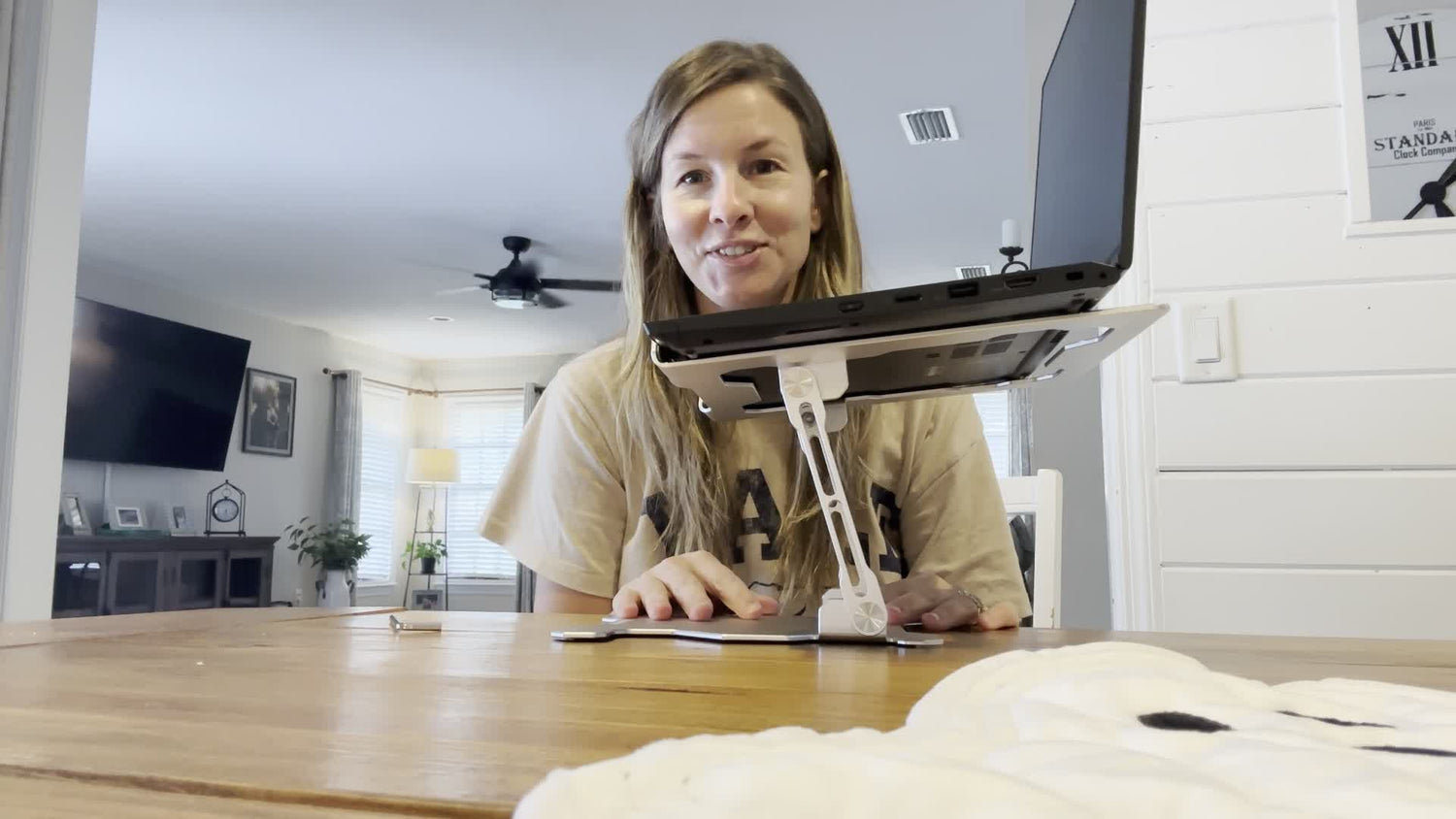
Comparing Two Innovative Laptop Stands
Explore the features of Rackora's top stands.
|
Features |
Rackora Pro Stand 100 |
|
|---|---|---|
|
Price |
$59.99 (discounted) |
$79.99 |
|
Device Compatibility |
4"–13" (phones, tablets, monitors) |
Up to 17" (laptops, tablets) |
|
Material |
Aluminum alloy |
Anodized aluminum alloy |
|
Weight |
Lightweight |
1.3 pounds |
|
Adjustability |
Height & angle adjustable |
Dual-axis, 180° tilt/swivel |
|
Foldable/Portable |
Yes |
Yes |
|
Silicone Pads |
Yes |
Yes |
|
Warranty |
2 years |
2year |
|
Charging Cord Space |
Yes |
No |
If you want a stand that works for almost every device and fits your budget, the Rackora Pro Stand 100 could be your top pick. Both stands offer great features, but each one shines in different ways. You might care more about universal compatibility, or maybe you want extra ergonomic support. The right choice depends on what matters most to you.
Key Takeaways
- The Rackora Pro Stand 100 is a versatile choice for tablets and smartphones, supporting devices from 4 to 13 inches.
- The Rackora Ergo Laptop Stand Elite Edition is ideal for larger laptops, accommodating devices up to 17 inches.
- Both stands feature adjustable height and angle, promoting better posture and reducing neck strain during use.
- The Pro Stand 100 is lightweight and foldable, making it perfect for travel and on-the-go use.
- The Elite Edition's dual-axis design allows for more flexible positioning, enhancing comfort for long work sessions.
- Both stands include silicone pads for device protection and stability, ensuring your devices stay secure.
- The Pro Stand 100 offers a 2-year warranty, providing extra peace of mind for users.
- Consider your primary device and usage needs when choosing between the two stands for optimal support.
Quick Feature Comparison
Specs Overview
When you look for a laptop stand or tablet stand, you want to know what sets each one apart. The Rackora Pro Stand 100 and the Rackora Ergo Laptop Stand Elite Edition both offer strong features, but they serve different needs. If you use a variety of devices, you might lean toward a universal tablet stand. If you want a high-quality laptop stand for your main computer, you may prefer something with more ergonomic options.
Let’s break down the main features you care about:
- The Rackora Pro Stand 100 works as a tablet stand and a smartphone stand. It supports devices from 4 to 13 inches, so you can use it for your phone, tablet, or even a portable monitor.
- The Rackora Ergo Laptop Stand Elite Edition is a laptop stand and tablet stand that fits devices up to 17 inches. It’s perfect if you use a larger laptop or want a stand that can handle heavier devices.
- Both stands use sturdy aluminum alloy, but the Elite Edition uses anodized aluminum for a premium look.
- You get adjustable height and angle with both stands. The Elite Edition features a dual-axis design, so you can tilt and swivel your laptop stand up to 180°. The Pro Stand 100 lets you adjust for the best viewing angle, making it a flexible tablet stand for any situation.
- The Pro Stand 100 is lightweight and foldable, so you can take your tablet stand anywhere. The Elite Edition is also portable, but it’s a bit heavier at 1.3 pounds.
- Both stands include silicone pads to protect your devices and keep them stable.
- The Pro Stand 100 comes with a 2-year warranty, while the Elite Edition offers a 2-year warranty.
Tip: If you want a stand that works for both your tablet and your phone, the Pro Stand 100 is a great universal tablet stand. If you need a high-quality laptop stand for a bigger device, the Elite Edition is a solid choice.
Side-by-Side Table
Here’s a quick table to help you compare the two stands at a glance:
|
Feature |
Rackora Pro Stand 100 |
Rackora Ergo Laptop Stand Elite Edition |
|---|---|---|
|
Price |
$59.99 (discounted) |
$79.99 |
|
Device Compatibility |
4"–13" (phones, tablets, monitors) |
Up to 17" (laptops, tablets) |
|
Material |
Aluminum alloy |
Anodized aluminum alloy |
|
Weight |
Lightweight |
1.3 pounds |
|
Adjustability |
Height & angle adjustable |
Dual-axis, 180° tilt/swivel |
|
Foldable/Portable |
Yes |
Yes |
|
Silicone Pads |
Yes |
Yes |
|
Warranty |
2 years |
2 year |
|
Charging Cord Space |
Yes |
No |
You can see that both stands offer strong support for your devices. The Pro Stand 100 shines as a universal tablet stand and smartphone stand, while the Elite Edition stands out as a high-quality laptop stand with advanced ergonomic features. If you switch between devices often, you’ll love the flexibility of the Pro Stand 100. If you want a laptop stand that keeps your computer cool and stable, the Elite Edition is a smart pick.
Design & Build
Materials & Durability
Aluminum Alloy vs. Anodized Aluminum
When you pick a stand for your devices, you want something that feels solid and lasts a long time. The Rackora Pro Stand 100 uses aluminum alloy, which gives you a lightweight yet sturdy feel. You can move it around easily, but it still holds your devices steady. The Rackora Ergo Laptop Stand Elite Edition takes things up a notch with anodized aluminum. This material not only looks sleek but also resists scratches and fingerprints. It adds a premium touch to your workspace.
Here’s a quick look at how the materials stack up:
|
Product |
Material Used |
Impact on Durability |
|---|---|---|
|
Rackora Pro Stand 100 |
Aluminum alloy |
Lightweight, strong, resists daily wear |
|
Rackora Ergo Laptop Stand Elite Edition |
Anodized aluminum alloy |
Sturdy, stable, prevents wobbling, premium appearance |
Daily Use Longevity
You want a stand that can handle daily use without showing signs of wear. The Pro Stand 100’s aluminum alloy construction means you get a balance of strength and portability. You can fold it up, toss it in your bag, and trust it to hold up over time. The Elite Edition’s all-metal build gives you even more confidence. It stays stable on your desk, even when you adjust your laptop or tablet. Both stands use silicone pads to protect your devices and keep them from slipping.
Style & Desk Fit
Color Options
Looks matter, especially if you care about your workspace vibe. The Rackora Ergo Laptop Stand Elite Edition comes in two stylish colors: Grey and Silvery. These shades blend well with most modern setups. The Pro Stand 100 features a frosted chrome finish, which gives your desk a clean, professional look.
|
Product Name |
Color Options |
|---|---|
|
Rackora Ergo Laptop Stand Elite Edition |
Grey, Silvery |
|
Rackora Pro Stand 100 |
Frosted Chrome |
Workspace Compatibility
You want a stand that fits your space and your style. The Pro Stand 100’s compact, foldable design makes it easy to use anywhere—at home, in the office, or on the go. It works well on small desks and crowded tables. The Elite Edition stands out with its dual-axis design, letting you adjust height and angle for the perfect fit. It supports laptops up to 17 inches, so you can use it for work, study, or even gaming.
- The Elite Edition’s sturdy base keeps your laptop steady, even if you type a lot.
- The Pro Stand 100’s lightweight frame means you can move it from room to room without hassle.
Tip: If you want a stand that blends into any workspace and offers flexible positioning, both stands deliver. Choose the one that matches your device size and style preferences.
Ergonomics & Adjustability
Height & Angle Range
Customization Options
You want a stand that adapts to your needs, not the other way around. Both the Rackora Pro Stand 100 and the Rackora Ergo Laptop Stand Elite Edition give you plenty of adjustable options. You can raise or lower the height, tilt the angle, and find the sweet spot for your screen. This flexibility means you can use your stand for reading, typing, or video calls without straining your neck or back.
Here’s a quick look at how these adjustable device stands help you:
|
Feature |
Benefit |
|---|---|
|
Adjustable Height |
Helps maintain eye level, reducing neck and back strain. |
|
Adjustable Angle |
Allows customization for different activities, enhancing comfort. |
|
Dual-axis Design |
Provides flexibility for various setups, promoting better alignment. |
|
Lightweight & Foldable |
Ensures portability, allowing ergonomic comfort in different environments. |
You can see that both stands offer adjustable height and angle. The Pro Stand 100 lets you set your tablet or phone at just the right level. The Elite Edition, as an adjustable laptop stand, gives you even more control with its dual-axis design. You can tilt, swivel, and rotate your laptop holder up to 180°. This makes it easy to switch from work mode to streaming or gaming.
Dual-Axis vs. Single-Axis
The main difference comes down to how you adjust your stand. The Pro Stand 100 uses a single-axis system. You can move your device up and down or change the angle. The Elite Edition steps it up with a dual-axis design. You get more freedom to position your laptop holder exactly where you want it. If you like to tweak your setup often, you’ll appreciate the extra flexibility.
Comfort for Long Use
Neck & Wrist Support
You spend hours at your desk, so comfort matters. Both stands focus on ergonomic design to support your neck and wrists. Adjustable features help you keep your screen at eye level. This reduces neck and back pain, especially during long study or work sessions. You don’t have to hunch over your device anymore.
Many users notice less back pain after just a few days of using these ergonomic stands. You can pair your stand with ergonomic chairs for even better results. If you want to reduce back pain at work, these adjustable stands make a big difference.
Posture Benefits
Good posture is key for your health. Both stands encourage you to sit up straight and keep your shoulders relaxed. The Elite Edition promotes proper alignment for long-term health. The Pro Stand 100 also helps you improve your posture by keeping your device at the right height.
- Both stands reduce strain and support good posture.
- You can combine your stand with the best ergonomic chair for maximum comfort.
- Adjustable laptop stands like these help you stay productive and comfortable all day.
If you want to support your body and feel better at your desk, these stands are a smart choice.
Portability & Setup
Weight & Foldability
Travel-Friendly Features
If you move between home, office, or coffee shops, you want a stand that fits your lifestyle. The Rackora Ergo Laptop Stand Elite Edition weighs just 1.3 pounds. You can slip it into your backpack or tote bag without feeling weighed down. This makes it a great choice for students or professionals who travel often. The Pro Stand 100 feels even lighter in your hand. You can fold it flat and carry it anywhere. Both stands help you stay productive on the go.
Storage Ease
You might not always need your stand on your desk. When you want to clear space, both stands fold down quickly. You can tuck the Elite Edition into a drawer or slide the Pro Stand 100 into your bag. Their compact designs mean you never have to worry about clutter. If you like a tidy workspace, you’ll appreciate how easy it is to store these stands.
Here’s a quick look at how each model handles portability:
|
Stand Model |
Portability Features |
|---|---|
|
Rackora Ergo Laptop Stand Elite Edition |
Lightweight, foldable, easy to carry, stores in a drawer |
|
Rackora Pro Stand 100 |
Ultra-light, folds flat, fits in bags or small spaces |
Assembly & Transport
Setup Simplicity
You don’t want to waste time with complicated assembly. Both stands arrive ready to use. You just unfold the stand, place your device, and adjust it to your liking. No confusing instructions or extra steps. This makes them perfect for anyone who values convenience.
Tool Requirements
You won’t need any tools to set up these stands. The design is simple and user-friendly. You can switch between devices or locations without hassle. If you want an adjustable stand that works right out of the box, both options deliver.
Tip: If you need a stand for travel, school, or remote work, you’ll love how easy these stands are to pack, set up, and store. You get flexibility without any fuss.
Rackora Pro Stand 100 Device Compatibility
Supported Devices
Tablets & Smartphones
You want a stand that works with every device you own. The rackora pro stand 100 gives you that flexibility. You can use it with almost any tablet or smartphone. It supports devices from 4 to 13 inches, so you can switch between your phone, your favorite tablet, or even your Kindle without any trouble. Here’s a quick look at what you can use with this stand:
- iPads (all sizes within 4–13 inches)
- Samsung Galaxy Tabs
- Kindles
- Nintendo Switch
- Any tablet or smartphone between 4 and 13 inches
You don’t have to worry about whether your new tablet will fit. The rackora pro stand 100 covers almost every tablet and phone you might use for work, school, or entertainment.
Laptops & Monitors
The rackora pro stand 100 also handles more than just your tablet or phone. You can use it for smaller laptops and portable monitors, as long as they fit within the 13-inch size range. If you use a compact laptop or a portable monitor for travel or presentations, this stand keeps your setup simple and organized. For larger laptops, you might want to look at the Elite Edition, which supports devices up to 17 inches and 17 pounds.
Here’s a quick comparison:
|
Device Model |
Maximum Size |
Maximum Weight |
|---|---|---|
|
rackora pro stand 100 |
13 inches |
Lightweight devices |
|
Rackora Ergo Laptop Stand Elite Edition |
17 inches |
17 pounds |
Universal Fit
Size Range
You probably use more than one device every day. The rackora pro stand 100 makes it easy to switch between your tablet, your phone, and even a small laptop. You don’t need to buy a different stand for each device. The universal fit means you can use the same stand for your tablet at home, your phone at work, and your portable monitor when you travel. This flexibility saves you money and keeps your workspace neat.
Charging Cord Space
One thing you’ll love about the rackora pro stand 100 is the charging cord space. The stand has a special area for your charging cables. You can plug in your tablet or phone without bending or damaging the cord. This design keeps your cables safe and your desk tidy. Many users say they like how easy it is to keep their cords organized with this stand. You don’t have to worry about tangled cables or broken connectors.
The Elite Edition also offers cable management, but the rackora pro stand 100 stands out for its simple and effective design. You can charge your tablet or phone while you work, watch videos, or join a video call. Your workspace stays clean, and your devices stay powered up.
If you want a stand that works with almost any tablet, phone, or small laptop, and you care about keeping your cords neat, the rackora pro stand 100 is a smart choice. For bigger laptops, the Elite Edition gives you more size and weight support, but you lose some of the universal flexibility.
Airflow & Cooling (Elite Edition)
When you use your laptop for hours, you want to keep it cool and running smoothly. The Rackora Ergo Laptop Stand Elite Edition stands out in this area. It gives you features that help your device stay cool, even during long work or gaming sessions.
Enhanced Airflow Design
Raised Clearance
You’ll notice the Elite Edition lifts your laptop above the desk. This raised clearance creates space underneath your device. Air can flow freely, which means your laptop doesn’t trap heat. If you’ve ever felt your laptop get hot on a flat surface, you know how important this is. The Elite Edition’s design gives you enhanced airflow for laptop cooling, so your device stays at a safe temperature.
- The stand uses open slots under your laptop. These slots let air move around, which helps with ventilation.
- Aluminum alloy construction pulls heat away from your device. You get a cooler laptop, even if you use it for hours.
Overheating Prevention
You don’t want your laptop to slow down or shut off because of heat. The Elite Edition helps prevent overheating by combining raised clearance and smart materials. You get enhanced airflow for laptop cooling without needing a laptop stand with cooling fan built in. The open design and metal frame do the work for you. This means you can focus on your tasks, not on your device’s temperature.
Tip: If you use your laptop for gaming, video editing, or long meetings, you’ll appreciate how the Elite Edition keeps things cool and steady.
Device Protection
Silicone Pads
You want your laptop to stay safe while you work. The Elite Edition includes silicone pads that protect your device from scratches. These pads also help keep your laptop cool by allowing air to circulate underneath. You don’t have to worry about your device sliding or getting damaged.
Stability
A stable stand makes a big difference. The Elite Edition uses a silicone base to prevent slipping and wobbling. Your laptop stays secure, even if you type quickly or adjust the angle. Here’s a quick look at the protection features:
|
Feature |
Description |
|---|---|
|
Silicone Pads |
Keeps your device safe and cool, preventing scratches. |
|
Stability Enhancements |
Silicone base prevents slipping and wobbling for security. |
You get peace of mind knowing your laptop is protected and stable. The Elite Edition gives you the benefits of a laptop stand with cooling fan features, but with a simple, effective design.
Note: If you want a stand that keeps your laptop cool and secure, the Elite Edition is a smart choice. It’s perfect for anyone who values device safety and performance.
Price & Value
Cost Comparison
When you look at price, you want to know which stand gives you more for your money. The Rackora Pro Stand 100 comes in at $59.99 right now, thanks to a discount from its regular price of $99.99. The Rackora Ergo Laptop Stand Elite Edition is priced at $79.99. You get a clear price difference, especially if you want to save some cash.
|
Stand Model |
Current Price |
Regular Price (MSRP) |
|---|---|---|
|
Rackora Pro Stand 100 |
$59.99 |
$99.99 |
|
Rackora Ergo Laptop Stand Elite Edition |
$79.99 |
$79.99 |
If you want a stand that fits your budget and still delivers quality, the Pro Stand 100 gives you a strong value with its current discount. The Elite Edition costs more, but you get extra ergonomic features and support for larger devices.
Current Discounts
You get a big discount on the Pro Stand 100 right now. The price drops from $99.99 to $59.99, so you save $40. The Elite Edition does not have a discount at the moment, but it stays at its regular price of $79.99. If you want to grab a deal, the Pro Stand 100 is the stand to watch.
MSRP Differences
The regular price for the Pro Stand 100 is higher than the Elite Edition, but the current sale makes it more affordable. The Elite Edition keeps a steady MSRP, so you know what to expect. If you want a stand that gives you more features for less money, the Pro Stand 100 stands out during sales.
What’s Included
When you buy a stand, you want to know what comes in the box and what kind of support you get after purchase. Both stands offer solid value, but there are a few differences.
Accessories
You get silicone pads with both stands. These pads protect your devices and keep them stable. The Pro Stand 100 includes a dedicated space for charging cords, which helps keep your desk tidy. The Elite Edition focuses on airflow and stability, so you get a stand that keeps your laptop cool and secure.
- Silicone pads for device protection
- Stable base for wobble-free use
- Charging cord space (Pro Stand 100)
Warranty & Guarantee
You want peace of mind when you buy a stand. Both stands come with a money-back guarantee and a manufacturer warranty. The Pro Stand 100 gives you a 2-year warranty, which covers you for a longer time. The Elite Edition offers a 1-year manufacturer warranty. If you need to make a warranty claim, you start the process yourself. You get a 30-day money-back guarantee with both stands, so you can try them out risk-free.
You get strong support with either stand. If you want a longer warranty, the Pro Stand 100 gives you more coverage.
|
Stand Model |
Warranty Length |
Money-Back Guarantee |
|---|---|---|
|
Rackora Pro Stand 100 |
2 years |
30 days |
|
Rackora Ergo Laptop Stand Elite Edition |
1 year |
30 days |
If you want a stand that comes with extra protection and a longer warranty, the Pro Stand 100 is a smart choice. The Elite Edition gives you solid coverage, but the warranty period is shorter.
User Experience
Real-World Feedback
Common Praise
You want to know how these stands perform in everyday life. Many users say the Rackora Pro Stand 100 makes their workspace more flexible. You can switch between your tablet, phone, and even a small laptop without missing a beat. People love the lightweight design because it fits easily in a bag. The frosted chrome finish gets a lot of compliments for style.
The Rackora Ergo Laptop Stand Elite Edition gets high marks for its dual-axis design. You can adjust the height and angle to match your needs. Users say this stand helps them keep their laptop at eye level, which reduces neck and back strain. The cooling features also stand out. People notice their laptop stays cooler, even during long work sessions.
Many users mention that both stands feel sturdy and reliable. You can trust your devices to stay safe and steady.
Reported Issues
You might wonder if there are any drawbacks. Some users say the Pro Stand 100 works best with lightweight devices. If you try to use a heavy laptop, you may want to consider the Elite Edition instead. For the Elite Edition, a few people mention that the stand takes up a bit more space on the desk. However, most agree that the ergonomic benefits outweigh this minor issue.
Pros & Cons
rackora pro stand 100
|
Pros |
Cons |
|---|---|
|
Universal fit for tablets, phones, and small laptops |
Not designed for heavy laptops |
|
Lightweight and easy to carry |
Limited to devices up to 13 inches |
|
2-year warranty for peace of mind |
|
|
Dedicated charging cord space keeps your desk tidy |
|
|
Soft silicone pads protect your devices |
|
|
Affordable price, especially with current discount |
|
Elite Edition
|
Pros |
Cons |
|---|---|
|
Dual-axis design for full ergonomic customization |
Slightly heavier than Pro Stand 100 |
|
Supports laptops up to 17 inches and 17 pounds |
Takes up more desk space |
|
Premium anodized aluminum build with silicone base for stability |
Higher price point |
|
Enhanced airflow keeps your laptop cool |
|
|
Helps maintain good posture and reduce strain |
|
|
Foldable and portable for travel |
|
If you want a stand that adapts to many devices and keeps your workspace neat, the Pro Stand 100 is a strong choice. If you need a laptop stand with advanced ergonomic features and cooling, the Elite Edition stands out.
You can see that both stands offer unique strengths. The Pro Stand 100 shines for portability and universal fit. The Elite Edition leads in ergonomic comfort and laptop support. Your choice depends on what you value most in a stand.
Best For Whom?
Choosing between these two stands can feel tricky, but you can make it simple by thinking about your daily routine and what you need most from a stand. Let’s break down who will get the most value from each option.
Pro Stand 100 Ideal Users
You might love the Rackora Pro Stand 100 if you switch between devices all day. This stand works well for people who want flexibility and portability. Here’s who usually gets the most out of this stand:
- Students: You spend hours reading, typing, or watching videos. This stand helps you keep good posture during long study sessions. You can carry it from your dorm to the library or even to a coffee shop.
- Professionals: You work in different places. Maybe you move from your office to a meeting room or even work from home. This stand keeps your tablet or phone at the right angle, so you stay comfortable and focused.
- Travelers: You need a stand that fits in your bag and sets up fast. The Pro Stand 100 folds flat and weighs very little. You can use it in airports, hotels, or anywhere you need a quick workstation.
You get a universal fit with this stand. It holds tablets, smartphones, and even small laptops or portable monitors. If you want one stand for all your devices, this is the one to pick.
Tip: If you want a lightweight stand that adapts to your busy life, the Pro Stand 100 makes things easy.
Elite Edition Ideal Users
The Rackora Ergo Laptop Stand Elite Edition shines when you need more support for your main device. This stand is perfect if you use a laptop as your primary tool. Here’s who benefits most from this stand:
- Students: You carry your laptop everywhere. This stand keeps your screen at eye level, which helps you avoid neck pain. You can fold it up and take it to class or the library.
- Office Workers: You spend hours at your desk. This stand gives you ergonomic support, so you feel better at the end of the day. You can adjust the height and angle to match your chair and desk.
- Frequent Travelers: You want a stand that packs easily but still supports a larger laptop. The Elite Edition folds up and fits in your bag. You can set it up in a hotel room or coworking space.
You get a stand that holds laptops up to 17 inches and 17 pounds. The dual-axis design lets you adjust your laptop for the best view. If you care about cooling, this stand helps your laptop stay cool during long work or gaming sessions.
Note: If you want a stand that gives you full ergonomic control and supports a bigger laptop, the Elite Edition is your best bet.
How to Decide
Ask yourself a few questions:
- Do you use many devices every day? Go with the Pro Stand 100.
- Do you need a stand mostly for your main laptop? The Elite Edition will serve you better.
- Do you travel a lot? Both stands work, but the Pro Stand 100 is lighter for tablets and phones, while the Elite Edition is great for laptops.
Both stands make your workspace better. You just need to match your needs to the right stand.
You’ve seen how each stand brings something unique to your desk. The Pro Stand 100 gives you a universal fit and great value, while the Elite Edition offers advanced ergonomics for bigger devices. If you use many devices, this stand makes life easier. For those who want a laptop-focused solution, the Elite Edition stands out. Think about your daily routine and pick the stand that matches your needs. Want more info? Check prices or read more reviews before you decide.
FAQ
What devices can each stand support?
You can use the Pro Stand 100 with phones, tablets, and small laptops up to 13 inches. The Elite Edition works best for laptops and tablets up to 17 inches. Both stands offer flexibility, but the Pro Stand 100 covers more device types.
Which stand is better for travel?
If you travel often, you might prefer the Pro Stand 100. This stand folds flat and feels very light. The Elite Edition also folds, but it weighs more. Both stands fit in a backpack, but the Pro Stand 100 is easier to carry everywhere.
Do both stands help with posture?
Yes, both stands help you keep your screen at eye level. The Elite Edition gives you more adjustment options for laptops. The Pro Stand 100 also supports good posture, especially when you switch between devices during the day.
Can I charge my device while using these stands?
You can charge your device with both stands. The Pro Stand 100 has a special space for charging cords, which keeps your desk neat. The Elite Edition allows charging, but it does not have a dedicated cord slot.
Which stand is more durable?
Both stands use strong aluminum materials. The Elite Edition uses anodized aluminum for a premium look. The Pro Stand 100 uses aluminum alloy, which is lightweight and sturdy. You can trust either stand to last through daily use.
Are these stands easy to set up?
You do not need tools for either stand. Just unfold the stand, place your device, and adjust the angle. Both stands make setup quick and simple, so you can start working or studying right away.
What warranty do I get with each stand?
The Pro Stand 100 comes with a 2-year warranty. The Elite Edition offers a 2-year warranty. Both stands include a 30-day money-back guarantee, so you can try them risk-free.
