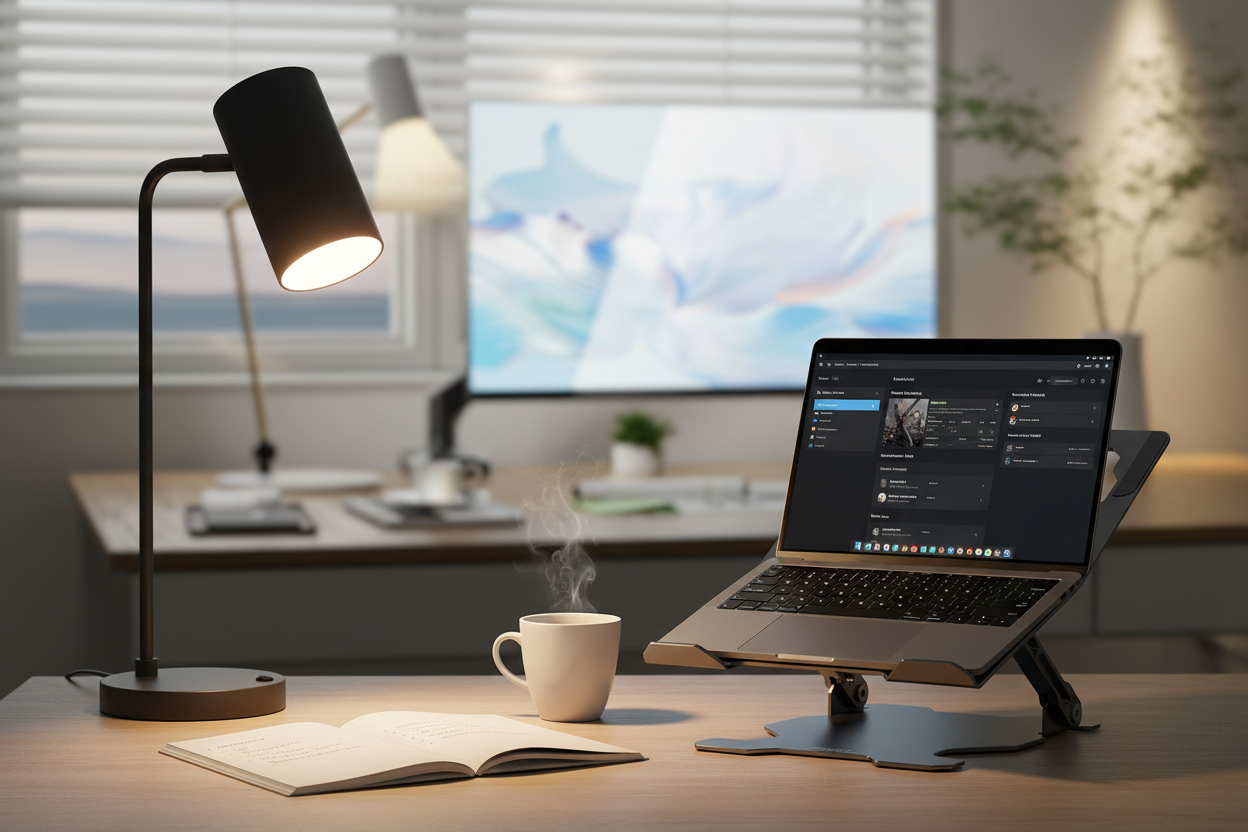
You know that feeling when you're trying to focus, but your brain just won't cooperate? You've got your coffee, your to-do list is ready, but something feels... off. Here's what most people miss: the light above your head might be sabotaging your entire workday.

I'm not talking about whether your desk is near a window. I'm talking about something more fundamental—the actual temperature of your light. And no, I don't mean whether it feels warm or cool to touch. Light temperature, measured in Kelvins, is quietly influencing your brain chemistry, your circadian rhythm, and your ability to do deep, focused work.
Let's dig into the science, skip the jargon, and figure out how to set up your workspace lighting so you can actually get things done.
What Light Temperature Actually Means (And Why Your Brain Cares)
Light temperature isn't about heat—it's about color. Picture a candle flame: that warm, orange glow sits around 1800K. Now think about a bright, cloudless sky at noon: that crisp, blue-white light measures around 5500-6500K.
Your brain has spent millions of years evolving to respond to these color shifts. Warm, orange light signals sunset—time to wind down. Cool, blue-white light mimics midday sun—time to be alert and active. When you work under the wrong light temperature, you're essentially sending your brain mixed signals all day long.
Here's where it gets interesting: researchers at the Lighting Research Center found that exposure to higher color temperatures (above 5000K) during work hours increased alertness by up to 25% and improved task performance by 15-20%. That's not a small difference. That's the difference between struggling through your morning and actually crushing your priorities.
The Deep Work Connection: Why Color Temperature Matters for Concentration
Deep work—that state where you're fully immersed, making real progress on complex tasks—requires specific conditions. Cal Newport wrote the book on it, but he didn't spend much time on lighting. Turns out, that's a missing piece.
When you're trying to focus deeply, your brain needs to be in a state of calm alertness. Not drowsy, not anxious—just present and engaged. Light temperature directly influences this state through two mechanisms:
1. Melanopsin activation: Your eyes contain special photoreceptors called melanopsin cells. These cells are most sensitive to blue light (around 480nm wavelength, which corresponds to cooler color temperatures). When activated, they suppress melatonin production and increase cortisol—keeping you alert without the jitters of caffeine.
2. Cognitive performance enhancement: Multiple studies have shown that cooler light temperatures (4000-6500K) improve performance on tasks requiring sustained attention, working memory, and processing speed. One study published in the Journal of Environmental Psychology found that participants working under 6500K light completed cognitive tasks 12% faster with 8% fewer errors compared to those under 3000K light.
But here's the nuance: timing matters. That same cool light that supercharges your morning focus can wreck your sleep if you're exposed to it in the evening. Your lighting strategy needs to shift throughout the day.
The Science-Backed Lighting Schedule for Maximum Productivity

Your ideal lighting temperature should follow your natural circadian rhythm. Here's what the research suggests:
Morning (6 AM - 10 AM): 5000-6500K
This is when you want maximum alertness. Cool, bright light helps suppress any lingering melatonin and gets your brain into gear. If you're tackling your most important work in the morning (and you should be), this is non-negotiable.
Midday (10 AM - 3 PM): 4000-5000K
Maintain alertness but dial it back slightly. You're already awake; you don't need the full blast of morning light. This range keeps you focused without feeling harsh or clinical.
Late Afternoon (3 PM - 6 PM): 3500-4000K
Start the gradual transition. You're winding down your deep work, handling lighter tasks, wrapping up. Your lighting should reflect that shift.
Evening (6 PM onwards): 2700-3000K
Warm light signals to your brain that it's time to relax. If you're still working (or checking email before bed), keep it warm. Your sleep quality will thank you.
The problem? Most office lighting is fixed at one temperature all day. You're either getting blasted with cool light at 8 PM (hello, insomnia) or trying to focus under warm light at 9 AM (hello, brain fog).
The solution is simpler than you think: adjustable lighting that you control.
Setting Up Your Workspace: Practical Lighting Solutions
Let's get tactical. You don't need to rewire your entire office. You need the right tools in the right places.
Option 1: The Minimalist Setup
If you're working with a simple desk and don't want complexity, start with a quality task lamp that offers adjustable color temperature. The 3 Color Unique Bedside Dimmable LED Table Lamp ($109.00) gives you exactly this flexibility.

What makes this work: it's dimmable, it's adjustable, and at 3000K it provides that warm white baseline that you can supplement with overhead lighting during peak focus hours. The 50,000+ hour LED lifespan means you're not replacing bulbs every few months. Set it on your desk, angle it toward your work surface, and you've got controllable, focused light exactly where you need it.
→ Get the 3 Color Dimmable LED Table Lamp
Option 2: The Organized Professional
If your desk is command central—papers, notebooks, devices everywhere—you need lighting that multitasks. The 19.5" Student Black Metal Task E26 Desk Lamp With Organizer ($67.66) combines focused task lighting with built-in storage.

Here's why this setup works: the E26 socket accepts standard bulbs, which means you can swap in a smart bulb with adjustable color temperature. Pair it with a Philips Hue or similar smart bulb (2200K-6500K range), and you've got programmable lighting that shifts automatically throughout the day. The pen holder and four storage compartments keep your desk clear, which—bonus—also helps with focus. Visual clutter is cognitive clutter.

→ Shop the Task Lamp with Organizer
Option 3: The Flexible Worker
Maybe you move around. Kitchen table in the morning, home office in the afternoon, couch for evening emails. You need portable, adjustable lighting that follows you. The 18"h Metal USB Table Lamp ($99.00) offers exactly that flexibility.

The adjustable shade lets you direct light precisely where you need it. The built-in USB port means you're charging your phone or tablet while you work—one less cable to manage. At 17.75" tall, it's substantial enough to light your workspace without taking over your desk. Use it with a variable color temperature bulb (25W max), and you've got a portable focus station.
→ Get the Metal USB Table Lamp
Beyond Your Desk: Ambient Lighting Matters Too
Task lighting handles your immediate work surface, but don't ignore the rest of your room. If you're working under a bright, cool desk lamp while the rest of your space is dim and warm, you're creating visual contrast that strains your eyes and breaks concentration.
Your ambient lighting should complement your task lighting. During deep work hours, aim for overall room lighting in the 4000-5000K range. This doesn't mean harsh overhead fluorescents—it means thoughtful, layered lighting that creates a cohesive environment.
For larger spaces or home offices that double as living areas, consider adjustable overhead solutions. The key is control: you want to be able to shift the entire room's lighting temperature as your day progresses.
The Evening Problem: How to Work Late Without Destroying Your Sleep
Let's be honest: sometimes you're working past 6 PM. Maybe you're on a deadline, maybe you're in a different time zone, maybe you just hit your stride after dinner. The science says cool light in the evening suppresses melatonin and delays sleep onset—but you still need to see what you're doing.
Here's the workaround: layer your lighting. Keep your task light warm (2700-3000K) and dim your ambient lighting. If you absolutely need more light, use it in short bursts and take breaks to look away from your screen and your desk. Your eyes need the rest, and your brain needs the signal that the workday is ending.
Another strategy: blue light filtering glasses. They're not a perfect solution, but they can help reduce the alerting effects of cooler light if you're stuck working under less-than-ideal conditions. Pair them with warm task lighting, and you're minimizing the damage.
Common Mistakes That Kill Your Focus (And How to Fix Them)

Mistake #1: Using the same light temperature all day
Your brain needs variety. Static lighting = static energy. Fix: Invest in adjustable lighting or swap bulbs throughout the day (tedious, but effective).
Mistake #2: Overhead-only lighting
Overhead lights create shadows on your work surface and don't give you directional control. Fix: Add task lighting that you can aim and adjust.
Mistake #3: Too much contrast
Bright desk, dark room = eye strain and headaches. Fix: Balance your task lighting with appropriate ambient lighting.
Mistake #4: Ignoring natural light
If you have windows, use them. Natural light is the gold standard—it's full-spectrum, it's dynamic, and it's free. Fix: Position your desk near a window, but avoid glare on your screen. Use task lighting to supplement, not replace, natural light.
Mistake #5: Buying cheap bulbs
Not all LEDs are created equal. Cheap bulbs flicker (even if you can't see it), have poor color rendering, and die quickly. Fix: Invest in quality bulbs with high CRI (Color Rendering Index) ratings—90+ is ideal.
Measuring Success: How to Know If Your Lighting Is Working

You've adjusted your setup. Now what? Pay attention to these markers:
Energy levels: Do you feel alert in the morning without needing three cups of coffee? Are you avoiding the 2 PM crash?
Focus duration: Can you sustain concentration for longer periods? Are you getting into flow states more easily?
Sleep quality: Are you falling asleep faster? Waking up less during the night? Feeling more rested in the morning?
Eye comfort: Are you experiencing less eye strain, fewer headaches, less squinting?
Track these subjectively for two weeks. If you're not seeing improvement, adjust. Maybe you need cooler light in the morning, or warmer light in the evening. Maybe your ambient lighting needs work. Lighting is personal—what works for someone else might not work for you.
Advanced Strategies: Taking It to the Next Level
Once you've nailed the basics, here are some advanced tactics:
Circadian lighting systems: These automatically adjust color temperature throughout the day based on your location and the time of year. They're pricey, but if you're serious about optimization, they're worth considering.
Light therapy boxes: If you're working in a space with no natural light (basement office, interior room), a 10,000 lux light therapy box in the morning can provide the blue light exposure you're missing. Use it for 20-30 minutes while you're checking email or planning your day.
Task-specific lighting: Different tasks have different lighting needs. Reading? 4000-5000K. Computer work? 4000K. Creative brainstorming? Some people prefer warmer light (3500K) for less structured thinking. Experiment.
Seasonal adjustments: In winter, you need more light—both intensity and duration. In summer, you might need less artificial light overall but still want control over color temperature. Adjust your setup seasonally.
The Bottom Line: Light Is a Tool, Not an Afterthought
You optimize your desk, your chair, your monitor height, your keyboard angle. You dial in your coffee routine, your exercise schedule, your sleep hygiene. But if you're ignoring your lighting, you're leaving performance on the table.
Light temperature isn't some esoteric detail for lighting designers. It's a practical lever you can pull to improve focus, energy, and sleep. The research is clear: cooler light during work hours enhances cognitive performance. Warmer light in the evening protects sleep quality. The right lighting setup can genuinely double your deep work capacity—not through some magical effect, but by aligning your environment with your biology.
Start simple. Get a quality task lamp with adjustable color temperature. Pay attention to how you feel at different times of day under different lighting conditions. Adjust. Iterate. Find what works for you.
Your workspace should support your best work, not fight against it. Lighting is one of the easiest, most impactful changes you can make. Don't overlook it.
Frequently Asked Questions
What's the best light temperature for working on a computer?
For computer work during the day, aim for 4000-5000K. This range provides enough alertness without being harsh. If you're working in the evening, drop down to 3000-3500K to reduce blue light exposure and protect your sleep. Many people find 4000K to be the sweet spot—alert enough for focus, comfortable enough for extended screen time.
Can lighting really double my focus, or is that an exaggeration?
It's not magic, but it's not an exaggeration either. Studies show that optimized lighting can improve task performance by 15-20% and increase alertness by up to 25%. If you're currently working under poor lighting (too dim, wrong color temperature, too much glare), switching to optimized lighting can feel like a dramatic improvement. "Double" might be subjective, but the gains are real and measurable.
How do I know what color temperature my current lights are?
Check the bulb packaging or the bulb itself—most LEDs have the color temperature printed on them (e.g., "3000K" or "Soft White"). If you don't have the packaging, you can estimate: if the light looks yellowish or orange, it's probably 2700-3000K. If it looks white or slightly blue, it's likely 4000K+. You can also use a smartphone app like "Light Spectrum Pro" to measure it.
Is warm light always bad for productivity?
Not always. Warm light (2700-3000K) is great for tasks that don't require intense focus—like brainstorming, casual reading, or administrative work. Some people also find warm light less stressful for creative work. The key is matching the light to the task and the time of day. Warm light in the evening is essential for protecting sleep. Warm light at 9 AM when you're trying to focus on complex work? That's a problem.
Do I need expensive smart bulbs, or will regular LEDs work?
Regular LEDs work fine if you're willing to manually swap bulbs or use multiple lamps. Smart bulbs add convenience—you can program them to change color temperature automatically throughout the day. If budget is tight, start with a quality adjustable desk lamp and a few different bulbs (one cool, one warm). Swap them as needed. It's low-tech, but effective.
How bright should my desk light be?
For detailed work (reading, writing, computer tasks), aim for 300-500 lux on your work surface. Most quality desk lamps provide this. If you're unsure, download a lux meter app for your smartphone—it won't be perfectly accurate, but it'll give you a ballpark figure. Too dim and you'll strain your eyes; too bright and you'll create glare and discomfort.
Can I use blue light blocking glasses instead of changing my lighting?
Blue light blocking glasses can help reduce eye strain and minimize the sleep-disrupting effects of cool light in the evening, but they're not a substitute for proper lighting. They filter out some blue wavelengths, but they don't provide the alerting benefits of cool light when you need it, and they don't create the warm, relaxing environment you want in the evening. Use them as a supplement, not a replacement.
What if I work in an office with fixed overhead lighting?
You can't control the overhead lights, but you can control your task lighting. Bring in your own desk lamp with adjustable color temperature. Position it to supplement (or counteract) the overhead lighting. If the overhead lights are too cool in the evening, use a warm task light. If they're too warm in the morning, add a cool task light. You're creating a microenvironment at your desk.
Does natural light count as a specific color temperature?
Natural light varies throughout the day. Morning sunlight is around 4000-5000K, midday sun is 5500-6500K, and sunset light drops to 2000-3000K. This natural variation is exactly what you're trying to replicate with adjustable artificial lighting. If you have access to natural light, use it—it's the best option. Supplement with artificial light as needed.
How long does it take to notice a difference after changing my lighting?
Most people notice an immediate difference in comfort and visibility. The deeper effects—improved focus, better sleep, more consistent energy—usually become apparent within a week or two. Give your new setup at least two weeks before deciding if it's working. Your brain needs time to adjust to the new patterns.
Are there any downsides to using cool light during the day?
The main downside is if you overdo it in the evening—cool light too late in the day will interfere with sleep. During daytime work hours, cool light is generally beneficial. Some people find very cool light (6500K+) feels harsh or clinical; if that's you, stick to 4000-5000K. Listen to your body. If a certain color temperature feels uncomfortable, adjust.
