The average American office worker loses 76 hours per year searching for misplaced items and dealing with desk clutter. That's nearly two full work weeks wasted on disorganization. Whether you're working from home, managing a hybrid schedule, or in a traditional office, the right desk organizers can transform your workspace from chaotic to commanding.
Princeton University researchers found that physical clutter competes for your attention, reducing performance and increasing stress. In 2026, as remote work continues to dominate, your workspace deserves professional-grade organization. This guide breaks down 10 essential desk organizers that will revolutionize how you work.
Why Desk Organization Drives Productivity in 2026
Modern desk organization goes beyond tidiness—it's about creating systems that support your workflow, minimize decision fatigue, and keep essential tools within arm's reach. When your workspace is disorganized, your brain constantly processes visual stimuli from scattered papers, tangled cables, and random objects, draining cognitive resources you could use for actual work.
1. Multi-Functional Desk Lamp with Built-In Organizer

Poor lighting causes eye strain, headaches, and fatigue—all productivity killers. The 19.5" Student Black Metal Task E26 Desk Lamp With Organizer combines essential task lighting with smart storage solutions.
This lamp addresses lighting needs while providing dedicated storage for pens, phones, and small accessories. The integrated organizer keeps your most-used items exactly where you need them, eliminating constant searching that breaks focus. The adjustable arm directs light precisely where needed, and the E26 socket accepts standard bulbs for customizable color temperature.
Key Features: 19.5-inch adjustable metal arm, built-in organizer compartments, durable black metal construction, standard E26 socket compatibility, space-saving design
Price: $67.66
→ Get Your Desk Lamp Organizer Now
2. Dual Monitor Desk Mount for Maximum Productivity
Studies show dual monitor setups increase productivity by 20-30% for multitasking, data comparison, and reference work—but only when positioned correctly. The Rackora Dual Monitor Desk Mount transforms how you work with multiple displays.
This adjustable mount supports screens from 17 to 32 inches, lifting displays off your desk to reclaim valuable surface space. The ergonomic design positions screens at optimal height and angle, reducing neck and eye strain during long sessions. Full articulation allows height, tilt, swivel, and rotation adjustments.
Key Features: Supports dual 17-32" monitors, full articulation adjustments, frees desk space, ergonomic positioning, cable management system
Price: $99.00 - $139.00
→ Upgrade Your Monitor Setup Today
3. Gas Spring Single Monitor Arm for Flexible Control

The Full Motion Single Monitor Arm offers premium adjustability with gas spring technology for effortless positioning. Traditional monitor arms require manual tightening, meaning you rarely adjust once set. Gas spring arms move smoothly with minimal effort, encouraging position changes throughout the day.
Pull your monitor closer for detailed work, push back for video calls, tilt for presentations, or rotate to portrait mode for documents. This flexibility transforms your workspace from static to dynamic.
Key Features: Gas spring technology, supports 13-32" VESA screens, full motion capability, integrated cable management, clamp or grommet mounting
Price: $139.99
→ Experience Ergonomic Freedom
4. Gaming Laptop Stand for Elevated Performance

Working directly on a laptop forces you to look down, creating "tech neck" that leads to chronic pain and decreased energy. The Rackora Gaming Laptop Stand Elite Edition elevates your laptop to eye level—one of the simplest yet most impactful ergonomic improvements.
The elevated design promotes better airflow, reducing heat buildup during intensive tasks. Sturdy construction accommodates various laptop sizes while maintaining stability. Adjustable height and angle ensure optimal viewing position.
Key Features: Adjustable height and angle, open cooling design, non-slip pads, foldable for portability, universal compatibility up to 17", gaming-grade durability
Price: $79.99
→ Elevate Your Laptop Experience
5. Premium Ergonomic Laptop Stand

The Rackora Ergo Laptop Stand Elite Edition focuses on sleek minimalism without sacrificing functionality. The premium ergonomic design positions laptops at ideal eye-level height while the minimalist aesthetic complements any workspace.
Universal compatibility works with MacBooks, Windows laptops, and Chromebooks. The ventilated design prevents overheating while freeing desk space underneath for keyboards or notebooks.
Key Features: Premium ergonomic design, minimalist aesthetic, universal compatibility, ventilated cooling, anti-slip silicone pads, lightweight yet stable
Price: $79.99
→ Invest in Ergonomic Excellence
6. Adjustable Tablet Stand for Multi-Device Workflows

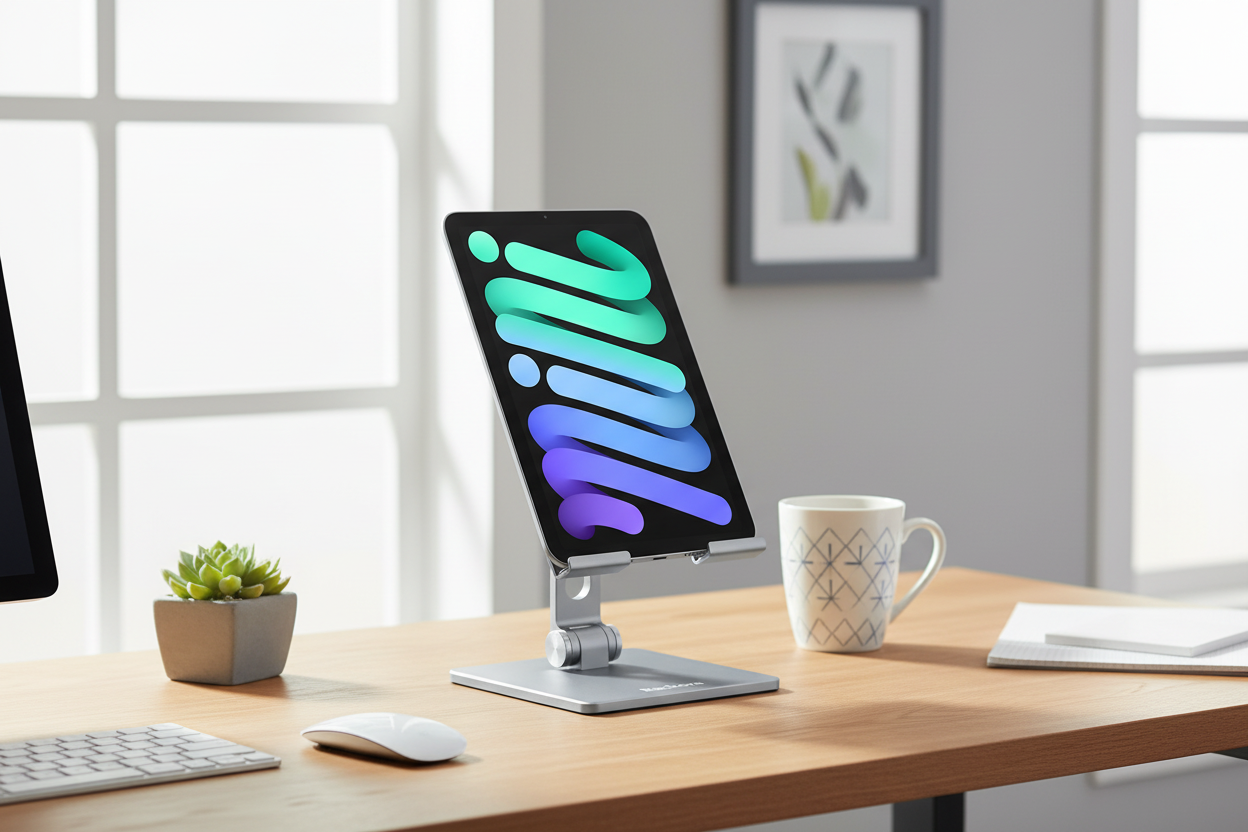
Modern professionals work across multiple devices. The Rackora Adjustable Tablet Stand Holder ensures your tablet is perfectly positioned whether serving as a secondary display, reference screen, or video call device.
Use it for eye-level video conferences, angled document reading, or as a secondary display for monitoring emails. Universal compatibility works with iPads, Android tablets, e-readers, and large smartphones.
Key Features: Fully adjustable angle and height, universal 4-13" compatibility, aluminum construction, non-slip base, foldable design, cable management cutout
Price: $49.99
→ Organize Your Multi-Device Setup
7. 47-Inch Height-Adjustable Standing Desk

Research shows alternating between sitting and standing reduces back pain, improves energy, and boosts productivity. The 47-Inch Standing Desk with Height Adjustment offers this flexibility without compromise.
The 47-inch surface accommodates a full computer setup including monitor, keyboard, mouse, and essentials. Smooth height adjustment finds your perfect ergonomic position. Clean white finish works in home offices, corporate environments, or creative studios.
Key Features: 47-inch work surface, smooth height adjustment, sturdy construction, modern white finish, promotes healthier work habits, easy assembly
Price: $489.38
→ Transform Your Workspace Health
8. Heavy-Duty Workbench with Drawer Storage

For makers and hands-on workers, the 60-inch Work Bench with Drawer Storage combines spacious bamboo work surface with integrated storage and mobility.
Bamboo construction is eco-friendly, incredibly durable, and naturally resistant to moisture and bacteria. The 60-inch surface provides ample project space while drawer storage keeps tools organized. Locking wheels allow repositioning then stable work.
Key Features: 60-inch bamboo surface, integrated drawer storage, heavy-duty construction, locking wheels, perfect for workshops and studios, natural finish
Price: $460
→ Build Your Ultimate Workshop
9. Electric Height-Adjustable Standing Desk

Electric adjustment transforms how often you change positions. The 40" x 24" Ergonomic Electric Height Adjustable Standing Desk brings push-button convenience to your workspace.
Manual adjustment requires effort and interrupts workflow. Electric adjustment happens at a button touch, making it effortless to alternate between sitting and standing. The 40" x 24" footprint suits compact spaces while accommodating full computer setups.
Key Features: Electric motor adjustment, 40" x 24" surface, wide height range, memory presets, quiet operation, anti-collision technology
Price: $599.99
→ Experience Electric Convenience
10. Compact Height-Adjustable Ergo Desk

The 8x24 Inches Height Adjustable Ergo Standing Desk delivers ergonomic benefits in an ultra-compact footprint perfect for laptop-only setups or small spaces.
The 8" x 24" surface is precisely sized for a laptop and mouse. Use it as a standing desk converter, dedicated laptop station, or flexible workspace. Despite compact size, it provides full ergonomic benefits of larger counterparts.
Key Features: Ultra-compact 8" x 24" footprint, height-adjustable, perfect for laptops, lightweight and portable, converter or standalone use, ideal for small spaces
Price: $479.99
How to Choose the Right Desk Organizers
Selecting the right organizers requires a practical framework. Start by assessing your current pain points—are you constantly searching for items? Experiencing neck pain from poor monitor positioning? Is cable clutter overwhelming? Your specific challenges should guide investments.
Consider your work style. A graphic designer's needs differ from a financial analyst's. Think about daily tools, task flow, and what needs immediate access versus storage. Prioritize ergonomics—monitor arms, laptop stands, and adjustable desks are investments in long-term health and sustained productivity.
Start with high-impact items addressing your biggest pain points, then expand as you identify additional needs. For most people, ergonomic improvements deliver the biggest immediate impact.
Creating a Lasting Organizational System
Buying organizers is easy—using them consistently requires a system. Implement the "Home Base" Principle: every item needs a designated home. When done using something, it returns home. This eliminates gradual clutter accumulation.
Practice the Two-Minute Rule: if organizing takes under two minutes, do it immediately. File that document, return that pen, coil that cable right away. Small actions prevent big messes.
Schedule regular resets. Even with good habits, workspaces drift toward disorder. A weekly 10-minute reset returns everything to proper places, wipes surfaces, and reassesses what's working.
The ROI of Workspace Organization
The average knowledge worker spends 76 hours yearly dealing with disorganization. At $30/hour, that's $2,280 in lost productivity annually. A comprehensive $1,000 organizational overhaul pays for itself in under six months through time savings alone.
Benefits extend beyond recovered time. Organized workspaces reduce stress, improve focus, and create professional environments that positively impact how you feel about work. For remote workers, well-organized home offices create clear boundaries between work and personal life.
Common Desk Organization Mistakes
Over-Organizing: If you spend more time maintaining your system than working, you've gone too far. Goal is functional efficiency, not Instagram perfection.
Buying Before Planning: Measure space, inventory items, and plan layout before purchasing. Otherwise you'll have organizers that don't fit or serve actual needs.
Ignoring Ergonomics: A beautifully organized desk causing physical pain is a failed setup. Prioritize ergonomic positioning over aesthetics.
Neglecting Cable Management: Cables create visual clutter, get tangled, and make cleaning difficult. Invest in cable management as part of your strategy.
Maintaining Your Organized Workspace
Daily Habits: End each workday with a 5-minute reset, return items to homes immediately after use, process papers daily, wipe surfaces, coil cables.
Weekly Maintenance: Deep clean workspace including keyboard and monitor, review and purge unnecessary materials, assess what's working, reorganize cluttered areas.
Monthly Reviews: Evaluate if your system still serves needs, identify new pain points, consider additional organizers, update based on changing requirements.
Frequently Asked Questions
How much should I budget for desk organization?
A functional setup ranges from $200 for basics (laptop stand, cable management, organizers) to $1,500+ for comprehensive solutions including electric standing desks and premium monitor arms. Start with high-impact items addressing biggest pain points, then expand. Ergonomic investments pay dividends in health and productivity.
Do standing desks really improve productivity?
Research shows mixed results on direct productivity gains, but consistent benefits in energy levels, reduced back pain, and improved focus. The key is alternating between sitting and standing rather than standing all day. Most users report feeling more alert and engaged when they can change positions throughout the day.
What's the most important desk organizer to start with?
For most people, proper monitor or laptop positioning delivers the biggest immediate impact. A monitor arm or laptop stand improves ergonomics, frees desk space, and reduces physical strain. This single change often motivates further organizational improvements as you experience benefits.
How do I organize my desk with limited space?
Focus on vertical organization and multi-functional items. Use monitor arms to free surface space, choose organizers that stack or mount to walls, and select compact solutions like the 8x24" adjustable desk for laptop-only setups. Prioritize daily-use items and store everything else elsewhere.
Are expensive desk organizers worth it versus budget options?
For items you interact with constantly (monitor arms, laptop stands, desk surfaces), quality matters significantly. Premium organizers offer better adjustability, durability, and ergonomics. For simple storage (pen holders, drawer organizers), budget options often work fine. Invest in quality for ergonomic items, save on basic storage.
How often should I reorganize my workspace?
Major reorganizations should happen when work changes significantly—new role, different projects, or shifted priorities. Minor adjustments should be ongoing as you identify inefficiencies. Good rule: if you're consistently working around your organizational system rather than with it, it's time for changes.
Can desk organization really reduce stress?
Yes. Princeton research confirms physical clutter competes for attention and increases cognitive load. An organized workspace reduces decision fatigue, makes finding things easier, and creates a sense of environmental control. These factors collectively reduce stress and improve mental clarity.
What's the best way to manage cables and cords?
Use cable clips, sleeves, and trays to route cables along desk edges and legs. Label cables at both ends for easy identification. Consider wireless peripherals where practical. Many monitor arms and desk organizers include integrated cable management features keeping cords hidden and organized.
Should I organize differently for remote work versus office work?
Remote workspaces benefit from stronger boundaries between work and personal life, so organization allowing you to "close" your workspace at day's end is valuable. Office setups might prioritize professional appearance and collaboration tools. Both benefit from the same ergonomic principles and organizational fundamentals.
How do I maintain desk organization with kids or pets at home?
Create physical boundaries when possible—a dedicated room or corner with clear "work zone" rules. Use organizers with lids or doors to protect important items. Establish end-of-day routines securing your workspace. Consider height-adjustable solutions letting you raise valuable items out of reach when not in use.
Your 2026 Productivity Starts Now
Transforming your workspace doesn't happen overnight, but every organizational improvement compounds over time. Start with one or two items from this guide that address your most pressing challenges. As you experience the benefits of better organization and ergonomics, you'll naturally identify additional improvements.
Remember: the goal isn't perfection—it's creating a workspace that supports your best work. Whether you invest in a complete standing desk setup or start with a simple laptop stand, you're taking concrete steps toward a more productive, comfortable, and focused 2026.
The desk organizers in this guide represent proven solutions used by professionals across industries. They're not trendy gadgets—they're functional tools that solve real problems. Choose the ones that match your specific needs, implement them thoughtfully, and maintain them consistently.
Your workspace is where you spend a significant portion of your life. Make it count. Invest in organization, prioritize ergonomics, and create an environment where productivity comes naturally. Your 2026 goals deserve a workspace that supports them.
Ready to transform your workspace? Start with these essential organizers and build the productivity-boosting setup you deserve.
