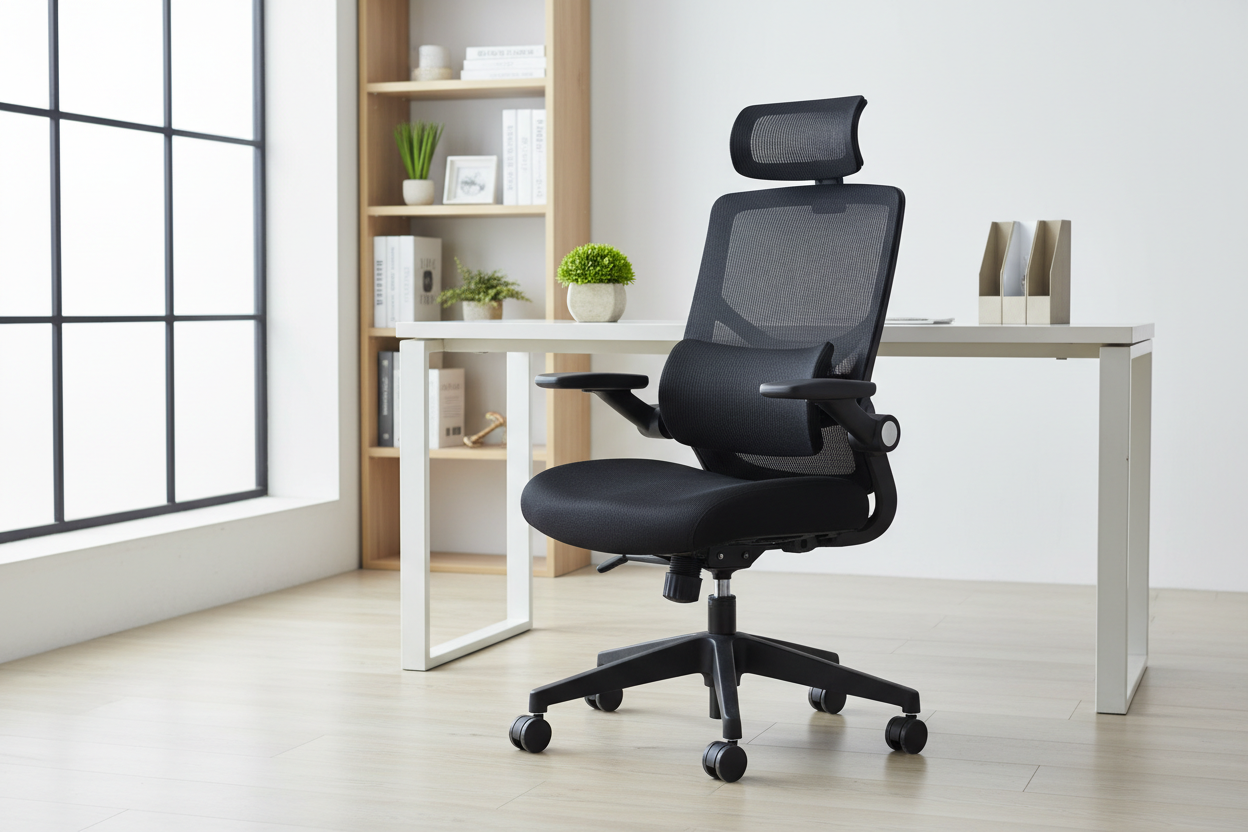
If you've ever finished a workday with that familiar burning, shooting pain running from your lower back down through your leg, you already know what sciatica feels like. And if you're reading this, there's a good chance your office chair is part of the problem.
The honest answer to the question in the title? Yes — the right ergonomic chair genuinely can help. But not every chair marketed as "ergonomic" actually delivers. There's a big difference between a chair that checks a few boxes on a spec sheet and one that's actually designed around how your spine, pelvis, and hips work together.
This guide is going to walk you through the real biomechanics behind sciatica and hip pain, what to look for in a chair that actually addresses those issues, and which specific chairs from our lineup are worth your attention — with real prices, no fluff.
What's Actually Happening When You Have Sciatica
The sciatic nerve is the longest nerve in your body. It starts in your lower back, runs through your glutes, and travels all the way down each leg. When something compresses or irritates that nerve — a herniated disc, tight piriformis muscle, or sustained pressure from poor sitting posture — you get the classic sciatica symptoms: burning, tingling, numbness, or sharp pain that radiates down one or both legs.

Here's the part most people don't think about: sitting is one of the worst positions for sciatic nerve compression. When you sit in a poorly designed chair, your pelvis tilts backward (posterior pelvic tilt), your lumbar spine loses its natural inward curve, and the discs in your lower back get unevenly loaded. That uneven pressure is exactly what aggravates the sciatic nerve.
Hip pain from sitting is a related but slightly different issue. The hip flexors — particularly the iliopsoas — get shortened and tight from prolonged sitting. The hip joint itself can develop bursitis or impingement when the femur is held at a bad angle for hours. And the piriformis muscle, which sits right on top of the sciatic nerve, can tighten up and compress the nerve directly.
The common thread? Poor chair design forces your body into positions that load all the wrong structures.
How Ergonomic Chairs Address the Root Causes
Pelvic Tilt and Lumbar Support: The Foundation
The single most important thing an ergonomic chair does for sciatica sufferers is support a neutral pelvic position. When your pelvis is in neutral — neither tilted too far forward nor slumped backward — your lumbar spine maintains its natural lordotic curve. That curve is what distributes spinal load evenly across your discs, rather than concentrating it on the posterior edges where the sciatic nerve roots exit.
A good lumbar support system doesn't just push against your lower back. It supports the lumbar curve at the right height (roughly L3-L5 level, which is about 6-10 inches above the seat) and with the right amount of firmness. Too little support and your spine still slumps. Too much and it forces an exaggerated arch that creates its own problems.
Some of our chairs take this further with what's called a "back-chasing" or dynamic lumbar system — the lumbar support actually moves with you as you shift positions throughout the day, rather than staying fixed in one spot. That's a meaningful difference for people who move around a lot while working.
Seat Depth and Hip Angle
The depth of the seat pan matters more than most people realize. If the seat is too deep, the front edge digs into the back of your thighs, compressing the femoral nerve and restricting blood flow. If it's too shallow, you lose thigh support and your weight concentrates on your sit bones.
The ideal seat depth leaves about 2-3 fingers of space between the front edge of the seat and the back of your knees. Some chairs offer adjustable seat depth — a sliding seat cushion — which lets you dial this in precisely for your leg length.
Hip angle matters too. Research consistently shows that a hip angle slightly greater than 90° (closer to 100-110°) reduces lumbar disc pressure compared to a strict right-angle sitting position. This is why chairs with a slight forward tilt option or a recline function can actually be better for your back than sitting bolt upright.
Dynamic Recline and Spinal Decompression
This is one of the most underappreciated features in ergonomic seating. When you recline to around 110-120°, something important happens: the compressive load on your lumbar discs drops significantly. Studies have shown that reclining to 135° reduces disc pressure to roughly the same level as standing. Even a modest recline to 110° makes a real difference.
For sciatica sufferers, this matters because reduced disc pressure means less likelihood of disc material pressing against nerve roots. It also takes pressure off the piriformis and surrounding soft tissue.
The key is having a recline with proper tension control — you want the chair to support you at whatever angle you choose, not just flop back or lock you into one position. A chair that lets you lock the recline at multiple angles gives you the flexibility to shift between focused work posture and a more decompressed position throughout the day.
Armrest Height and Shoulder Load
This one's indirect but real. When your armrests are too low, you hunch your shoulders to compensate. That hunching creates tension through the thoracic spine that travels down and affects lumbar positioning. Properly adjusted armrests — at a height where your elbows rest comfortably with your shoulders relaxed — take load off your upper back and allow your lumbar region to maintain better alignment.
3D or 4D adjustable armrests (height, depth, width, and angle) give you the most flexibility to get this right regardless of your desk height or arm length.
What to Look for in a Chair If You Have Sciatica or Hip Pain
Before we get into specific product recommendations, here's a practical checklist of features that actually matter for nerve and hip pain:
- Adjustable lumbar support — height-adjustable at minimum; dynamic/moving lumbar is better
- Seat depth adjustment — sliding seat pan to fit your leg length
- Recline range of at least 110° — with lockable positions and tension control
- Seat height range — should allow your feet flat on the floor with hips at or slightly above knee level
- Seat cushion quality — high-density foam that doesn't bottom out; waterfall front edge to reduce thigh pressure
- Adjustable armrests — at minimum height-adjustable; 3D or 4D preferred
- Breathable material — mesh or ventilated fabric reduces heat buildup that can increase muscle tension
What you don't need: massage functions, footrests, or premium leather upholstery. Those are comfort features, not therapeutic ones. Nice to have, but not what's going to address your sciatica.
Our Top Chair Picks for Sciatica and Hip Pain Relief
Here are the chairs from our lineup that are most relevant if you're dealing with nerve or hip pain. I've been specific about why each one works — and honest about the trade-offs.
1. Best Overall: Ergonomic Office Chair with Lumbar Support & 3D Armrests

Price: $459.00
This is the chair I'd point most sciatica sufferers toward first. The standout feature is the double-back design with a dynamic lumbar support that moves with your waist as you shift positions. That's not marketing language — it's a meaningful mechanical difference from a fixed lumbar pad.
The sliding seat cushion lets you adjust seat depth, which is critical for getting the right thigh clearance and reducing pressure on the back of your legs. The 3D armrests adjust in three directions, and the 115° recline with lockable positions gives you enough range to decompress your lumbar spine during breaks.
The high-density molded foam cushion holds its shape well over time — a common failure point in cheaper chairs where the foam compresses and you end up sitting on a hard base within a year.
BIFMA certified, 300 lb capacity.
→ Shop the Ergonomic Office Chair with Lumbar Support — $459.00
2. Best for Pressure Relief & Breaks: High Back Mesh Chair with Lumbar Support & Footrest

Price: $241.00
If budget is a consideration and you want solid sciatica-friendly features without spending $400+, this chair delivers a lot for the price. The breathable nylon mesh backrest keeps you cooler than foam-backed chairs, which matters because heat and muscle tension are related — a hot, sweaty back tends to be a tense back.
The recline locks between 90° and 135°, which gives you a good range for both focused work and decompression breaks. The retractable footrest is a genuine plus for sciatica sufferers: elevating your legs slightly during breaks takes pressure off the piriformis and reduces sciatic nerve tension.
The 4.13-inch thickened cushion is above average for this price point. The integrated lumbar support pillow is fixed rather than dynamic, but at $241 that's an acceptable trade-off.
→ Shop the High Back Mesh Chair with Footrest — $241.00
3. Best for Larger Users: Heavy Duty 500 lbs Ergonomic Executive Chair

Price: $520.00
Standard ergonomic chairs are designed around an average body size, and if you're a larger person, that means the lumbar support hits in the wrong place, the seat is too narrow, and the chair bottoms out faster. This chair is built differently.
The 30.4" extra-wide seat gives your hips room to sit without compression at the sides — lateral hip compression is a real contributor to hip bursitis and piriformis tightness. The waterfall seat edge design reduces pressure on the back of the thighs, which helps with both circulation and sciatic nerve tension.
The 90°-120° recline with rocking function and SGS-certified gas lift are built for long-term durability under heavier loads. The reinforced iron base and quiet-glide rubber wheels round out a chair that's genuinely engineered for bigger frames, not just rated for them on paper.
→ Shop the Heavy Duty 500 lbs Ergonomic Chair — $520.00
4. Best for Deep Recline & Decompression: 155° Reclining Swivel Ergonomic Office Chair

Price: $546.00
If your sciatica is severe enough that you need to fully recline and decompress multiple times throughout the day, this chair's 155° recline range is worth the premium. At 155°, you're approaching a near-horizontal position — the lumbar disc pressure at that angle is dramatically lower than upright sitting.
The integrated footrest deploys when you recline, supporting your legs and taking pressure off the piriformis. The thick foam with S-spring seat construction provides good cushioning without the bottoming-out problem you get with cheaper foam.
This chair is better suited for people who work in shorter focused bursts and need real recovery time between them, rather than people who need to stay upright and focused for 6+ hours straight. Think of it as a chair that doubles as a recovery station.
→ Shop the 155° Reclining Ergonomic Chair — $546.00
5. Best for 4D Armrest Adjustment: High Back Mesh Office Chair with 4D Armrests

Price: $340.00
The 4D armrests on this chair — adjustable in height, depth, width, and angle — are genuinely useful for people who type a lot and want to eliminate shoulder and upper back tension that contributes to overall spinal misalignment. The armrests lift up to 90°, which also makes it easy to get in and out of the chair without awkward maneuvering.
The mesh and fabric construction promotes airflow, and the 90°-120° recline with silent rolling wheels makes this a solid all-day work chair. The high-density foam filling and nylon upholstery are built for durability.
At $340, it sits in a good middle ground — more adjustability than the $241 option, without the premium price of the top-tier chairs.
→ Shop the High Back Mesh Chair with 4D Armrests — $340.00
How to Set Up Your Chair Correctly for Sciatica Relief
Even the best chair won't help if it's set up wrong. Here's a quick setup sequence that takes about 5 minutes and makes a real difference:
Step 1: Set seat height first. Sit down and adjust the height until your feet are flat on the floor and your hips are at or slightly above knee level. Your thighs should be roughly parallel to the floor or angled slightly downward.
Step 2: Adjust seat depth. If your chair has a sliding seat, move it so there's about 2-3 fingers of space between the front edge and the back of your knees. This prevents thigh compression.
Step 3: Set lumbar support position. The lumbar support should sit in the curve of your lower back — roughly at belt level. If it's adjustable in height, move it until you feel it supporting the inward curve of your lumbar spine without pushing you forward.
Step 4: Adjust armrests. Set them so your elbows rest comfortably with your shoulders completely relaxed — not shrugged up, not drooping down. Your forearms should be roughly parallel to the floor when typing.
Step 5: Set recline tension. Adjust the tension knob so the chair reclines with moderate resistance — enough that it doesn't flop back when you lean, but not so stiff that you can't recline without effort.
Step 6: Use the recline. This is the step most people skip. Set a reminder to recline to 110-120° for 5-10 minutes every hour. That regular decompression break makes a meaningful difference in cumulative disc pressure over an 8-hour workday.
Other Habits That Work Alongside a Good Chair
A good chair addresses the mechanical causes of sciatica and hip pain, but it works best as part of a broader approach:
Movement breaks. Even the best chair can't fully compensate for staying in one position for hours. Standing up and walking for 2-3 minutes every 45-60 minutes keeps the piriformis from tightening and gives your discs a chance to rehydrate.
Hip flexor stretching. The kneeling hip flexor stretch (one knee on the floor, other foot forward) done for 30-60 seconds per side, a couple of times a day, directly addresses the tightness that contributes to both hip pain and sciatic nerve compression.
Monitor height. If your monitor is too low, you'll crane your neck forward, which creates a chain reaction of tension down through your thoracic and lumbar spine. Eye level should be at the top third of your screen.
Keyboard and mouse position. These should be close enough that your elbows stay near your body — reaching forward for your keyboard or mouse pulls your shoulders forward and rounds your upper back.
Footrest if needed. If your feet don't reach the floor comfortably after setting your chair height for your desk, use a footrest rather than letting your legs dangle. Dangling legs increase pressure on the back of the thighs and can aggravate sciatic symptoms.
When to See a Doctor
A better chair can significantly reduce the mechanical stress that aggravates sciatica, but it's not a medical treatment. If you're experiencing any of the following, see a healthcare provider before relying on a chair change alone:
- Sciatica symptoms that have been present for more than 6 weeks without improvement
- Weakness in your leg or foot (not just pain or tingling)
- Loss of bladder or bowel control — this is a medical emergency, seek care immediately
- Pain that's severe enough to prevent sleep
- Symptoms that are getting progressively worse rather than fluctuating
For most people with sciatica related to prolonged sitting and poor posture, ergonomic improvements combined with movement and stretching make a real difference. But it's worth ruling out more serious causes with a professional.
Frequently Asked Questions
Can an ergonomic chair cure sciatica?
No — a chair can't cure sciatica, but it can significantly reduce the mechanical stress that aggravates it. For many people whose sciatica is triggered or worsened by prolonged sitting in a poorly designed chair, switching to a properly adjusted ergonomic chair produces noticeable relief. Think of it as removing a cause rather than treating the condition.
What's the best sitting position for sciatica?
A neutral pelvic position with your lumbar curve supported, hips at or slightly above knee level, feet flat on the floor, and a slight recline (around 100-110°) rather than sitting bolt upright at 90°. Upright 90° sitting actually increases lumbar disc pressure compared to a slight recline.
Is a hard or soft seat better for sciatica?
Neither extreme is ideal. A seat that's too soft lets you sink in and lose pelvic alignment. A seat that's too hard concentrates pressure on your sit bones and tailbone. High-density foam that provides firm support while still cushioning is the sweet spot — it should feel supportive, not plush, and definitely not like you're sitting on a hard surface.
Does lumbar support actually help with sciatica?
Yes, when it's positioned correctly. Lumbar support that maintains the natural inward curve of your lower back reduces posterior disc bulging — which is one of the primary causes of sciatic nerve compression. The key is that it needs to be at the right height (roughly belt level) and the right firmness. A lumbar support that's too high, too low, or too aggressive can actually make things worse.
How long should I sit before taking a break if I have sciatica?
Most physical therapists recommend no more than 45-60 minutes of continuous sitting. Even a 2-3 minute standing break — just getting up and walking to the kitchen or doing a quick hip flexor stretch — is enough to reset the pressure on your lumbar discs and piriformis. Setting a timer is the most reliable way to actually do this consistently.
Is mesh or foam better for sciatica?
Mesh backrests are generally better for sciatica because they conform to your back's shape and allow airflow, which reduces muscle tension from heat buildup. For the seat itself, high-density foam is preferable to mesh — mesh seats can create uneven pressure points on the sit bones over time.
Can a reclining chair help with sciatica?
Yes — reclining reduces lumbar disc pressure, which directly reduces the compression on sciatic nerve roots. The key is having a chair that supports you properly at the reclined angle, not one that just flops back without support. A recline range of 110-120° with lockable positions and proper lumbar support at that angle is what you're looking for.
What's the difference between hip pain and sciatica?
Sciatica specifically refers to pain caused by irritation or compression of the sciatic nerve, which typically produces symptoms that radiate down the leg — burning, tingling, or shooting pain from the lower back through the glute and into the leg. Hip pain from sitting is usually more localized to the hip joint or surrounding muscles (hip flexors, piriformis, hip abductors) and doesn't necessarily radiate. The two often co-exist because the same poor sitting mechanics that compress the sciatic nerve also stress the hip structures.
Do I need a special chair if I have both sciatica and hip pain?
Not necessarily a special chair, but you do need to pay attention to specific features: seat width (narrow seats compress the hips laterally), seat depth (too deep compresses the back of the thighs), seat height (hips should be at or above knee level), and lumbar support quality. The chairs we've recommended above address all of these factors.
How much should I spend on an ergonomic chair for sciatica?
You don't need to spend $1,000+ to get meaningful relief. Our $241 High Back Mesh Chair with Footrest covers the essential bases — adjustable lumbar support, recline range, and a quality seat cushion. If you want dynamic lumbar support and more adjustability, the $459 chair is worth the step up. Beyond that, you're paying for premium materials, higher weight capacity, or extended recline range — all legitimate reasons to spend more, but not strictly necessary for sciatica relief.
The Bottom Line
Sciatica and hip pain from sitting are mechanical problems — they're caused by sustained pressure on specific structures in your lower back and hips. A well-designed ergonomic chair addresses those mechanical causes directly: it supports your lumbar curve, allows a slight recline to decompress your discs, gives your hips room to sit without compression, and lets you adjust the setup to fit your actual body dimensions.
That's not a guarantee of pain-free sitting. But for most people whose symptoms are aggravated by desk work, it's a meaningful part of the solution.
If you're not sure where to start, the Ergonomic Office Chair with Dynamic Lumbar Support at $459 is our most complete option for sciatica sufferers. If budget is the priority, the High Back Mesh Chair with Footrest at $241 covers the essentials without compromise on the features that actually matter.
Either way, pair it with regular movement breaks and a proper setup, and you'll be in a significantly better position — literally — than you are right now.
