You know the treadmill desk story. Everyone's heard a version of it: bought in January, adored for a week, promoted to the world's most expensive clothing rack by March. And you've heard the other version too, the one where it genuinely changed someone's life, gave them a lighter step and an afternoon that doesn't sag. Both stories are true. That's the frustrating part.
Here's the question nobody asks before the purchase: what do you actually want your desk to change about your day?
Because that's the real decision. Not "which desk is best" in the abstract, but which desk changes the thing you actually want changed. Position, movement, or convenience? Those are three different answers, and they lead to three different purchases.
So this is an evidence-style review, which is a fancy way of saying we're going to look at the three categories honestly, describe what each one actually changes about a working day, and let the practical evidence do the talking. No invented studies, no miracle percentages, no "experts agree." Just a straight comparison in plain English, the kind you'd want from a friend who's tried the gear and isn't selling you a lifestyle.
The Three Categories, Explained Plainly
Let's make sure we're all looking at the same three things, because the names get used loosely and the differences matter.
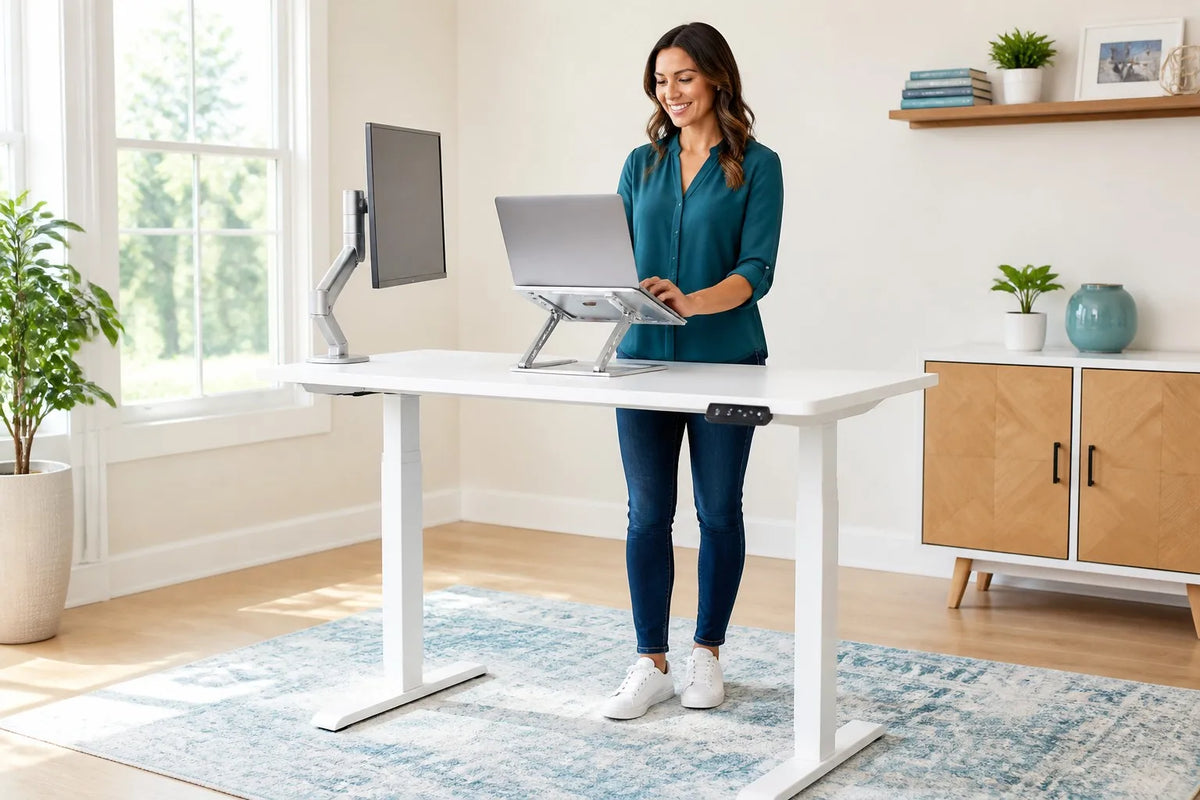
A standing desk is a desk that moves up and down, usually with the press of a button, so you can work sitting for a while and standing for a while. The modern versions, including the Rackora 40×24, are electric, which means the height change is smooth and takes about the effort of dimming a light. The whole point is position variety: your body gets to stop being in the same shape for eight hours straight.
A treadmill desk is a desk built around a treadmill. You walk at a slow, easy pace while you work. The idea is that your work hours become movement hours, and you collect steps the way other people collect notifications.
A convertible desk, for the purposes of this review, covers the add-on category: under-desk treadmills, desk converters that bolt onto an existing surface, and standing attachments that turn a regular desk into a height-adjustable one. They're the "make what you have work" option.
Three categories, three different promises. Standing desks promise variety. Treadmill desks promise movement. Convertible options promise convenience and a smaller price tag. The trouble starts when people shop for one promise and buy another, which is exactly what happens when a treadmill desk ends up in the home of someone who spends their days writing code.
One more thing worth saying before we go category by category: the marketing blurs these lines on purpose. You'll see "standing desk" used for a desk you can't actually stand at, "treadmill desk" used for a belt that slides under any desk, and "convertible" used for everything in between. The names are a menu, not a contract. What matters is what the thing does to your body and your work, which is what the rest of this review is actually about.
What This Review Is (and Isn't)
Let's be upfront about the framing, because the internet is full of desk comparisons that read like press releases, and you deserve better.
This is an evidence-style review, but it is not a published study. We're not going to cite research we haven't read, quote percentages we can't verify, or tell you that "studies show" anything. There's no data in this article that we invented, and there's no data in this article that we borrowed from someone else's marketing. What's left is better than both: a qualitative look at what each desk type actually changes about your day, based on how these setups behave in real home offices, plus the published ergonomics guidance and the real product specifications, both of which are named and linked so you can check them yourself.

The evidence we're working with is the practical kind. It's the evidence you can collect yourself in a week of trying something: how the afternoon feels after two hours of standing, whether typing gets easier or harder at a walking pace, whether you actually use the feature you paid extra for. That's the evidence that matters, because it's the evidence that applies to your day.
The reason we lean on qualitative evidence instead of numbers is simple: numbers in desk marketing are almost always borrowed, and borrowed numbers are almost always bent. A percentage from one study gets repeated until it means whatever the seller wants it to mean. But your own afternoon, your own typing speed, your own willingness to press a button, those are facts you can't argue with. That's the evidence standard here, and it's the standard worth using. Where we do use hard numbers, they come from one of two places only: the published guidance of an ergonomics authority, or the measured specifications of a product we actually sell.
One more thing this review is, since we're being honest: it's a brand evaluation, written by a company that makes an electric standing desk and a very good office chair. We have a horse in this race, and you should read the conclusions with that in mind. But the way we earn your trust is the same way any honest reviewer does: we tell you what each option is genuinely good at, including the ones we don't sell, and we let the trade-offs speak for themselves. You'll notice the treadmill desk section has real respect in it, and the convertible section has real sympathy. The winner gets chosen by the evidence, not by our catalog.
What a Standing Desk Actually Changes About Your Day
Start with the category most people should buy, and the change it makes is quietly profound: your day stops being a single position.
On a fixed desk, your workday is one long sit. You settle in at nine, and your body holds roughly the same shape until lunch, with small variations for reaching, slouching, and the occasional dramatic lean-back during a call. On a standing desk, the day becomes a series of positions: sit for a while, stand for a while, sit again. It sounds simple, and it is. That simplicity is the point.
The practical effect is that your body gets resets. When you stand up for a block of work, your hips open, your spine straightens, your shoulders un-round. You don't need a study to feel the difference between hour four of sitting and hour one of standing; the body announces it. Standing blocks tend to feel clearer and more alert for a stretch, and the simple act of changing position tends to break the afternoon fog that a fixed desk encourages.
This is where memory presets earn their keep. A standing desk with memory presets, like the Rackora 40×24 at $599.99, marked down from $879.99, remembers your sitting height and your standing height, and moves between them with one touch. 40×24 electric standing desk That one-touch part matters more than it sounds, because the real enemy of standing desks isn't the mechanism, it's the friction of using it. A desk that takes twenty seconds to fiddle with gets used twice and then sits at sitting height forever. A desk that moves at the press of a button gets used all day, because switching is easier than not switching.
The honest caveat: standing all day is not the goal, and anyone who tells you otherwise is selling something. Your feet get tired. Your legs get heavy. The right rhythm is variety: stand for a stretch, sit for a stretch, and let the desk do the remembering. This isn't just our opinion, either. The Canadian Centre for Occupational Health and Safety makes the same point about working postures in general: there is no single ideal posture to hold all day, and the useful goal is being able to change position comfortably and often.
The first week on a standing desk is its own little arc, and knowing it ahead of time saves you from misreading it. Day one and two, you'll stand more than you should, because it's new and you're excited, and your feet will complain by Thursday. Day three through five, you'll overcorrect and sit too much, because the novelty wore off and standing stopped being interesting. Somewhere in week two, you'll find the actual rhythm: stand for the morning blocks, sit for the deep afternoon stretches, and stop thinking about the desk entirely, which is exactly when it starts working. Give it two weeks before you judge the experiment. If you want the fuller version of the argument, our piece on sitting, standing, and desk health covers the reasoning in more depth. Sitting, standing, and desk health For the purposes of this comparison, the summary is: a standing desk changes your day by adding positions, and that change is real, immediate, and available to everyone.
What a Treadmill Desk Actually Changes About Your Day
Now the category everyone's curious about, and let's give it its due first. A treadmill desk changes your day by adding movement. That's the whole promise, and when it works, it works: walking at a slow pace while you knock out emails, listen to a call, or read reports means your work hours aren't sedentary hours. For people who genuinely miss moving during the workday, the treadmill desk delivers something no static desk can: steps while you work.

Here's the honest part, and it's a big one. A treadmill desk makes typing and focus genuinely harder for most people. Not impossible, but harder, and the difficulty is mechanical, not motivational. Fine motor control and walking rhythm compete for the same bandwidth. Your hands want to type precisely; your body wants to walk. At a slow pace, for short stretches, the compromise is manageable. Over a full workday, it wears on you, and the work that suffers first is the deep work: writing, coding, design, analysis, the tasks that pay the bills.
There's an ergonomics reason underneath the feeling, too. Published workstation guidance, including OSHA's computer workstation eTool, is built around a seated or standing posture where your forearms are supported, your wrists are straight, and your screen sits at a stable distance from your eyes. A moving belt takes all three of those away: your arms float, your wrists chase the keyboard, and your screen bobs relative to your eyes. That's why walking works fine for calls and reading and gets annoying the moment precision matters.
The common arc, told by the people who've tried it: the first week is fantastic. You're moving, you're proud of yourself, you're collecting steps like confetti. The second week, you notice you're walking slower and typing faster. The third week, you find yourself stopping the belt for "just this one email," which becomes "just this one hour," which becomes the whole morning. By month two, the treadmill desk is a very expensive standing desk with a belt you never turn on.
That arc isn't a statistic. It's a pattern, and it shows up because treadmill desks ask you to change your work to fit the desk, instead of the other way around. Walking while talking is fine. Walking while typing is a compromise. Walking while thinking hard is the thing that breaks.
There's also the practical reality of owning one, and it's worth a paragraph because nobody mentions it. A treadmill desk occupies real floor space, the belt needs to sit at a height that works with your desk, and the machine hums along under you all day, a background you can feel even after you've stopped noticing it. None of that is a dealbreaker. But it's the difference between the treadmill desk you imagine, where you glide through the workday collecting steps, and the treadmill desk you actually live with, which is a piece of exercise equipment that happens to hold your keyboard.
So the "is a treadmill desk worth it" question has an honest but narrow answer: it depends on how much of your day is deep work. If your day is mostly calls and light tasks, a treadmill desk can genuinely add movement without stealing focus. If your day is mostly typing and thinking, the desk will sit there, and you'll feel guilty about it, which is its own tax.
Who should ignore all this? People whose work is genuinely light on typing: sales calls, coaching, reading, reviewing, admin. If your day is mostly calls and light tasks, a treadmill desk can genuinely add movement without stealing focus. And if you already exercise on a treadmill at home, an under-desk option can double as a walking setup. The category has real fans for real reasons. It just has a narrower fit than the marketing suggests.
What a Convertible or Under-Desk Option Actually Changes
The convertible category is the most sympathetic and the most compromised, so let's treat it fairly.
The promise of a convertible option, an under-desk treadmill or a converter that turns your existing desk into a standing setup, is convenience: no new furniture, smaller price tag, and the ability to make what you already own work. For renters, travelers, and anyone who can't swap furniture on a landlord's schedule, that convenience is real, and it's the whole point.
The compromise is that every convertible option asks you to give something up. An under-desk treadmill slides under your existing desk, which means the belt sits at whatever height your desk dictates, which is rarely the height your body wants for walking. A desk converter adds standing height to a fixed desk, but it adds wobble with it, and a wobbling desk is a miserable place to do precise work. The add-on nature of all of them means setup and take-down become part of your day, and the more you use them, the more you notice the seams.
None of this makes convertibles bad. It makes them bridges: a way to test standing or walking without committing to a full desk. If you're genuinely unsure whether standing desks are for you, a converter is a cheap way to find out, and finding out is worth something. But as a long-term home for your workday, the bridge gets old. The wobble gets old. The daily assembly gets old. Most people who start with a convertible end up wanting the real thing, and the real thing usually ends up being a proper standing desk.
The other thing to know about the convertible category is that it rewards patience. If you buy one, don't assemble it in a hurry and judge it on day one. Wobble settles, or it doesn't; the treadmill finds its spot under the desk, or it fights the chair legs. Give a convertible two weeks to find its rhythm, same as any desk. If it's still wobbling, still fighting, still more setup than setup, that's your answer, and it's a cheap answer compared to a full desk you'd have bought blind.
Who Each One Fits
Let's do the matching, because the honest answer to "which should I buy" is "it depends on what your day is made of."
When people weigh treadmill desk vs standing desk, they're really asking two different questions at once: "do I want to move more?" and "can I still do my best work?" The ranking below is built on how those questions shake out for different kinds of days.
Focus-heavy workers: writers, coders, designers, analysts, anyone whose job is sustained attention on a screen, fit a standing desk. Their work doesn't tolerate compromise, and a standing desk doesn't ask for any. It adds variety to the day and leaves the work alone. This is the widest fit in the comparison, and it's not close.
Movement-craving multi-taskers: people who spend their day on calls, in meetings, triaging messages, and moving between small tasks, fit a treadmill desk better, with the caveat that the deep-focus hours still need a desk that doesn't move. If your day is mostly light tasks, a treadmill desk can genuinely change your life. If it's a small slice, you already know which hours are going to be miserable.
Renters, travelers, and the furniture-hesitant fit the convertible category: the under-desk treadmill or the bolt-on converter that turns what you have into something better. It's the least permanent option, and for people whose next move is six months away, that's a feature, not a bug.
And the honest note for everyone: most people don't fit one category cleanly.
Which brings up the practical hybrid that almost nobody plans for but almost everyone ends up doing: the split day. Deep work in the morning, calls and admin in the afternoon. For that shape of day, the winning setup is usually one electric standing desk used two ways, standing for the calls, sitting for the deep work, rather than two dedicated desks for two kinds of work. One desk that changes height beats two desks that each do one thing, because the desk you actually use is the desk that's already set up. The typical home office is a mix: deep work in the morning, calls in the afternoon, and a body that wants both variety and movement. That's why the practical winner is what it is, and it's next.
The Practical Winner for Most People
If this review has a conclusion, it's this: for most people, most of the time, an electric standing desk is the right call, because it changes the day without asking you to change your work.

The Rackora 40×24 electric height adjustable desk is the version we'd put in front of you. It's $599.99 right now, marked down from $879.99, and it comes with memory presets, which we've already established is the feature that actually gets used. 40×24 electric standing desk The 40×24 surface holds a monitor or laptop, a keyboard, a mug, and a notebook without turning into a Tetris game. You press a button, it moves to your sitting height. You press it again, it moves to your standing height. That's the whole interaction, and it's exactly the right amount of interaction.
So what are you actually paying for at $599.99? Let's be specific, because "you get what you pay for" is the laziest sentence in shopping. You're paying for a desk that changes height smoothly and quietly every time, not just the first forty times. You're paying for presets that remember your heights, so the desk fits you instead of you adjusting to it. You're paying for a 40×24 surface that fits the actual stuff of your workday. And you're paying for the guarantee that lets you find out whether standing is for you without betting the whole budget on it. That last one is worth more than it sounds: the confidence to try is what turns a desk into a habit.
Why does the standing desk beat the treadmill desk for most people? Because it doesn't tax your focus. The treadmill desk's great weakness is that it competes with your work. The standing desk's great strength is that it leaves your work alone and only changes the container around it. You don't have to adapt your typing, your calls, or your concentration. You just change positions, and the desk remembers the rest.
Why does it beat the convertible options? Because it doesn't wobble, doesn't need assembly, and doesn't ask you to retrofit your life. It's a real desk, doing the full job of a desk, with the standing capability built in. The bridge options make sense when you can't have the real thing. If you can, have the real thing.
And one honest addition: a standing desk is half of a setup. The other half is a chair that earns its keep during the sitting blocks, and the L2 Ergonomic Office Chair, mesh back, 4.9 stars across 418 reviews, is the one we make for that job. It's $389.00 right now, regularly $449.00. L2 Ergonomic Office Chair Desk and chair are a pair, like a mattress and a frame. Buy them together, because you'll sit, and you'll stand, and you'll want both halves to be good.
If you want to think about the actual rhythm of a sit-stand day, the science-of-stand-time guide breaks down how much standing makes sense and how to ease into it. The science of stand time The short version: start small, stand for two blocks a day, and let the presets do the work.
The Chair Half of the Setup: Ergonomic Chair Basics, With Sources
Every desk comparison skips this part, which is strange, because you will spend more hours in your chair than standing at any desk you buy. So here is the chair science in plain English, with the sources named at the bottom of the article so you can read them yourself. No percentages we can't back up, no invented studies, just what the published workstation guidance actually says a chair should do.

1. The backrest should follow the curve of your lower back. OSHA's computer workstation guidance describes a good chair as one with a backrest that supports the natural inward curve of the lower back, either through the shape of the backrest itself or through an adjustable lumbar support. This is the single most important feature on the list, because when the lumbar curve loses its support, the pelvis rolls back and the whole spine slumps with it. Adjustable lumbar support exists so the support lands where your curve is, not where the average person's curve is.
2. Seat height is measured from your feet, not from your desk. The guidance is consistent here: set the seat so your feet rest flat on the floor (or on a footrest) with your thighs roughly parallel to the ground and your knees at about the same height as your hips. Too high and your feet dangle and your thighs take the pressure; too low and your hips drop below your knees, which pulls your lower back out of its curve. This is also why a chair and a height-adjustable desk work so well together: you set the chair to your body first, then set the desk to the chair.
3. Seat depth needs a gap behind your knees. A seat pan that's too deep presses into the back of your knees and cuts off comfortable circulation; too shallow and your thighs lose support. Published chair guidance recommends leaving a small clearance between the front edge of the seat and the back of your knees, which is exactly the problem an adjustable or sliding seat depth is designed to solve.
4. Armrests should support your forearms without lifting your shoulders. Workstation guidance treats armrests as adjustable equipment, not decoration: they should let your shoulders stay relaxed and your elbows sit close to your body at roughly a right angle, with your forearms supported while you type. Armrests that are too high hike your shoulders toward your ears all day; too low and you lean. That's the reason three-way (up and down, forward and back, angle) armrests matter more than they sound like they should.
5. Reclining is not laziness. It's load management. The Cornell University Ergonomics Web has argued for years that a bolt-upright 90-degree posture is not the ideal working position, and that a slightly reclined posture with proper back support reduces the load your upper body puts on your lower spine. Practically: a chair that locks at a comfortable open angle, and a backrest that keeps supporting you when you lean into it, is doing real ergonomic work, not indulging you.
6. There is no single correct posture. Movement is the point. This is the part of the science that makes the rest of this article make sense. The Canadian Centre for Occupational Health and Safety is explicit that no one working posture is ideal for a whole day and that a chair should let you shift and change position easily, with the adjustment controls reachable while you're seated. A chair that only supports you in one exact position is a chair that will hurt by 3 p.m. This is the same logic as the sit-stand desk, applied to the thing under you.
7. "Certified" means something specific. Office chairs sold in North America are commonly tested against the ANSI/BIFMA standards published by the Business and Institutional Furniture Manufacturers Association, which cover safety, strength and durability testing for general-purpose office chairs, and BIFMA also publishes an ergonomics guideline for fitting chairs and workstations to a range of body sizes. When a chair says it is BIFMA certified, that refers to passing that testing, which is a meaningful claim, unlike "ergonomic," which any seller can print on any box.

Here's how that checklist maps onto real hardware, using published specifications rather than adjectives. Our high-back mesh Ergonomic Office Chair with Lumbar Support at $459.00 is built around exactly those seven points: a double-back design whose lower lumbar support moves with your waist as you shift, a sliding seat cushion for seat-depth adjustment, 3D adjustable armrests (up and down, forward and back, angle), pneumatic seat-height adjustment, a headrest that pulls up and tilts up to 45 degrees, a reclining function that locks at any angle up to 115 degrees, a breathable mesh back, a five-star base rated to a 300 lb capacity, and BIFMA certification. Assembled, it measures 28.15 inches long, 26.38 inches wide and 53.54 inches tall, and weighs 60 lbs, which is a number worth knowing before you carry the box upstairs.
The takeaway for this comparison: a height-adjustable desk and a properly adjusted chair solve two halves of the same problem. The desk gives your day more than one position. The chair makes sure the seated position, still the majority of most workdays, is one your spine can tolerate for hours. Buying one without the other is how people end up blaming a perfectly good desk for a chair's problem.
The "Evidence Review" Framing: How to Evaluate Any Desk Purchase
Since this whole article is an argument for evaluating desks honestly, let's hand you the evaluation kit, so you can run the same test on any desk you're considering, including ours.
Three questions decide every desk purchase.
Question one: does it change your day? A desk is a tool for your working hours, and a good one changes how those hours feel. If the desk's feature is one you'll never use, the "upgrade" is just a more expensive version of what you already have.
Question two: does it ask you to change your work? This is the treadmill desk trap in miniature. Any desk that requires you to type differently, hold your phone differently, or restructure your day to use it is asking you to pay for the privilege. The best desk is the one that disappears into your work.
Question three: will you still use it in six months? This is the one that kills impulse buys. Novelty wears off in about two weeks, which is why the one-touch presets, the stable surface, and the comfortable sitting position matter: they're the features that survive the novelty.
Run your own week-long test. If you're torn between categories, don't buy the most expensive version of the uncertain one. Buy the cheapest honest way to try the experience, and pay attention to how your body feels at the end of the week. That's the evidence that decides, and it's free.
And when you read any review, including this one, keep the horse in the race in mind. A review that tells you what a product is bad at is telling the truth about what it's good at. We've told you where standing desks fall short, standing all day is a mistake; where treadmill desks fall short, they tax focus; and where convertibles fall short, they wobble and assemble. Read the whole page before you trust the verdict.
And a final note on spotting fake evidence, because it's everywhere in the desk category. Any claim that comes with a percentage and no citation is marketing. Any claim that says "studies show" without naming a study is marketing. Any claim that asks you to imagine a study existing rather than pointing you to one you can read is marketing. The real evidence, the kind you can trust, is the kind you collect yourself, plus the published guidance you can open in a browser tab and read. That evidence doesn't lie, and it doesn't have an affiliate link.
Common Buying Mistakes (and How to Avoid Them)
Since we're doing the honest review thing, let's close the evaluation kit with the mistakes that show up in real home offices, in roughly the order people make them.
Mistake one: buying for the fantasy workday. You imagine yourself standing all morning, walking through the afternoon, powering through with boundless energy. The fantasy is great. The reality is that you have meetings, deadlines, and days when the couch looks better than any desk. Buy for the real day, the one with the 9 AM call and the 4 PM slump.
Mistake two: skipping the memory presets to save money. The presets are the difference between a desk you use and a desk you admire. If you have to hold a button and watch the desk travel for several seconds, you'll stop switching. The one-touch presets are the feature that keeps the desk honest.
Mistake three: buying a treadmill desk for typing work. We said it in the treadmill section, and it deserves repeating: if your day is deep work, the belt will be a guilt trip, not a tool. Match the desk to the actual composition of your hours.
Mistake four: ignoring the chair. The most common desk upgrade is followed by a week of "my back hurts, is the desk broken?" Usually the desk is fine. The chair is the other half of the system, and it's not optional. Desk and chair are purchased together in well-run home offices, or not purchased at all.
Mistake five: buying an adjustable chair and never adjusting it. This one is almost funny, except it's the most common ergonomics failure there is. Every guideline above assumes you actually set the seat height, the seat depth, the lumbar support and the armrests to your body. Spend ten minutes with the levers on day one, following the seven points above, and the chair you already own gets noticeably better.
Mistake six: skipping the test. Every desk purchase worth making includes a trial. Use it. Set the heights, live with the desk for a week, and let the evidence decide. That's the whole review in one line.
FAQ
Is a treadmill desk worth it? For the right person, yes: someone whose work is mostly calls, reading, and light tasks will get real movement out of one. For typing-heavy, focus-heavy work, the honest answer is often no, because walking and deep work compete.
Can you type on a treadmill desk? You can, but it's harder, especially at first. At a slow pace, short stretches of typing work fine, but sustained precise work tends to degrade, and most people find themselves stopping the belt for the hard parts of the day.
Is a standing desk better than a treadmill desk? For most people, yes. A standing desk adds position variety without taxing focus, while a treadmill desk adds movement but makes typing and concentration genuinely harder for most people. Match the desk to your work, not to the idea of it.
What is a convertible desk? A convertible option is an add-on that turns a regular desk into a standing or walking setup: an under-desk treadmill, a desk converter, or a bolt-on standing attachment. It trades convenience and price for compromise in stability and fit.
Do treadmill desks help you lose weight? They add movement to your day, and movement is part of the picture, but a desk is not a workout plan. Nobody should buy a treadmill desk expecting weight loss on its own; buy one for the movement and the energy, not the scale.
Who should buy a treadmill desk? Movement-craving multi-taskers: people who spend their days on calls, in meetings, and on light tasks will get the most out of one. If your work is deep typing and sustained focus, a standing desk is the better fit.
Is $599 too much for a standing desk? For a desk you'll use every working day for years, it's a reasonable investment, and the $599.99 price for the Rackora 40×24 includes the features that actually get used, like memory presets and a stable electric height change. The question isn't the price tag; it's whether you'll use the standing function.
What's the evidence for standing desks? The practical evidence is the kind you can collect yourself: try standing for two blocks a day for a week and notice how the afternoon feels. The change in your day, more position variety and easier posture resets, is real and immediate, and that's the evidence that matters.
How should an ergonomic chair be adjusted? Start with seat height so your feet are flat and your thighs are roughly parallel to the floor, then set seat depth so there's a small gap behind your knees, then position the lumbar support at the curve of your lower back, then set the armrests so your shoulders stay relaxed with your forearms supported. Published workstation guidance from OSHA and CCOHS walks through the same order, and both are linked in the sources below.
Does BIFMA certification matter on an office chair? It means the chair has been tested against the ANSI/BIFMA standards for office seating safety, strength and durability, which is a specific, checkable claim. "Ergonomic" on its own is not.
The verdict, in one sentence: buy the desk that changes your day without asking you to change your work, and for most people that's an electric standing desk. The Rackora 40×24 is $599.99 right now, marked down from $879.99, ships free in the US, and comes with a 30-day money-back guarantee, so you can run your own week-long test with zero risk. 40×24 electric standing desk Pair it with the L2 Ergonomic Office Chair at $389.00, L2 Ergonomic Office Chair and if you work from a laptop, the Ergo Laptop Stand Elite Edition at $79.99 gets the screen to eye level when you're standing. Ergo Laptop Stand Elite Edition Standing desk, good chair, screen at the right height: that's the evidence-backed setup, and it's ready when you are.
Sources
These are the published sources behind the ergonomics guidance in this article. We've linked them so you can read the originals instead of taking our word for it.
- OSHA, Computer Workstations eTool: Chairs, U.S. Department of Labor, Occupational Safety and Health Administration: osha.gov/etools/computer-workstations/components/chair
- Canadian Centre for Occupational Health and Safety (CCOHS), OSH Answers: Office Chairs: ccohs.ca/oshanswers/ergonomics/office/chair.html
- Cornell University Ergonomics Web (CUergo), Cornell University, on seated posture and seating guidelines: ergo.human.cornell.edu
- BIFMA (Business and Institutional Furniture Manufacturers Association), ANSI/BIFMA standards overview, including office seating safety and durability testing and the BIFMA ergonomics guideline: bifma.org/page/standardsoverview
- Product specifications quoted in the chair section come from the Rackora Ergonomic Office Chair with Lumbar Support product page.
