Disclaimer: This content is for informational purposes only and does not constitute medical advice. Always consult with a qualified healthcare professional before beginning any new exercise or stretching program, especially if you have existing neck pain, injuries, or medical conditions.
Why Remote Workers Need Daily Neck Stretches
If you're reading this hunched over your laptop right now, you're not alone. Over 68% of remote workers report chronic neck pain, and the culprit isn't just poor posture—it's the static positions we hold for hours without realizing it.
As a remote worker myself, I spent three years ignoring the warning signs: that dull ache at the base of my skull, the stiffness when turning to check my phone, the tension headaches that crept in around 3 PM. It wasn't until a physical therapist friend watched me work for an hour and pointed out I hadn't moved my neck once that I realized the problem.
The truth is, our home office setups—no matter how carefully arranged—can't compensate for hours of immobility. But here's the good news: three simple stretches, performed consistently throughout your workday, can dramatically reduce neck pain and prevent long-term damage.
The Science Behind Neck Pain in Remote Work
Before we dive into the stretches, let's understand what's actually happening in your neck when you work from home.
Forward Head Posture: The Silent Epidemic
Your head weighs about 10-12 pounds in a neutral position. But for every inch your head moves forward, the effective weight on your neck muscles increases by approximately 10 pounds. When you're leaning toward your screen, your neck could be supporting 30-40 pounds of pressure.
This constant strain leads to:
- Muscle fatigue and spasm in the upper trapezius and levator scapulae
- Reduced blood flow to neck tissues
- Compression of cervical nerve roots
- Development of trigger points that refer pain to your head and shoulders
The Role of Your Workspace Setup
Even with the best intentions, most home office setups contribute to neck strain. Common issues include:
- Monitors positioned too low, forcing you to look down
- Laptops used without external monitors or stands
- Chairs without proper lumbar support, causing compensatory neck positioning
- Desks at incorrect heights, leading to shoulder elevation and neck tension
While stretching is crucial, optimizing your workspace is equally important. A proper ergonomic standing desk ($599.99, regularly $879.99) allows you to alternate between sitting and standing, reducing static neck strain throughout the day.

The 3 Essential PT-Recommended Neck Stretches
These stretches were developed in consultation with licensed physical therapists who specialize in treating remote workers and office professionals. Each targets specific muscle groups that become tight and overworked during computer use.

Stretch #1: The Chin Tuck (Cervical Retraction)
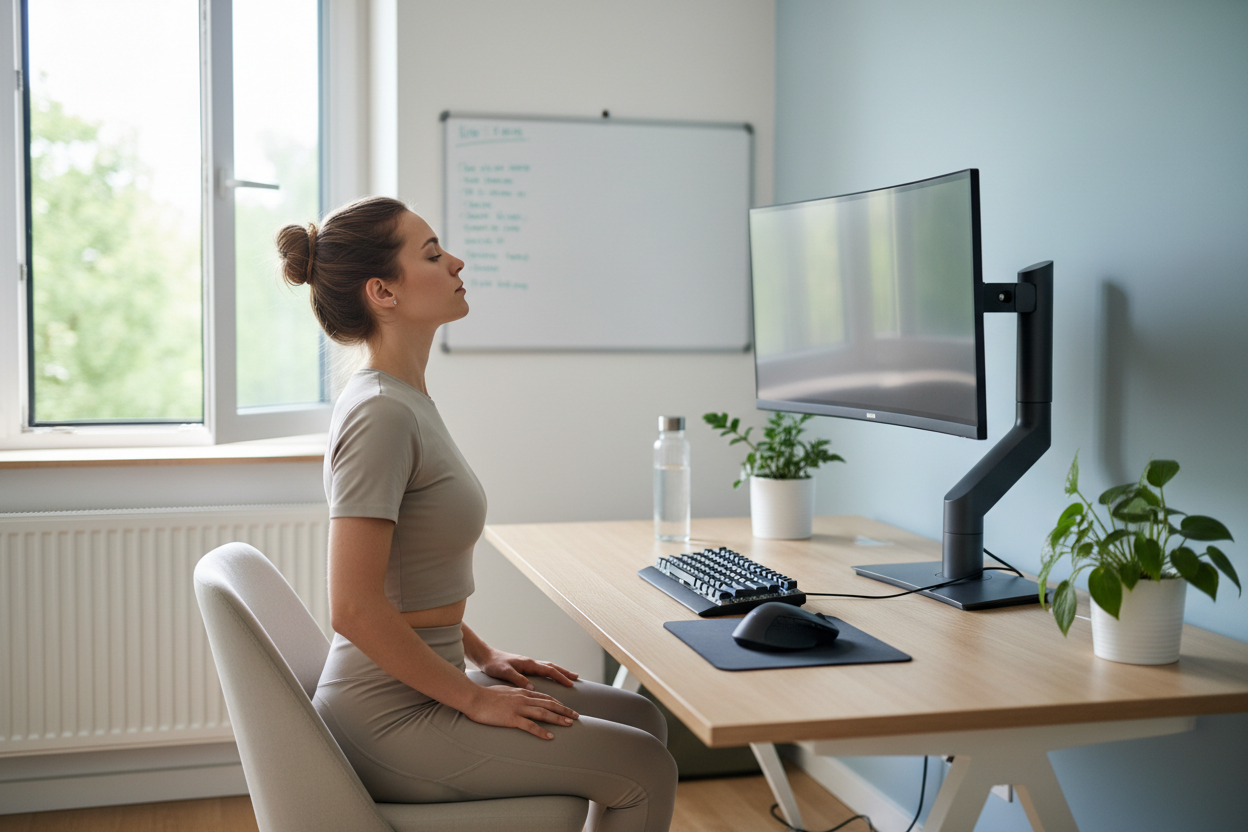
This is the single most important stretch for counteracting forward head posture. It strengthens the deep neck flexors while stretching the suboccipital muscles at the base of your skull.
How to Perform:
- Sit or stand with your spine in a neutral position
- Look straight ahead, keeping your eyes level
- Gently draw your chin straight back, as if making a "double chin"
- You should feel a stretch at the base of your skull and the back of your neck
- Hold for 5 seconds
- Return to neutral
- Repeat 10 times
Common Mistakes to Avoid:
- Don't tilt your head up or down—movement should be purely horizontal
- Don't hold your breath; breathe normally throughout
- Don't force the movement; gentle pressure is more effective than aggressive tucking
When to Perform:
Do this stretch every 30 minutes during your workday. Set a timer if needed. It's particularly effective right after video calls, when we tend to lean forward unconsciously.
Pro Tip:
Perform this stretch while seated in a chair with proper lumbar support. The Ergonomic Office Chair with Lumbar Support ($459, down from $699) provides the stable base you need for effective neck stretching, with adjustable features that support proper spinal alignment.

Stretch #2: Lateral Neck Flexion (Ear-to-Shoulder Stretch)
This stretch targets the upper trapezius and scalene muscles—the primary culprits behind that "knot" feeling in your neck and shoulders.
How to Perform:
- Sit upright with both feet flat on the floor
- Place your right hand on the top-left side of your head
- Gently pull your right ear toward your right shoulder
- Keep your left shoulder relaxed and down (don't let it hike up)
- For a deeper stretch, extend your left arm down and slightly behind you
- Hold for 20-30 seconds
- Return to center slowly
- Repeat on the opposite side
- Perform 3 times on each side
Intensity Variations:
- Gentle: Use minimal hand pressure, let gravity do most of the work
- Moderate: Apply light pressure with your hand while keeping the opposite shoulder anchored
- Advanced: Add a slight rotation by turning your nose toward your armpit before tilting
What You Should Feel:
A gentle pulling sensation along the side of your neck, possibly extending into your shoulder. You should NOT feel:
- Sharp or shooting pain
- Numbness or tingling in your arms
- Dizziness or lightheadedness
If you experience any of these symptoms, stop immediately and consult a healthcare provider.
Workspace Integration:
This stretch is most effective when your monitor is at the correct height. A Full Motion Single Monitor Arm ($139.99, regularly $169) allows you to position your screen at eye level, reducing the lateral neck strain that makes this stretch necessary in the first place.

Stretch #3: Neck Rotation with Stabilization
This dynamic stretch improves rotational mobility while strengthening the stabilizing muscles that keep your neck aligned during movement.
How to Perform:
- Sit tall with your shoulders relaxed
- Place your fingertips lightly on your chin
- Slowly turn your head to the right, as if looking over your shoulder
- Your fingertips should provide gentle resistance (about 10% effort)
- Turn as far as comfortable without forcing
- Hold for 3 seconds
- Return to center with the same controlled resistance
- Repeat to the left
- Perform 8 rotations to each side
Why the Resistance Matters:
The light resistance from your fingertips activates the deep cervical stabilizers—small muscles that often become weak in people with chronic neck pain. This isn't about building strength; it's about neuromuscular re-education.
Progression Protocol:
- Week 1-2: Perform without resistance, focusing on smooth, pain-free movement
- Week 3-4: Add fingertip resistance as described
- Week 5+: Increase resistance slightly, but never exceed 20% effort
Timing Throughout Your Day:
Perform this stretch:
- First thing in the morning to establish mobility
- Before and after video meetings
- After any period of sustained typing (every 45-60 minutes)
- At the end of your workday to release accumulated tension
Creating Your Daily Stretch Routine
Knowing the stretches is one thing; actually doing them consistently is another. Here's how to build a sustainable routine that becomes as automatic as checking your email.
The 5-Minute Hourly Reset
Set a recurring timer for every hour. When it goes off:
- Stand up from your desk
- Perform 10 chin tucks
- Do 3 lateral flexion stretches per side
- Complete 8 neck rotations per side
- Take 5 deep breaths
This entire sequence takes less than 5 minutes but can prevent hours of pain later.
The Morning Mobility Routine (10 Minutes)
Before you start work, spend 10 minutes preparing your neck for the day:
- 2 minutes: Gentle neck circles in both directions
- 3 minutes: All three stretches performed slowly and mindfully
- 2 minutes: Shoulder rolls and upper back stretches
- 3 minutes: Light movement (walking, arm swings, torso twists)
The End-of-Day Release (15 Minutes)
After your last meeting, decompress with:
- 5 minutes: Extended versions of all three stretches, holding each longer
- 5 minutes: Self-massage of neck and shoulder muscles
- 5 minutes: Lying on your back with a rolled towel under your neck for passive extension
Consider doing this routine while seated in a Reclining Office Chair with Footrest ($429), which allows you to adjust your position for optimal stretching and recovery.

Complementary Strategies for Neck Health
While these three stretches form the foundation of neck care, they work best when combined with other preventive strategies.
Optimize Your Workspace Ergonomics
Monitor Positioning:
- Top of screen at or slightly below eye level
- 20-26 inches from your eyes
- Directly in front of you, not off to one side
- Tilted back 10-20 degrees
Chair Setup:
- Feet flat on floor or footrest
- Knees at 90-degree angle
- Lumbar support contacting your lower back
- Armrests supporting forearms without elevating shoulders
The High Back Ergonomic Office Chair offers adjustable features that accommodate these positioning requirements at an accessible price point.
Desk Height:
- Elbows at 90 degrees when typing
- Wrists neutral, not bent up or down
- Shoulders relaxed, not elevated
Movement Breaks Beyond Stretching
Static stretching addresses muscle tightness, but movement breaks improve circulation and prevent stiffness from developing in the first place.
The 20-20-20 Rule:
Every 20 minutes, look at something 20 feet away for 20 seconds. This reduces eye strain that often contributes to neck tension as we unconsciously lean forward to see better.
Micro-Movements:
Even while seated, incorporate small movements:
- Shoulder shrugs every few minutes
- Ankle circles and toe taps
- Seated spinal twists
- Gentle head tilts side to side
Standing Intervals:
If you have access to a height-adjustable desk, alternate between sitting and standing every 30-45 minutes. Standing naturally encourages more movement and reduces the static loading on your neck.
Strengthening Exercises for Long-Term Prevention
While stretching provides immediate relief, strengthening prevents future problems. Add these exercises 3 times per week:
Prone Cobra:
- Lie face-down with arms at your sides
- Squeeze shoulder blades together
- Lift chest slightly off the ground
- Hold for 10 seconds
- Repeat 10 times
Wall Angels:
- Stand with back against wall
- Raise arms to 90 degrees, elbows bent
- Slowly slide arms up and down the wall
- Keep lower back, shoulders, and arms in contact with wall
- Perform 15 repetitions
Resistance Band Rows:
- Anchor resistance band at chest height
- Pull band toward your chest, squeezing shoulder blades
- Keep elbows close to your body
- Perform 3 sets of 12 repetitions
Recognizing When to Seek Professional Help
These stretches are preventive and therapeutic for general neck tension, but certain symptoms require professional evaluation.
Red Flags That Warrant Medical Attention:
- Neck pain following trauma or injury
- Pain that radiates down your arm with numbness or tingling
- Weakness in your arms or hands
- Loss of bladder or bowel control
- Fever accompanying neck pain and stiffness
- Severe headache with neck stiffness
- Pain that worsens progressively despite conservative care
When to See a Physical Therapist:
Consider professional evaluation if:
- Neck pain persists beyond 2-3 weeks despite regular stretching
- You experience frequent headaches originating from your neck
- Range of motion is significantly limited
- Pain interferes with sleep or daily activities
- You have a history of neck injuries
A physical therapist can provide:
- Detailed postural assessment
- Individualized exercise prescription
- Manual therapy techniques
- Ergonomic workspace evaluation
- Progressive strengthening programs
Real Remote Workers, Real Results
I've shared these stretches with dozens of remote workers over the past two years. Here's what they've experienced:
Sarah, Software Developer:
"I was skeptical that three simple stretches could make a difference. I'd tried everything—massage, expensive pillows, even acupuncture. But after just one week of doing these stretches every hour, my afternoon headaches disappeared. Three months in, I can work a full day without that burning sensation between my shoulder blades."
Marcus, Financial Analyst:
"The chin tuck felt weird at first, like I was doing it wrong. But once I got the hang of it, I noticed I was naturally sitting up straighter. Combined with my new standing desk, I've gone from daily neck pain to maybe once a month, and even then it's mild."
Jennifer, Content Writer:
"I write 6-8 hours a day, and by evening I used to be unable to turn my head fully to the right. These stretches, especially the rotation one, have restored my range of motion. I do them during my writing breaks, and it's become as automatic as saving my document."
Advanced Tips for Maximum Benefit
Breathing Integration
Proper breathing enhances stretch effectiveness:
- Inhale before beginning the stretch
- Exhale as you move into the stretch position
- Breathe normally while holding
- Inhale as you return to neutral
This breathing pattern activates the parasympathetic nervous system, promoting muscle relaxation.
Temperature Considerations
Muscles stretch more effectively when warm:
- Perform gentle stretches after a warm shower
- Use a heating pad on your neck for 10 minutes before deeper stretching
- Never stretch cold muscles first thing in the morning without gentle warm-up movements
Tracking Your Progress
Keep a simple log to monitor improvements:
- Rate your neck pain daily on a 1-10 scale
- Note how many hours you can work before discomfort begins
- Track your range of motion (how far you can turn your head)
- Record headache frequency and intensity
Most people notice measurable improvements within 2-3 weeks of consistent practice.
Building a Comprehensive Neck-Healthy Workspace

Your stretching routine will be most effective when supported by an ergonomically optimized workspace. Here's a complete setup checklist:
Essential Equipment:
- Adjustable desk: Allows position changes throughout the day
- Ergonomic chair: Provides proper lumbar support and adjustability
- Monitor arm: Positions screen at optimal height and distance
- External keyboard and mouse: Enables proper laptop positioning
- Document holder: Keeps reference materials at eye level
- Footrest: Supports proper seated posture
Investment Priority:
If budget is a concern, prioritize in this order:
- Ergonomic chair with lumbar support
- Monitor arm or laptop stand
- Height-adjustable desk
- Accessories (footrest, document holder, etc.)
Quality ergonomic equipment isn't an expense—it's an investment in your long-term health and productivity. The cost of a proper setup is far less than ongoing physical therapy or lost work time due to pain.
Frequently Asked Questions
How often should I do these neck stretches?
For prevention, perform all three stretches at least once per hour during your workday. If you're experiencing active neck pain, you can safely do them every 30 minutes. The chin tuck can be done even more frequently—some physical therapists recommend 10 repetitions every 20 minutes for people with significant forward head posture.
Can I do these stretches if I already have neck pain?
Yes, these stretches are generally safe for most types of mechanical neck pain. However, start gently and never push into sharp pain. If stretching increases your symptoms or causes radiating pain, numbness, or tingling, stop and consult a healthcare provider. Some conditions, like acute disc herniation or cervical instability, may require modified approaches.
Why does my neck crack when I do these stretches?
Cracking or popping sounds (called crepitus) are usually harmless and result from gas bubbles releasing from joint fluid or tendons moving over bony structures. As long as the cracking isn't accompanied by pain, it's not a concern. However, if you experience pain with the cracking or if it's a new development, mention it to your healthcare provider.
How long before I notice improvement in my neck pain?
Most people notice some reduction in muscle tension within the first few days of consistent stretching. Significant improvements in pain levels typically occur within 2-3 weeks. However, if you've had chronic neck pain for months or years, it may take 6-8 weeks of consistent practice to see substantial changes. Remember, you're reversing patterns that took time to develop.
Should I stretch if my neck feels fine?
Absolutely. Prevention is far more effective than treatment. Even if you don't currently have neck pain, hours of computer work create muscle imbalances and tightness that will eventually cause problems. Regular stretching maintains mobility and prevents the development of chronic issues. Think of it like brushing your teeth—you don't wait until you have cavities to start.

Can these stretches help with headaches?
Yes, particularly tension-type headaches and cervicogenic headaches (headaches originating from neck structures). Many people who experience afternoon or evening headaches find significant relief when they address neck muscle tension. The chin tuck is especially effective for headaches that start at the base of the skull and radiate forward.
Is it normal to feel dizzy during neck stretches?
No, dizziness is not normal and suggests you may be stretching too aggressively or too quickly. Dizziness can also indicate vertebral artery issues, which require medical evaluation. If you experience dizziness, stop the stretch immediately, return to a neutral position slowly, and consult a healthcare provider before continuing. Never push through dizziness.
What's the difference between stretching and strengthening for neck health?
Stretching addresses muscle tightness and improves flexibility, providing immediate relief from tension. Strengthening builds endurance in the muscles that support proper posture, preventing future problems. Both are important: stretching treats current symptoms, while strengthening prevents recurrence. A comprehensive neck health program includes both elements.
Can I do these stretches while standing at my desk?
Yes, all three stretches can be performed while standing. In fact, combining stretching with standing intervals provides additional benefits by reducing overall static loading on your spine. Just ensure you maintain good standing posture—weight evenly distributed, knees slightly soft, core gently engaged—while performing the stretches.
Will these stretches fix my forward head posture?
These stretches are an important component of correcting forward head posture, but they work best when combined with strengthening exercises, ergonomic workspace adjustments, and postural awareness. The chin tuck specifically helps retrain the deep neck flexors that support proper head position, but lasting change requires a comprehensive approach addressing all contributing factors.
Your Action Plan: Starting Today
Knowledge without action doesn't reduce neck pain. Here's your step-by-step plan to implement these stretches starting right now:
Today:
- Set a recurring hourly timer on your phone or computer
- Practice each stretch once to familiarize yourself with the movements
- Assess your current workspace ergonomics and identify one improvement to make
- Perform all three stretches at least 3 times before the end of your workday
This Week:
- Respond to your hourly timer every time—no exceptions
- Keep a simple log of your neck pain levels each day
- Implement at least one ergonomic improvement (monitor height, chair adjustment, etc.)
- Add the 10-minute morning mobility routine
This Month:
- Make stretching automatic—you shouldn't need the timer anymore
- Add strengthening exercises 3 times per week
- Evaluate your workspace setup comprehensively and make remaining improvements
- Assess your progress and adjust your routine as needed

Invest in Your Long-Term Neck Health
These three stretches are powerful tools, but they work best within a comprehensive approach to workspace ergonomics. Your neck health is worth the investment in proper equipment that supports natural alignment and encourages movement throughout your day.
Consider these evidence-based workspace solutions:
- 40" x 24" Ergonomic Electric Standing Desk ($599.99, save $280) - Alternate between sitting and standing to reduce static neck strain
- Ergonomic Office Chair with Lumbar Support ($459, save $240) - Proper spinal support reduces compensatory neck positioning
- Full Motion Single Monitor Arm ($139.99, save $29) - Position your screen at optimal height to prevent forward head posture
- Reclining Office Chair with Footrest ($429) - Adjustable positioning for both work and recovery stretching
- High Back Ergonomic Office Chair ($241) - Budget-friendly ergonomic support for proper stretching posture
Your neck supports your head for 16+ hours every day. Isn't it worth 5 minutes of stretching and a properly configured workspace to keep it healthy?
Final Thoughts
Neck pain isn't an inevitable consequence of remote work. With three simple stretches performed consistently, combined with an ergonomically optimized workspace, you can work comfortably for years to come.
The key is consistency. These stretches take less than 5 minutes per hour, but that small investment compounds into significant long-term benefits. Start today, stay consistent, and your neck will thank you.
Remember: you can't pour from an empty cup. Taking care of your physical health isn't a luxury—it's a prerequisite for sustainable productivity and long-term career success.
Ready to transform your workspace and eliminate neck pain? Start with a height-adjustable desk and build from there. Your future self will thank you.
