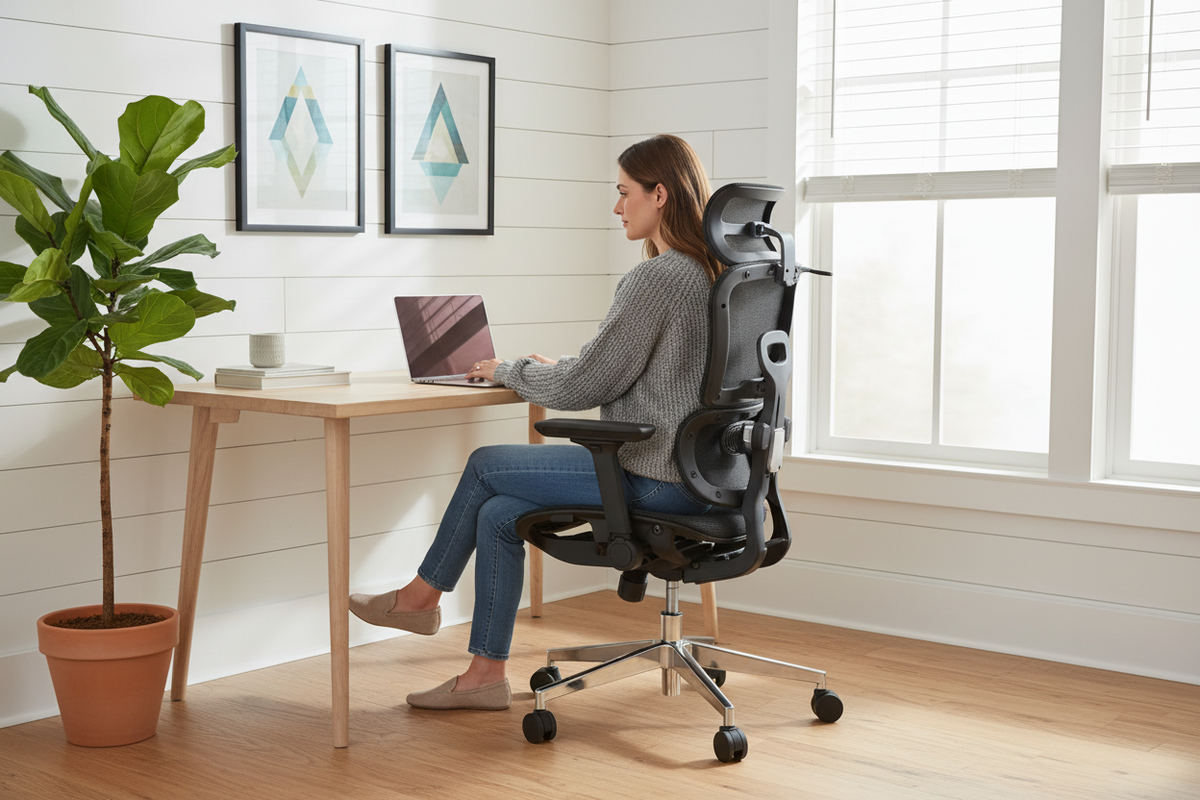
In 2022, Tom bought a gaming chair. It looked incredible: high back, bolsters, stitching like a race car seat, a shape that promised support in every direction. Six months later, his lower back hurt every evening, and the lumbar pillow that came with the chair lived under his desk, banished to the land of broken promises.
So Tom bought an "ergonomic" office chair from a big-box store for $180. It looked more serious, more adult. It also had a seat pan that was too long for his legs, armrests that didn't move, and a backrest that stopped in the middle of his shoulder blades. He returned it and bought another one, which was somehow worse. Two wrong chairs and about $500 later, Tom did what he should have done first: he measured himself, matched the chair to his body and his work style, and bought a chair that actually fit. He's been recommending it to his coworkers ever since.
We see Tom's story almost weekly at Rackora, and the painful part isn't the money. It's that most chair-buying mistakes are avoidable, because they're not about budget or brand. They're about guessing. You can't tell if a chair fits by looking at a product photo, any more than you can buy shoes from a picture. Fit is measurements, not vibes, and nobody's vibes have a spine.
This guide is how to do it right the first time: the six measurements that actually matter, the honest trade-offs between mesh and foam, the height and weight questions people are too polite to ask, and how to match a chair to the way you actually work. By the end, you'll know exactly what to look for, and you'll know why Tom's $500 mistake is one you can skip entirely.
Why Most People Buy the Wrong Chair (Twice)
The first mistake is shopping like you're buying a couch. We judge chairs with our eyes: color, shape, the way it looks in a staged photo with a plant artfully placed beside it. And to be fair, manufacturers know this. Chairs are designed to photograph well, with dramatic curves and racing stripes and "premium" stitching, because that's what wins the scroll. But a chair is not a piece of decor you look at. It's a tool you sit in for eight hours, and the parts that matter, the seat depth and the lumbar curve and the armrest range, are exactly the parts that don't show up in photos. The most beautiful chair in the world is still a bad chair if the seat pan is an inch too long for your legs.
The second mistake is trusting reviews for someone else's body. "10/10 comfort" from a six-foot-two, 220-pound reviewer tells you almost nothing if you're five-foot-four and 140 pounds. Comfort isn't objective; it's a relationship between a chair and a specific body, and a review describes one side of that relationship. Read reviews for red flags, sure, and for stories about build quality and customer service. But don't buy someone else's fit. The reviewer's spine is not your spine, and the chair that cradles theirs can fight yours all day long.
The third mistake is the one that hurts: not knowing what "wrong" looks like. Here are the three failure modes we see constantly at the shop, and they cover most of the returns we process:
The chair is too big. You can't reach the backrest without sliding forward, so you perch on the front edge of the seat, and the lumbar support hits empty air. Your lower back is doing all the work, and it's not happy about it. This is the classic "I thought this chair would be comfortable because it's huge" problem, and it's more common than you'd think, especially for shorter buyers.
The chair is too small. Your thighs hit the front edge of the seat, your shoulders don't fit the backrest, and the armrests poke you in the ribs like a small child demanding attention. Nothing fits, everything digs, and you spend your workday subtly shifting, which is its own kind of exhausting.
The lumbar support is in the wrong place. This is the sneakiest one, because the chair looks right and feels almost right. But the lumbar curve sits too high or too low for your torso, so you arch away from it, and arching away from a lump of plastic is worse than no lumbar at all. A lumbar that doesn't match your back isn't support; it's an obstacle.
And then there's the gaming chair trap, which deserves its own mention. Racing-style chairs are built to look like car seats, and they do one thing brilliantly: look like car seats. Cars have harnesses holding you in place; desks don't. We wrote a whole guide on ergonomic vs gaming chairs, because the difference between a chair designed for a race car and a chair designed for a workday is the difference between a poster and a tool. If you're tempted by the racing aesthetic, read that guide before you click buy, not after your back files a complaint.
The Six Measurements That Actually Matter
Here's the checklist. Walk through it in order, and you'll know more about chair fit than most people who sell chairs for a living. Print it, screenshot it, do whatever you need to do, but run every chair you're considering through all six before you spend a dollar.
1. Seat depth. This is the distance from the back of the seat to the front edge, and it's the most ignored measurement in the entire industry. Sit all the way back in the chair, and there should be roughly two to four finger widths between the back of your knee and the front edge of the seat. Too deep, and the seat presses into the backs of your knees, which is uncomfortable and, over hours, genuinely bad for circulation. Too shallow, and your thighs don't get supported, so your hips take the load. The fix: look for a chair with an adjustable seat slider, and test the depth before you buy if you possibly can.
2. Seat height range. With your feet flat on the floor, your knees should bend at roughly ninety degrees, and your thighs should sit roughly parallel to the floor. This sounds basic, and yet it's where a shocking number of chairs fail, especially for shorter people. Many chairs bottom out at eighteen or nineteen inches, which is simply too tall for a five-foot-two person. You end up on tiptoes or with your thighs slanting uphill, and every other part of the fit falls apart from there. Check the minimum seat height on the spec sheet against your own lower leg length, and if your legs don't reach the floor in most chairs, look for a chair with a lower range or plan for a footrest.
3. Lumbar support position. The lumbar support should sit in the curve of your lower back, the small inward curve right above your hips. It should not sit in your mid-back, and it should not push into your spine like a fist. Here's the test: sit normally, and the support should feel like it's holding the small of your back, present but not aggressive. Height-adjustable lumbar is genuinely worth paying for, because the right position varies with your height and your torso length, and a fixed lump is only correct for one kind of body. If the lumbar is adjustable, set it while seated, not standing, because the curve of your back changes between the two.
4. Armrests. With your shoulders relaxed, your forearms should rest on the armrests at roughly ninety degrees, without shrugging up to meet them and without slouching down to reach them. Fixed armrests are the enemy here: too high, and you spend the day with your shoulders at your ears; too wide, and your shoulders splay out like you're guarding a basketball. Adjustable armrests, in height and ideally in width, are a real feature and not marketing fluff. If you type or use a mouse for a living, this is the measurement you'll feel first, usually by Thursday of week one.
5. Backrest height. A full-height backrest supports your shoulders and usually adds a headrest; a mid-back backrest stops around your shoulder blades. Taller users almost always need the full-height version, because a mid-back chair leaves the upper spine hanging with nothing behind it. Think about how you work: if you lean back to think, to read, or to take calls, the backrest is doing real work, and it needs to actually reach you. A backrest that ends mid-shoulder-blade isn't a design choice for a tall person; it's a gap.
6. Seat width. Hip to hip, the seat should fit you with a little room on each side, without the edges digging into your thighs. Wider builds need wider seats, and heavier-duty chairs are typically built wider for a reason. But wider isn't automatically better: if the seat is so wide that you can't comfortably reach the armrests, you've traded one problem for another. The goal is a seat that supports you completely and lets your arms land where they should.
Seat Depth: The Most Overlooked Measurement
Let's spend a little more time on seat depth, because it deserves it. Everyone checks height. Almost nobody checks depth. And depth is the measurement that decides whether you sit properly or perch, which makes it the difference between a chair that works and a chair that hurts in a way you'll blame on everything else.
Here's what happens with a seat that's too deep. You sit back to get the lumbar support, and the front edge of the seat presses into the backs of your knees. It's tolerable for ten minutes. By hour two, you've slid forward to escape the pressure, which means your lower back has left the lumbar support, which means you're now sitting on your tailbone with a rounded lower back. That's the exact position that makes people say "my chair hurts my back" and return a perfectly good chair. The chair isn't broken. The chair is too deep for your legs, and nobody told you to check.
The reverse problem is nearly as common in the other direction. A seat that's too shallow doesn't support your thighs, so your hips take the load, and you end up with sore hips and a vague feeling that the chair is somehow smaller than it looked in the pictures. Your knees end up doing work they shouldn't, and your posture degrades from the bottom up.
The fix is the same in both cases: find the depth that gives you the two-to-four-finger gap behind your knees, and if you can't find it, look for a chair with an adjustable seat slider. The slider is the difference between a chair that fits your body and a chair that fits the average body, which is to say, a chair that fits nobody in particular. When you see a chair described as "ergonomic," the seat slider is often the first thing to check. If it's there, the manufacturer was probably serious about fit. If it's not, you're trusting a one-size chair with a part of your body that is very much not one-size, and the odds are not in your favor.
Mesh vs. Foam: The Honest Trade-Off
You'll see this question everywhere, and the honest answer is: it depends on you, and here's how to decide.
Mesh seats are made of a breathable woven fabric stretched over a frame. They run cool, which matters more than you'd think once you've spent a summer afternoon in a chair that holds heat like a sleeping bag. Mesh is also firmer, which sounds like a downside and often is at first, but firm support is what your spine actually wants for long sessions. The material gives immediate support without sinking, and it doesn't degrade the way foam does. If you sit for eight-plus hours a day or you run hot, mesh is usually the right call, and it's the reason so many serious office chairs are mesh on the back at minimum.
Foam seats feel plush immediately. You sit down and think "ah, this is comfortable," and that first impression is real. But foam has a catch, and the catch is density. A $150 chair with a soft foam cushion can feel great in the showroom and like a park bench by month eight, because the foam has packed down into a thin, firm slab. High-density foam holds up much better, but it's heavier, warmer, and more expensive to make, which is exactly why cheap foam chairs exist at all. If you go foam, go high-density, and expect the chair to be heavier for it. A good trick for testing foam in person: press your thumb into the seat and see how slowly it springs back. Slow recovery usually means quality foam. Instant recovery usually means a year of comfort, max.
So who should pick what? If you run hot, if you sit long days, if you've ever peeled yourself off a chair in August and found the back of your shirt damp: mesh. If you want maximum coziness for shorter sessions, or you genuinely prefer a soft seat: foam, but quality foam. Nobody can honestly tell you that one material is objectively better, because it's climate, body temperature, and preference, in that order. What we can tell you is that breathability wins for most full-time workers, and that's a big part of why our top-tier chair is named the L3 FlexBreath. The name is the point: flexible mesh that breathes.
One more honest note on material: the backrest material matters more than the seat material for most people. You can tolerate a warm seat for a while; a warm back that's pressed against a vinyl slab for eight hours is a different story. If you're torn between a full-foam chair and a mesh-back chair, the mesh-back usually wins for all-day comfort.
Built for Bigger Bodies
Let's talk about weight ratings, because this is the question people are too polite to ask, and it's the one that determines whether a chair lasts a year or a decade.
The rating on the spec sheet, like the 350-pound rating on Rackora's L1 and L3, isn't a boast. It's an engineering statement. It means the frame, the foam, the gas cylinder, and the base are all built to carry that load day after day without failing. And here's the thing nobody tells you: under-rated chairs don't fail dramatically. They fail slowly, and slow failure is worse, because you don't notice it happening. The gas cylinder sinks an inch over a few weeks, so you find yourself sitting lower and lower without quite registering why. The foam bottoms out until you can feel the frame through the padding. The frame starts to creak, then to wobble, then to lean. By the time you've decided the chair is bad, you've spent a year being subtly uncomfortable, and you've blamed yourself instead of the hardware.
Weight ratings matter even if you're not heavy, and this is the part most people miss entirely. A chair built to carry 350 pounds is built with more material everywhere: thicker steel, denser foam, a beefier base, a wider footprint. That's why it tends to last longer for everyone, including a 140-pound person who will never come close to the limit. The rating is a proxy for build quality, and it's one of the few numbers on a spec sheet you can actually trust. When a budget chair doesn't list a weight rating at all, that's not an omission; it's an answer.
For heavier users specifically, two things matter beyond the rating. First, seat width: a wide seat means your hips aren't fighting the edges of the frame. If you've ever sat in a "standard" chair and felt the frame edge through the padding after an hour, you know exactly what this is about, and you know it's not something you should have to tolerate. Second, foam density: heavier loads compress foam faster, so high-density foam isn't a luxury for bigger bodies, it's a requirement. The good news is that the chairs designed for this, like the L1 and the L3, are built wide and rated high, because the people who need them shouldn't have to shop in a separate, more expensive category. That's not charity; it's just good design.
And for taller folks reading this: seat depth and backrest height are your two numbers, and the six-measurement checklist above covers both. A six-foot-three frame needs a deeper pan and a taller back, and chairs that skip those details are the ones you'll feel by Thursday. If you've spent your life in chairs that stop mid-shoulder-blade, the fix is a backrest that actually reaches you, and it's worth paying for.
Match the Chair to the Way You Actually Work
Here's the question that nobody asks and everybody should: what does your workday actually look like? A chair is a tool, and tools are matched to jobs. The best chair for a 19-year-old gamer is not the best chair for a 58-year-old executive, and pretending otherwise is how people end up with a racing seat and a sore back. Same chair, two different bodies, two completely different verdicts.
The gamer. Long sessions, hours at a time, sometimes reclined with a controller, sometimes hunched over a keyboard with a mouse. You need armrests that adjust, because your arm position changes constantly between keyboard, mouse, and controller, and a backrest that supports you in reclined positions without letting your spine fold into a C. You need breathable material, because eight-hour sessions in a vinyl seat is how people learn what swamp back is, and trust us, they remember the lesson. And honestly, you need to read our ergonomic vs gaming chairs guide before you buy anything with "racing" in the name. We'll say it one more time because it matters: racing seats are designed for cars, and your desk doesn't have a harness.
The student. Budget matters, and so does adjustability, because your body is still settling into its adult size and your study sessions run long. Dorm chairs are famously terrible, and the hunched-over-laptop posture that comes with them is the same pattern we talk about in our text neck guide, just aimed at your back instead of your neck. A student chair needs the basics done right: a seat height that fits, lumbar that lands in the right place, and enough adjustability to survive a semester of eight-hour study days. It doesn't need to be fancy. It needs to not fight you.
The executive or manager. Eight-hour days, video calls, typing, and the occasional 6pm "let me just answer these emails." You need comfort that holds up all day without looking like a gaming cockpit on camera, and you need adjustability you can use without a manual, because you're not going to fiddle with a chair mid-meeting. You need a chair that lets you change posture through the day: lean back to think, sit up to type, recline slightly to read. Your day has all of those modes, and the chair should too.
The hybrid worker. Two or three days a week at home, the rest elsewhere, which means your chair has to work for you without a week of setup. You need a chair that adjusts quickly and comfortably, and you're a prime candidate for the little extras that make home office life genuinely better, like a built-in footrest for the "kick back and read this doc" moments. That's not a gimmick; it's a mode of working that real people actually use, and it's the kind of detail you only appreciate after you've had it.
The point of all this: before you compare chairs, compare your day. Write down how you actually spend your working hours, then match the chair to that. The chair that wins is the one that fits your hours, not the one with the best review from someone who works a completely different job.

The Rackora L1, L2, and L3, Explained
Now let's walk through our own lineup, because we built it around exactly these questions, and knowing how the three models differ will tell you which one is yours.
L1 Ergo Upgrade 518 — $329.00, regularly $399.00. This is the entry point that's actually ergonomic, not just "office-shaped." It covers the six measurements with real adjustability, and it's rated to 350 pounds, which is remarkable at this price. Who is this for? First-time buyers, students, anyone upgrading from a dining chair, anyone whose budget lands under $350 and doesn't want to gamble. If you're not sure which chair to buy, this is the default answer, and it's the right default for most people. It's the chair we'd hand to Tom in our opening story, and he'd have skipped the $500 mistake entirely.
L2 Ergo Pro 633 — $379.00, regularly $449.00. This one has a built-in footrest, and we should be honest about who that's for, because it's more people than you'd think. Shorter users whose feet don't reach the floor in a standard chair, and who have spent their whole lives swinging their legs or stacking books under the desk. People who like to stretch their legs out during long meetings or reading sessions. People who take "read the doc" breaks with their feet up and didn't realize a chair could support that. The footrest turns the moments you'd normally shift and fidget into comfortable ones, and for a lot of home office workers, that's the difference between a good chair and a great one.
L3 FlexBreath — $429.00, regularly $499.00. This is our top tier, and the name tells you the two stories. FlexBreath means breathable mesh, the full-session cool factor we talked about earlier, on the back and the seat. And the lumbar support auto-tracks, meaning it adjusts to your back instead of making you fiddle with a knob until it's somewhere in the neighborhood of right. Who is this for? Anyone with a history of lower back complaints who is tired of fighting with lumbar settings, and anyone who runs hot. The chair does the adjusting, and you just sit. If your lower back has opinions, this is the chair that listens.
The honest tiering: all three are genuine ergonomic chairs, built to the same standard, and all three are rated for real workdays. You're not buying "good, better, best" quality here. You're buying the feature match: the L1 for most people, the L2 for the footrest crowd, the L3 for the back-conscious and the warm-running. If you're torn between two, ask yourself which part of your body complains first at the end of a workday. That's your answer.
How Much Should You Spend?
Time for straight talk about money, because the range of chair prices is genuinely confusing, and most of the confusion is manufactured.
Under about $150, you are buying a seat with a backrest. There will be minimal adjustability, a foam cushion of unknown density, and a weight rating that the manufacturer hopes you don't read. These chairs are fine for a guest room, a kitchen nook, or the occasional weekend of work. They are a gamble for a full workday, and the house usually wins. It's not that these chairs are evil; it's that they're built to a price, and the parts they cut are the parts that matter most for fit: the seat slider, the adjustable lumbar, the moving armrests.
The $300 to $500 range is where real adjustability lives: seat sliders, lumbar control, armrests that actually move, weight ratings you can trust. This is where "ergonomic" stops being a marketing word and starts being a feature list you can verify with your own body. This is also, not coincidentally, where our three chairs sit, and it's where we'd point anyone who works more than a few hours a day. You don't have to spend this much, but if you want the chair to fit, this is where fit becomes buyable.
Above $500, you're paying for design, brand, materials, and sometimes genuine upgrades like premium mechanisms or higher weight capacity. Those chairs can be excellent. They can also be a logo with a high price tag. The honest rule is to buy the most adjustability you can afford, and no more brand than you need, because adjustability is what does the work. A $1,200 chair with fixed armrests is a worse purchase than a $400 chair with everything adjustable, and we'd tell you that even if we didn't sell the $400 chair.
One more way to think about it, and this is the one that usually clicks for people: spread the price over the years you'll actually sit in the chair. A decent chair lasts five years of daily use without complaint, which makes it one of the cheapest things you own per hour of use, cheaper than the coffee you drink while sitting in it. A cheap chair that fails in year two and gets replaced wasn't a bargain; it was two purchases, and the second one usually costs more than the first would have. Buy the good one once. It's not a luxury; it's arithmetic.
And the last piece of honest advice: don't overbuy for your actual life. If you work three hours a day, the top of the line is wasted on you, and we'll tell you so to your face. If you work ten, buy the best you can afford, because you're spending more waking hours in that chair than anywhere else except your bed. The chair is not a status symbol. It's where your body lives for a third of your day, and it deserves the same budget thinking as your mattress, which is to say: more than you'd think, less than you'd fear, and matched to your actual usage.
FAQ
How do I know a chair fits me?
Check the six measurements: seat depth, seat height range, lumbar position, armrests, backrest height, and seat width. When it fits, your feet rest flat, your knees bend near ninety degrees, your lower back is supported in the right spot, and no edge is digging into you.
What seat depth do I need?
Sit all the way back and you should have roughly two to four finger widths between the back of your knee and the front edge of the seat. If a chair is too deep or too shallow for you, look for one with an adjustable seat slider, which lets you set the depth to your legs instead of accepting a one-size guess.
Is lumbar support essential?
For full workdays, yes. Without lower back support, most people slouch within an hour, and the lower back takes the load. The support just needs to land in the right place, the small curve above your hips, and adjustable lumbar is worth paying for because that spot varies with your height.
I'm 5'2" — will a big chair fit?
Standard chairs are often too deep and too high for shorter users, so check the minimum seat height and the seat depth carefully before buying. If your feet don't reach the floor in most chairs, look for a lower height range or a chair with a footrest, like the Rackora L2 with its built-in footrest.

I'm 6'3" — will a standard chair work?
Many standard chairs run out of room for taller frames, usually on seat depth and backrest height. Look for a deeper seat pan, a backrest tall enough to reach your shoulders, and a maximum seat height that keeps your knees at ninety degrees. The six-measurement checklist applies to you more than anyone.
Mesh or cushion?
Mesh breathes and runs cooler for long sessions and holds its support over time. Foam feels plush at first but depends on density, and cheap foam compresses within a year. Pick mesh if you run hot or sit long days; pick high-density foam if you want maximum softness for shorter sessions.
How much should I spend?
Genuine adjustability usually starts around $300. Below that, you're mostly buying a seat with a backrest. Above $500, you're paying for extras or brand. Buy the most adjustability you can afford, and match the price to how many hours you actually sit each day.
Do armrests really matter?
Yes, especially if you type or use a mouse all day. Your arms should rest with relaxed shoulders, and adjustable armrests in height and width are what make that possible. Fixed armrests in the wrong position cause shoulder and neck tension that you'll blame on everything except the armrests.
Buying a chair is the opposite of buying a poster. You can't judge it with your eyes, and reviews are about someone else's spine. The way to get it right is to measure, match, and test: run the six measurements, match the chair to your work style and your body, and give yourself real time to live with it before you judge it. Tom learned that the expensive way, and we'd rather you learn it the cheap way, which is reading this article instead of buying two wrong chairs.
If you're ready to buy, here's the honest lineup, one more time. The L1 Ergo Upgrade 518 is $329.00, regularly $399.00, and it's the right answer for most people: real adjustability, a 350-pound rating, and a price that doesn't make you wince. The L2 Ergo Pro 633 is $379.00, regularly $449.00, and the built-in footrest is the answer when your feet don't reach the floor or you like to stretch out. The L3 FlexBreath is $429.00, regularly $499.00, and the auto-tracking lumbar is the answer when your lower back has opinions it wants respected.
All three come with free US shipping and a 30-day money-back guarantee, which is our way of saying the test matters more than the spec sheet. Sit in the right one for a month, adjust it, live with it, and judge it with your actual body. If it's not the one, send it back, and we'll swap you into the right size. That's the whole promise: measure first, then let your back do the reviewing. You'll never guess again.
