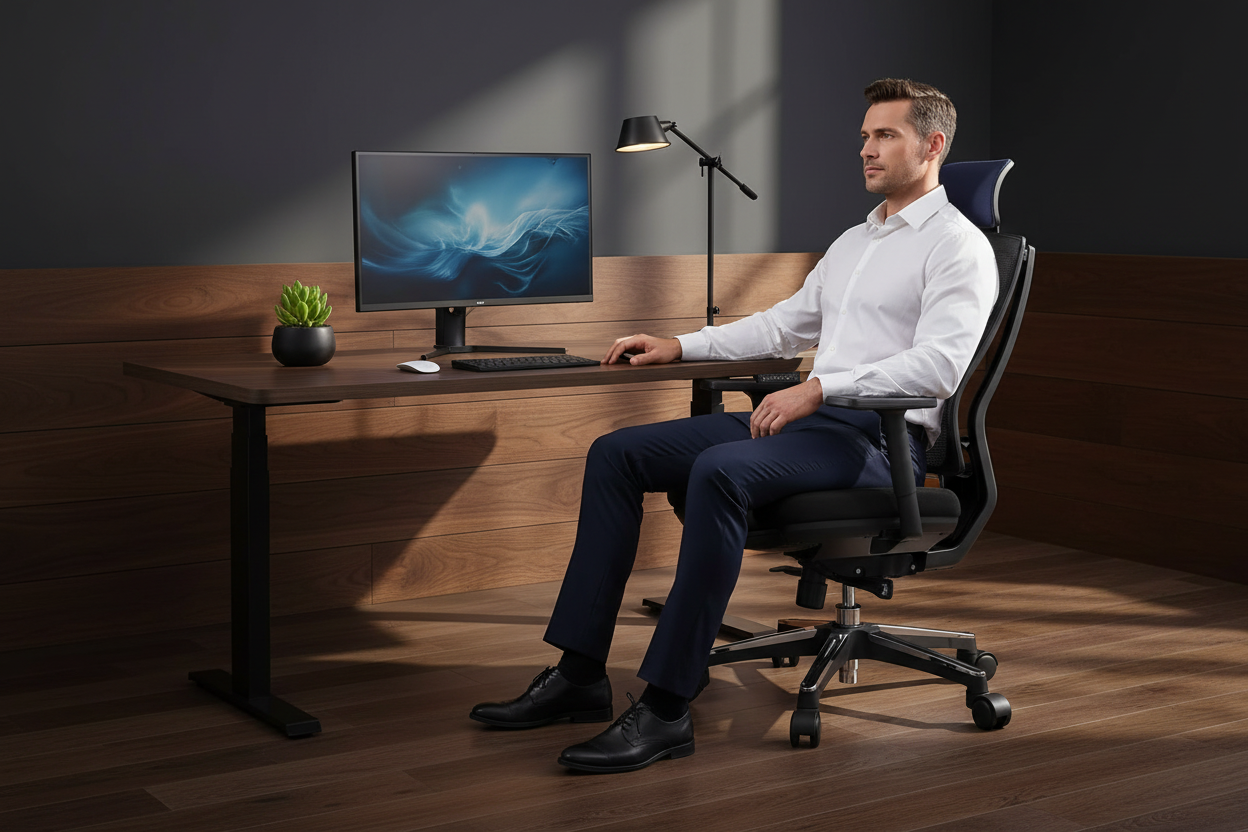
You finally made the switch to a standing desk. You were sold on the health benefits — better posture, more energy, fewer afternoon slumps. But a few weeks in, something unexpected happened: your feet are killing you, your lower back aches worse than before, and by 3 PM you're slumped over the keyboard anyway.
Sound familiar? You're not alone — and you're not doing it wrong. The problem isn't standing. The problem is how you're standing.
This guide breaks down exactly why standing desk fatigue happens, the real science behind it, and seven practical fixes you can implement today — no physical therapist required.
The Uncomfortable Truth: Static Standing Is Just as Bad as Sitting
Here's what the standing desk industry doesn't always tell you upfront: standing in one position for hours on end is not healthy. It's just a different kind of unhealthy.
Research published in the American Journal of Epidemiology found that jobs requiring prolonged standing doubled the risk of heart disease compared to seated jobs. A 2017 study out of the Institute for Work & Health confirmed that static standing increases musculoskeletal discomfort — particularly in the lower back, legs, and feet — at a rate comparable to prolonged sitting.
The culprit? Venous pooling. When you stand still, blood collects in your lower extremities. Your heart has to work harder to pump it back up. Your leg muscles, which normally act as a secondary pump when you walk, are doing nothing. The result: swollen ankles, aching arches, and a lower back that's screaming for mercy.
The goal was never to stand more. The goal is to move more — and a height-adjustable desk is the tool that makes that possible.
Fix #1: Get a Desk That Actually Adjusts — Smoothly
Before we get into mats and schedules, let's address the foundation: your desk itself. If switching between sitting and standing feels like a production — loosening bolts, cranking handles, waiting for a slow motor — you won't do it. Friction kills habits.
The best standing desks make height adjustment effortless, so you actually use the feature throughout the day.
Our Pick for Serious Home Office Users

40" x 24" Ergonomic Electric Height Adjustable Standing Desk — $599.99
This desk runs on a top-tier motor system that lifts and lowers without jitter or sudden stops. Three programmable memory presets mean you tap a button and you're at your exact preferred height — no guessing, no fiddling. The noise level stays under 50 decibels, so you're not disrupting calls or your household. Weight capacity is rated up to 1,766 lbs, which means dual monitors, a docking station, and a full desktop setup won't budge it.
Shop the Electric Standing Desk — $599.99
Fix #2: Understand Why Your Feet Hurt (It's Not Just the Floor)
Standing desk foot pain is one of the most common complaints from new standing desk users, and it almost always comes down to two things: surface hardness and footwear.
The Surface Problem
Hardwood floors, tile, and even carpet-over-concrete offer almost zero shock absorption. Every pound of your body weight transfers directly through your heel, arch, and ball of foot with each minute you stand. Over hours, that repetitive micro-stress inflames the plantar fascia — the band of tissue running along the bottom of your foot — leading to the stabbing heel pain known as plantar fasciitis.
The Barefoot Myth
A lot of people assume standing barefoot is more natural and therefore better. It's not — at least not on hard indoor surfaces. Barefoot standing on rigid floors collapses your arch over time, shifts your weight unevenly, and accelerates the exact fatigue you're trying to avoid. Unless you're standing on grass or sand, keep your shoes on.
What Actually Helps: Anti-Fatigue Mats
Anti-fatigue mats work by creating a slightly unstable surface that forces your leg and foot muscles to make constant micro-adjustments. This low-level muscular activity keeps blood circulating, reduces venous pooling, and distributes pressure more evenly across your foot. Studies from the Cornell University Ergonomics Lab found that anti-fatigue mats reduced discomfort by up to 50% compared to standing on hard floors.
Look for mats that are at least 3/4" thick, made from high-density foam or gel, and have beveled edges so you don't trip. Avoid thin rubber mats — they compress flat within weeks and offer no real benefit.
Fix #3: Set Your Desk Height Correctly (Most People Get This Wrong)
An improperly set desk height is one of the biggest contributors to standing desk lower back pain — and it's completely fixable in 60 seconds.
The Standing Height Formula
- Stand tall with your shoulders relaxed — not hunched, not pulled back military-style, just natural.
- Bend your elbows to 90 degrees.
- Your desk surface should meet your forearms at that height.
- Your monitor top should be at or just below eye level, roughly 20–28 inches from your face.
If your desk is too low, you'll hunch forward. Too high, and you'll shrug your shoulders all day — both lead to neck and upper back tension that radiates down into the lower back.
The Sitting Height Formula
- Feet flat on the floor or on a footrest.
- Knees at 90 degrees.
- Elbows at 90 degrees, forearms parallel to the desk.
- Monitor at eye level.
A desk with smooth, programmable height adjustment makes hitting these positions repeatable every single time.

48" x 24" Height Adjustable Ergo Standing Desk — $479.99
This electric standing desk adjusts from 28" to 47", covering the ergonomic sweet spot for most adults. The 48" x 24" surface gives you room for a full monitor setup without crowding. Assembly takes about 15 minutes, and the build quality is designed for daily, long-term use.
Shop the 48" Ergo Standing Desk — $479.99
Fix #4: Follow a Progressive Standing Schedule (Don't Go Cold Turkey)
One of the most common mistakes new standing desk users make is trying to stand for 4–6 hours on day one. Your body isn't conditioned for it — and the resulting fatigue convinces people that standing desks don't work when the real issue is pacing.
Think of it like starting a running program. You don't run a 10K on your first day. You build up gradually.
Week-by-Week Standing Schedule for Beginners
Week 1–2: The Foundation
Stand for 20–30 minutes per hour. Sit for the remaining 30–40 minutes. Total standing time: 1.5–2.5 hours per 8-hour workday. Focus on getting your desk height right and noticing how your body feels.
Week 3–4: Building Tolerance
Increase to 30–45 minutes of standing per hour. You should start noticing less fatigue and more comfort. If you're still experiencing significant foot pain, check your footwear and consider an anti-fatigue mat before increasing time.
Week 5–6: Finding Your Rhythm
Aim for a 1:1 ratio — 30 minutes standing, 30 minutes sitting. This is the sweet spot that most ergonomics researchers recommend for long-term health benefits without the downsides of static standing.
Week 7+: Maintenance Mode
Listen to your body. Some days you'll stand more, some days less. The goal is movement variety, not hitting a standing quota. Use your desk's memory presets to make switching effortless.
Pro tip: Set a timer or use a simple app reminder to prompt position changes. After a few weeks, it becomes automatic.
Fix #5: Move Your Feet — Micro-Movements Matter More Than You Think
You don't have to pace around your office to get the circulatory benefits of movement. Small, intentional foot movements while standing make a significant difference.
Standing Micro-Movements to Try
- Weight shifting: Shift your weight from one foot to the other every few minutes. Simple, but effective at reducing venous pooling.
- Calf raises: Rise up on your toes 10–15 times. This activates the calf muscle pump and pushes blood back toward your heart.
- Foot rocking: Rock from heel to toe slowly. Stretches the plantar fascia and keeps the ankle joint mobile.
- One-foot balance: Stand on one foot for 30 seconds, then switch. Engages stabilizer muscles and breaks static loading patterns.
- Step-touch: Step side to side while reading or on a call. You're essentially walking in place without going anywhere.
None of these require you to stop working. They're background movements — the kind your body was designed to do naturally but that modern work environments have engineered out of our days.
Fix #6: Check Your Footwear — Your Shoes Are Either Helping or Hurting
This one gets overlooked constantly. People invest in a quality standing desk and then stand on it in flip-flops or worn-out sneakers with zero arch support.
What to Look for in Standing Desk Footwear
- Arch support: The single most important feature. Look for shoes with a defined arch contour, not a flat insole.
- Cushioned heel: Absorbs impact and reduces plantar fascia stress.
- Wide toe box: Allows your toes to spread naturally, which improves balance and reduces forefoot pressure.
- Low heel drop: A heel that's only slightly elevated (4–8mm) keeps your body in a more neutral alignment than high heels or thick-soled boots.
Shoes to Avoid at Your Standing Desk
- Flip-flops or slides — zero support
- High heels — shifts weight forward, increases lower back arch
- Worn-out athletic shoes — compressed foam means no cushioning
- Completely flat shoes with no arch support such as ballet flats or Converse-style sneakers
If you work from home and prefer not to wear shoes indoors, invest in a quality pair of supportive house slippers or orthopedic sandals specifically designed for indoor standing.
Fix #7: Optimize Your Workspace Layout for Natural Movement
Your desk setup itself can either encourage or discourage movement. A workspace that's too cramped, too cluttered, or poorly arranged keeps you locked in one position — which is exactly what you're trying to avoid.
Layout Principles for a Movement-Friendly Workspace
Keep frequently used items within arm's reach. If your notebook, phone, or coffee mug requires you to twist or reach awkwardly, you're adding repetitive strain to your day.
Position your monitor at the right distance. Too close and you'll lean in; too far and you'll crane forward. 20–28 inches from your eyes is the target zone.
Use a monitor arm. A monitor arm lets you adjust screen height and angle independently of your desk surface — critical for getting both your desk height and monitor height right simultaneously.
Keep your desk surface clear. Clutter forces awkward postures. A clean desk means you can stand comfortably without contorting around stacks of papers or equipment.
For Smaller Spaces
If you're working in a compact home office, bedroom, or apartment, a smaller footprint desk can still give you full standing desk functionality without dominating the room.

Manual Height Adjustable Desk — 27.5" Compact Standing Desk for Small Spaces — $229.00
At just 27.5" x 18.5", this desk fits apartments, dorm rooms, and tight home offices without sacrificing functionality. The manual crank adjusts from 29.5" to 43.3" — no electricity needed, no motor to maintain. The powder-coated steel frame and composite wood top are built to stay stable at every height.
Shop the Compact Standing Desk — $229.00
Putting It All Together: Your Standing Desk Fatigue Action Plan
Here's the short version of everything above, distilled into a practical checklist:
- Get a desk with smooth, programmable height adjustment — friction kills the habit of switching positions.
- Set your desk to the correct ergonomic height — elbows at 90 degrees, monitor at eye level.
- Add an anti-fatigue mat — at least 3/4" thick, high-density foam or gel, beveled edges.
- Wear supportive footwear — arch support, cushioned heel, low heel drop.
- Follow a progressive standing schedule — start at 20–30 min per hour, build to a 1:1 ratio over 6 weeks.
- Incorporate micro-movements — weight shifts, calf raises, foot rocking while you work.
- Optimize your workspace layout — clear desk, monitor arm, items within reach.
None of these fixes require a complete office overhaul. Most of them cost nothing. The ones that do cost something — a quality desk, a good mat — pay for themselves in reduced discomfort, better focus, and fewer sick days.
Frequently Asked Questions
How long does it take to get used to a standing desk?
Most people need 4–6 weeks to build standing tolerance comfortably. The key is starting slow — 20–30 minutes of standing per hour — and increasing gradually. Trying to stand for hours on day one is the fastest way to hate your standing desk.
Why does my lower back hurt more when I stand than when I sit?
Lower back pain from standing usually comes from one of three things: desk height is wrong (too low causes hunching, too high causes shoulder shrugging), you're standing in one position too long without moving, or your core muscles aren't engaged. Fix your desk height first, then focus on micro-movements and position variety.
Is standing desk foot pain normal?
It's common, especially in the first few weeks, but it's not something you should just push through. Foot pain is a signal that your surface, footwear, or standing duration needs adjustment. Add an anti-fatigue mat, check your shoes, and reduce your standing time until the pain resolves.
What's the ideal ratio of sitting to standing?
Current ergonomics research generally recommends a 1:1 to 2:1 sitting-to-standing ratio — meaning for every hour of sitting, stand for 30–60 minutes. The exact ratio matters less than the principle: change positions frequently throughout the day.
Do anti-fatigue mats actually work?
Yes — when they're the right type. High-density foam or gel mats that are at least 3/4" thick create a slightly unstable surface that keeps your leg muscles subtly active, improving circulation and reducing pressure on your feet. Thin rubber mats compress quickly and offer minimal benefit.
Can standing desks cause varicose veins?
Prolonged static standing can contribute to varicose veins by increasing venous pressure in the legs. This is why movement is so important — calf raises, weight shifting, and regular sitting breaks all help pump blood back toward the heart and reduce venous pooling.
What shoes are best for standing at a desk all day?
Look for shoes with defined arch support, a cushioned heel, a wide toe box, and a low heel drop of 4–8mm. Avoid flat shoes with no arch support, high heels, and worn-out sneakers. If you prefer to work barefoot, invest in a thick anti-fatigue mat and consider orthopedic insoles for when you do wear shoes.
How high should my standing desk be?
Stand naturally, bend your elbows to 90 degrees, and set your desk surface to meet your forearms at that height. Your monitor top should be at or just below eye level, 20–28 inches from your face. Most adults find their ideal standing height falls between 38" and 44".
Is it better to stand or sit for lower back pain?
Neither prolonged sitting nor prolonged standing is good for lower back pain. The best approach is frequent position changes — alternating between sitting and standing every 30–45 minutes. A height-adjustable desk makes this practical and effortless.
What's the best standing desk for someone just starting out?
For most people, an electric height-adjustable desk with programmable memory presets is the best investment because it removes friction from switching positions. If budget is a concern, a manual crank desk is a solid alternative — just make sure the height range covers both your sitting and standing ergonomic positions.
Ready to Fix Your Standing Desk Setup?
Standing desk fatigue is fixable. It's not a sign that standing desks don't work — it's a sign that your setup needs a few targeted adjustments. Start with your desk height, add an anti-fatigue mat, follow a progressive standing schedule, and give your body 4–6 weeks to adapt.
If you're still working with a desk that makes switching positions a chore, that's the first thing to fix. Browse our full lineup of height-adjustable standing desks — all ship from US warehouses with fast delivery.
