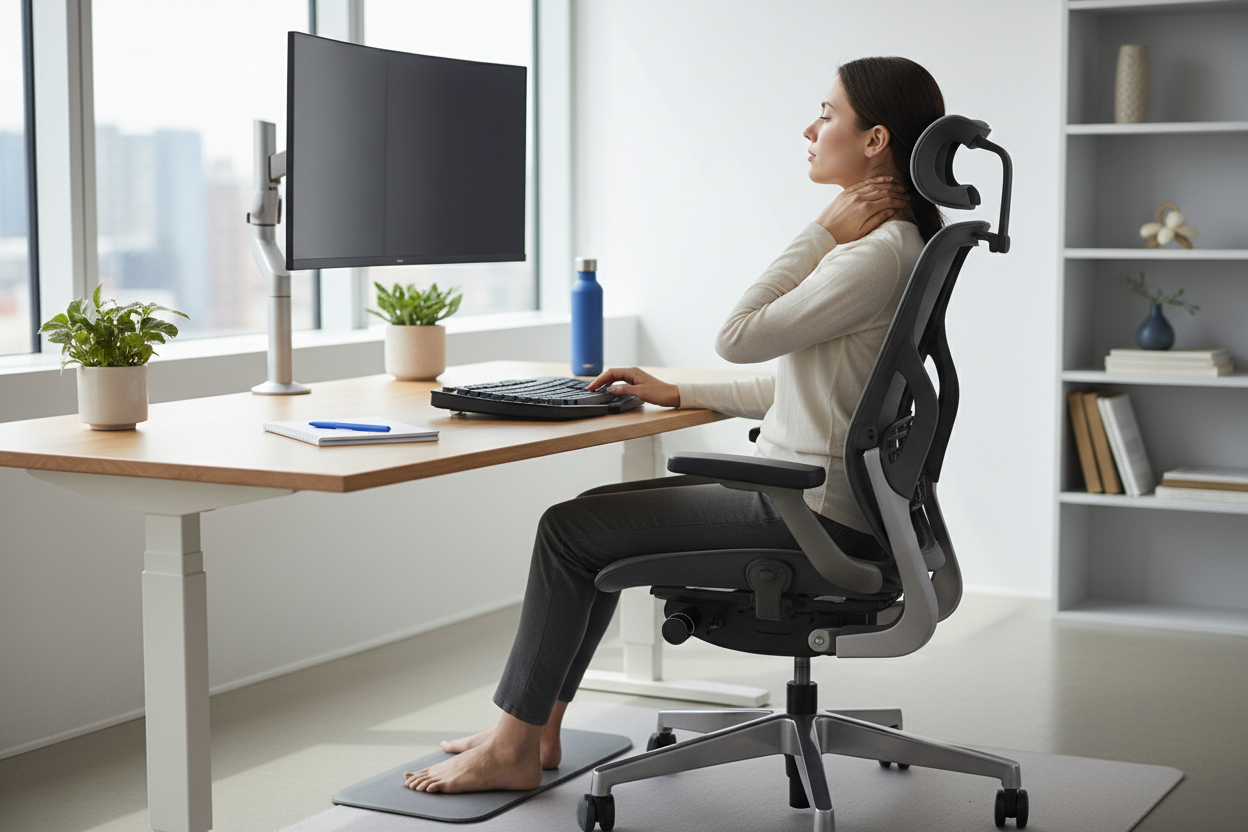
If you've ever stood up from your desk after hours of work only to feel a sharp twinge in your neck, you're not alone. Neck pain from sitting has become one of the most common complaints among office workers, remote employees, and anyone who spends extended periods at a computer. This isn't just discomfort—it's your body sending a clear signal that something in your workspace setup needs to change.

In this comprehensive guide, we'll explore the biomechanics behind desk-related neck pain, identify the specific ergonomic failures that contribute to it, and provide actionable solutions to help you work pain-free. Whether you're dealing with occasional stiffness or chronic discomfort, understanding the root causes is the first step toward lasting relief.
The Anatomy of Neck Pain: What's Really Happening When You Sit
Your neck, or cervical spine, consists of seven vertebrae designed to support your head—which weighs approximately 10-12 pounds in a neutral position. However, for every inch your head moves forward from its natural alignment, the effective weight on your neck increases dramatically. At a 15-degree forward tilt (common when looking at a laptop), your neck supports about 27 pounds. At 60 degrees (the typical smartphone posture), that load jumps to 60 pounds.
This phenomenon, often called "tech neck" or "forward head posture," creates sustained tension in the muscles, ligaments, and tendons of your neck and upper back. The sternocleidomastoid, trapezius, and levator scapulae muscles work overtime to prevent your head from falling forward, leading to muscle fatigue, trigger points, and eventually pain.

But forward head posture isn't the only culprit. Poor sitting posture creates a cascade of biomechanical problems:
- Rounded shoulders pull your shoulder blades away from their natural position, straining the upper trapezius muscles
- Slouched spine reduces the natural curves of your back, forcing compensatory adjustments in your neck
- Static positioning reduces blood flow to muscles, limiting oxygen and nutrient delivery while allowing metabolic waste to accumulate
- Compressed nerves can occur when sustained poor posture narrows the spaces where nerves exit the spine
The longer you maintain these positions, the more your body adapts to them. Muscles on one side shorten while others lengthen and weaken, creating imbalances that make proper posture increasingly difficult to maintain even when you're aware of it.
The Hidden Ergonomic Failures in Your Workspace
Most people don't realize their workspace is actively working against them. Here are the most common ergonomic mistakes that contribute to neck pain:
Monitor Placement: The Single Biggest Factor
Your monitor's position has the most significant impact on neck posture. If your screen is too low, you'll tilt your head down. Too high, and you'll crane your neck back. Too far to the side, and you'll twist your cervical spine for hours on end.
The ideal monitor setup places the top of your screen at or slightly below eye level, with the display 20-26 inches from your eyes. For laptop users, this is nearly impossible to achieve without external equipment, which is why laptop-only setups are among the worst offenders for neck pain.

A quality monitor arm transforms your workspace by providing infinite adjustability. The Full Motion Single Monitor Arm ($139.99) offers gas spring technology that allows effortless repositioning throughout the day. Its VESA compatibility supports screens from 13 to 32 inches, and the articulating arm lets you pull your monitor closer for detailed work or push it back for video calls—all while maintaining optimal eye level.
For dual-monitor setups, proper positioning becomes even more critical. The Dual Monitor Gas Spring Mount ($131.99) supports two screens up to 17.6 lbs each, allowing you to position both monitors at the correct height and angle. This is particularly valuable for professionals who reference documents on one screen while working on another, eliminating the constant neck rotation that single-screen setups often require.
Chair Support: Where Your Posture Begins
Your chair is the foundation of your sitting posture. A chair without proper lumbar support allows your lower back to round, which forces your upper back and neck to compensate. Similarly, a chair without adjustable armrests leaves your shoulders unsupported, creating tension that radiates up into your neck.

The Ergonomic Office Chair with Lumbar Support ($459.00) addresses these issues with adjustable lumbar support that maintains your spine's natural S-curve, 3D armrests that support your forearms at the correct height, and an adjustable headrest that provides crucial support when you lean back. The high-back mesh design promotes airflow while supporting your entire spine, and the reclining function (with tension control) allows you to shift positions throughout the day—critical for preventing the static muscle fatigue that contributes to neck pain.
For those who need additional support or spend longer hours seated, the Ergonomic Massage Reclining Office Chair with Footrest ($529.15) takes comfort further with a built-in massage function that targets the lumbar region, a retractable footrest for position changes, and a 155-degree recline that allows you to take pressure off your spine during breaks. The 300-lb capacity ensures durability, while the padded armrests and headrest provide comprehensive support for your entire upper body.
Desk Height: The Foundation of Proper Positioning
Even with a perfect chair and monitor setup, a desk at the wrong height undermines everything. If your desk is too high, you'll shrug your shoulders to reach your keyboard, creating constant tension in your upper trapezius muscles. Too low, and you'll hunch forward, collapsing your chest and forcing your neck into flexion.
The solution isn't just finding the "right" desk height—it's having the ability to change heights throughout the day. Prolonged sitting, even in perfect posture, still creates problems. The human body is designed for movement, and static positions of any kind lead to muscle fatigue and reduced circulation.

The Height Adjustable Standing Desk ($479.99) provides the flexibility to alternate between sitting and standing throughout your workday. This isn't about standing all day—that creates its own problems—but about changing positions regularly. The electric height adjustment makes transitions effortless, encouraging you to actually use the feature rather than leaving it in one position. The 48x24-inch surface provides ample workspace, while the sturdy construction ensures stability even at maximum height, preventing the wobble that can make standing work frustrating.
The Posture-Pain Connection: Breaking the Cycle
Understanding the link between posture and pain is crucial for long-term relief. Poor posture doesn't just cause immediate discomfort—it creates a self-reinforcing cycle that becomes progressively harder to break.
When you sit with your head forward and shoulders rounded, certain muscles (like the pectorals and upper trapezius) become shortened and tight, while others (like the deep neck flexors and lower trapezius) become lengthened and weak. Over time, this imbalance makes it physically difficult to maintain good posture even when you're consciously trying.
The pain itself also contributes to the cycle. When your neck hurts, you unconsciously adjust your position to minimize discomfort, often adopting compensatory postures that create new problems in other areas. You might tilt your head to one side to relieve pressure, only to develop pain on the opposite side. Or you might lean forward to take weight off your lower back, increasing the load on your neck.
Breaking this cycle requires a multi-faceted approach:
- Optimize your workspace ergonomics to make good posture the default, not something you have to consciously maintain
- Incorporate movement throughout your day to prevent static muscle fatigue
- Strengthen weak muscles and stretch tight ones to restore balance
- Address pain early before compensatory patterns become ingrained
Beyond Equipment: Daily Habits That Protect Your Neck
While proper ergonomic equipment is essential, it's only part of the solution. Your daily habits and movement patterns play an equally important role in preventing and relieving neck pain.
The 20-20-20 Rule and Movement Breaks
Every 20 minutes, take 20 seconds to look at something 20 feet away. This simple practice, originally designed to reduce eye strain, also prompts you to change your neck position and reset your posture. But don't stop there—use these micro-breaks to perform simple neck stretches or shoulder rolls.
Every hour, take a longer break (3-5 minutes) to stand, walk, and perform more comprehensive stretches. This isn't wasted time—research shows that regular movement breaks actually improve productivity and focus while dramatically reducing musculoskeletal discomfort.
Strengthening Exercises for Desk Workers
Specific exercises can counteract the muscle imbalances created by desk work:
Chin Tucks: Gently draw your chin straight back (not down) as if making a double chin. Hold for 5 seconds, repeat 10 times. This strengthens the deep neck flexors that support proper head position.
Scapular Squeezes: Sit or stand with arms at your sides. Squeeze your shoulder blades together as if trying to hold a pencil between them. Hold for 5 seconds, repeat 10 times. This strengthens the muscles that prevent rounded shoulders.
Wall Angels: Stand with your back against a wall, arms raised in a "goal post" position. Slowly slide your arms up and down the wall while keeping your back, head, and arms in contact with the surface. Perform 10 repetitions. This improves shoulder mobility and posture awareness.
Stretches for Immediate Relief
When neck tension builds during the day, these stretches provide quick relief:
Levator Scapulae Stretch: Turn your head 45 degrees to one side, then gently pull your head down as if trying to put your nose in your armpit. Hold for 30 seconds on each side. This targets one of the most commonly tight muscles in desk workers.
Upper Trapezius Stretch: Sit up straight, then gently tilt your head to one side, bringing your ear toward your shoulder. For a deeper stretch, use your hand to apply gentle pressure. Hold for 30 seconds on each side.
Doorway Pec Stretch: Place your forearm on a door frame with your elbow at shoulder height. Step forward until you feel a stretch across your chest. Hold for 30 seconds on each side. This addresses the tight chest muscles that contribute to rounded shoulders.
The Standing Desk Debate: Is It Really Better?
Standing desks have been marketed as a cure-all for sitting-related problems, but the reality is more nuanced. Standing all day creates its own set of issues, including leg fatigue, varicose veins, and lower back pain. The key isn't to replace sitting with standing—it's to alternate between the two.
Research suggests that the ideal ratio is approximately 1:1 to 2:1 sitting to standing, with transitions every 30-60 minutes. This variation prevents the static muscle fatigue that occurs with any sustained position while providing the cardiovascular and metabolic benefits of standing.
When you do stand, proper posture remains critical. Stand with your weight evenly distributed, knees slightly bent (not locked), and your monitor still at eye level. Many people make the mistake of raising their desk to standing height but leaving their monitor in the same position, which forces them to look down and negates many of the benefits.
A height-adjustable desk makes this variation practical. Without easy adjustment, most people choose one position and stick with it, missing out on the benefits of movement and position changes throughout the day.
When to Seek Professional Help
While ergonomic improvements and self-care strategies resolve most desk-related neck pain, certain symptoms warrant professional evaluation:
- Pain that radiates down your arm or causes numbness and tingling in your hands
- Severe pain that doesn't improve with rest and position changes
- Pain accompanied by headaches, especially if they're new or worsening
- Weakness in your arms or hands that affects your ability to grip or lift objects
- Pain following an injury or accident, even if it seemed minor at the time
- Chronic pain lasting more than 3 months despite ergonomic improvements
These symptoms may indicate nerve compression, disc problems, or other conditions that require medical intervention. A healthcare provider can perform a thorough evaluation, order imaging if necessary, and recommend treatments ranging from physical therapy to more advanced interventions.
Creating Your Personalized Ergonomic Action Plan
Transforming your workspace doesn't have to happen all at once. Here's a prioritized approach based on impact and budget:
Phase 1: Immediate Improvements (Low/No Cost)
- Adjust your current chair height so your feet are flat on the floor and your thighs are parallel to the ground
- Position your monitor so the top of the screen is at or slightly below eye level (use books or a monitor stand if needed)
- Place your keyboard and mouse so your elbows are at 90 degrees when typing
- Set hourly reminders to stand, stretch, and move
- Practice the chin tuck exercise throughout the day
Phase 2: Equipment Upgrades (Moderate Investment)
- Invest in a monitor arm for optimal screen positioning and desk space (Full Motion Single Monitor Arm - $139.99)
- Upgrade to an ergonomic chair with proper lumbar support and adjustability (Ergonomic Office Chair with Lumbar Support - $459.00)
- Add an external keyboard and mouse if you use a laptop as your primary computer
Phase 3: Advanced Optimization (Higher Investment)
- Transition to a height-adjustable desk for sit-stand flexibility (Height Adjustable Standing Desk - $479.99)
- Consider a premium chair with massage and advanced features for extended work sessions (Ergonomic Massage Reclining Office Chair - $529.15)
- Add task lighting to reduce eye strain and prevent forward head posture when reading
The Long-Term Benefits of Ergonomic Investment
The cost of ergonomic equipment might seem significant, but consider the alternative. Chronic neck pain leads to reduced productivity, increased sick days, potential medical expenses, and a significant decrease in quality of life. Studies show that workers with musculoskeletal pain are less productive, more likely to make errors, and experience higher rates of burnout.
Beyond the financial considerations, there's the simple matter of comfort and well-being. When you're not constantly distracted by pain and discomfort, you can focus better, work more efficiently, and actually enjoy your time at your desk. The mental energy you currently spend managing pain and adjusting your position can be redirected toward your actual work.
Ergonomic improvements also tend to compound over time. As your posture improves and pain decreases, you'll find it easier to maintain good habits. The muscle imbalances that developed over years of poor posture will gradually correct themselves, making proper positioning feel natural rather than forced.
Frequently Asked Questions
How long does it take for neck pain to improve after making ergonomic changes?
Most people notice some improvement within 1-2 weeks of implementing proper ergonomics, but significant relief typically takes 4-6 weeks. This timeline reflects the time needed for muscle imbalances to begin correcting and for new postural habits to become automatic. If you don't see any improvement after 6 weeks, consult a healthcare professional to rule out other underlying conditions.
Can I fix my neck pain without buying new equipment?
Yes, many ergonomic improvements can be made with minimal or no cost. Adjusting your current chair and monitor height, taking regular movement breaks, and performing daily stretches and strengthening exercises can provide significant relief. However, if your current equipment fundamentally doesn't support proper posture (like a chair without lumbar support or a laptop-only setup), some investment in proper equipment will likely be necessary for lasting improvement.
Is it better to sit or stand while working?
Neither sitting nor standing all day is ideal. The best approach is to alternate between the two, changing positions every 30-60 minutes. This variation prevents the static muscle fatigue and circulatory issues that occur with any sustained position. A height-adjustable desk makes this practical and encourages regular movement throughout the day.
How high should my monitor be?
The top of your monitor should be at or slightly below eye level when you're sitting with proper posture. The screen should be 20-26 inches from your eyes (roughly an arm's length). If you wear bifocals or progressive lenses, you may need to lower the monitor slightly to avoid tilting your head back to see through the correct part of your lenses.
What's the best sitting posture for preventing neck pain?
Proper sitting posture includes: feet flat on the floor, thighs parallel to the ground, lower back supported by the chair's lumbar support, shoulders relaxed (not shrugged or rounded forward), elbows at 90 degrees when typing, and head balanced directly over your shoulders (not jutting forward). Your ears should align with your shoulders when viewed from the side.
How often should I take breaks from sitting?
Follow the 20-20-20 rule for micro-breaks (every 20 minutes, look at something 20 feet away for 20 seconds) and take a longer movement break (3-5 minutes of standing, walking, and stretching) every hour. These breaks aren't just good for your neck—they also improve focus, productivity, and overall well-being.
Can exercise help with desk-related neck pain?
Absolutely. Specific exercises that strengthen the deep neck flexors, lower trapezius, and scapular stabilizers while stretching the upper trapezius, levator scapulae, and pectoral muscles can significantly reduce neck pain and prevent its recurrence. Consistency is key—performing these exercises daily provides far better results than occasional intensive sessions.
Why does my neck hurt more at the end of the day?
Neck pain that worsens throughout the day typically indicates muscle fatigue from sustained poor posture or static positioning. As your postural muscles tire, they become less able to support your head properly, leading to increased strain and discomfort. This pattern suggests that ergonomic improvements and more frequent position changes would be particularly beneficial.
Are laptop stands enough to fix ergonomic problems?
Laptop stands improve screen height, which is beneficial, but they create a new problem: the keyboard and screen are now at different heights. The ideal laptop setup includes a stand to raise the screen to eye level plus an external keyboard and mouse positioned at proper typing height. Alternatively, a monitor arm allows you to use an external monitor while keeping your laptop at a comfortable typing height.
How do I know if my chair is the right height?
When seated, your feet should be flat on the floor (or on a footrest), your thighs should be parallel to the ground or angled slightly downward, and your elbows should be at approximately 90 degrees when your hands are on your keyboard. If you have to raise your shoulders to reach your desk or if your feet don't touch the ground, your chair height needs adjustment.
Take Action Today: Your Neck Will Thank You
Neck pain from desk work isn't inevitable, and you don't have to accept it as a normal part of your workday. By understanding the biomechanical causes, addressing the ergonomic failures in your workspace, and implementing daily habits that support proper posture, you can work comfortably and pain-free.
Start with the immediate improvements you can make today—adjust your monitor height, set movement reminders, and practice chin tucks throughout the day. Then, prioritize equipment upgrades based on your specific needs and budget. Remember, this is an investment in your health, productivity, and quality of life.
Your workspace should support you, not work against you. With the right setup and habits, you can break the cycle of desk-related neck pain and rediscover what it feels like to finish a workday without discomfort.
Ready to transform your workspace? Explore our complete range of ergonomic solutions:
- Full Motion Single Monitor Arm - $139.99
- Dual Monitor Gas Spring Mount - $131.99
- Ergonomic Office Chair with Lumbar Support - $459.00
- Ergonomic Massage Reclining Office Chair with Footrest - $529.15
- Height Adjustable Standing Desk - $479.99
Don't let another day of neck pain hold you back. Your body is designed to move, work, and thrive—give it the support it deserves.
Disclaimer: This content is for informational purposes only and does not constitute medical advice.
