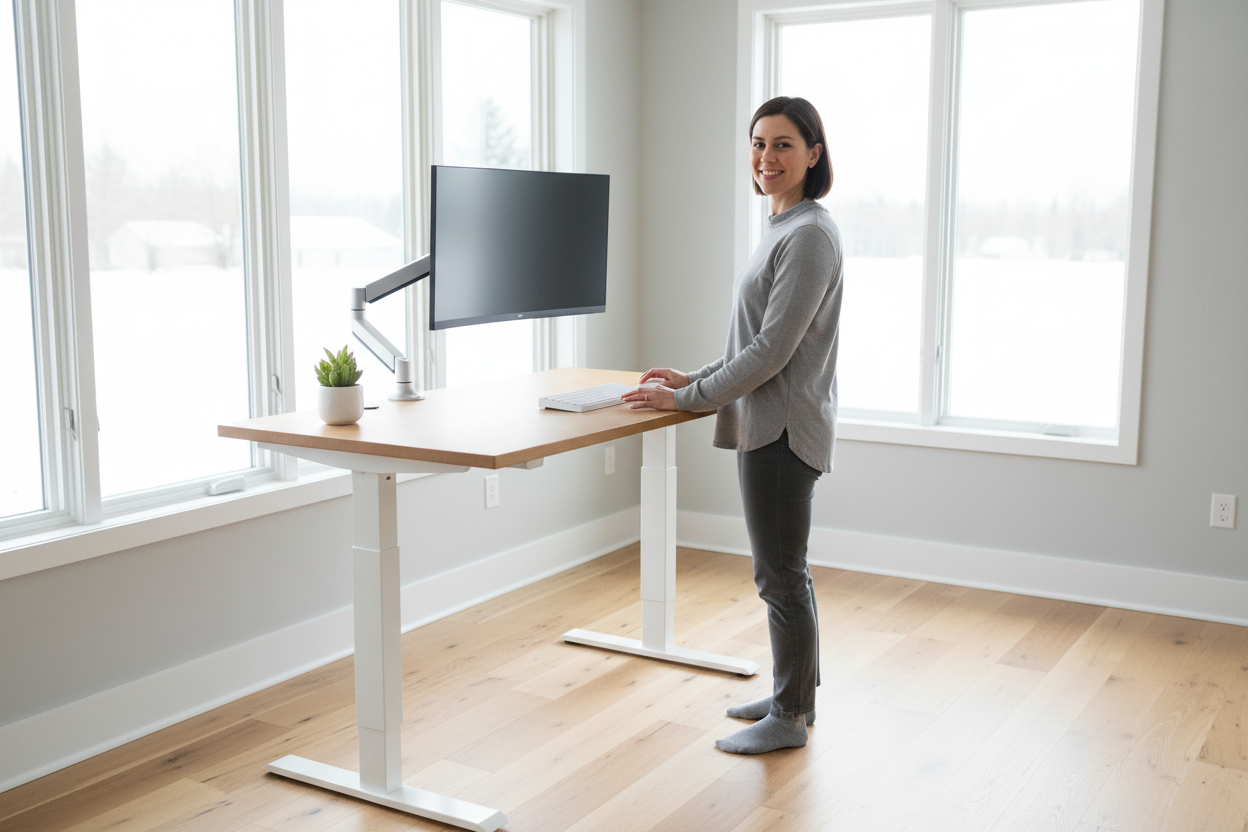
Most People Are Using Their Standing Desk Wrong
You spent good money on a height-adjustable desk. You set it up, stood for a while, felt virtuous — and then gradually drifted back to sitting all day. Sound familiar?
Here's the thing: the problem usually isn't motivation. It's calibration. When your desk isn't set to the right height, standing feels uncomfortable. When you don't know how long to stand, you either overdo it or give up. And when your monitor is at the wrong angle, you end up with neck strain whether you're sitting or standing.
This guide is going to fix all of that. We're going to walk through the exact method for finding your personal sit-stand sweet spot — the specific desk heights, alternating schedule, and posture checkpoints that make ergonomic work actually feel good.
No generic advice. No "just stand more." Real, actionable calibration steps you can do in about 15 minutes.
Why the Sit-Stand Ratio Matters More Than You Think
Before we get into the how, let's talk about the why — because understanding the science makes it a lot easier to stick with the habit.
Prolonged sitting compresses the lumbar discs, tightens the hip flexors, and reduces circulation to the lower extremities. Most office workers sit for 10+ hours a day, which is associated with increased risk of cardiovascular disease, metabolic syndrome, and chronic lower back pain.
But here's what the research actually says about standing: standing all day isn't the answer either. Static standing for extended periods increases fatigue, causes varicose veins, and puts compressive load on the knees and ankles. The goal isn't to stand more — it's to move more.
The sweet spot, according to multiple ergonomics studies (including research published in the British Journal of Sports Medicine), is roughly a 1:1 to 1:2 ratio of standing to sitting — meaning for every hour of sitting, you stand for 30–60 minutes. Spread across an 8-hour workday, that's about 2–4 hours of standing total, broken into intervals.
The key word is intervals. Short, frequent transitions are far better than long blocks of either posture.
Step 1: Set Your Sitting Height First
Most people start with their standing height. That's backwards. Your sitting position is your baseline, and getting it right makes everything else easier.
The 90-90-90 Rule
Sit down in your chair with your feet flat on the floor. Now check three angles:
- Ankles: 90 degrees (feet flat, not dangling)
- Knees: 90 degrees (thighs parallel to the floor)
- Elbows: 90 degrees (forearms parallel to the desk surface)
That elbow angle is your desk height for sitting. Adjust your desk until your forearms rest naturally on the surface without your shoulders rising or your wrists bending up or down. Your hands should float over the keyboard with your wrists in a neutral, flat position.
If you're using a chair with armrests, make sure the armrests aren't pushing your shoulders up. If they are, lower them or remove them entirely.

Save This as Memory Preset 1
Once you've nailed your sitting height, save it as Memory Preset 1 on your desk's control panel. You'll never have to think about it again — one button press and you're back to your perfect sitting position.
On Rackora electric standing desks, the memory presets are programmable directly from the control panel. Set it once, and the desk returns to that exact millimeter every time.
40" × 24" Ergonomic Electric Height Adjustable Standing Desk — $599.99

Programmable memory presets, whisper-quiet dual motor, and a spacious 40" work surface. Built for all-day ergonomic use.
Shop Now →Step 2: Calibrate Your Standing Height
Now stand up. Keep your posture natural — don't puff your chest out or tuck your pelvis. Just stand the way you normally would.
The Elbow Test (Again)
Raise your desk until your elbows are at 90 degrees with your forearms parallel to the surface. Your wrists should be flat and relaxed. This is your standing desk height.
A common mistake: people set their standing height too low because they're hunching slightly when they measure. Stand tall, shoulders relaxed and down, and then measure.
Save This as Memory Preset 2
Save your standing height as Memory Preset 2. Now you have a one-button toggle between your two perfect positions. This is the single biggest factor in whether people actually use their standing desk — when switching is effortless, you do it. When it requires fiddling with buttons, you don't.
Step 3: Set Your Monitor Height
This step is where most ergonomic setups fall apart, even when the desk height is perfect.
The Eye-Level Rule
The top of your monitor should be at or very slightly below eye level. When you look straight ahead with your head in a neutral position, your gaze should land about one-third of the way down the screen.
If your monitor is too low (which it almost certainly is if it's sitting flat on your desk), you'll tilt your head forward and down all day. That forward head posture adds roughly 10 pounds of effective load on your cervical spine for every inch your head moves forward. Over an 8-hour day, that adds up to serious neck and upper back strain.
The Monitor Arm Solution
The cleanest way to get your monitor at the right height — and keep it there whether you're sitting or standing — is a monitor arm. A good monitor arm lets you adjust height, tilt, and distance independently, and it moves with you as you transition between positions.
Without a monitor arm, you'd need to physically move your monitor every time you switch from sitting to standing. With one, it stays at eye level automatically.
Step 4: Identify and Fix the 5 Most Common Posture Errors
Even with the right desk height, bad habits creep in. Here's how to spot and correct the most common ones.
Error 1: Shoulder Shrugging (Desk Too High)
What it looks like: Your shoulders are raised toward your ears, or your elbows are bent at more than 90 degrees.
What it causes: Upper trapezius tension, neck pain, and headaches.
Fix: Lower your desk until your shoulders drop naturally. Your elbows should hang at your sides, not be lifted by the desk surface.
Error 2: Wrist Extension (Desk Too High)
What it looks like: Your wrists are bent upward (extended) while typing, like you're doing a push-up on the keyboard.
What it causes: Carpal tunnel syndrome, wrist tendinitis, forearm fatigue.
Fix: Lower the desk until your wrists are flat and neutral. If you can't get low enough, consider a negative-tilt keyboard tray.
Error 3: Wrist Flexion (Desk Too Low)
What it looks like: Your wrists are bent downward while typing, and your elbows are above the desk surface.
What it causes: Similar to wrist extension — repetitive strain injuries over time.
Fix: Raise the desk until your forearms are parallel to the floor.
Error 4: Forward Head Posture (Monitor Too Low)
What it looks like: Your chin juts forward, your neck cranes down, and your upper back rounds.
What it causes: Cervical disc compression, upper back pain, and tension headaches.
Fix: Raise your monitor. Use a monitor arm, a monitor riser, or a stack of books as a temporary fix.
Error 5: Locking Your Knees While Standing
What it looks like: You're standing with your knees fully extended and rigid.
What it causes: Reduced circulation, lower back fatigue, and knee joint stress.
Fix: Keep a micro-bend in your knees. Shift your weight occasionally. Use an anti-fatigue mat. Move your feet.
Step 5: Build Your Sit-Stand Schedule
Now that your desk is calibrated, let's talk about how to actually use it throughout the day.
The 30/30 Protocol (Beginner)
If you're new to standing desks, start with 30 minutes sitting, 30 minutes standing. This is a 1:1 ratio and it's very manageable. Set a timer. When it goes off, press your preset button and switch.
After two weeks, your body will adapt and standing won't feel tiring. That's when you can experiment with longer standing intervals.
The 45/15 Protocol (Intermediate)
45 minutes sitting, 15 minutes standing. This is a good rhythm for focused work — you get long uninterrupted sitting blocks for deep work, with standing breaks that reset your posture and circulation.
The 20/20/20 Protocol (Advanced)
20 minutes sitting, 20 minutes standing, 20 minutes moving (walking, stretching, or standing on an anti-fatigue mat with active movement). This is the gold standard for all-day energy and spine health, but it requires building the habit over time.
Use Your Desk's Timer Feature
Many electric standing desks include a built-in sit-stand reminder. If yours does, use it. If not, a simple phone timer or a browser extension like Stretchly works perfectly.
8×24" Height Adjustable Ergo Standing Desk — $479.99

A compact yet capable electric standing desk with programmable height memory. Perfect for focused single-monitor setups.
Shop Now →Step 6: Optimize Your Standing Surface
One of the most overlooked factors in standing desk comfort is what's under your feet.
Anti-Fatigue Mats
A quality anti-fatigue mat makes a significant difference in how long you can comfortably stand. The slight instability of a cushioned surface engages your calf muscles and encourages micro-movements, which improves circulation and reduces fatigue.
Look for a mat that's at least 3/4" thick with a beveled edge so you don't trip. Gel-core mats tend to outperform foam-only options for all-day use.
Footwear Matters
Standing in socks or flat shoes on a hard floor is rough on your feet and knees. Supportive footwear with arch support makes standing intervals much more comfortable. If you work from home, a dedicated pair of supportive indoor shoes can be a game-changer.
The Balance Board Option
For people who want to take active standing to the next level, a balance board under your standing desk encourages constant subtle movement. It's not for everyone, but if you find static standing boring or tiring, it's worth trying.
Step 7: Fine-Tune Over the First Two Weeks
Your first calibration is a starting point, not a final answer. Your body will give you feedback over the first two weeks, and you should listen to it.
Signs Your Sitting Height Is Off
- Neck or upper back tension after sitting sessions
- Wrist or forearm fatigue while typing
- Shoulder tightness or pain
Signs Your Standing Height Is Off
- Lower back fatigue during standing intervals
- Shoulder shrugging or tension
- Leaning on the desk with your forearms (a sign the desk is too high)
Signs Your Monitor Height Is Off
- Neck stiffness at the end of the day
- Eye strain or headaches
- Squinting or leaning forward to read
Adjust by 1–2 cm at a time and give each adjustment a few days before evaluating. Small changes make a big difference.
The Compact Option: Standing Desks for Smaller Workspaces
Not everyone has a dedicated home office with room for a full-size desk. If you're working in a smaller space — a bedroom, a studio apartment, or a shared room — there are purpose-built options that don't compromise on ergonomics.
Manual Height Adjustable Desk — 27.5" Compact Standing Desk — $229.00

A compact, budget-friendly standing desk solution for tight spaces. Manual height adjustment with a clean, minimal footprint.
Shop Now →The mobile rolling option is also worth considering if you move between rooms or need flexibility:
Rackora Small Mobile Rolling Standing Desk — $158.07

Roll it to any room, lock the wheels, and you have an instant standing workstation. Great for laptops and tablets.
Shop Now →What About Taller Users? Height Range Matters
Standard desks top out around 29" — which is fine for someone 5'8" but completely inadequate for someone 6'2". If you're on the taller end, make sure the desk you're buying has a height range that actually covers your standing height.
A quick formula: your ideal standing desk height in inches ≈ your height in inches × 0.45. So a 6'2" person (74") needs a desk that reaches at least 33". Check the spec sheet before you buy.
The 47" Standing Desk with Height Adjustment ($489.38) offers a wide height range suitable for taller users and a generous 47" work surface for dual-monitor setups.
Frequently Asked Questions
How long should I stand at my standing desk each day?
Most ergonomics researchers recommend standing for a total of 2–4 hours across an 8-hour workday, broken into intervals of 20–45 minutes. Standing for more than 4 hours continuously is not recommended and can cause fatigue, varicose veins, and joint stress. The goal is frequent transitions, not marathon standing sessions.
What is the ideal sit-stand ratio for office workers?
Research suggests a ratio of 1:1 to 1:2 (standing to sitting) is optimal. In practical terms, this means standing for 30–60 minutes for every hour of sitting. For beginners, starting with a 30/30 split (30 minutes sitting, 30 minutes standing) is a manageable entry point.
How do I know if my standing desk is at the right height?
Your desk is at the right height when your elbows are at 90 degrees with your forearms parallel to the desk surface, your wrists are flat and neutral while typing, and your shoulders are relaxed (not raised). If your shoulders are shrugging up, the desk is too high. If your wrists are bending downward, the desk is too low.
Where should my monitor be positioned at a standing desk?
The top of your monitor should be at or slightly below eye level, with the screen about an arm's length away (roughly 20–28 inches). When you look straight ahead, your gaze should land about one-third of the way down the screen. A monitor arm is the easiest way to achieve this and maintain it as you switch between sitting and standing.
Why does my lower back hurt when I stand at my desk?
Lower back pain while standing is usually caused by one of three things: your desk is too high (causing you to lean forward), you're locking your knees, or you're standing on a hard surface without an anti-fatigue mat. Check your desk height first, then add an anti-fatigue mat, and make sure you're shifting your weight and moving your feet periodically rather than standing completely still.
Can standing desks help with existing back pain?
For many people, yes — but it depends on the cause. Standing desks reduce lumbar disc compression that comes from prolonged sitting, which can relieve certain types of lower back pain. However, if your back pain is caused by a specific injury or condition, consult a physical therapist or physician before making changes to your workstation setup. A standing desk is a tool, not a medical treatment.
How do I set memory presets on an electric standing desk?
The process varies slightly by model, but on most electric standing desks (including Rackora models), you adjust the desk to your desired height, then press and hold the memory preset button (usually labeled M1, M2, etc.) until you hear a beep or see a confirmation on the display. From then on, pressing that preset button once will automatically move the desk to that exact height.
Is a standing desk worth it for someone who works from home?
Absolutely — arguably more so than for office workers. When you work from home, you often have less incidental movement (no commute, no walking between meeting rooms, no coffee runs with colleagues). A standing desk is one of the most effective ways to add movement back into a home workday. The key is using it consistently with a structured sit-stand schedule, not just owning it.
What's the difference between a manual and electric standing desk?
A manual standing desk requires you to physically crank or lift the desk to change heights, which takes more effort and time. An electric standing desk uses a motor to raise and lower the desk at the press of a button, and most models include programmable memory presets so you can switch between your sitting and standing heights instantly. For people who want to actually use their desk's height adjustment regularly, electric is strongly recommended — the friction of manual adjustment is a real barrier to consistent use.
How tall should a standing desk be for someone who is 6 feet tall?
For someone who is 6'0" (72 inches), the ideal standing desk height is approximately 42–44 inches. A quick estimate: multiply your height in inches by 0.45 to get your approximate standing desk height. Always verify by standing at the desk and checking that your elbows are at 90 degrees with your forearms parallel to the surface.
The Bottom Line: Calibration Is a 15-Minute Investment That Pays Off for Years
Most people spend weeks researching which standing desk to buy and about 90 seconds setting it up. That's backwards. The desk itself matters, but the calibration is what determines whether it actually improves your health and comfort — or just becomes an expensive surface to pile things on.
Take 15 minutes this week to go through the steps in this guide. Set your sitting height. Set your standing height. Save your presets. Check your monitor position. Build a schedule and stick to it for two weeks.
Your spine will notice the difference. Your energy levels will too.
Ready to Set Up Your Sit-Stand Workspace?
Browse Rackora's full lineup of electric height-adjustable standing desks — built for all-day ergonomic use, with programmable memory presets and whisper-quiet motors.
Shop Electric Standing Desks → Compact Options →