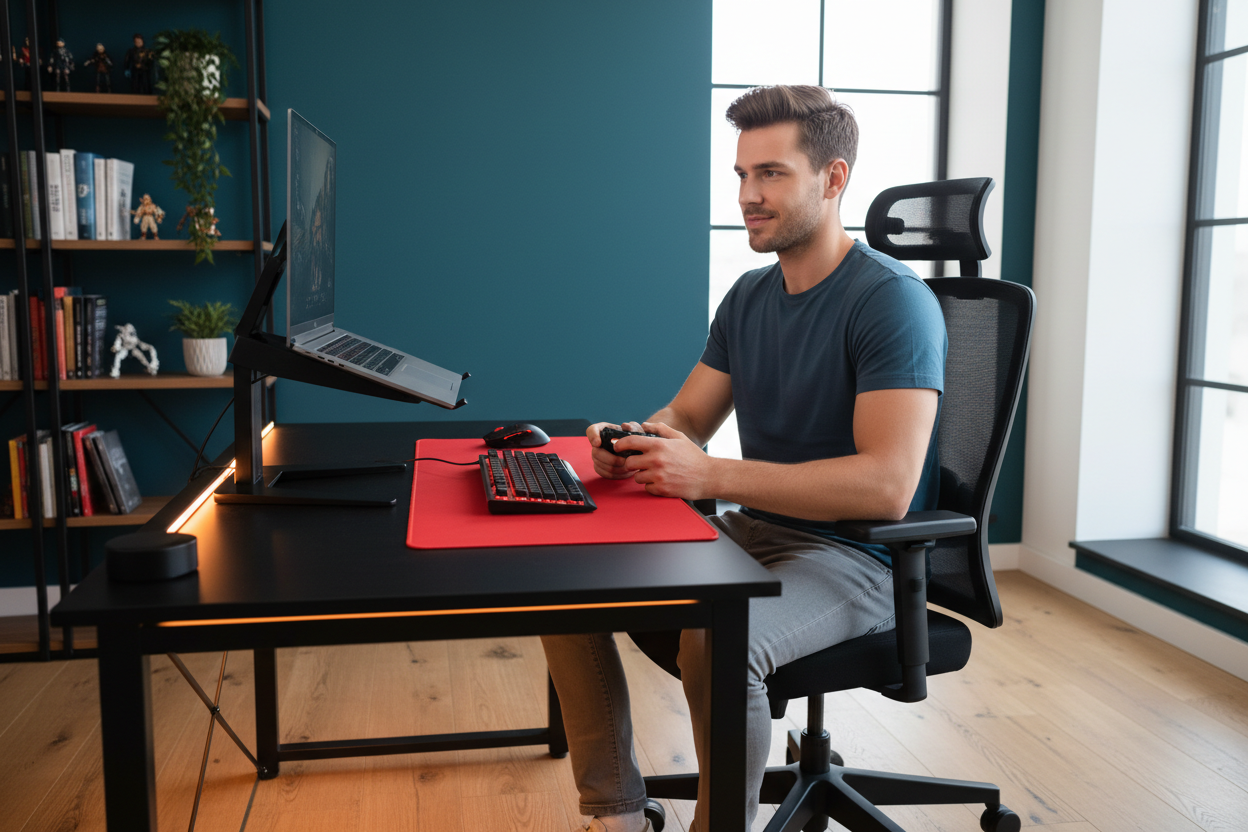
You've seen the setup. RGB lighting, a mechanical keyboard, a 27-inch monitor — and front and center, a racing-style gaming chair with bold colors and a logo that looks like it belongs on a Formula 1 car. It's a great look. But after three or four hours of actual gaming, your back is aching, your shirt is damp, and your shoulders are creeping forward like you're trying to disappear into the screen.
That's not a you problem. That's a chair problem.
Over the past few years, a quiet shift has been happening in gaming setups across the US. Streamers, competitive players, and work-from-home gamers are swapping out their racing chairs for ergonomic mesh chairs — and once you understand why, it's hard to go back.
This isn't about aesthetics. It's about what actually happens to your body during a long session, and why the chair design that looks the most "gaming" is often the worst one for the job.
The Bucket Seat Problem Nobody Talks About
Racing gaming chairs are modeled after the seats in motorsport vehicles. That's where the bucket seat shape, the high side bolsters, and the aggressive shoulder wings come from. In a race car, that design makes sense — you need to be held in place during high-G cornering. You're not going to be sitting in that seat for six hours straight.
At your desk, the physics are completely different.
Those shoulder wings — the raised side panels that wrap around your upper back — are designed to keep a driver's torso from shifting laterally. But when you're sitting at a desk, your arms are extended forward toward a keyboard and mouse. The wings push your shoulders inward and slightly forward, which rounds your upper back and collapses your chest. Do that for a few hours and you'll feel it in your neck, your traps, and eventually your lower back.
The bucket seat shape compounds this. Most gaming chairs have a pronounced scoop that tilts your pelvis backward — the opposite of what good posture requires. A neutral pelvis means a slight forward tilt, which lets your lumbar spine maintain its natural curve. A backward-tilted pelvis flattens that curve and puts sustained pressure on your lumbar discs. That's the slow burn that turns into chronic lower back pain.

And the lumbar pillow that comes with most gaming chairs? It's a pillow. It's not adjustable in any meaningful way, it doesn't follow your spine as you shift positions, and it tends to migrate up or down within the first hour. It's a checkbox feature, not a solution.
Ergonomic chairs are designed around a completely different philosophy. The backrest follows the natural S-curve of your spine. The lumbar support is built into the structure of the chair — not strapped on as an afterthought. The seat pan is designed to support a neutral pelvis, not lock you into a reclined bucket. And critically, there are no shoulder wings forcing your arms into an unnatural position.
The Heat Problem Is Real — And It Gets Worse Over Time
Most gaming chairs use PU leather (polyurethane leather) for the seat and backrest. It looks premium, it photographs well, and it's easy to wipe down. But PU leather has one significant flaw for anyone sitting in it for extended periods: it doesn't breathe.

When you sit in a PU leather chair, your body heat has nowhere to go. The material traps warmth against your back and thighs, and within 30-45 minutes, you'll notice it. By hour two, you're shifting around trying to find a cooler spot. By hour three, you're genuinely uncomfortable — and that discomfort is affecting your focus and your performance.
This isn't a minor inconvenience. Thermal discomfort is a real cognitive load. Studies on workplace ergonomics consistently show that thermal comfort directly affects concentration and error rates. If you're gaming competitively, that matters. If you're streaming for four hours, that matters. If you're working from home and then gaming in the evening, you're spending 10+ hours a day in that chair — it really matters.
Full-mesh ergonomic chairs solve this passively. The mesh backrest allows air to circulate continuously. There's no heat buildup because there's no material trapping it. Your back stays at a comfortable temperature whether you're in the chair for 20 minutes or 6 hours. It's not a feature you have to activate — it just works, all the time.
The difference is noticeable within the first session. After a week, you won't understand how you tolerated the PU leather.
What "Adjustable" Actually Means
Gaming chairs advertise adjustability heavily. Reclining backrest, adjustable armrests, height adjustment — the spec sheets look impressive. But there's a difference between having adjustment features and having the right adjustments.
Most gaming chair armrests adjust up and down, and maybe forward and backward. That's it. If your armrests aren't at exactly the right height for your desk, you're either shrugging your shoulders up or dropping them down — both of which create tension over time. True 4D armrests (height, depth, width, and pivot angle) let you dial in a position where your arms are fully supported and your shoulders stay relaxed. That's what you actually need.
Seat depth is another one. If the seat pan is too deep for your legs, you'll either sit forward (losing back support) or sit back (with pressure behind your knees cutting off circulation). Adjustable seat depth — where you can slide the seat pan forward or backward — is a feature that makes a real difference for anyone who isn't exactly average height. Most gaming chairs don't have it. Most quality ergonomic chairs do.
Lumbar support that moves with you is the third big one. When you recline slightly, your lumbar spine moves. A fixed lumbar support stops supporting you the moment you shift position. Dynamic lumbar support — the kind that follows your spine's movement — maintains contact and support throughout the day. It's the difference between a chair that works for one position and a chair that works for however you actually sit.
The Rackora Mesh Chair Lineup: Built for Long Sessions
If you're ready to make the switch, here's what Rackora offers across different budgets and needs.
Best Entry Point: Ergonomic High Back Mesh Chair with Lumbar Support & Footrest

At $241, this is the most accessible entry into a proper ergonomic setup. The nylon mesh backrest keeps airflow going throughout your session. The integrated lumbar support pillow cradles your lower spine, and the adjustable headrest handles your neck. The reclining function locks anywhere between 90° and 135°, and there's a retractable footrest for when you want to fully decompress between sessions.
The 4.13-inch padded seat cushion is noticeably more comfortable than the thin foam in most gaming chairs at this price point. If you're coming from a budget gaming chair, this will feel like a significant upgrade from the first hour.
→ Shop the Mesh Chair with Footrest — $241
Best Mid-Range: High Back Mesh Office Chair with 4D Armrests

At $340, this chair steps up with 4D multi-directional armrests — the feature that makes the biggest difference if you spend serious time at a keyboard. The armrests lift to 90 degrees and adjust in multiple directions, so you can find a position that keeps your shoulders completely relaxed regardless of your desk height or monitor setup.
The mesh and fabric construction promotes airflow, and the 360° swivel base with silent rolling wheels means you can move around your setup without the chair fighting you. The recline range goes from 90° to 120°, and the compact footprint means it tucks under a workbench when you're not using it.
This is the chair for someone who games and works from the same setup — it handles both without compromise.
→ Shop the 4D Armrest Mesh Chair — $340
Best for Heavy Use: 300lbs Ergonomic Mesh Chair with Dynamic Lumbar Support

At $459, this is where the engineering gets serious. The double-back system with dynamic lumbar support is the standout feature — the lower lumbar section moves with your waist as you shift positions, maintaining continuous contact with your spine rather than supporting one fixed position. If you've ever noticed that your lumbar support stops helping the moment you lean slightly to reach something, this is the fix.
The 3D adjustable armrests cover height, forward/backward, and angle. The sliding seat cushion adjusts depth. The headrest tilts up to 45 degrees. It's BIFMA certified, rated for 300 lbs, and built with whisper-quiet casters that won't scratch hardwood floors. This is the chair for someone who takes their setup seriously and wants to stop thinking about their chair.
→ Shop the 300lbs Dynamic Lumbar Chair — $459
Top of the Line: L2 Ergonomic Chair with 135° Recline & Footrest

At $489, the L2 is Rackora's flagship ergonomic chair, and it's built around one idea: the chair adapts to you, not the other way around. The elastic mesh backrest is tear-resistant and temperature-regulating. The adaptive lumbar support follows your spine as you recline — so you're supported at 90°, at 115°, and everywhere in between. The 3D armrests adjust height, depth, and pivot. The seat depth slides 2 inches forward and back.
The built-in footrest folds away when you don't need it and extends when you do. The Class 3 BIFMA-certified gas lift is rated for 120,000 cycles. The 30-day return policy means you can actually test it in your setup before committing. For anyone spending 6+ hours a day at a desk — gaming, working, or both — the L2 is the chair that makes everything else feel like a compromise.
→ Shop the L2 Ergonomic Chair — $489
Complete the Setup: The 360° Rotating Gaming Laptop Stand with Cooling Fan

A good chair solves the posture and comfort problem from the waist down. But if your laptop is sitting flat on your desk, you're still craning your neck downward — which undoes a lot of the benefit. The Rackora 360° Rotating Laptop Stand with Cooling Fan addresses the other half of the equation.
The adjustable height settings let you raise your screen to eye level, which keeps your neck in a neutral position and takes the strain off your upper traps. The 360° rotating base means you can share your screen with someone next to you, or swing it to a different angle, without picking up the whole stand. For gaming, that's useful when you're showing a friend something on screen or adjusting your viewing angle mid-session.
The integrated cooling fan is the feature that makes this stand genuinely useful for gaming specifically. Laptops under gaming load generate significant heat, and a flat desk surface traps that heat underneath. The stand elevates the laptop for airflow, and the built-in fan actively pulls heat away. The result is lower operating temperatures, which means better sustained performance and a longer lifespan for your hardware.
At $129.99, it's compatible with laptops from 10" to 17", works with MacBooks, Dell XPS, HP Spectre, Lenovo ThinkPad, Asus ZenBook, Surface, and gaming laptops. The anti-slip silicone pads keep your laptop secure, and the foldable design means it packs flat if you need to move it.

Pair it with any of the Rackora mesh chairs above and you've addressed posture, thermal comfort, and screen positioning in one setup — which is the combination that actually makes a difference over a long session.
→ Shop the 360° Rotating Laptop Stand with Cooling Fan — $129.99
The Real Cost of a Bad Chair
A $200 gaming chair feels like a reasonable purchase. But if it's causing you to shift and fidget every 30 minutes, if it's making your back ache by the end of a session, if it's contributing to the kind of chronic tension that eventually needs a chiropractor — the math changes pretty quickly.
Ergonomic chairs cost more upfront. That's true. But they're also built to last longer, they're designed to prevent the kind of cumulative strain that gaming chairs accelerate, and they work for both gaming and work — so you're not buying two chairs for two use cases.
The shift from racing gaming chairs to ergonomic mesh chairs isn't a trend. It's a correction. The gaming chair market grew fast on aesthetics and marketing, and a lot of people bought into the look without thinking about the function. Now that those people have spent a few years in those chairs, they know what they're missing.
If you're still in a gaming chair and your back has been quietly complaining, this is the sign you were waiting for.
Frequently Asked Questions
Are ergonomic chairs actually better for gaming than gaming chairs?
For most people, yes — especially for sessions longer than 2-3 hours. Gaming chairs are designed around aesthetics borrowed from motorsport, not around the biomechanics of sitting at a desk. Ergonomic chairs are specifically engineered for long-duration seated work, with adjustable lumbar support, seat depth, and armrests that address the actual causes of discomfort during extended gaming.
Do ergonomic mesh chairs look good in a gaming setup?
Modern ergonomic chairs have come a long way from the boxy office chair look. Rackora's mesh chairs have clean, contemporary designs that fit well in gaming setups without the aggressive color schemes and logos of racing chairs. If your setup is more minimal or professional, they actually look better.
Why do gaming chairs make you sweat?
Most gaming chairs use PU leather, which doesn't breathe. Your body heat gets trapped between the material and your back, causing heat buildup over time. Mesh chairs allow continuous airflow, which prevents heat accumulation and keeps you comfortable throughout long sessions.
What's wrong with the lumbar pillow on gaming chairs?
The strap-on lumbar pillows included with most gaming chairs aren't adjustable in any meaningful way and tend to shift position during use. They also don't move with your spine when you change positions. Built-in ergonomic lumbar support — especially dynamic lumbar that follows your movement — provides consistent support regardless of how you're sitting.
Can I use an ergonomic chair for both work and gaming?
Yes, and this is one of the main advantages. A quality ergonomic chair handles 8 hours of work and then 3 hours of gaming without any adjustment needed. Gaming chairs are optimized for a specific reclined gaming posture that isn't ideal for desk work. If you're using the same chair for both, ergonomic is the better choice.
What's the difference between 3D and 4D armrests?
3D armrests adjust in three directions: height, depth (forward/backward), and width. 4D armrests add a fourth adjustment: pivot angle, which lets you angle the armrest surface inward or outward. For keyboard and mouse use, the pivot adjustment helps keep your wrists in a neutral position, which reduces strain over long sessions.
Is a $400+ ergonomic chair worth it compared to a $200 gaming chair?
It depends on how much time you spend in it. If you're in the chair 6-10 hours a day between work and gaming, the per-hour cost of a $459 chair over 3 years is lower than a $200 chair that wears out in 18 months and causes back pain in the meantime. The better question is: what's the cost of the discomfort you're currently tolerating?
Why does the laptop stand matter for a gaming setup?
If your laptop is flat on the desk, your screen is below eye level, which means you're looking down — and that forward head position puts significant strain on your neck and upper back. Raising the screen to eye level with an adjustable stand keeps your neck neutral, which complements the posture benefits of a good ergonomic chair. The cooling fan in the Rackora stand also helps maintain laptop performance during gaming sessions.
How long does it take to adjust to an ergonomic chair?
Most people notice a difference within the first session. Full adjustment — where the chair feels completely natural and you stop thinking about it — usually takes 1-2 weeks. During that time, you may need to fine-tune the lumbar height, armrest position, and seat height. Once dialed in, you'll wonder why you waited.
Do Rackora chairs work for tall or heavier users?
The 300lbs Ergonomic Mesh Chair and the L2 are both rated for 300 lbs / 136 kg and are built with reinforced construction. The L2's seat height adjusts from 17" to 19", and the 3D armrests have a wide enough range to accommodate taller users. If you're above average height or weight, these two models are the ones to look at.

Racing gaming chairs won the marketing battle. Ergonomic mesh chairs are winning the comfort battle — and for anyone who spends serious time at a desk, comfort is the one that actually matters.
The bucket seat design forces a hunched posture. The PU leather traps heat. The lumbar pillow doesn't stay where you put it. These aren't minor issues — they're the reason your back hurts after a long session, and they compound over months and years.
Rackora's mesh chair lineup starts at $241 and goes up to $489 for the L2 flagship. Pair any of them with the $129.99 360° Rotating Laptop Stand with Cooling Fan and you've built a setup that handles posture, thermal comfort, and screen positioning — the three things that actually determine how you feel after a long session.
Your chair is the piece of equipment you use more than anything else in your setup. It deserves the same attention you give your monitor, your keyboard, and your mouse.
→ Shop the L2 Ergonomic Chair — $489 | → Shop the 300lbs Mesh Chair — $459 | → Shop the Laptop Stand — $129.99
