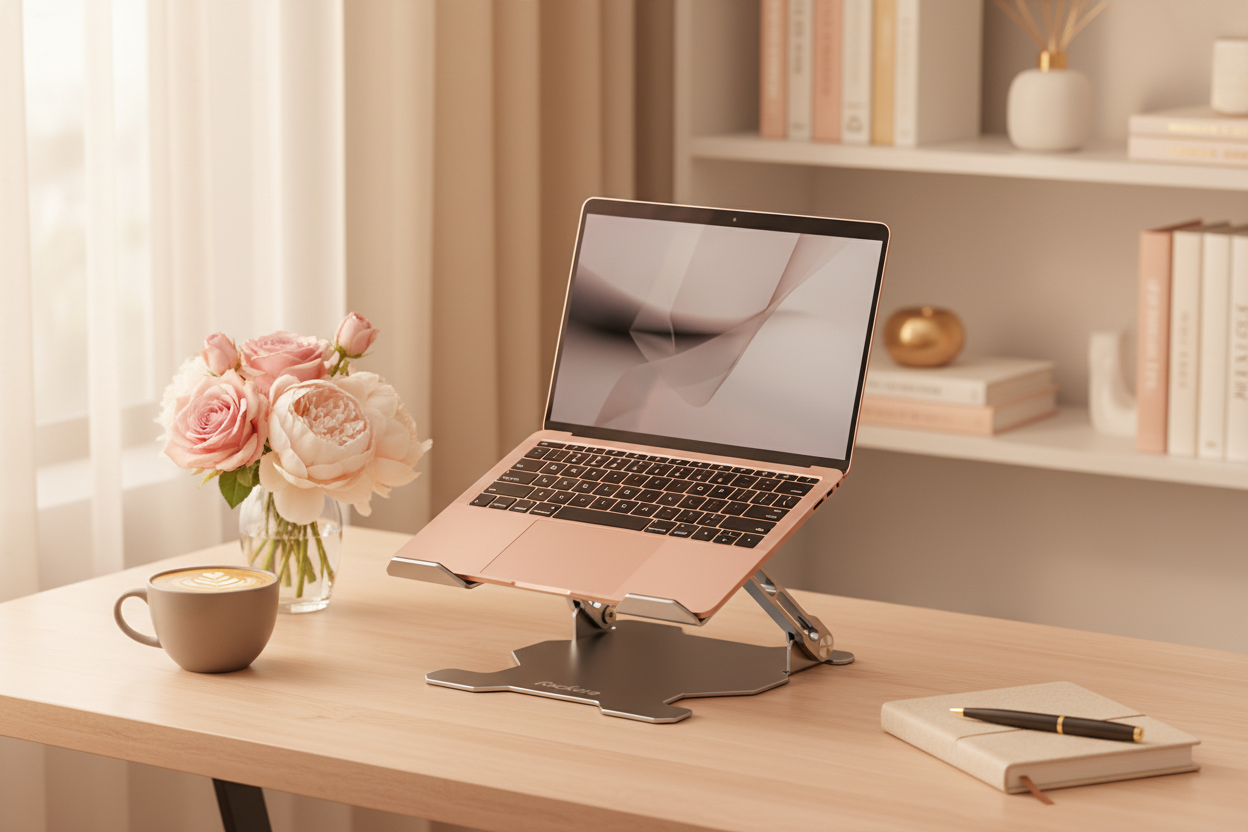
Your workspace says something about you. The colors you choose, the way you arrange your desk, even the angle of your laptop—all of it contributes to an environment that either energizes your work or quietly drains your focus. And while most people obsess over finding the perfect desk or the right chair, there's one element that ties everything together: how your laptop stand integrates with your setup.
The Rackora Ergo Laptop Stand Elite Edition, with its premium aluminum construction, presents an interesting design challenge. Its metallic finish is deliberately neutral, engineered to complement rather than compete. But that doesn't mean all color combinations work equally well. Some pairings create a cohesive, professional look. Others feel disjointed, like pieces from different puzzles forced together.
This isn't about following rigid rules. It's about understanding why certain combinations work and using that knowledge to create a workspace that feels intentional rather than accidental.
Why Color Matching Actually Matters

There's a reason Apple spent years perfecting the exact shade of space gray for their MacBooks, or why Lenovo's classic ThinkPad black has remained virtually unchanged for decades. Color creates psychological associations. It signals quality, purpose, and attention to detail.
When your laptop stand matches—or deliberately contrasts with—your laptop, it creates visual harmony. Your brain processes this as order, which translates to a more focused work environment. When colors clash or feel random, it creates low-level visual noise that you might not consciously notice but that subtly affects your concentration.
The Ergo Laptop Stand Elite Edition's aluminum finish sits in a unique position. It's not trying to be invisible, but it's not demanding attention either. Understanding how to work with this quality is the key to making it enhance rather than detract from your setup.
The Science of Metallic Neutrals
Aluminum occupies an interesting space in the color spectrum. Technically, it's a neutral—it doesn't have a strong color temperature the way gold (warm) or chrome (cool) does. But it's not completely neutral either. The brushed aluminum finish on the Ergo Laptop Stand Elite Edition has subtle cool undertones, which means it naturally harmonizes with certain colors more easily than others.
This matters because laptop manufacturers have gotten increasingly creative with their color offerings. You're no longer choosing between black and silver. Now there's midnight blue, rose gold, sage green, and a dozen shades in between. Each of these colors has its own temperature and intensity, and each interacts differently with the stand's aluminum finish.
The Classic Pairing: Silver Stand with Silver Laptop
Let's start with the most straightforward combination: matching metal to metal. When you pair the Ergo Laptop Stand Elite Edition with a silver or space gray laptop—think MacBook Air, Dell XPS in platinum silver, or Microsoft Surface Laptop in platinum—you create what designers call a monochromatic scheme.
This isn't boring. It's refined. The slight variations in finish between your laptop's aluminum and the stand's brushed surface create subtle visual interest without introducing competing elements. It's the workspace equivalent of a well-tailored gray suit—classic, professional, and quietly confident.
This combination works particularly well in modern, minimalist offices. Pair it with a light wood desk or a white surface, add a single green plant, and you have a setup that could appear in a design magazine. The uniformity of the metal tones creates a sense of intentionality, like every element was chosen deliberately rather than assembled randomly.
The practical advantage here is versatility. A silver-on-silver setup works in virtually any environment. Home office, corporate workspace, coffee shop—the combination reads as professional without being stuffy, modern without being trendy.
The Power Move: Silver Stand with Black Laptop

If silver-on-silver is the safe choice, pairing the aluminum stand with a black laptop is the power move. This combination—think ThinkPad black, MacBook Pro in space black, or any of the matte black gaming laptops—creates deliberate contrast.
Contrast isn't just visually striking; it's functional. The silver stand elevates the black laptop both literally and figuratively. The dark laptop becomes the focal point, while the lighter stand provides support without competing for attention. It's a hierarchy that makes sense: your laptop is the tool, the stand is the infrastructure.
This pairing works exceptionally well in professional environments where you want to project authority and competence. The black-and-silver combination has strong associations with high-end technology and precision engineering. It's the color scheme of professional cameras, audio equipment, and scientific instruments.
From a practical standpoint, this combination is forgiving. Fingerprints and dust show less on the aluminum stand when contrasted against black, and the overall look remains crisp even in less-than-perfect lighting conditions.
The key to making this work is maintaining clean lines elsewhere in your setup. This combination is bold enough that it doesn't need additional visual complexity. Keep your desk accessories minimal, stick to neutral tones, and let the laptop-stand pairing be the statement piece.
The Warm Approach: Silver Stand with Rose Gold or Champagne Laptops

Here's where things get interesting. Rose gold, champagne, and other warm-toned laptops have become increasingly popular, particularly among creative professionals and anyone who wants their workspace to feel less corporate and more personal.
The aluminum stand's cool undertones create a subtle tension with warm laptop finishes. This isn't a problem—it's an opportunity. The contrast between cool and warm metallics adds depth and sophistication that you don't get with perfectly matched tones.
Think of it like mixing metals in jewelry. A silver watch with a gold bracelet works because the contrast is intentional and balanced. The same principle applies here. The aluminum stand provides a cool, neutral foundation that allows the warm laptop to shine without overwhelming the space.
This combination works particularly well in home offices or creative studios where you want a softer, more approachable aesthetic. The warm laptop tones humanize the workspace, while the aluminum stand keeps things grounded and professional.
To make this pairing work optimally, consider your desk surface and accessories. Warm wood tones complement the warm laptop while the aluminum stand bridges to cooler elements. Add warm-toned accessories—a copper pen holder, a leather desk pad, warm-white lighting—and you create a cohesive environment where the mixed metals feel intentional rather than accidental.
The Bold Choice: Silver Stand with Colorful Laptops
Laptop manufacturers have embraced color in recent years. Microsoft's Surface Laptop comes in sage, ice blue, and sandstone. Dell offers XPS models in sky and frost. Gaming laptops sport everything from electric blue to neon green accents.
The aluminum stand's neutral finish becomes a strategic advantage with colorful laptops. It doesn't compete with bold colors; it supports them. The stand acts as a visual anchor, preventing colorful laptops from feeling too playful or unprofessional.
This is particularly valuable if you're using a colorful laptop in a professional setting. The aluminum stand adds gravitas, signaling that while you've chosen a non-traditional laptop color, you're still serious about your work. It's the difference between a colorful laptop looking like a personal preference versus a fashion statement.
The key here is restraint in the rest of your setup. A colorful laptop on an aluminum stand is already a focal point. Keep other elements neutral—white, gray, natural wood—and let the laptop color be the personality in an otherwise composed environment.
Understanding Your Workspace Context
Color matching doesn't happen in a vacuum. The same laptop-stand combination can read completely differently depending on the surrounding environment. A silver laptop on an aluminum stand looks crisp and modern on a white desk but might feel cold and sterile against dark wood. Context matters.
The Modern Minimalist Office
If your workspace leans minimalist—think white or light wood desk, limited accessories, plenty of negative space—the aluminum stand works with virtually any laptop color. The simplicity of the environment allows the laptop-stand pairing to be the primary visual element.
In this context, even bold color combinations work because they're not competing with visual clutter. A bright blue laptop on an aluminum stand against a white desk becomes a deliberate design choice rather than a chaotic element.
The Traditional Professional Office
In more traditional office environments—dark wood furniture, leather accessories, warm lighting—you'll want to be more conservative with laptop colors. Silver, black, or warm metallics work best here. The aluminum stand bridges between the traditional environment and modern technology without creating jarring contrasts.
This doesn't mean you can't use a colorful laptop in a traditional office, but you'll need to be more intentional about it. Consider adding transitional elements—a desk pad that picks up tones from both the laptop and the furniture, or accessories that echo the laptop's color in more muted tones.
The Creative Studio
Creative workspaces have more flexibility. The aluminum stand's neutral finish works as a constant while you experiment with different laptop colors, desk arrangements, and decorative elements. In this context, the stand becomes part of the infrastructure rather than part of the design statement.
This is particularly valuable if you're someone who likes to refresh your workspace regularly. The stand remains consistent while other elements change, providing continuity without constraining your creative expression.
Practical Considerations Beyond Aesthetics
While we've focused primarily on visual harmony, there are practical considerations that affect how different laptop colors work with the aluminum stand.
Heat Management and Color
Darker laptops absorb more heat, which is one reason the Ergo Laptop Stand Elite Edition's open design matters. The elevated position and airflow work with any laptop color, but they're particularly beneficial for black or dark-colored laptops that tend to run warmer.
The aluminum stand itself helps with heat dissipation. Aluminum is an excellent thermal conductor, which means it helps draw heat away from your laptop. This is true regardless of your laptop's color, but it's worth noting that the stand's cooling benefits are consistent across all color combinations.
Visibility and Fingerprints
The aluminum stand's brushed finish is relatively forgiving when it comes to fingerprints and smudges, but it's not immune. Interestingly, the visibility of marks on the stand can be affected by your laptop's color.
When paired with a black laptop, the contrast makes the stand's surface imperfections less noticeable—your eye is drawn to the darker laptop rather than the lighter stand. With a silver laptop, you get the opposite effect: any marks on the stand are more visible because there's less contrast to distract the eye.
This isn't a reason to avoid certain combinations, but it's worth considering if you're particular about maintaining a pristine appearance. A quick wipe with a microfiber cloth keeps the stand looking fresh regardless of your laptop color.
Lighting Conditions
Different laptop colors interact with lighting in different ways, and this affects how they pair with the aluminum stand. In bright, natural light, the stand's brushed aluminum finish takes on a slightly warmer tone, which can enhance warm-colored laptops and soften the contrast with black ones.
In artificial lighting, particularly cool LED lights common in modern offices, the stand maintains its cool undertones. This can make silver laptops look slightly clinical and warm-toned laptops appear more vibrant by contrast.
If you work in varying lighting conditions—natural light during the day, artificial at night—consider how your laptop-stand combination looks in both. Some pairings are more adaptable than others.
Building a Complete Color Story
The laptop-stand relationship doesn't exist in isolation. To create a truly cohesive workspace, you need to consider how these elements interact with everything else on your desk.
The Desk Surface
Your desk is the foundation of your color story. Light wood or white surfaces create a neutral backdrop that works with any laptop-stand combination. They reflect light, making the space feel larger and more open.
Dark wood or black surfaces create drama and contrast. They work particularly well with silver or light-colored laptops on the aluminum stand, creating a sophisticated, high-contrast look. With dark laptops, you risk creating too much visual weight—everything blends together rather than creating intentional contrast.
Glass or acrylic desks add another dimension. The transparency allows the aluminum stand to almost float, which can be striking with any laptop color. The key is ensuring the stand's base has adequate grip on the smooth surface.
Accessories and Accents
Once you've established your laptop-stand-desk foundation, accessories should support rather than compete with your color scheme.
With a monochromatic silver setup, you can introduce color through accessories—a bright desk lamp, colorful notebooks, or vibrant plants. The neutral laptop-stand combination provides a stable foundation for these pops of color.
With a black laptop on an aluminum stand, stick to a more restrained accessory palette. Black, white, gray, and natural materials work well. If you add color, make it intentional and limited—perhaps a single accent color repeated in two or three small items.
With warm-toned or colorful laptops, your accessories should either match the laptop's temperature (warm with warm, cool with cool) or stay completely neutral. Mixing warm and cool accessories with a warm laptop creates visual confusion.
Cable Management
Here's something most color-matching guides ignore: cables. The Ergo Laptop Stand Elite Edition's design includes cable management considerations, but the cables themselves become part of your color story.
Black cables disappear against dark desks and blend with black laptops. White cables work well with silver laptops and light desks. If you're particular about aesthetics, consider matching your cable colors to your overall scheme. It's a small detail that contributes to the overall sense of intentionality.
Seasonal and Temporary Considerations
Your workspace doesn't have to remain static. One advantage of the aluminum stand's neutral finish is that it adapts to seasonal changes in your workspace aesthetic.
In winter, you might gravitate toward warmer tones—add a warm desk lamp, swap in a wooden keyboard, introduce warm-toned accessories. The aluminum stand works with this shift, providing cool contrast that prevents the space from feeling too heavy.
In summer, you might prefer a lighter, airier aesthetic—white accessories, minimal decoration, cool tones. Again, the stand adapts, blending seamlessly with the cooler palette.
This adaptability is particularly valuable if you use laptop skins or cases. You can change your laptop's appearance seasonally or based on mood, and the aluminum stand remains a constant that works with each iteration.
The Professional Perspective
If you're using your laptop for client meetings, video calls, or any situation where others see your workspace, the laptop-stand combination sends a message.
A silver laptop on an aluminum stand in a clean, organized workspace signals professionalism and attention to detail. It's a safe choice for client-facing work, suggesting competence without being flashy.
A black laptop on an aluminum stand projects authority and seriousness. It's the choice for fields where gravitas matters—law, finance, executive consulting.
Warm-toned or colorful laptops on the aluminum stand suggest creativity and approachability. This works well for creative fields, education, or any role where you want to appear professional but not intimidating.
The key is ensuring your choice aligns with your professional brand. The aluminum stand's versatility means it supports whatever message you're trying to send; you just need to be intentional about the laptop color you pair it with.
Long-Term Considerations
Laptops get replaced every few years. The Ergo Laptop Stand Elite Edition, with its durable aluminum construction, will likely outlast several laptop cycles. This longevity is worth considering when thinking about color matching.
If you're drawn to trendy laptop colors—the current season's special edition shade—remember that you'll be looking at this combination daily for years. Trendy colors can feel dated quickly. Classic finishes—silver, black, white—remain timeless.
This doesn't mean you should avoid colorful laptops. It means being honest about whether you're choosing a color because you genuinely love it or because it's currently popular. The aluminum stand will work with either choice, but your satisfaction with the combination will depend on choosing colors that resonate with you personally rather than following trends.
Making Your Decision
With all this information, how do you actually decide on the right combination for your workspace?
Start with your laptop. Unless you're buying both simultaneously, your laptop color is probably already determined. The question becomes: how do you make the aluminum stand work with what you have?
The good news is that the Ergo Laptop Stand Elite Edition's aluminum finish is genuinely versatile. There's no laptop color it fundamentally doesn't work with. The question is whether you want harmony or contrast, and what that choice says about your workspace and work style.
If you value calm, cohesive environments, lean toward harmony. Match silver with silver, or pair warm laptops with warm desk accessories while letting the aluminum stand provide cool balance.
If you want your workspace to have more energy and visual interest, embrace contrast. Pair black with silver, or let a colorful laptop pop against the neutral stand and a simple desk.
Consider your work style too. If you're easily distracted, a harmonious, low-contrast setup might help you focus. If you find neutral environments draining, strategic use of color and contrast can energize your space.
Beyond the Basics
Once you've mastered the fundamentals of color matching, you can start playing with more advanced concepts.
Consider the rule of three: your laptop, stand, and one accent color. This creates visual interest without overwhelming the space. If you have a silver laptop on an aluminum stand, add a single accent color in your desk lamp, notebook, and pen holder. The repetition creates cohesion.
Think about texture as well as color. The aluminum stand has a brushed finish that adds subtle texture. You can echo this with other textured elements—a linen desk pad, a ceramic pen holder, a woven basket for cables. Texture adds depth that pure color matching can't achieve.
Consider the 60-30-10 rule from interior design. Your dominant color (60%) might be your desk and walls, your secondary color (30%) your laptop and stand, and your accent color (10%) your accessories. This creates balance and prevents any single element from overwhelming the space.
The Bottom Line
The Rackora Ergo Laptop Stand Elite Edition's aluminum finish is a feature, not a limitation. Its neutral metallic tone works with any laptop color, from classic silver to bold blue, from professional black to creative rose gold.
The key is understanding what you want your workspace to communicate. Do you want calm professionalism? Match tones and keep things minimal. Do you want creative energy? Embrace contrast and add strategic pops of color. Do you want timeless sophistication? Stick to classic combinations and quality materials.
Whatever you choose, the aluminum stand adapts. It elevates your laptop literally and figuratively, providing ergonomic benefits while supporting your aesthetic vision. The color matching isn't about following rules—it's about creating a workspace that feels intentional, cohesive, and uniquely yours.
Your workspace is where you spend a significant portion of your life. Making it look good isn't vanity; it's creating an environment that supports your best work. The right laptop-stand combination is a small detail that contributes to that larger goal. Choose thoughtfully, and you'll create a workspace that energizes rather than drains, that inspires rather than distracts, and that feels like it was designed rather than assembled.
That's what good design does. And with the Ergo Laptop Stand Elite Edition's versatile aluminum finish, good design is accessible regardless of what color laptop you're working with.
Shop Rackora Ergo Laptop Stand Elite Edition
TRADEMARK DISCLAIMER
This article is published by Rackora. The Rackora Ergo Laptop Stand Elite Edition is manufactured and sold by Rackora and is not manufactured, endorsed, sponsored, or affiliated with any of the laptop manufacturers or brands mentioned in this article.
All brand names and trademarks mentioned in this article (including but not limited to Apple®, MacBook®, MacBook Air®, MacBook Pro®, Dell®, XPS®, Microsoft®, Surface®, Surface Laptop®, Lenovo®, ThinkPad®, IdeaPad®, HP®, Asus®, and any other laptop or technology brands) are the registered trademarks of their respective owners and are used solely for the purpose of identifying product compatibility and providing comparative information.
The use of these brand names does not imply any endorsement, sponsorship, affiliation, or partnership between Rackora and these companies. References to specific laptop models and colors are provided for informational and educational purposes only to help readers understand how the Rackora Ergo Laptop Stand Elite Edition works with various devices.
Rackora is an independent brand offering high-quality, universal laptop stands and accessories designed to be compatible with a wide range of laptop brands and models.
