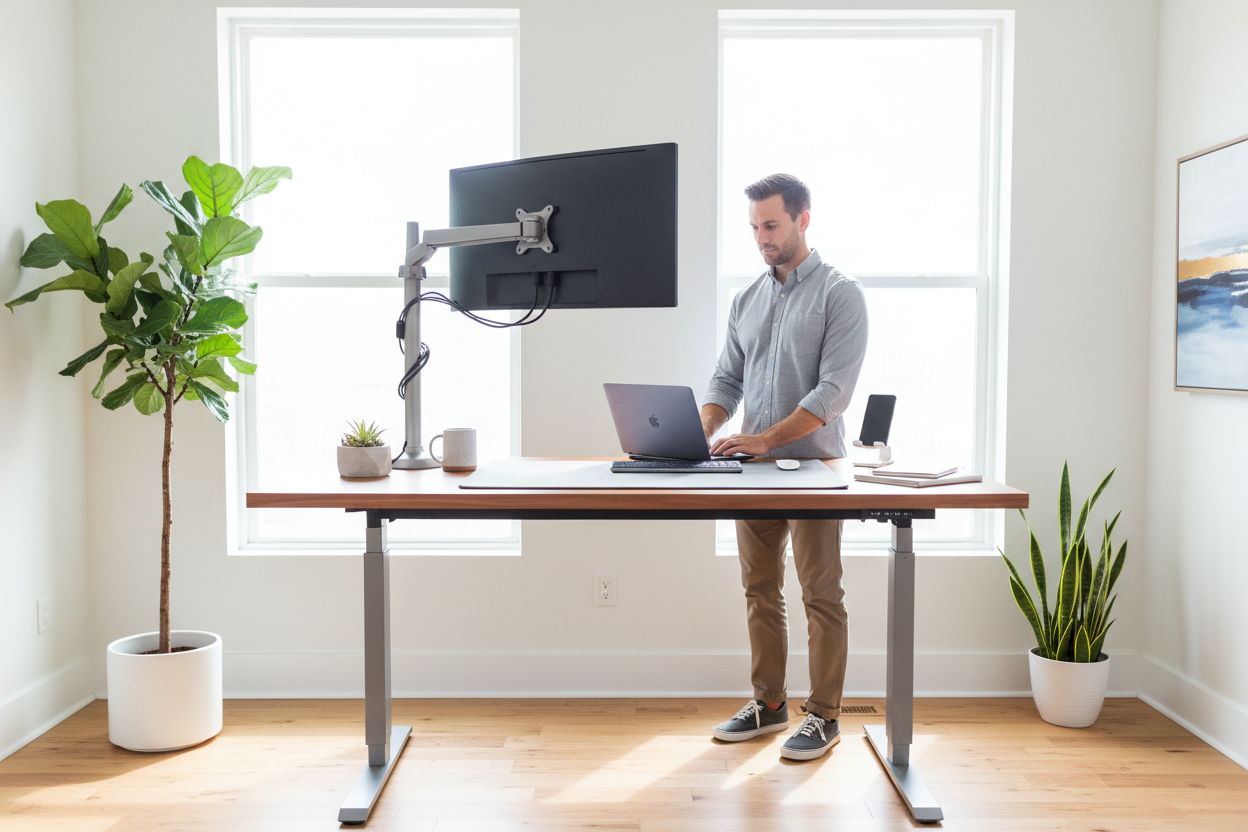
You've been staring at the same mid-July sale banner for twenty minutes. The price looks right. The specs look fine. But something's holding you back — and honestly, that instinct is worth listening to.
Standing desks are not all created equal. The difference between a desk that transforms your workday and one that wobbles every time you type isn't always obvious from a product listing. This guide cuts through the marketing noise and gives you the real framework for making a confident purchase — whether you're spending $400 or $900.
We'll cover the four things that actually matter: stability at height, desktop material durability, control interface usability, and warranty substance. By the end, you'll know exactly what to look for — and what to walk away from.
The Wobble Test: Why Stability at 48 Inches Is the Only Metric That Matters
Here's a scenario most standing desk reviews skip: you're standing at your desk, typing at full height — let's say 48 inches — and your monitor shakes every time your fingers hit the keys. That's not a minor annoyance. That's eye strain, lost focus, and a desk you'll stop using within a month.
The wobble test is simple. Raise the desk to its maximum height, place your hands flat on the surface, and push side to side with moderate pressure. A quality desk should feel planted. A cheap one will sway noticeably — sometimes several inches at the top of the frame.
Why does this happen? It comes down to two things: frame geometry and motor configuration.
Single-Motor vs. Dual-Motor Frames
Single-motor desks use one motor to drive both legs through a shared drive shaft. It works, but the mechanical tolerances compound over time. As the desk ages, the two legs can drift slightly out of sync, creating a rocking motion that gets worse the higher you go.
Dual-motor desks put a motor in each leg. Each leg moves independently but in coordination, which means the frame stays level and the lateral forces are distributed evenly. The result is dramatically less sway at full extension — and a desk that stays that way for years, not months.
Cross-Bracing: The Underrated Stability Feature
Look at the underside of any standing desk frame. The better ones have a crossbar or cross-brace connecting the two legs horizontally. This single structural element does more for stability than almost any other design choice. It prevents the legs from racking (twisting relative to each other) under lateral load — which is exactly what happens when you lean on the desk or bump it with your chair.
If a desk listing doesn't mention cross-bracing and the product photos don't show it clearly, that's a flag worth noting.
Weight Capacity as a Proxy for Frame Rigidity
Here's a useful shortcut: weight capacity correlates strongly with frame rigidity. A desk rated for 150 lbs is built with heavier steel tubing and tighter tolerances than one rated for 80 lbs. You don't need to max out the capacity — but a higher rating tells you the engineers over-built the frame, which means more stability in everyday use.
The Rackora 40'' x 24" Ergonomic Electric Height Adjustable Standing Desk is rated for up to 1,766 lbs of desktop load capacity — a figure that reflects serious structural engineering, not marketing copy. That kind of over-engineering is exactly what keeps a desk stable at full height, year after year.

Shop the Rackora 40'' x 24" Electric Standing Desk — $599.99 (Was $879.99)
Material Truths: What Happens to Your Desktop in a Humid Summer
July is the worst month to ignore desktop material. If you're in the South, the Midwest, or anywhere with real summer humidity, the material your desktop is made from will determine whether it looks great in six months or starts peeling at the edges.
Most standing desk tops fall into three categories: laminate, bamboo, and eco-wood (also called MDF-core or engineered wood). Each has a real-world performance profile that the spec sheet won't tell you.
Laminate Desktops
Laminate is a thin decorative layer bonded to a particleboard or MDF core. It's the most common desktop material at the $300–$700 price point, and for good reason — it's affordable, easy to clean, and available in dozens of finishes.
The vulnerability is the edges. Laminate is bonded to the core, and if moisture gets under the edge banding (the strip that covers the raw edge of the board), it can cause delamination — that bubbling, peeling effect you've probably seen on cheap office furniture. In a humid environment, this process accelerates.
What to look for: thick edge banding (2mm or more), PVC or ABS edge material rather than paper, and a sealed underside. A desktop with a melamine-sealed bottom resists moisture absorption from below, which is where most of the damage starts.
Bamboo Desktops
Bamboo has become popular in the standing desk market because it's genuinely hard, renewable, and looks premium. The grain is tight and consistent, and a well-finished bamboo top resists scratches better than most laminates.
The catch is that bamboo is still a natural material, and natural materials move with humidity. In very dry or very humid conditions, bamboo can expand, contract, or — in extreme cases — develop small surface cracks. This is more of a concern in climates with dramatic seasonal swings than in consistently humid environments.
If you're in a climate-controlled office, bamboo is a great choice. If your home office gets hot and humid in summer and dry in winter, a high-quality laminate with sealed edges may actually hold up better long-term.
Eco-Wood / Engineered Wood
Eco-wood is a broad term that usually refers to MDF or HDF (high-density fiberboard) with a surface treatment — either a painted finish, a wood-grain print, or a veneer. The core material is denser and more dimensionally stable than particleboard, which means it's less prone to warping under humidity changes.
The Rackora 40'' x 24" desk uses a wood-core desktop in a warm brown finish. The material is designed for everyday office use — it handles the weight of monitors, laptops, and accessories without flexing, and the surface finish is durable enough for daily contact without showing wear quickly.
The Practical Takeaway
Whatever material you choose, the single most important thing you can do is keep the desktop away from direct sunlight and standing water. UV exposure fades finishes faster than humidity does, and pooled water (from a spilled drink or a sweating glass) is the fastest way to damage any wood-based desktop. A simple desk mat handles both problems.

Control Interface Realism: Why Simple Beats Smart Every Time
The Bluetooth app integration on a standing desk sounds great in a product listing. In practice, it's one of the most consistently complained-about features in standing desk reviews.
Here's what actually happens: you want to switch from sitting to standing. With a Bluetooth app, you unlock your phone, open the app, wait for it to connect to the desk (which sometimes takes 10–30 seconds), tap the preset, and watch the desk move. Total time: 30–60 seconds, minimum.
With a physical memory preset panel, you press one button. The desk moves. Total time: 3–5 seconds.
That difference matters more than it sounds. Research on sit-stand behavior consistently shows that the biggest predictor of whether someone actually uses their standing desk is how easy it is to switch positions. Friction kills habits. A desk that requires a phone interaction to change height will be used in standing mode far less often than one with a single-button preset.
What to Look for in a Control Panel
The best control panels have three things: tactile buttons (not touch-sensitive surfaces that require precise finger placement), clearly labeled memory presets (M1, M2, M3 is fine — you'll learn them in a day), and a height display so you can see exactly where you are without guessing.
Anti-collision detection is worth checking for too. This is a sensor system that stops the desk if it encounters resistance while moving — useful if you have cables, a chair, or a pet that wanders under the desk. It's a safety feature that's become standard on quality desks but is still missing from some budget options.
The Rackora 40'' x 24" desk includes three free height memory points on its control panel. You set them once — sitting height, standing height, and whatever middle position works for you — and from that point on, switching is a single button press. No app, no pairing, no waiting.

Noise Level: The Overlooked Spec
If you're in a shared space — an open-plan office, a home office next to a bedroom, or anywhere with other people nearby — motor noise matters. A desk that sounds like a small appliance every time it adjusts is disruptive enough that you'll start avoiding height changes just to avoid the noise.
The Rackora 40'' x 24" desk operates below 50 decibels during adjustment. For reference, a normal conversation is around 60 dB. At sub-50 dB, the desk is quieter than ambient office noise in most environments — you'll hear it, but it won't interrupt a call or wake anyone up.
Get the Rackora 40'' x 24" Standing Desk for $599.99 — Save $280 This July
Warranty Analysis: What a 3-Year Guarantee Actually Means for a Motorized Desk
A standing desk is a motorized piece of furniture. That distinction matters when you're evaluating warranties, because the failure modes are different from a static desk — and the cost of a motor replacement or control board swap can easily run $150–$300 if you're out of warranty.
The Two Warranty Categories You Need to Check
Structural warranty covers the frame — the steel legs, the crossbar, the column tubes, and the welds. A quality frame should last 10+ years under normal use, so a structural warranty of less than 3 years is a sign the manufacturer isn't confident in their own product.
Electronic/motor warranty covers the motors, the control box, the handset, and the wiring. This is where most standing desk failures actually occur, and it's where warranty terms vary the most. Some brands offer 1 year on electronics and 5 years on the frame. Others offer a flat 3 years on everything. The flat coverage is generally better — it means the manufacturer treats the desk as a single integrated product rather than trying to limit liability on the components most likely to fail.
What to Watch Out For
Read the fine print on commercial use exclusions. Many standing desk warranties are voided if the desk is used in a commercial office rather than a home. If you're buying for a business, confirm the warranty explicitly covers commercial use.
Also check the claims process. A warranty is only as good as the support behind it. Look for brands that offer direct replacement parts, not just send it back and we'll evaluate it policies that leave you without a desk for weeks.
Why 3 Years Is the Minimum Worth Accepting
The motor and control electronics in a standing desk typically show their first signs of wear between 18 months and 3 years of daily use. A 1-year warranty expires right before the risk window opens. A 3-year warranty covers you through the highest-risk period and signals that the manufacturer has enough confidence in their components to back them for that long.
When you're spending $500–$900 on a desk, a 3-year structural and electronic warranty isn't a luxury — it's the baseline for a responsible purchase.
The Rackora 40'' x 24" Electric Standing Desk: Real Specs, Real Price

The Rackora 40'' x 24" Ergonomic Electric Height Adjustable Standing Desk is priced at $599.99 (regularly $879.99 — a $280 savings during the current July sale). Here's how it performs against the four criteria in this guide:
- Stability: Rated for up to 1,766 lbs of load capacity. The frame is engineered for heavy-duty performance with a stepless lifting system that eliminates the jerky start-stop motion common in cheaper motors.
- Desktop material: Wood-core desktop in a warm brown finish. Assembled dimensions: 39" L x 23" W. Practical size for a single-monitor or dual-monitor setup with room for peripherals.
- Control interface: Three free height memory presets on a physical control panel. Motor noise below 50 dB. No app required.
- Cable management: Two rear wiring holes built into the desktop, plus side hooks for personal items. A small detail that makes a real difference in keeping the workspace clean.
Ships from a US warehouse. Assembly is straightforward — the frame arrives largely pre-assembled, and the desktop attachment is a standard bolt pattern.
Shop Now: Rackora 40'' x 24" Standing Desk — $599.99
Also Worth Considering: The Rackora 48'' x 24" Standing Desk

If you need more horizontal workspace — for a dual-monitor setup, a wide laptop plus external display, or just more room to spread out — the Rackora 48'' x 24" Height Adjustable Ergo Standing Desk is worth a look. At $479.99, it offers a height range of 28" to 47", a 48" x 24" work surface, and a 15-minute assembly time.
Shop the Rackora 48'' x 24" Standing Desk — $479.99
Complete Your Setup: Accessories That Make a Real Difference
Monitor Arm: The Single Biggest Ergonomic Upgrade
If your monitor is sitting directly on the desktop, you're almost certainly looking down at it — which puts your neck in a forward-flexed position for hours at a time. A monitor arm lets you position the screen at exact eye level, at the exact distance your eyes need, regardless of whether you're sitting or standing.

The Rackora Full Motion Single Monitor Arm ($139.99) supports screens from 13" to 32", is VESA compatible, and uses a gas spring mechanism for smooth, one-handed repositioning. It clamps directly to the desktop edge — no drilling required — and frees up the surface space the monitor stand was occupying.
Ergonomic Chair: Because You'll Still Sit Sometimes
The goal of a standing desk isn't to stand all day — it's to move between positions throughout the day. Which means you still need a chair that supports you properly when you're sitting.

The Rackora Ergonomic Massage Reclining Office Chair with Footrest ($529.15) supports up to 300 lbs, includes a retractable footrest, and has a reclining backrest for longer work sessions. Pair it with the standing desk and you have a complete sit-stand workstation.
Add the Ergonomic Chair — $529.15
How to Actually Use a Standing Desk (So You Don't Give Up in Week Two)

Start with 20-minute standing intervals. If you've been sitting all day for years, your feet, calves, and lower back are not conditioned for extended standing. Start with 20 minutes standing for every 40 minutes sitting. After two weeks, move to 30/30. After a month, you'll find your own natural rhythm.
Set your presets before you need them. On day one, set your sitting height and standing height as memory presets. Don't wait until you're in the middle of a task to figure out the right height — you'll skip the adjustment and stay seated.
Get an anti-fatigue mat. Standing on a hard floor for extended periods causes fatigue faster than standing on a cushioned surface. An anti-fatigue mat makes a noticeable difference in how long you can comfortably stand. It's a $30–$80 investment that significantly improves the standing desk experience.
Position your monitor before you set your standing height. If you're using a monitor arm, position the screen at eye level while standing, then set your standing height preset. If you set the height first and add the arm later, you'll need to readjust everything.
Mid-July Sale: What's Actually Worth Buying Right Now
Mid-July is one of the better times of year to buy a standing desk. Retailers are clearing inventory ahead of back-to-school season, and the deals on ergonomic furniture tend to be genuine rather than manufactured. The Rackora 40'' x 24" desk is currently $280 off its regular price — that's a real discount, not a reference price that was never actually charged.
Ready to upgrade your workspace?
Rackora 40'' x 24" Electric Standing Desk — $599.99 (Was $879.99)
Rackora 48'' x 24" Standing Desk — $479.99
Full Motion Monitor Arm — $139.99
Frequently Asked Questions
Q: How do I know if a standing desk will wobble at my height?
The best indicator is the frame construction — specifically whether it has a cross-brace between the legs and what the weight capacity rating is. Higher weight capacity generally means heavier steel and tighter tolerances, which translates to less wobble at full extension. If you can find video reviews that show the desk at maximum height with a monitor on it, that's the most reliable real-world test.
Q: Is a dual-motor standing desk worth the extra cost?
For most users, yes. Dual-motor desks lift more smoothly, stay more level over time, and tend to have higher weight capacities. The price premium over single-motor desks has narrowed significantly in the past two years — you can now find quality dual-motor options in the $500–$700 range that would have cost $900+ a few years ago.
Q: What's the right standing desk height for me?
A simple rule: when standing, your elbows should be at roughly 90 degrees when your hands are resting on the keyboard. For most people, this puts the desktop between 40" and 46" from the floor. If you're between 5'4" and 6'2", a desk with a height range of 28" to 47" will cover you comfortably in both sitting and standing positions.
Q: How long should I stand each day at a standing desk?
Current ergonomic guidance suggests alternating between sitting and standing every 30–60 minutes, with total standing time of 2–4 hours per 8-hour workday. Standing all day is not the goal — movement and position variety are. The desk is a tool for changing positions, not for replacing sitting entirely.
Q: Can I use a standing desk on carpet?
Yes, but check that the feet have adjustable levelers. Carpet compresses unevenly, and a desk without leveling feet can rock slightly even on a flat surface. Most quality standing desks include adjustable foot pads for exactly this reason.
Q: What's the difference between laminate and bamboo desktop surfaces?
Laminate is more moisture-resistant at the surface but vulnerable at the edges if the edge banding is thin or poorly sealed. Bamboo is harder and more scratch-resistant but can expand and contract with humidity changes. In a climate-controlled environment, either works well. In a space with significant humidity swings, a high-quality laminate with sealed edges tends to be more dimensionally stable.
Q: Do I need a mat for standing at my desk?
An anti-fatigue mat is strongly recommended. Standing on a hard floor for extended periods causes fatigue in the feet, calves, and lower back significantly faster than standing on a cushioned surface. A good anti-fatigue mat costs $30–$80 and makes a noticeable difference in how long you can comfortably stand.
Q: What does a 3-year warranty actually cover on a standing desk?
A comprehensive 3-year warranty should cover both the structural frame (legs, crossbar, column tubes) and the electronic components (motors, control box, handset). Read the fine print for exclusions — particularly around commercial use, which some warranties void. Also check whether the warranty covers replacement parts or requires you to return the entire desk.
Q: Is the Rackora standing desk easy to assemble?
Yes. The frame arrives largely pre-assembled, and the desktop attachment uses a standard bolt pattern. Most users complete assembly in 30–45 minutes with basic tools. The desk ships from a US warehouse, so delivery times are typically 3–7 business days.
Q: Can I use a monitor arm with the Rackora standing desk?
Yes. The desktop edge is compatible with standard C-clamp monitor arm mounts. The Rackora Full Motion Single Monitor Arm ($139.99) is designed to work with this desk and supports screens from 13" to 32". For dual-monitor setups, the Rackora Dual Monitor Desk Mount ($99–$139) is the natural pairing.
